Freedom251 › Game Visual Scripting Software

Bloxels
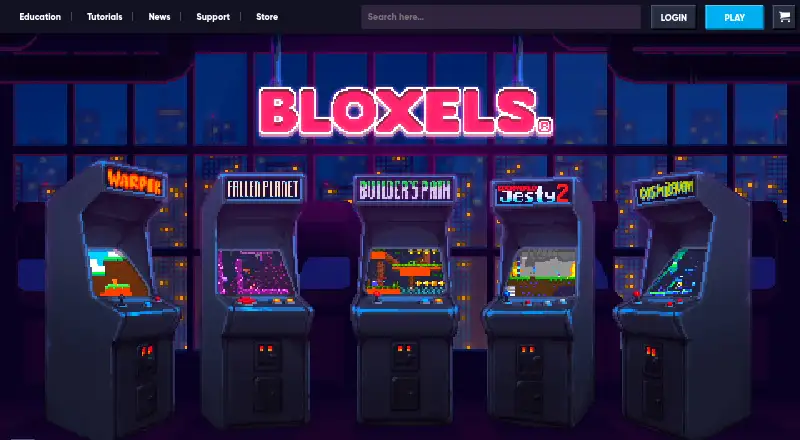
What Bloxels is
Bloxels is an app for creating characters, art, stories, and games without coding. Users can make side-scrolling platformers or top-down games with separate builders for Games, Characters, Art, and Backgrounds. Character Lab offers controls for speed, size, health, and special abilities. The Arcade lets users publish games for the community to play; moderation happens before release and can take up to 24 hours at peak times. The app includes themed asset packs with ready-made art, characters, and backgrounds to edit or use as-is. It runs on Android, iOS, and the web. Personal accounts cost $3.99 a month or $19.99 a year, with game building and publishing on iOS, Android, Kindle, and the web; there is no free plan. Bloxels EDU is designed for K–12 classrooms, makerspaces, and clubs, adding educator tools and a private Class Library for student collaboration. Optional physical boards and blocks can be captured in the app and turned into game elements. An internet connection is required.
Who it suits
Bloxels suits learners, creators, teams, and educators who want to make 2D games without coding. Its EDU tools target K–12 classrooms, makerspaces, and clubs that need private student collaboration and teacher controls.
What it does well
- Create platformers or top-down games without coding.
- Character Lab adjusts four character attributes.
- The EDU Class Library supports private collaboration.
- Optional boards and blocks become game assets.
- Personal accounts publish to web and mobile platforms.
What to know first
- No free plan is listed.
- An internet connection is required.
- Arcade moderation can take up to 24 hours at peak times.
Limits
There is no free plan. The monthly Personal Account costs $3.99 per month, while the yearly plan costs $19.99 per year; an internet connection is required, and Arcade games are moderated before publication.
Plans
| Plan | Billed and limits | Price |
|---|---|---|
| Bloxels Personal Account — Yearly | $19.99 Yearly · Build and publish games on iOS, Android, Kindle, and the Web | $19.99 a year |
| Bloxels Personal Account — Monthly | $3.99 Monthly · Build and publish games on iOS, Android, Kindle, and the Web | $3.99 a month |
As bloxels.com lists them, read 7 Oct 2026. The maker's own page has the final word.
Getting started
- Visit the Bloxels website or use the app on Android or iOS.
- Choose a Personal Account plan: monthly or yearly.
- Use the Games, Characters, Art, or Backgrounds builder modes.
- Build and publish games to the supported platforms or the Bloxels Arcade.
Verdict
Bloxels provides visual game-building tools for individual creators and educational groups, with publishing through its Arcade. The required internet connection and paid personal plans are key considerations.
Questions
How much does Bloxels cost?
The Personal Account monthly plan is $3.99 per month, and the yearly plan is $19.99 per year.
Is Bloxels free?
There is no free plan.
Which platforms does Bloxels support?
Bloxels is available on Android, iOS, and the web. Personal accounts can build and publish games on iOS, Android, Kindle, and the web.
Does Bloxels require coding?
No. Bloxels is for creating characters, art, stories, and games without coding.
What does Bloxels EDU add?
Bloxels EDU adds educator features, resources, and support. Its Class Library supports private class collaboration, and the EDU Hub lets teachers view student work and control sharing, arcade, and asset-pack features.
Does Bloxels integrate with classroom platforms?
The maker pages reviewed describe app-store distribution and web access but do not state integrations with third-party classroom platforms.
Facts from Bloxels's own pages
- Asset packs
- The app includes themed asset packs with ready-made art, characters, and backgrounds that users can mix, edit, or use as-is. · bloxels.com, 7 Oct 2026
- Builders
- The app includes Games, Characters, Art, and Backgrounds builder modes, plus the Arcade for publishing games. · bloxels.com, 7 Oct 2026
- Character tools
- Character Lab lets users adjust character speed, size, health, and special abilities. · bloxels.com, 7 Oct 2026
- Class collaboration
- The EDU Class Library lets students share and collaborate privately with their class on characters, game art, and games. · bloxels.com, 7 Oct 2026
- Community arcade
- Users can publish games to the Bloxels Arcade, where community games can be played; published games are moderated before going live, which can take up to 24 hours at peak times. · bloxels.com, 7 Oct 2026
- Education
- Bloxels EDU is aimed at K–12 classrooms, makerspaces, and clubs and adds educator features, resources, and support. · bloxels.com, 7 Oct 2026
- Game modes
- Users can create side-scrolling platformers or top-down games. · bloxels.com, 7 Oct 2026
- Integrations
- The maker pages reviewed describe app-store distribution and web access but do not state integrations with third-party classroom platforms. · bloxels.com, 7 Oct 2026
- Network requirement
- Bloxels requires an internet connection, and a firewall blocking its servers prevents use of the app or EDU Hub. · bloxels.com, 7 Oct 2026
- Physical kit
- Optional Bloxels boards and blocks can be captured in the app and turned into game characters, layouts, and art. · bloxels.com, 7 Oct 2026
- Privacy and security
- Pixel Press says it collects the minimum information possible, does not use data for commercial purposes, participates in SDPC student-data privacy efforts, and can review individual DPAs. · bloxels.com, 7 Oct 2026
- Purpose
- Bloxels lets users create characters, art, stories, and video games without coding. · bloxels.com, 7 Oct 2026
- Support
- Bloxels offers email support for schools, libraries, and makerspaces, with a stated response target of 24–48 business hours; EDU users can request expedited help through the EDU Hub. · bloxels.com, 7 Oct 2026
- Teacher controls
- The EDU Hub lets teachers view student work and control sharing, arcade, and asset-pack features. · bloxels.com, 7 Oct 2026
Where Bloxels stands on Freedom251
- Game Visual Scripting Software#18 of 26