Freedom251 › PC Power Management Software
BatteryCare
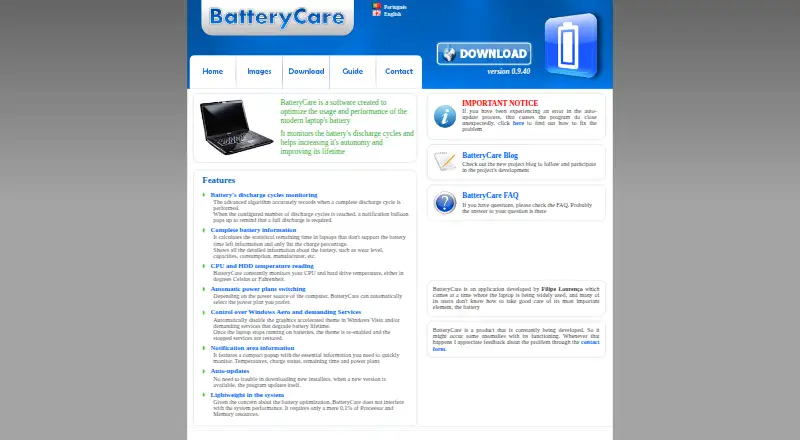
What BatteryCare is
BatteryCare is free Windows software for monitoring laptop battery use and adjusting power settings. It tracks complete discharge cycles and can notify users when the configured cycle count indicates that a full discharge is due. Battery details include wear level, capacities, consumption, manufacturer, and an estimate of remaining time when the laptop does not provide one. The program also monitors CPU and hard drive temperatures in Celsius or Fahrenheit. A notification area popup shows temperatures, charge status, estimated time remaining, and power plans. BatteryCare can switch power plans based on the computer’s power source and disable Windows Aero or selected demanding services while running on battery. The program updates itself when a new version is available; its maker says it uses 0.1% of processor and memory resources. It is compatible with Windows XP, Vista, 7, 8, and 10. If installation through the installer is not possible, the FAQ recommends the portable version. Microsoft .NET 2.0 may be needed if the program fails to run after installation. Reading CPU temperature requires administrator privileges and depends on hardware compatibility.
Who it suits
BatteryCare suits Windows laptop users who want battery-cycle information and power-plan controls. It may also help users who want battery and temperature details in the notification area.
What it does well
- Tracks complete discharge cycles.
- Displays battery wear, capacities, and consumption.
- Can switch power plans based on power source.
- Monitors CPU and hard drive temperatures.
- Available free for Windows XP through Windows 10.
What to know first
- CPU temperature access requires administrator privileges.
- Temperature readings depend on hardware compatibility.
- Microsoft .NET 2.0 may be needed if it fails to run.
Plans
| Plan | Billed and limits | Price |
|---|---|---|
| BatteryCare | Free software · Compatible with Microsoft Windows XP, Vista, 7, 8 and 10 | Free |
As batterycare.net lists them, read 8 Oct 2026. The maker's own page has the final word.
Verdict
BatteryCare brings battery monitoring, temperature readings, and power controls to Windows laptops at no cost. Check the operating-system compatibility and note that CPU temperature readings require administrator privileges and compatible hardware.
Facts from BatteryCare's own pages
- Alert channels
- notification balloon · batterycare.net, 22 Sept 2026
- Automatic updates
- The program updates itself when a new version is available. · batterycare.net, 8 Oct 2026
- Battery details
- It displays battery wear level, capacities, consumption, manufacturer, and other information, and estimates remaining time when a laptop does not provide it. · batterycare.net, 8 Oct 2026
- Battery monitoring
- It tracks complete discharge cycles and can notify users when a configured cycle count indicates a full discharge is due. · batterycare.net, 8 Oct 2026
- Developer
- The FAQ identifies Filipe Lourenço as the person behind the BatteryCare project. · batterycare.net, 8 Oct 2026
- Free plan
- Yes · batterycare.net, 22 Sept 2026
- Permissions
- The FAQ says administrator privileges are needed to read CPU temperature, and temperature readings may also depend on hardware compatibility. · batterycare.net, 8 Oct 2026
- Portable version
- The FAQ recommends downloading the portable version if installation through the installer is not possible. · batterycare.net, 8 Oct 2026
- Power management
- It can switch power plans based on the computer’s power source and disable Windows Aero or selected demanding services while running on battery. · batterycare.net, 8 Oct 2026
- Privacy
- The privacy policy says BatteryCare does not collect or hold personal information that can identify visitors; it describes Google Analytics and possible advertising cookies on the website. · batterycare.net, 8 Oct 2026
- Purpose
- BatteryCare is software designed to optimize modern laptop battery usage and performance by monitoring discharge cycles and helping improve battery autonomy and lifetime. · batterycare.net, 8 Oct 2026
- Resource use
- The maker says BatteryCare requires 0.1% of processor and memory resources. · batterycare.net, 8 Oct 2026
- Runtime dependency
- The FAQ says Microsoft .NET 2.0 must be installed if the program fails to run after installation. · batterycare.net, 8 Oct 2026
- Support
- The maker invites users to report problems through a contact form and links to an FAQ. · batterycare.net, 8 Oct 2026
- Supported platforms
- Windows XP,Vista,7,8,10 · batterycare.net, 22 Sept 2026
- System requirements
- The download page lists compatibility with Microsoft Windows XP, Vista, 7, 8, and 10. · batterycare.net, 8 Oct 2026
- Temperature monitoring
- It monitors CPU and hard drive temperatures in Celsius or Fahrenheit. · batterycare.net, 8 Oct 2026
- Tray display
- A notification area popup shows temperatures, charge status, remaining time, and power plans. · batterycare.net, 8 Oct 2026
Where BatteryCare stands on Freedom251
- PC Power Management Software#1 of 8
- Hardware Monitoring Software#19 of 59
- Hardware monitoring tools#33 of 59