Freedom251 › Image Upscaling Software

BatchTool Image Upscaler
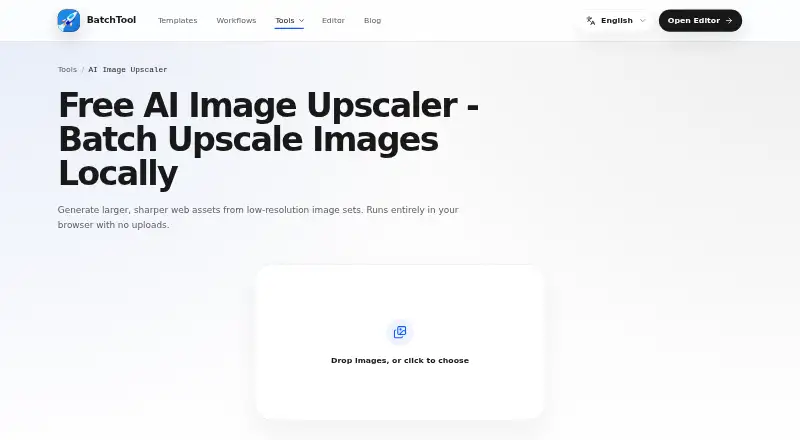
What BatchTool Image Upscaler is
BatchTool Image Upscaler is a free web tool that uses AI to enlarge and sharpen low-resolution images. Upscaling runs in the browser, so normal execution does not send source images to a BatchTool server. Multiple images can be queued, previewed, downloaded individually, or exported together as a ZIP. Output formats are JPEG, WebP, and AVIF; WebP is selected by default, and the original aspect ratio is retained. BatchTool identifies product thumbnails, archived images, editorial assets, and design preparation as use cases. Its stated audience includes e-commerce operators, marketers, content teams, designers, developers, creators, and everyday users. Browser storage may keep workflows and settings locally. Requests for site assets and model files can expose standard technical information to hosting providers. Performance, supported formats, and model availability may vary with the device, browser, memory, and network access to static assets. Support is available at [email protected].
Who it suits
It suits people creating larger web images, including e-commerce, marketing, editorial, design, development, and personal workflows. Browser processing may appeal to users who do not want source images uploaded during normal use.
What it does well
- AI upscaling in the browser
- Processes image batches
- ZIP export available
- JPEG, WebP, and AVIF output
- Source aspect ratio retained
What to know first
- Results vary by device and browser
- Model availability depends on network assets
- Browser may store workflows locally
Plans
| Plan | Billed and limits | Price |
|---|---|---|
| Free | Free · Runs in browser · upscales batches · exports JPEG, WebP, or AVIF | Free |
As batchtool.com lists them, read 12 Oct 2026. The maker's own page has the final word.
Verdict
BatchTool offers free, browser-based AI enlargement with batch queues, previews, and several export formats. Users should account for device, memory, browser, and network conditions that can affect performance and model availability.
Facts from BatchTool Image Upscaler's own pages
- Batch export
- Users can queue multiple images, preview results, download individual files, or export a ZIP. · batchtool.com, 12 Oct 2026
- Batch processing
- Yes · batchtool.com, 22 Sept 2026
- Free plan
- Yes · batchtool.com, 22 Sept 2026
- Intended users
- BatchTool says it serves e-commerce operators, marketers, content teams, designers, developers, creators, and everyday users. · batchtool.com, 12 Oct 2026
- Limitations
- The terms say performance, supported formats, and model availability may vary by device, browser, memory, and network access to static assets. · batchtool.com, 12 Oct 2026
- Local processing
- Upscaling runs in the browser, and selected images stay on the user's device without required uploads. · batchtool.com, 12 Oct 2026
- Network data
- Requests for site assets and model files may expose standard technical information such as IP address, user agent, referring page, requested URL, and timestamps to hosting providers. · batchtool.com, 12 Oct 2026
- Output formats
- The upscaler exports JPEG, WebP, or AVIF, with WebP selected by default and the source aspect ratio retained. · batchtool.com, 12 Oct 2026
- Privacy
- The privacy policy says normal tool execution does not send source images to a BatchTool server; the browser may store workflows and tool settings locally. · batchtool.com, 12 Oct 2026
- Purpose
- BatchTool Image Upscaler generates larger, sharper web assets from low-resolution images using AI upscaling. · batchtool.com, 12 Oct 2026
- Security certifications
- The privacy policy describes local processing and browser storage but does not state a security certification or compliance standard. · batchtool.com, 12 Oct 2026
- Support
- BatchTool offers support by email at [email protected] for technical issues, feedback, feature requests, and questions. · batchtool.com, 12 Oct 2026
- Upscaling method
- ai · batchtool.com, 22 Sept 2026
- Use cases
- The maker identifies product thumbnails, archived images, editorial assets, and design preparation as use cases. · batchtool.com, 12 Oct 2026
Where BatchTool Image Upscaler stands on Freedom251
- Image Upscaling Software#64 of 99