Freedom251 › Phone Transfer Software
Backuptrans Android iPhone Data Transfer+
Visit Backuptrans Android iPhone Data Transfer+ Alternatives Pricing
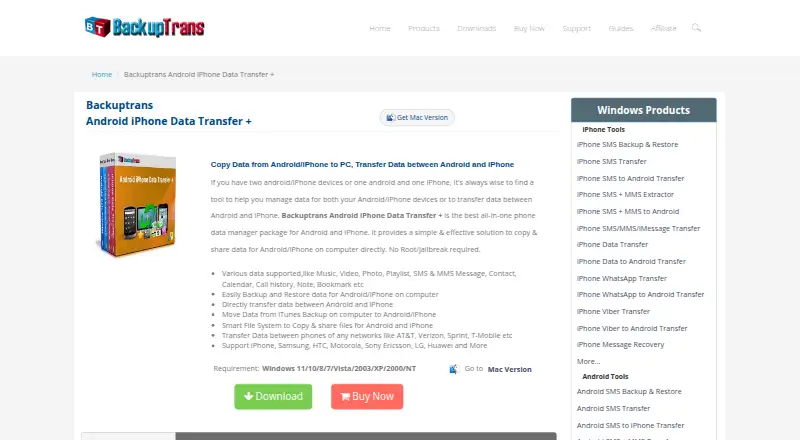
What Backuptrans Android iPhone Data Transfer+ is
Backuptrans Android iPhone Data Transfer+ is desktop software for moving and managing information between Android phones, iPhones, and a computer. It transfers data directly between phones, backs up and restores phone contents on a computer, and reads iTunes backups. Supported items include music, video, photos, playlists, SMS and MMS, contacts, calendars, call history, notes, bookmarks, and other listed data. A file-system view lets you select files to copy between a phone and computer. Messages and contacts can be exported as TXT, CSV, Doc, VCF, HTML, or PDF and printed from the computer. Contacts can also be added, edited, or deleted there. Android transfer can use Wi-Fi. The maker says more than 1,000 phones are supported, without Android root or iPhone jailbreak. Windows and macOS versions are available, with a free trial.
Who it suits
It suits people moving information between Android and iPhone devices or maintaining phone backups on Windows or macOS. It also fits users who need desktop contact editing, message exports, or computer printing.
What it does well
- Transfers data directly between Android and iPhone
- Backs up and restores phone data on computer
- Exports messages and contacts in several formats
- Supports more than 1,000 phones
- Free trial available
What to know first
- No free plan
- Personal licenses limit devices
- Business licenses renew yearly
- Windows requirements include iTunes 10.0 or above
Plans
| Plan | Billed and limits | Price |
|---|---|---|
| Personal Edition (Windows) | USD $39.95; lifetime license · Up to 3 devices · personal Windows computer | $39.95, paid once |
| Personal Edition (Mac) | USD $44.95; lifetime license · Up to 3 devices · personal Mac computer | $44.95, paid once |
| Family Edition (Windows) | USD $59.95; lifetime license · Up to 8 devices · all family Windows computers | $59.95, paid once |
| Family Edition (Mac) | USD $64.95; lifetime license · Up to 8 devices · all family Mac computers | $64.95, paid once |
| Business Edition (Windows) | USD $79.95; one-year license · Unlimited devices · all company Windows computers | $79.95 a year |
| Business Edition (Mac) | USD $84.95; one-year license · Unlimited devices · all company Mac computers | $84.95 a year |
As backuptrans.com lists them, read 11 Oct 2026. The maker's own page has the final word.
Verdict
Backuptrans combines phone-to-phone transfers, computer backups, file copying, and contact or message handling in one desktop tool. It is paid software, with lifetime personal and family licenses, yearly business licenses, and a free trial.
Facts from Backuptrans Android iPhone Data Transfer+'s own pages
- Connection
- The product says Android can connect to the computer over Wi-Fi for data transfer. · backuptrans.com, 11 Oct 2026
- Contact editing
- Users can add, edit, or delete phone contacts on the computer. · backuptrans.com, 11 Oct 2026
- Data types
- It supports music, video, photos, playlists, SMS and MMS, contacts, calendars, call history, notes, bookmarks, and other listed data types. · backuptrans.com, 11 Oct 2026
- Device support
- The maker says it supports more than 1,000 phones, including iPhone, Samsung, HTC, Motorola, Sony Ericsson, LG, and Huawei devices. · backuptrans.com, 11 Oct 2026
- Export and print
- Messages and contacts can be exported as TXT, CSV, Doc, VCF, HTML, or PDF, and messages and contacts can be printed from the computer. · backuptrans.com, 11 Oct 2026
- File management
- Its file system lets users view and copy selected files between a phone and computer. · backuptrans.com, 11 Oct 2026
- Integrations
- The product can read iTunes backups, and its Windows requirements specify iTunes 10.0 or above. · backuptrans.com, 11 Oct 2026
- Mac requirements
- The Mac version lists macOS X 10.7 through macOS 12 Monterey as supported operating systems. · backuptrans.com, 11 Oct 2026
- No root required
- The maker says Android transfer does not require root and iPhone transfer does not require jailbreak. · backuptrans.com, 11 Oct 2026
- Privacy and security
- The privacy policy says the company uses administrative, technical, and physical safeguards and says it does not sell or rent contact information to marketers. · backuptrans.com, 11 Oct 2026
- Purpose
- The software transfers and manages data among Android phones, iPhones, and a computer. · backuptrans.com, 11 Oct 2026
- Transfer and backup
- It can transfer data directly between Android and iPhone, back up and restore phone data on a computer, and copy data from an iTunes backup. · backuptrans.com, 11 Oct 2026
- Trial and support
- The support page explains how to obtain a trial version and says email questions are generally answered within 24 hours, except weekends or holidays. · backuptrans.com, 11 Oct 2026
- Windows requirements
- The Windows version lists Windows 11, 10, 8, 7, Vista, 2003, XP, 2000, and NT as supported operating systems. · backuptrans.com, 11 Oct 2026
Where Backuptrans Android iPhone Data Transfer+ stands on Freedom251
- Phone Transfer Software#20 of 44