
BackUp Xplorer
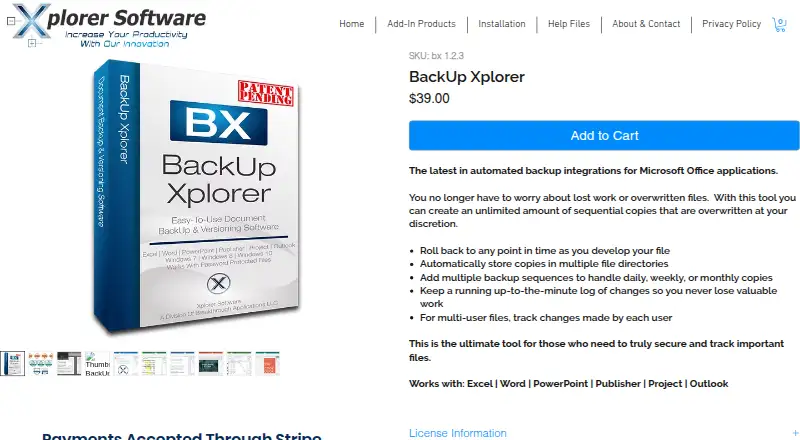
What BackUp Xplorer is
BackUp Xplorer is Windows software for creating file backups of Microsoft Office documents and restoring earlier versions. It works with Excel, Word, PowerPoint, Publisher, Project, and Outlook, placing controls in the Office task pane or a standalone form. Users can create multiple backup sequences, schedule daily, weekly, or monthly copies, choose destinations, and set how many backups to keep. Local, network, and removable drives are supported, including multiple storage locations. At document level, the software records versions and edits, supports comparison, and can roll back complete or partial changes. Multi-user files can show which user made changes. The maker says password-protected backups remain protected, storage paths are encrypted, and copies go only to approved drives. Templates can apply sequences to new files. The product costs $39 a month, includes a 7-day trial, and has no free plan. Each license allows two user activations.
Who it suits
It suits Windows users who need scheduled Office-document backups, version recovery, and change tracking. It is designed for file-level protection rather than a broader computer image restore.
What it does well
- Supports major Microsoft Office files
- Multiple scheduled backup sequences
- Version comparison and rollback
- Local, network, removable destinations
- Two activations per license
What to know first
- Windows only
- No free plan
- $39 a month
- Seven-day trial
Plans
| Plan | Billed and limits | Price |
|---|---|---|
| BackUp Xplorer | 2 user activations included · unlimited sequential copies · compatible with Excel, Word, PowerPoint, Publisher, Project, and Outlook | $39, paid once |
As xplorersoftware.com lists them, read 12 Oct 2026. The maker's own page has the final word.
Verdict
BackUp Xplorer focuses on detailed Office file history, scheduled copies, and selective rollback. Its monthly price and Windows-only availability should be weighed against those document-level controls.
Facts from BackUp Xplorer's own pages
- Backup scheduling
- Users can add multiple backup sequences with daily, weekly, or monthly copies and configure frequency, destination, and the number of backups to keep. · xplorersoftware.com, 12 Oct 2026
- Backup scope
- file · xplorersoftware.com, 19 Sept 2026
- Computer backup
- Yes · xplorersoftware.com, 19 Sept 2026
- Destinations
- The product supports local, network, and removable drives, and can store copies in multiple locations. · xplorersoftware.com, 12 Oct 2026
- Download security
- The maker says its programs are digitally signed with a Comodo certificate issued by Sectigo for Breakthrough Applications LLC. · xplorersoftware.com, 12 Oct 2026
- Free plan
- No · xplorersoftware.com, 19 Sept 2026
- License limit
- Each purchased license includes two user activations. · xplorersoftware.com, 12 Oct 2026
- Multi-user tracking
- For multi-user files, the product can track changes made by each user. · xplorersoftware.com, 12 Oct 2026
- Office apps
- The product page lists compatibility with Excel, Word, PowerPoint, Publisher, Project, and Outlook. · xplorersoftware.com, 12 Oct 2026
- Office integration
- The maker describes BackUp Xplorer as integrated into the Microsoft Office task pane, which can be docked or shown as a standalone form. · xplorersoftware.com, 12 Oct 2026
- Supported platforms
- windows · xplorersoftware.com, 19 Sept 2026
- Purpose
- BackUp Xplorer creates custom backup sequences for important Microsoft Office files, with version and edit tracking stored at the document level. · xplorersoftware.com, 12 Oct 2026
- Restore modes
- file · xplorersoftware.com, 19 Sept 2026
- Security claims
- The maker says password-protected file backups remain protected, storage paths are encrypted, and backups are saved only to user-approved drives. · xplorersoftware.com, 12 Oct 2026
- Support
- The maker provides a BackUp Xplorer help page with procedures for creating backup sequences, comparing copies, and restoring selected Outlook backups. · xplorersoftware.com, 12 Oct 2026
- Templates
- Users can create templates to add backup sequences to new files. · xplorersoftware.com, 12 Oct 2026
- Trial
- The maker advertises a free 7-day trial. · xplorersoftware.com, 12 Oct 2026
- Version recovery
- Users can compare file versions and roll back changes, including partial changes, to a previous version. · xplorersoftware.com, 12 Oct 2026
- Windows compatibility
- The maker lists compatibility with Windows 7, 8, 10, and 11. · xplorersoftware.com, 12 Oct 2026
Where BackUp Xplorer stands on Freedom251
- Backup software#136 of 151