Back In Time
What Back In Time is
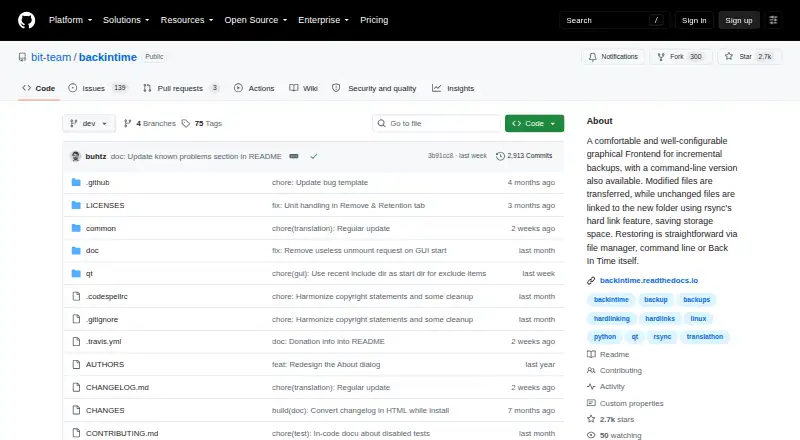
Back In Time is a free graphical and command-line incremental backup tool for GNU/Linux desktops. It backs up files with rsync and hard links, reducing extra destination space for unchanged data. Profiles can use local storage, local encrypted storage, SSH remote storage, or encrypted SSH storage; encrypted profiles use gocryptfs. Schedules include fixed intervals, catch-up runs, startup events, and backup-drive connections. Retention rules can keep or delete backups according to age, retention periods, available storage, and free inodes. Saved backups can be browsed with a file browser or terminal and restored without opening the application, although restoring outside it may lose permissions. Because the tool runs in user mode, restoration is limited to folders where that user has write access. Destination filesystems must support hard links, and mounted remote shares must support hard links and symlinks. The project is actively developed by volunteers.
Who it suits
It suits GNU/Linux desktop users who need scheduled incremental file backups, optional encryption, and local or SSH destinations. Users should be comfortable with filesystem and permission requirements.
What it does well
- Free GNU/Linux backup tool
- Incremental storage uses rsync and hard links
- Local and SSH encryption profiles
- Flexible scheduling and retention rules
- Backups browsable outside the application
What to know first
- GNU/Linux only
- Destination must support hard links
- User-mode restoration needs write access
- External restores may lose permissions
Plans
| Plan | Billed and limits | Price |
|---|---|---|
| Back In Time | GNU/Linux desktop backup tool | Free |
As github.com lists them, read 12 Oct 2026. The maker's own page has the final word.
Verdict
Back In Time offers configurable incremental backups with several destination and scheduling choices. Its filesystem, permission, and user-mode limits matter when planning restores or remote storage.
Facts from Back In Time's own pages
- Access limits
- Back In Time runs as a user-mode tool, so it can restore only folders the user has write access to. · backintime.readthedocs.io, 12 Oct 2026
- Backup destinations
- Profiles support local storage, local encrypted storage, SSH remote storage, and encrypted SSH storage. · backintime.readthedocs.io, 12 Oct 2026
- Backup scope
- file · github.com, 23 Sept 2026
- Computer backup
- Yes · github.com, 23 Sept 2026
- Encryption
- Local encrypted and SSH encrypted profiles use gocryptfs to encrypt backup data. · backintime.readthedocs.io, 12 Oct 2026
- Free plan
- Yes · github.com, 23 Sept 2026
- Known issue
- The project reports a stable-release issue where the files view may fail to display files or directories when a backup is selected in the timeline. · github.com, 12 Oct 2026
- Maintenance
- The project says it is actively developed by a volunteer team, with current work focused on major issues and stabilizing the codebase. · github.com, 12 Oct 2026
- Mobile backup
- No · github.com, 23 Sept 2026
- Password handling
- Passwords can be stored in the desktop keyring or cached in memory for scheduled jobs, but a root user could read the cache daemon’s password. · backintime.readthedocs.io, 12 Oct 2026
- Supported platforms
- GNU/Linux · github.com, 23 Sept 2026
- Purpose
- Back In Time is a graphical and command-line tool for incremental backups on GNU/Linux desktops. · backintime.readthedocs.io, 12 Oct 2026
- Restore
- Backups can be browsed with a file browser or terminal and restored without Back In Time, though permissions could be lost when restoring outside the application. · backintime.readthedocs.io, 12 Oct 2026
- Restore modes
- file · github.com, 23 Sept 2026
- Retention
- Rules can retain or automatically delete backups based on age, retention periods, free storage, and free inodes. · backintime.readthedocs.io, 12 Oct 2026
- Scheduling
- Schedules include fixed time intervals, catch-up schedules, startup events, and backup-drive connection events. · backintime.readthedocs.io, 12 Oct 2026
- Security configuration
- Backup directory permissions depend on the system or user umask and the permissions of parent directories. · backintime.readthedocs.io, 12 Oct 2026
- Server backup
- No · github.com, 23 Sept 2026
- Storage efficiency
- It uses rsync and hard links to reduce space used by unchanged files. · backintime.readthedocs.io, 12 Oct 2026
- Storage requirements
- The destination filesystem must support hard links, and mounted remote shares must support hard links and symlinks. · backintime.readthedocs.io, 12 Oct 2026
- Support
- The project lists a mailing list, Mastodon, GitHub issues, and a project email for questions and bug reports. · github.com, 12 Oct 2026
Where Back In Time stands on Freedom251
- Backup software#79 of 151