Freedom251 › AI Wallpaper Generators
Auto Wallpaper
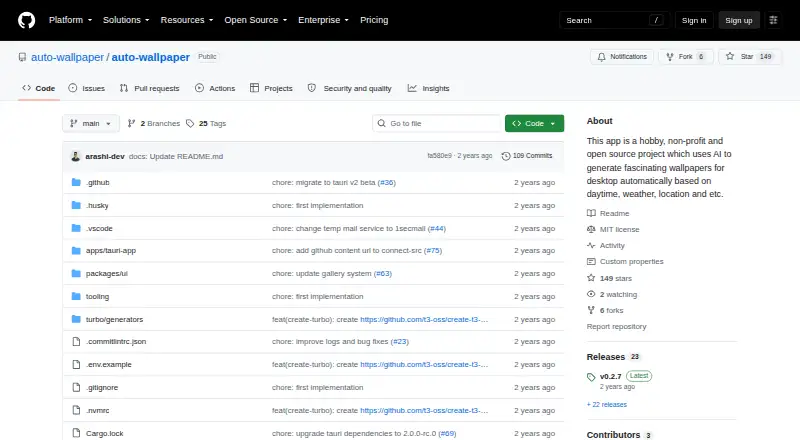
What Auto Wallpaper is
Auto Wallpaper is a desktop app that creates wallpapers using AI based on current weather and time of day. It is available for Linux, macOS, and Windows, with installers linked for each. Users can schedule wallpaper changes at an interval they choose, keep favorite creations, and save prompts in albums for sequential or random generation. The README lists a 4K resolution option and high-detail upscaling. The app automates image generation and upscaling through Leonardo.ai and uses 1secmail.com for temporary email. Its maker describes it as a free, open-source, non-profit hobby project built partly to learn Tauri, for educational rather than commercial purposes. The README warns that a Cloudflare CAPTCHA on Leonardo.ai’s login page currently blocks the existing automation and says an update is needed. The latest listed release is v0.2.7; bug reports can be submitted through GitHub Issues, and the maker lists an email for questions.
Who it suits
It suits desktop users who want AI-generated wallpapers tied to weather and time, with scheduling and prompt albums. Its stated purpose is educational rather than commercial.
What it does well
- Runs on Linux, macOS, and Windows.
- Can schedule wallpaper changes at chosen intervals.
- Saves favorite wallpapers and prompt albums.
- Lists 4K resolution and high-detail upscaling.
What to know first
- Leonardo.ai CAPTCHA currently blocks existing automation.
- The maker describes it as an educational hobby project.
Limits
The README says the Free plan has no limitations or hidden costs. The README warns that a Cloudflare CAPTCHA on Leonardo.ai's login page currently prevents the existing automation from working.
Plans
| Plan | Billed and limits | Price |
|---|---|---|
| Free | README says no limitations or hidden costs | Free |
As github.com lists them, read 30 Sept 2026. The maker's own page has the final word.
Getting started
- Open the Auto Wallpaper GitHub project page.
- Choose the installer linked for Windows, Linux, or Mac.
- Set an interval for automatic wallpaper changes if desired.
- Save favorite wallpapers or organize prompts in albums.
Auto Wallpaper is a desktop app that generates AI wallpapers in response to weather and time of day. It is best suited to people who want scheduled wallpaper variety across desktop systems and are comfortable with an open-source hobby project. Its cost is zero, but a Leonardo.ai login CAPTCHA currently blocks the existing automation.
Overview
The app combines contextual generation with automatic wallpaper changes at an interval the user chooses. Saved favorites and prompt albums—generatable in sequence or at random—make it more suited to maintaining a rotating set of looks than producing a single image. The maker describes it as a non-profit educational project, partly built to learn Tauri, rather than a commercial product. That framing suits personal experimentation, but not workflows that depend on reliable commercial production.
Key features
Weather- and time-aware generation gives the desktop background a changing context, while interval scheduling can reduce the need to choose each wallpaper manually. Prompt albums add repeatability without locking users into a fixed sequence: they can generate prompts in order or randomly. Users can also save favorite creations for later.
The README describes 4K resolution and high-detail upscaling, useful for people who prioritize detail. Its generation and upscaling automation uses Leonardo.ai, while temporary email is handled through 1secmail.com. A Cloudflare CAPTCHA on Leonardo.ai's login page currently prevents the existing automation from working, and the maker says an update is needed. Since this dependency affects the central workflow, the resolution and scheduling features do not make it a dependable choice until the automation is restored.
Pricing
Auto Wallpaper's Free plan costs nothing. The README says it has no limitations or hidden costs, so there is no paid tier or quota trade-off to weigh. The practical cost is the current login blockage: a free app is of little use if its generation automation cannot run. Commercial use is unclear, and the maker's educational, non-commercial purpose makes it prudent to choose another tool for business work.
Platforms
Installers are linked for Windows, Linux, and Mac, giving desktop users on those systems a common option. It is a multi-device desktop product, not a mobile wallpaper app. The latest listed release is v0.2.7. Bug reports go through GitHub Issues; the maker also provides an email address for questions or concerns.
Who it's for
Choose Auto Wallpaper if you want a free desktop project with scheduled, weather- and time-aware wallpaper ideas, saved creations, and reusable prompt albums—and can tolerate its present automation limitation. It is a poor fit if you need the generation workflow to work reliably now, need a mobile app, or require clear commercial-use terms.
Pros and cons
- Pros: Free with no limitations or hidden costs stated by the maker, plus scheduling, saved favorites, and sequential or random prompt albums for recurring desktop variety.
- Pros: README-described 4K output and high-detail upscaling give detail-focused users options beyond basic wallpaper rotation.
- Cons: The Leonardo.ai CAPTCHA currently stops the existing automation, undermining the app's main purpose until an update arrives.
- Cons: The project is explicitly educational and non-profit, while commercial-use permission is unclear; business users should not assume it is suitable.
Alternatives
Browse AI Wallpaper Generators for a wider set of choices. For a different balance of platforms, pricing, and wallpaper tools, consider Homiwork AI Desktop Wallpaper Generator, which has a free-energy option and runs on Android, iOS, web, and Windows. One4Wall is a better direction for users who want free wallpapers and web downloads across mobile, macOS, and web, with an iOS monthly option. Pict.AI offers free web access capped at two uses per tool per IP, then directs further use to its mobile app.
Pixazo AI Wallpaper Maker may suit readers who want a trial-based credit model and access through web, API, or mobile platforms. AiWallz is a free mobile wallpaper option for Android and iOS. Backdrop is an iOS alternative with free browsing and saving, three creation credits for new accounts, and a paid Pro plan. BudgetPixel Wallpaper is a web option with a monthly free credit allowance and a paid annual plan. Mixany AI Wallpaper Generator is another web alternative, with welcome credits and watermark-free downloads among its free-plan terms.
Verdict
Auto Wallpaper is a sensible zero-cost experiment for desktop users drawn to weather- and time-based generation, interval changes, and reusable prompt collections. The maker's stated no-cost terms and broad desktop support are appealing, but the current Leonardo.ai CAPTCHA is the decisive drawback. Choose it only if you can wait for the automation update; if you need wallpaper generation to work now or need clear commercial-use rights, look elsewhere.
Verdict
Auto Wallpaper combines weather- and time-based wallpaper generation with scheduling, saved creations, and prompt albums. The current Leonardo.ai CAPTCHA limitation affects the existing automation, and the maker says an update is needed.
Questions
How much does Auto Wallpaper cost?
It is free, with a Free plan.
Which operating systems does it support?
It is available for Linux, macOS, and Windows, with installers linked for each.
What does Auto Wallpaper do?
It creates wallpapers with AI based on current weather and time of day. It can also change wallpapers automatically at a chosen interval.
Is Auto Wallpaper open source?
The maker describes it as an open-source, non-profit project built partly to learn Tauri and for educational purposes.
Does it have a current limitation?
Yes. A Cloudflare CAPTCHA on Leonardo.ai's login page prevents the existing automation from working, and an update is needed.
Who makes Auto Wallpaper?
The project is described as a hobby effort built partly to learn Tauri. The maker invites bug reports through GitHub Issues and lists [email protected] for questions or concerns.
Facts from Auto Wallpaper's own pages
- Automatic changes
- Users can set wallpapers to change automatically at a chosen interval. · github.com, 30 Sept 2026
- Availability
- The README links installers for Windows, Linux, and Mac. · github.com, 30 Sept 2026
- Current limitation
- The README warns that a Cloudflare CAPTCHA on Leonardo.ai's login page prevents the existing automation from working and says an update is needed. · github.com, 30 Sept 2026
- Integrations
- The README says the app automates interactions with Leonardo.ai for image generation and upscaling and 1secmail.com for temporary email. · github.com, 30 Sept 2026
- Latest listed release
- The GitHub releases page lists v0.2.7 as the latest release. · github.com, 30 Sept 2026
- Project status and purpose
- The maker describes the app as a hobby, non-profit, open-source project built partly to learn Tauri, and says it is for educational purposes rather than commercial gain. · github.com, 30 Sept 2026
- Prompt albums
- Users can save prompts in albums and generate them sequentially or randomly. · github.com, 30 Sept 2026
- Purpose
- Auto Wallpaper uses AI to create desktop wallpapers based on the current weather and time of day. · github.com, 30 Sept 2026
- Resolution
- The README lists an option for 4K resolution. · github.com, 30 Sept 2026
- Saved wallpapers
- The app lets users save favorite wallpaper creations for future use. · github.com, 30 Sept 2026
- Support
- The maker invites bug reports through GitHub Issues and lists [email protected] for questions or concerns. · github.com, 30 Sept 2026
- Upscaling
- The app offers high-detail upscaling for generated wallpapers. · github.com, 30 Sept 2026
Where Auto Wallpaper stands on Freedom251
- AI Wallpaper Generators#1 of 22