Freedom251 › AI Video Caption Generators
Auto Subtitle
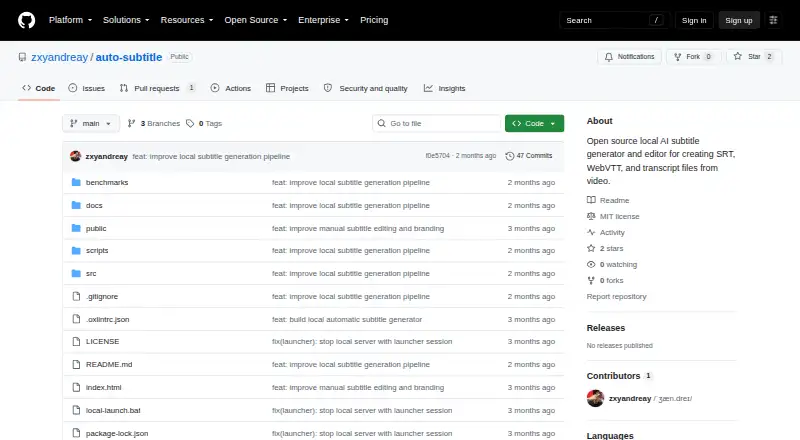
What Auto Subtitle is
Auto Subtitle is a free, MIT-licensed, open-source browser workspace for generating, reviewing, editing and exporting subtitles from video. It runs locally in a current desktop browser on 64-bit Windows, macOS or Linux, including self-hosted use. Whisper ONNX models run through Transformers.js, while FFmpeg.wasm extracts audio. MP4, WebM, MOV and MKV inputs are supported, with codec support depending on the browser and FFmpeg.wasm. The editor provides video preview, caption overlays, a timeline, cue text and timing edits, splitting, merging, undo and redo. SRT, WebVTT and project JSON can be imported; SRT, WebVTT, TXT transcripts and project JSON can be exported. Selected ranges up to 29 seconds can be regenerated and compared with local alternatives. Listed languages include English, Spanish, French, German, Japanese, Korean, Chinese and an Auto option with English fallback. Video and audio are processed in the browser, autosave uses IndexedDB, and the project says it has no accounts, backend, analytics, tracking or external AI API integration.
Who it suits
It suits users who want browser-based subtitle work with local media processing on Windows, macOS or Linux. A current desktop browser, Node.js 20.19+ or 22.12+, and at least 8 GB RAM are listed requirements.
What it does well
- Local browser processing
- Imports and exports common subtitle formats
- Timeline editing with split and merge
- Supports multiple languages and Whisper models
- No account or application backend
What to know first
- Large videos can be memory intensive
- Videos over 500 MB or 30 minutes are warned against
- Initial model downloads need network access
- No caption styling or burn-in captions
Verdict
Auto Subtitle provides local subtitle generation and editing with broad import, export and language support. Browser memory use, model downloads and the listed video limits should be considered before larger projects.
Facts from Auto Subtitle's own pages
- Burn-in captions
- No · github.com, 19 Sept 2026
- Caption styling
- No · github.com, 19 Sept 2026
- Debug logs
- Exported debug logs can include recognized text and timing details but do not include audio or video bytes; the guide advises reviewing logs before sharing. · github.com, 12 Oct 2026
- Editing
- The editor supports video preview, caption overlays, a timeline, cue text and timing edits, splitting, merging, and undo and redo. · github.com, 12 Oct 2026
- File formats
- It imports SRT, WebVTT, and Auto Subtitle project JSON, and exports SRT, WebVTT, TXT transcripts, and project JSON. · github.com, 12 Oct 2026
- Free plan
- No · github.com, 19 Sept 2026
- Import and export
- It imports SRT, WebVTT, and Auto Subtitle project JSON, and exports SRT, WebVTT, TXT transcripts, and project JSON. · github.com, 12 Oct 2026
- Languages and models
- The guide lists Auto with English fallback, English, Spanish, French, German, Japanese, Korean, and Chinese, plus Tiny, Base, Large v3 Turbo, and Distil Large v3 models. · github.com, 12 Oct 2026
- License
- The project source code is MIT licensed. · github.com, 12 Oct 2026
- Limitations
- Transcription can take significant memory and time, the complete decoded audio buffer is held in browser memory, and videos with multiple audio streams use the first stream. · github.com, 12 Oct 2026
- Local data
- Project autosave uses browser IndexedDB, while theme preference and diagnostic history use localStorage. · github.com, 12 Oct 2026
- Local data and privacy
- The project says video and audio are processed in the browser, project autosave uses IndexedDB, and the app has no account system, application backend, analytics, or external AI API integration. · github.com, 12 Oct 2026
- Local transcription
- It runs Whisper ONNX models through Transformers.js in the browser and extracts audio with FFmpeg.wasm. · github.com, 12 Oct 2026
- Model downloads
- Network access is needed to install dependencies and normally to download each selected model the first time; cached models can run locally afterward. · github.com, 12 Oct 2026
- Network use
- Network access is needed to install dependencies and normally to download each selected Whisper model the first time; later transcription can run locally while the model remains cached. · github.com, 12 Oct 2026
- Operating requirements
- The README lists 64-bit Windows, macOS, or Linux with a current desktop browser, Node.js 20.19+ or 22.12+, and 8 GB RAM as a practical minimum. · github.com, 12 Oct 2026
- Privacy and integrations
- The project states that it has no application backend, accounts, analytics, tracking, paid transcription API, or external AI API integration; selected media is processed in the browser. · github.com, 12 Oct 2026
- Product
- Auto Subtitle is a local-first browser workspace for generating, reviewing, and exporting subtitles from video. · github.com, 12 Oct 2026
- Purpose
- Auto Subtitle is a local-first browser workspace that generates, reviews, edits, and exports subtitles from video. · github.com, 12 Oct 2026
- Range regeneration
- Users can regenerate selected subtitle ranges up to 29 seconds and compare multiple local alternatives. · github.com, 12 Oct 2026
- Requirements
- The README lists 64-bit Windows, macOS, or Linux with a current desktop browser, Node.js 20.19+ or 22.12+, and recommends at least 8 GB RAM, with 16 GB or more recommended for typical use. · github.com, 12 Oct 2026
- Subtitle export
- other formats · github.com, 19 Sept 2026
- Support
- The repository says issues and focused pull requests are welcome, and recommends opening an issue before larger changes. · github.com, 12 Oct 2026
- Supported video
- Supported video inputs are MP4, WebM, MOV, and MKV, with codec support depending on the browser and FFmpeg.wasm. · github.com, 12 Oct 2026
Where Auto Subtitle stands on Freedom251
- AI Video Caption Generators#84 of 99