Freedom251 › Game Randomizer Tools

Archipelago
What Archipelago is
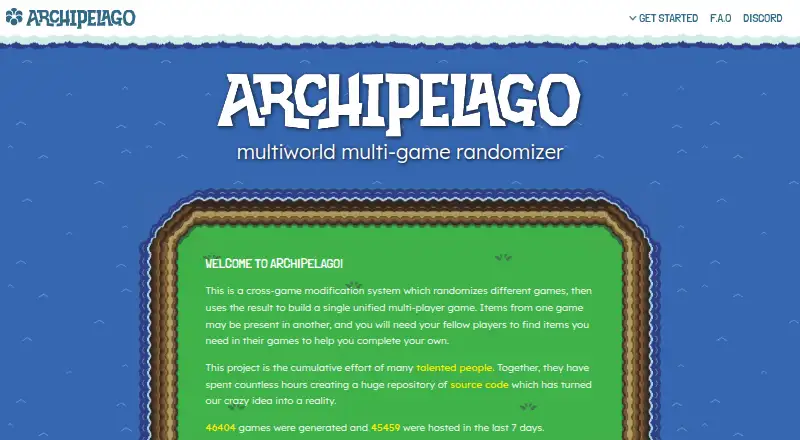
Archipelago randomizes supported games and links them into a shared multiplayer experience. Items found in one player’s game can be assigned to another player and sent to that game over the internet. Players can join synchronous sessions and play at once, or connect asynchronously at their own pace. Supported games can also be generated for single-player play, either through the website or installed generator software. For online generation, upload a YAML configuration or a ZIP of configuration files; the website uses the current Archipelago release. Hosts can upload a locally generated game ZIP or multidata file, then provide a tracker and patch files for players. Race games omit spoiler logs and apply game-specific safeguards, such as ROM encryption or cheat-mode removal. The supported-games page lists included games and links to guides for custom worlds and other games. Archipelago is free and open source, with Linux, macOS, web, and Windows availability. Setup guides include macOS client instructions, and the project directs players and developers to Discord for questions.
Who it suits
Archipelago suits players who want to randomize supported games together, share items across games, or generate a supported game for solo play. It also has setup documentation for players and development resources for people building game implementations.
What it does well
- Supports synchronous and asynchronous multiworld sessions
- Single-player generation is available
- Race mode omits spoiler logs and adds game protections
- Free and open source
- Guides cover macOS client setup
What to know first
- Game selection is limited to supported games
- Race protections vary by game
Limits
The website generator uses the current Archipelago release. Its supported-games page lists games included with the software and points to guides for custom worlds and other games.
Getting started
- Visit the Archipelago website and review its supported-games list and setup guides.
- Choose a supported game and follow its guide.
- Generate a game on the website by uploading a YAML config or a ZIP of config files, or use the installed generator software.
- For a hosted session, upload a locally generated game ZIP or multidata file.
- Share the tracker and patch files with players; use the macOS guide if setting up clients on macOS.
- Ask questions in the Archipelago Discord.
Verdict
Archipelago brings supported games into shared randomizer sessions, with solo generation as another option. Its game-specific support and setup guides are important to check before starting.
Questions
How much does Archipelago cost?
Archipelago is free and open source.
Which platforms does it support?
It supports Linux, macOS, web, Windows, and supported game platforms. The project provides compiled Windows binaries, mentions Linux support and build instructions, and has a guide for macOS clients.
Can I use Archipelago for single-player?
Yes. Supported games can be generated as single-player experiences on the website or with installed generator software.
How do I generate a game on the website?
Upload a YAML configuration file or a ZIP containing configuration files. The website uses the current Archipelago release.
Can players join at different times?
Yes. Multiworld sessions can be synchronous, with everyone playing at once, or asynchronous, with players connecting at their own pace.
Where can I get help or find game guides?
The site provides setup guides, including macOS client instructions, and directs players to Discord for questions. Its supported-games page lists included games and points to guides for custom worlds and other games.
Facts from Archipelago's own pages
- Development
- The project invites game implementation developers to use its GitHub code and documentation and ask questions in its Discord development channel. · archipelago.gg, 30 Sept 2026
- Founded
- 2020 · archipelago.gg, 23 Sept 2026
- Game generation
- The website generates games by uploading a YAML config file or a ZIP containing config files, and uses the current Archipelago release. · archipelago.gg, 30 Sept 2026
- Game support
- The supported games page lists games included with the Archipelago software and directs users to setup guides for them. · archipelago.gg, 30 Sept 2026
- Generation
- The website generates games by uploading a config file or a zip file containing config files. · archipelago.gg, 30 Sept 2026
- Hosting
- Users can upload a locally generated game ZIP or multidata file to host a game, get a tracker, and let players download patch files. · archipelago.gg, 30 Sept 2026
- Item sharing
- Items found in one player's game can belong to another player and be sent to their game over the internet. · archipelago.gg, 30 Sept 2026
- macOS setup
- The official guides include instructions for running Archipelago clients on macOS. · archipelago.gg, 30 Sept 2026
- Multi-game play
- Players can randomize different supported games and send items between them in one multiplayer environment. · archipelago.gg, 30 Sept 2026
- Play styles
- Multiworld sessions can be synchronous, with everyone playing at once, or asynchronous, with players connecting at their own pace. · archipelago.gg, 30 Sept 2026
- Product
- Archipelago is a cross-game modification system that randomizes different games into a unified multiplayer game. · archipelago.gg, 30 Sept 2026
- Purpose
- Archipelago is a cross-game system that randomizes games and combines them into a unified multiplayer game where items can be sent between players’ games. · archipelago.gg, 30 Sept 2026
- Race games
- Race games are generated without a spoiler log and have game-specific protections such as ROM encryption or cheat mode removal. · archipelago.gg, 30 Sept 2026
- Race mode
- Race games are generated without a spoiler log and have game-specific protections such as ROM encryption or cheat mode removal. · archipelago.gg, 30 Sept 2026
- Release availability
- The project’s GitHub releases page provides compiled Windows binaries, and its release notes mention Linux support and Linux build instructions. · github.com, 30 Sept 2026
- Release system
- A player who leaves early can release their game so items in that game belonging to other players are sent automatically. · archipelago.gg, 30 Sept 2026
- Setup and support
- The site provides setup guides, including a guide for running Archipelago clients on macOS, and directs users to Discord for questions. · archipelago.gg, 30 Sept 2026
- Single-player
- Supported games can be generated as single-player experiences on the website or with the installed generator software. · archipelago.gg, 30 Sept 2026
- Support
- The FAQ directs users to the Archipelago Discord, where it says people are available to answer questions. · archipelago.gg, 30 Sept 2026
- Supported games
- The supported-games page lists games included with Archipelago software and directs users to guides for custom worlds and other games. · archipelago.gg, 30 Sept 2026
Where Archipelago stands on Freedom251
- Game Randomizer Tools#3 of 24