Freedom251 › Enterprise Architecture Software

Archi
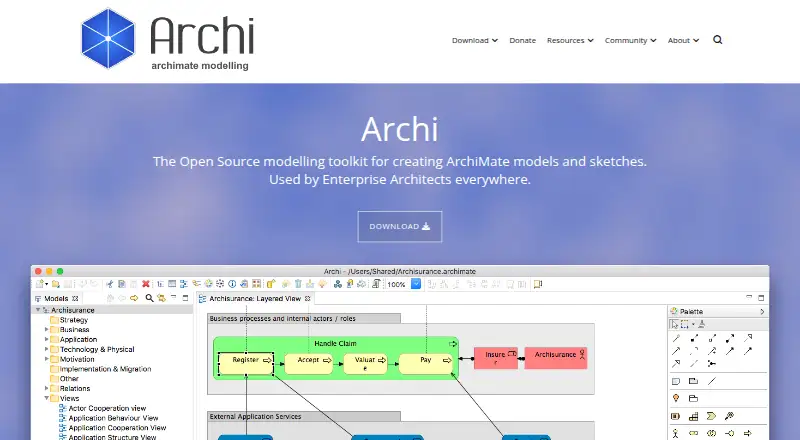
What Archi is
Archi is a free, open-source desktop tool for enterprise architecture modelling with ArchiMate. It supports ArchiMate 3.2 and lets users create elements, relations, views, and viewpoints, with user-defined properties and colour schemes. A magic connector helps create links between concepts, while the Visualiser presents a selected element and its relationships in a radial-tree graphic. Sketch View supports brainstorming with sticky-note elements, and the Canvas Modelling Toolkit allows reusable canvas templates. Plug-ins extend its capabilities: jArchi provides a JavaScript API for reporting, queries, importing and exporting, and batch processing; coArchi supports model sharing and versioning through a Git repository, including offline commits. Another plug-in exports model data to Microsoft XLSX and supports the Archi Command Line Interface. Archi runs on Linux, macOS, and Windows and uses local file-based models; the project points users to coArchi for sharing and versioning. The site identifies enterprise architects and associated stakeholders, including businesses, consultants, training organisations, universities, and students, as users.
Who it suits
Archi suits enterprise architects and associated stakeholders who work with ArchiMate models. Its stated audiences include businesses, consultants, training organisations, universities, and students.
What it does well
- Supports ArchiMate 3.2 modelling.
- Includes sketch and reusable canvas tools.
- jArchi provides a JavaScript API for model tasks.
- coArchi supports Git-based sharing and versioning.
What to know first
- Models are local file-based by default.
- Individual email support is not provided.
- Optional plug-ins may have separate access requirements.
Limits
Archi is free open-source software. Its models are local file-based; coArchi is the plug-in for sharing and versioning them. Optional plug-ins may have separate access requirements.
Plans
| Plan | Billed and limits | Price |
|---|---|---|
| Archi | Open source software · Optional plug-ins may have separate access requirements | Free |
As archimatetool.com lists them, read 5 Oct 2026. The maker's own page has the final word.
Getting started
- Go to the Archi website.
- Download the desktop app for Linux, macOS, or Windows.
- Create a model using ArchiMate elements, relations, views, or viewpoints.
- Use Sketch View or the Canvas Modelling Toolkit for brainstorming and reusable canvas templates.
- Add optional plug-ins for scripting, Git collaboration, or Excel export as needed.
Verdict
Archi offers ArchiMate modelling and extensible tools across Linux, macOS, and Windows at no charge. Users needing shared and versioned models should account for its local-file approach and the coArchi plug-in.
Questions
How much does Archi cost?
The Archi plan is free. It is open-source software.
Which operating systems does Archi support?
Archi runs on Linux, macOS, and Windows.
What formats can it import and export?
It imports CSV and Open Exchange XML. It exports BMP, JPG, PNG, PDF, SVG, CSV, Open Exchange XML, and HTML.
Can teams share and version models?
The coArchi plug-in supports sharing and versioning through a Git repository, including offline commits.
What support is available?
Individual email support is not provided. Users are directed to the FAQ, user guide, GitHub wiki, and community forum.
Who maintains Archi?
Archi is actively maintained and developed by Phil Beauvoir and Jean-Baptiste Sarrodie.
Facts from Archi's own pages
- Collaboration integration
- The coArchi plug-in supports sharing and versioning models through a Git repository, with commits available offline. · archimatetool.com, 5 Oct 2026
- Download verification
- The download page provides SHA-256 checksums that users can compare to verify download authenticity. · archimatetool.com, 5 Oct 2026
- Excel integration
- The Archi Export to Excel plug-in exports model data to Microsoft XLSX format and supports the Archi Command Line Interface. · archimatetool.com, 5 Oct 2026
- Founded
- 2010 · archimatetool.com, 28 Sept 2026
- Intended users
- The site describes Archi as serving enterprise architects and associated stakeholders, and says it is used by businesses, consultants, training organisations, universities, and students. · archimatetool.com, 5 Oct 2026
- Language support
- Archi supports ArchiMate 3.2 and lets users create ArchiMate elements, relations, views, and viewpoints. · archimatetool.com, 5 Oct 2026
- Maintenance
- The site says Archi is actively maintained and developed by Phil Beauvoir and Jean-Baptiste Sarrodie. · archimatetool.com, 5 Oct 2026
- Modelling features
- Users can add user-defined properties, apply colour schemes, and use the magic connector to create connections between concepts. · archimatetool.com, 5 Oct 2026
- Notable limitation
- Archi uses local file-based models; the FAQ points to the Collaboration plug-in for sharing and versioning them. · archimatetool.com, 5 Oct 2026
- Purpose
- Archi is an open source tool for ArchiMate enterprise architecture modelling. · archimatetool.com, 5 Oct 2026
- Scripting integration
- The jArchi plug-in provides a JavaScript API for model tasks such as reporting, queries, importing and exporting, and batch processing. · archimatetool.com, 5 Oct 2026
- Security
- The project says source code is publicly available for review and that it does not complete security questionnaires. · archimatetool.com, 5 Oct 2026
- Sketching and canvases
- Sketch View supports brainstorming with sticky-note elements, and the Canvas Modelling Toolkit lets users create reusable canvas templates. · archimatetool.com, 5 Oct 2026
- Support
- The project does not provide individual support by email and directs users to its FAQ, user guide, GitHub wiki, and community forum. · archimatetool.com, 5 Oct 2026
- Visualiser
- The Visualiser displays a selected model element and its relationships in a radial-tree graphic. · archimatetool.com, 5 Oct 2026
Where Archi stands on Freedom251
- Enterprise Architecture Software#1 of 20
- Diagram Software#3 of 36