Freedom251 › AI Job Search Tools

Apply by Offlyn.ai
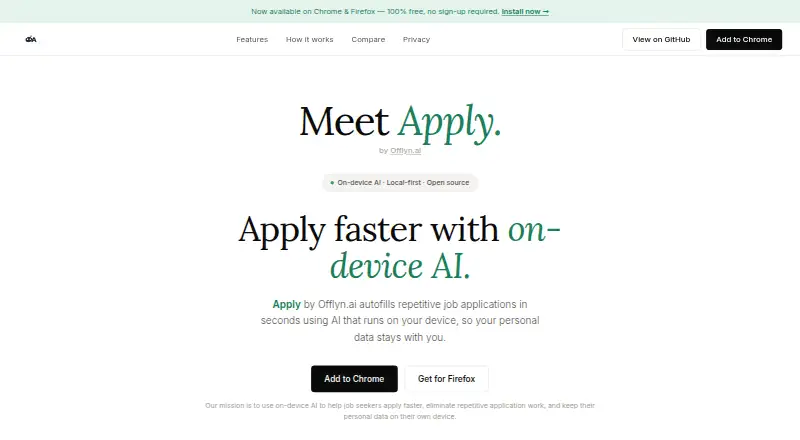
What Apply by Offlyn.ai is
Apply by Offlyn.ai is a job application assistant for people who want to reuse their resume and work history across applications. It detects text inputs, dropdowns, and checkboxes, then fills them with saved information. The maker says it works on major job portals including Greenhouse, Workday, Lever, and Ashby, and users can review or edit answers before submitting. Apply also scores jobs against a resume and offers filters for salary, location, remote work, and job type. Its application tracker records the company, role, date, and status on the device.
For help beyond form filling, Apply can answer questions about a user's background and prepare cover letters and interview materials with local AI through Ollama. Autofill works without Ollama; AI features require Ollama installed locally. The maker says resume and personal information stay on the device, AI requests go to localhost, and no account is required. It also says the product uses no cookies, analytics, fingerprinting, or tracking. Apply is described as open source under the MIT license. It is available as an Android app and browser extensions, including Chrome and Firefox; the Firefox listing also identifies Firefox for Android. The Free plan costs nothing, with no sign-up or subscription.
Who it suits
Apply suits job seekers who want to fill repetitive application forms from saved resume and work-history details, then review answers before sending them. It may also suit people looking for resume-based job matching, application tracking, and local AI help with cover letters or interview preparation.
What it does well
- Fills text inputs, dropdowns, and checkboxes from saved details.
- Supports major portals including Greenhouse, Workday, Lever, and Ashby.
- Lets users review and edit answers before submission.
- Scores jobs against a resume and offers job filters.
- Logs company, role, date, and status locally.
- Open source under the MIT license.
What to know first
- AI features require Ollama installed locally.
- Available platforms listed are Android and browser extensions.
Limits
The Free plan costs nothing and has no sign-up or subscription. AI features require Ollama installed locally; autofill works without it.
Plans
| Plan | Billed and limits | Price |
|---|---|---|
| Free | No sign-up required · No subscription · No hidden costs | Free |
As apply.offlyn.ai lists them, read 7 Oct 2026. The maker's own page has the final word.
Getting started
- Open the Apply website or install its Android app or a listed browser extension.
- Save a resume and work history for autofill.
- Use autofill on a supported job portal and review or edit the answers.
- Install Ollama locally if you want the AI features.
Verdict
Choose Apply if you want to reuse resume details across applications and keep an on-device application log. Its job scoring and locally run AI add assistance beyond autofill. The AI features depend on installing Ollama locally, while autofill works without it.
Questions
How much does Apply cost?
Its Free plan costs nothing, with no sign-up or subscription.
Does Apply have a free trial?
No. The listed pricing model is free, and the facts say there is no free trial.
Which platforms are available?
Apply is listed for Android and as a browser extension. The maker links to Chrome and Firefox extensions, and the Firefox listing says it is also available on Firefox for Android.
Does Apply require an account?
No account is required, according to the maker.
Does autofill need Ollama?
No. Autofill works without Ollama, but AI features require Ollama installed locally.
Is Apply open source?
The project is described as open source and MIT licensed.
Facts from Apply by Offlyn.ai's own pages
- AI requirement
- Ollama installed locally is required for AI features, while autofill works without Ollama. · addons.mozilla.org, 7 Oct 2026
- Application tracking
- It automatically logs application company, role, date, and status, with data stored locally on the device. · apply.offlyn.ai, 7 Oct 2026
- ATS support
- The maker says it works across major job portals including Greenhouse, Workday, Lever, and Ashby. · apply.offlyn.ai, 7 Oct 2026
- Browser availability
- The maker links to Chrome and Firefox extensions; the Firefox listing says it is also available on Firefox for Android. · addons.mozilla.org, 7 Oct 2026
- Data collection
- The maker says no account is required and it uses no cookies, analytics, fingerprinting, or tracking. · apply.offlyn.ai, 7 Oct 2026
- Form autofill
- It detects form fields such as text inputs, dropdowns, and checkboxes and fills them using a saved resume and work history. · apply.offlyn.ai, 7 Oct 2026
- Intended users
- The product is presented as a job application assistant built for job seekers. · apply.offlyn.ai, 7 Oct 2026
- Job matching
- Apply scores jobs against a resume and offers filters for salary, location, remote work, and job type. · apply.offlyn.ai, 7 Oct 2026
- Open source
- The project is described as open source and MIT licensed. · apply.offlyn.ai, 7 Oct 2026
- Other listed capabilities
- The Firefox listing describes a local knowledge graph that learns from user corrections and a graph explorer for viewing learned profile and answer data. · addons.mozilla.org, 7 Oct 2026
- Privacy and network
- The maker says resume and personal information stay local, AI runs on-device, and network requests go to localhost for Ollama. · apply.offlyn.ai, 7 Oct 2026
- Purpose
- Apply autofills repetitive job applications using AI that runs on the user's device. · apply.offlyn.ai, 7 Oct 2026
- Resume chat and writing
- Apply can answer questions about a user's background and generate cover letters and interview preparation using local AI through Ollama. · apply.offlyn.ai, 7 Oct 2026
- Review before submission
- Users can review and edit autofilled answers before submitting an application. · apply.offlyn.ai, 7 Oct 2026
Where Apply by Offlyn.ai stands on Freedom251
- AI Job Search Tools#8 of 67