Freedom251 › Test Data Generation Tools

ApexSQL Generate
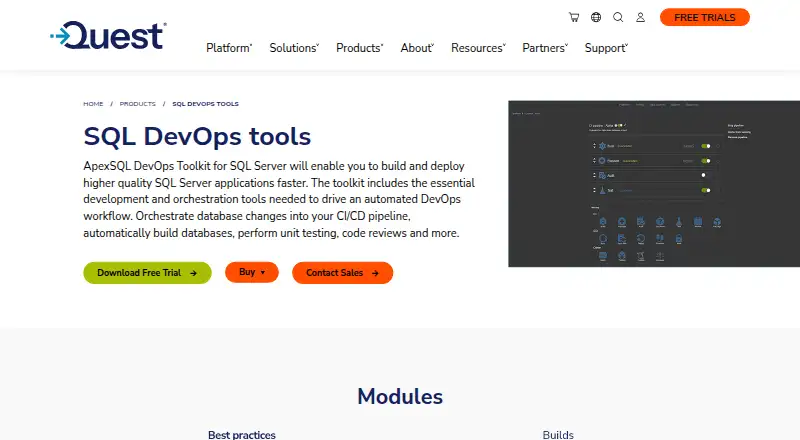
What ApexSQL Generate is
ApexSQL Generate populates SQL databases with test data by assigning generators to database columns. It recognizes data types in a loaded database and supports a full range of SQL data types. Random and Regular expression generators create randomized values, while the Incremental generator creates sequential data. Users can set row counts, random seeds, null-value percentages, and handling for invalid data. The Generation module in the ApexSQL DevOps Toolkit can create data for selected tables at scales that include millions of rows, retain consistency through foreign key support, and produce data that emulates real-world examples. Listed export formats are SQL, XML, CSV, JSON, and Excel. Supported connections include SQL Server 2005 and later, Azure SQL Database, and Amazon RDS for SQL Server. It runs on Windows 7 SP1 and Windows Server 2008 R2 SP1 or later, with an SSMS add-in requirement of SQL Server Management Studio 2012 or later. Project settings can be saved as batch or PowerShell scripts. Pricing is available on request; a free trial of the toolkit that includes Generate is offered.
Who it suits
It suits developers and database teams who need generated test data for supported SQL databases. Windows users working with SQL Server, Azure SQL Database, or Amazon RDS for SQL Server are the stated audience by platform and connector support.
What it does well
- Supports random, regex, and incremental data generation.
- Provides controls for row counts and null percentages.
- Retains relational consistency with foreign key support.
- Exports SQL, XML, CSV, JSON, and Excel.
- Project settings can become batch or PowerShell scripts.
What to know first
- Runs on Windows only.
- Requires .NET Framework 4.7.2 and administrative privileges.
- A 2020.02 note records an SSMS menu issue in versions 2012 and 2014.
- Pricing is available on request.
Verdict
ApexSQL Generate offers configurable test-data generation for supported SQL databases, with relational consistency and multiple export formats. Check its Windows and SSMS requirements, and note the documented menu issue for SSMS 2012 and 2014.
Facts from ApexSQL Generate's own pages
- Authentication
- The product supports Windows and SQL Server authentication, and its release notes document Active Directory password, integrated, and universal authentication with MFA. · support-public.cfm.quest.com, 8 Oct 2026
- Automation
- ApexSQL Generate can save selected project settings as batch or PowerShell automation scripts. · knowledgebase.apexsql.com, 8 Oct 2026
- CI use
- ApexSQL documents using Generate in a CI workflow to populate a database with test data, with 100 rows inserted by default when RowCount is omitted. · knowledgebase.apexsql.com, 8 Oct 2026
- Database connections
- The product supports SQL Server 2005 and higher, Azure SQL Database, and Amazon RDS for SQL Server. · support-public.cfm.quest.com, 8 Oct 2026
- Database support
- The listed requirements include SQL Server 2005 and higher, Azure SQL Database, and Amazon RDS for SQL Server. · support-public.cfm.quest.com, 8 Oct 2026
- Data consistency
- The toolkit page says the generator retains data consistency with foreign key support and can emulate real-world test data. · quest.com, 8 Oct 2026
- Data types
- It supports SQL data types and can recognize column types in a loaded database to generate corresponding test data. · support-public.cfm.quest.com, 8 Oct 2026
- Evaluation
- ApexSQL sales FAQs state that its software is try-before-you-buy with a minimum 14-day evaluation period. · quest.com, 8 Oct 2026
- Generation controls
- Users can set row counts, random seeds, null-value percentages, and behavior for invalid data. · blog.apexsql.com, 8 Oct 2026
- Generators
- It can generate randomized data with Random and Regular expression generators and sequential data with the Incremental generator. · support-public.cfm.quest.com, 8 Oct 2026
- Known limitation
- The 2020.02 release notes state that the application's add-in menu is not shown under the ApexSQL menu in SSMS 2012 and 2014. · support-public.cfm.quest.com, 8 Oct 2026
- Notable limit
- The release notes list a minimum requirement of .NET Framework 4.7.2 and administrative privileges for the Windows user account. · support-public.cfm.quest.com, 8 Oct 2026
- Operating system
- The listed operating systems are Windows 7 SP1 and Windows Server 2008 R2 SP1 or higher. · support-public.cfm.quest.com, 8 Oct 2026
- Output formats
- The toolkit page lists SQL, XML, CSV, JSON, and Excel as test data export formats. · quest.com, 8 Oct 2026
- Purpose
- ApexSQL Generate populates SQL databases with test data using multiple generators for each column. · support-public.cfm.quest.com, 8 Oct 2026
- Security and compliance
- Quest lists an Accessibility Conformance Report for ApexSQL Generate and says its reports follow WCAG 2.1 and 2.2. · quest.com, 8 Oct 2026
- SSMS integration
- The listed add-in integration requirement is SQL Server Management Studio 2012 and higher. · support-public.cfm.quest.com, 8 Oct 2026
- Support
- Quest lists ApexSQL Generate among the products with support options in the ApexSQL DevOps Toolkit Bundle. · apexsql.com, 8 Oct 2026
- Telemetry
- A 2020 release added anonymous collection of application and component usage and performance telemetry. · support-public.cfm.quest.com, 8 Oct 2026
- Test data scale
- The ApexSQL DevOps Toolkit page says its Generation module can generate test data for specified tables, including millions of rows. · quest.com, 8 Oct 2026
- Trial
- Quest offers a free trial of the ApexSQL DevOps Toolkit, which includes ApexSQL Generate. · quest.com, 8 Oct 2026
Where ApexSQL Generate stands on Freedom251
- Test Data Generation Tools#24 of 28