Freedom251 › AI Alt Text Generators
ALTer
What ALTer is
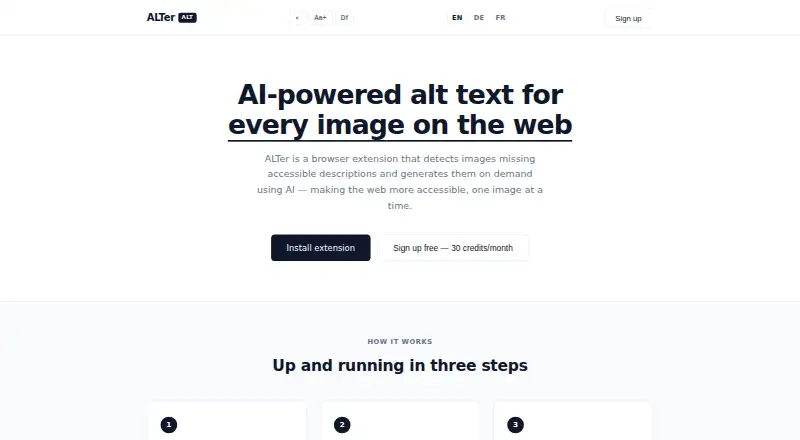
ALTer is a Chrome extension that detects images missing accessible descriptions and generates descriptions when requested. Images with a proper description are left unchanged; images without one receive an “ALT” badge. Clicking an image prompts ALTer to create a description, place it in the image’s alt attribute, and make it available to screen readers. The service is intended to help address WCAG Success Criterion 1.1.1 on pages a user visits, including pages they do not control. To use it, create a free account and sign in through the extension popup with an email address and password. New users receive 30 credits per month, and each generated image description uses one credit. ALTer is free, with a listed plan of $0. The site directs users to add the extension to Chrome from the Web Store. Publishing workflows are also listed.
Who it suits
ALTer suits people who want to make images on pages they visit more accessible to screen readers, including pages they do not control. It may also suit users who need publishing workflows and can work within the monthly credit allowance.
What it does well
- Leaves images with proper descriptions untouched.
- Generated text is added to the alt attribute.
- Descriptions become readable by screen readers.
- Free plan includes 30 monthly credits.
What to know first
- Chrome extension only.
- Each image description uses one credit.
- Account and sign-in are required.
Limits
The Free plan costs nothing and includes 30 credits per month. One credit is used for each image description.
Plans
| Plan | Billed and limits | Price |
|---|---|---|
| Free | 30 credits/month · one credit per image description | Free |
As alteralt.com lists them, read 4 Oct 2026. The maker's own page has the final word.
Getting started
- Add ALTer to Chrome from the Web Store.
- Create a free account.
- Sign in to the extension popup with an email address and password.
- Click an image marked with an “ALT” badge to generate its description.
Verdict
ALTer offers on-demand descriptions for images missing alt text, with a monthly credit allowance. It is a Chrome extension and requires an account to use.
Questions
How much does ALTer cost?
The Free plan costs nothing.
Does ALTer have a free plan?
Yes. It includes 30 credits per month, with one credit used per image description.
Which platform does ALTer support?
ALTer is listed for the extension platform. The site directs users to add it to Chrome from the Web Store.
Does ALTer change images that already have alt text?
It leaves images with a proper description unchanged.
How does ALTer make descriptions available to screen readers?
When clicked, a generated description is added to the image’s alt attribute and is immediately readable by screen readers.
Does ALTer support publishing workflows?
Yes, publishing workflows are listed.
Facts from ALTer's own pages
- Accessibility context
- The site says ALTer helps meet WCAG Success Criterion 1.1.1 on pages users visit, including pages they do not control. · alteralt.com, 4 Oct 2026
- Account
- Users create a free account and sign into the extension popup with an email address and password. · alteralt.com, 4 Oct 2026
- Browser support
- The site says to add ALTer to Chrome from the Web Store. · alteralt.com, 4 Oct 2026
- Credit allowance
- New users get 30 free credits per month, with one credit used per image description. · alteralt.com, 4 Oct 2026
- Existing descriptions
- The extension does not touch images that already carry a proper description. · alteralt.com, 4 Oct 2026
- Image detection
- An “ALT” badge overlays images without alt text. · alteralt.com, 4 Oct 2026
- Purpose
- ALTer detects images missing accessible descriptions and generates descriptions on demand using AI. · alteralt.com, 4 Oct 2026
- Screen reader access
- When clicked, a generated description is injected into the image’s alt attribute and is immediately readable by screen readers. · alteralt.com, 4 Oct 2026
Where ALTer stands on Freedom251
- AI Alt Text Generators#15 of 27