Freedom251 › Minecraft Character Customizers

AI Minecraft Character Maker
What AI Minecraft Character Maker is
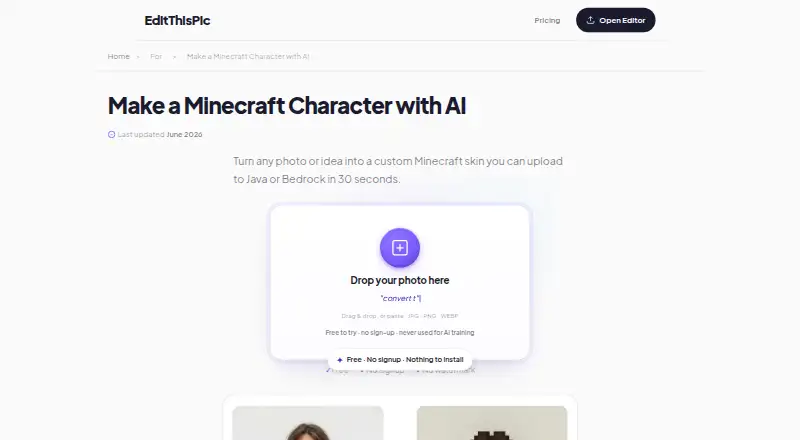
AI Minecraft Character Maker is a browser-based tool from EditThisPic for turning a photo or written idea into Minecraft-style character art intended for a skin layout. Users can upload JPG, PNG, or WEBP images, or describe a character and request a blocky pixel-art style. Listed editing options include pixel-art conversion, background removal, hair-color changes, photo enhancement, color fixing, and face enhancement. The maker says conversion takes 25–45 seconds, depending on detail. It recommends front-facing photos with explicit Minecraft or blocky pixel-art instructions, and says square or full-body photos work best. The generated art still needs to be arranged as a 64x64 PNG in a skin editor before upload to Minecraft Java or Bedrock; NovaSkin, MCSkin3D, and the official Minecraft skin editor are named for this step. It works in any browser without app installation, and the first edit each week is free with no signup required. Paid choices include one-time edit packs from 4.99 USD, valid for 12 months, and a Studio Membership at $49.99 a month. EditThisPic says the tool is built and operated by Sovereign Firm. Its privacy policy says uploaded images go to third-party AI image-processing providers and are not used to train AI models.
Who it suits
This tool suits Minecraft players, kids, parents, gamers, server owners, and content creators who want to turn a photo or character description into pixel-art character artwork. It is useful for people prepared to finish the artwork as a 64x64 PNG skin using a skin editor.
What it does well
- Accepts JPG, PNG, and WEBP uploads or written character ideas.
- Lists background removal and several image-editing options.
- Works in any browser without app installation.
- First edit each week is free without signup.
- Supports artwork for Minecraft Java or Bedrock skins.
- Names NovaSkin, MCSkin3D, and the official skin editor for layout.
What to know first
- Character art must still be arranged as a 64x64 PNG skin.
- The pricing page says a first edit every week is free.
- Uploaded images go to third-party AI image-processing providers.
- Saved results remain until deletion is requested or the account is deleted.
Limits
The pricing page says a first edit every week is free. Generated character art still needs to be arranged as a 64x64 PNG in a skin editor before upload to Minecraft Java or Bedrock.
Plans
| Plan | Billed and limits | Price |
|---|---|---|
| 100 edits | One-time purchase; valid 12 months · 100 edits · 30¢/edit · Fast edit uses 1 credit; Pro edit uses 2 | $29.99, paid once |
| 10 edits | One-time purchase; valid 12 months · 10 edits · 50¢/edit · Fast edit uses 1 credit; Pro edit uses 2 | $4.99, paid once |
| Studio Membership | $49.99/mo; monthly only · 300 edits every month · up to 25 pinned subjects · 25 projects · 50 saved recipes · batch editing up to 25 photos · Pro edits at 2048px · commercial use | $49.99 a month |
| 25 edits | One-time purchase; valid 12 months · 25 edits · 40¢/edit · Fast edit uses 1 credit; Pro edit uses 2 | $9.99, paid once |
| 500 edits | One-time purchase; valid 12 months · 500 edits · 20¢/edit · Fast edit uses 1 credit; Pro edit uses 2 | $99.99, paid once |
As editthispic.com lists them, read 7 Oct 2026. The maker's own page has the final word.
Getting started
- Open https://editthispic.com/edit/ai-minecraft-character-maker in a browser.
- Use the first weekly edit for free without signing up, or choose a paid plan.
- Upload a JPG, PNG, or WEBP image, or describe a character.
- For best results, use a front-facing, square, or full-body photo and give explicit Minecraft or blocky pixel-art instructions.
- Arrange the generated art as a 64x64 PNG in NovaSkin, MCSkin3D, or the official Minecraft skin editor.
- Upload the completed skin to Minecraft Java or Bedrock.
Verdict
Choose AI Minecraft Character Maker if you want browser-based tools to turn a photo or written idea into Minecraft-style art and can complete the skin layout separately. Look elsewhere if you need a finished upload-ready skin directly from the generated art.
Questions
Is AI Minecraft Character Maker free?
Yes. The first edit each week is free, and the maker says free use requires no signup. Paid one-time edit packs start at 4.99 USD.
Which image formats can I upload?
The tool accepts JPG, PNG, and WEBP images. Users can also describe a character instead of uploading a photo.
Does the result upload directly as a Minecraft skin?
No. The character art still needs to be laid out as a 64x64 PNG in a skin editor before uploading it to Minecraft Java or Bedrock.
What are the paid plans?
One-time edit packs cost 4.99 USD for 10 edits, 9.99 USD for 25 edits, 29.99 USD for 100 edits, or 99.99 USD for 500 edits; each is valid for 12 months. Studio Membership costs $49.99 a month.
Who operates the tool?
EditThisPic says it is built and operated by Sovereign Firm, a software company that builds AI-powered tools.
How are uploaded images handled?
The privacy policy says uploaded images go to third-party AI image-processing providers and are not used to train AI models. Edits in progress are kept for up to 48 hours; saved results remain until the user requests deletion or deletes the account.
Facts from AI Minecraft Character Maker's own pages
- Audience
- The maker describes the tool as built for Minecraft players, kids, parents, gamers, server owners, and content creators. · editthispic.com, 7 Oct 2026
- Best results
- The page recommends front-facing photos and explicit Minecraft or blocky pixel-art instructions, and says square or full-body photos work best. · editthispic.com, 7 Oct 2026
- Company
- EditThisPic says it is built and operated by Sovereign Firm, a software company that builds AI-powered tools. · editthispic.com, 7 Oct 2026
- Editing features
- The page lists pixel-art conversion, background removal, hair-color changes, photo enhancement, color fixing, and face enhancement. · editthispic.com, 7 Oct 2026
- Free access
- The pricing page says a first edit every week is free, and the maker page says free use requires no signup. · editthispic.com, 7 Oct 2026
- Image retention
- The privacy policy says edits in progress are kept for up to 48 hours, while saved results are kept until the user requests deletion or deletes the account. · editthispic.com, 7 Oct 2026
- Inputs and style
- Users can upload JPG, PNG, or WEBP images or describe a character, with prompts for a blocky pixel-art style. · editthispic.com, 7 Oct 2026
- Integrations
- The maker names NovaSkin, MCSkin3D, and the official Minecraft skin editor as tools to convert character art into the accepted skin layout. · editthispic.com, 7 Oct 2026
- Minecraft compatibility
- The generated character art still needs to be laid out as a 64x64 PNG using a skin editor before uploading to Minecraft Java or Bedrock. · editthispic.com, 7 Oct 2026
- Security and privacy
- The privacy policy says uploaded images go to third-party AI image-processing providers and are not used to train AI models. · editthispic.com, 7 Oct 2026
- Speed
- The maker says pixel-art conversion takes 25–45 seconds depending on detail. · editthispic.com, 7 Oct 2026
- Support
- The site lists [email protected] for support inquiries. · editthispic.com, 7 Oct 2026
- Supported platforms
- The maker says it works in any browser and requires no app installation. · editthispic.com, 7 Oct 2026
- What it does
- The maker says the tool turns a photo or written idea into Minecraft-style character art intended for a skin layout. · editthispic.com, 7 Oct 2026
Where AI Minecraft Character Maker stands on Freedom251
- Minecraft Character Customizers#4 of 24