Freedom251 › Photo Editing Software

Affinity Photo
What Affinity Photo is
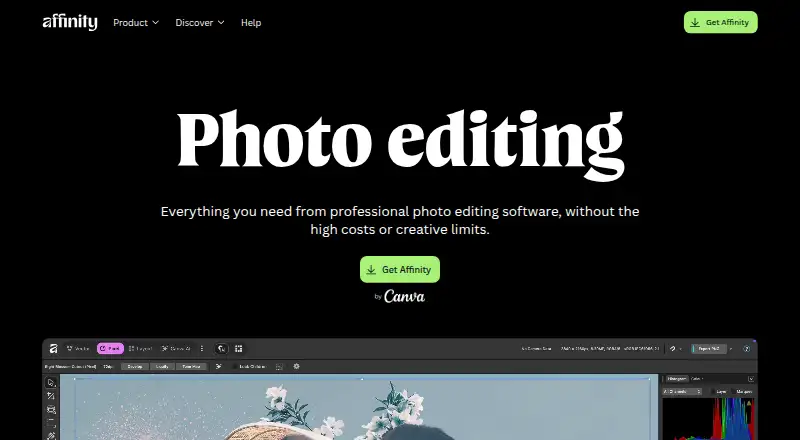
Affinity Photo is a free desktop application for Windows and macOS that combines photo editing with vector design, illustration, and page-layout tools. Its photo workspace includes non-destructive adjustments, RAW development, retouching, HDR work, masking, AI retouching, batch editing, macros, and unlimited layers. GPU acceleration and hardware optimization support brush strokes, zooming, and live filters. The app imports layered PSD files, although smart objects and some advanced filters may flatten. Export formats include JPEG, PNG, TIFF, WebP, and press-ready PDF, with batch export options. A Canva account is required; a free account provides the core application, while Canva premium plans unlock Canva AI tools. After activation, Affinity can work offline, though connected features need internet access. Files are stored locally according to Canva. DaVinci Resolve and Capture One workflows are supported, and a Claude AI Connector is in beta. The iPad version is listed as coming soon.
Who it suits
It suits photographers, illustrators, and designers needing editing, vector, layout, and RAW tools in one desktop app. It also fits users who need Windows or macOS support and offline access after activation.
What it does well
- Free core app with Canva account
- RAW development and non-destructive adjustments
- Unlimited layers, masking, and batch editing
- Exports press-ready PDF and common image formats
- Works offline after download and activation
What to know first
- Canva account required
- Canva AI tools require a premium plan
- PSD smart objects may flatten
- No iPad version yet
Plans
| Plan | Billed and limits | Price |
|---|---|---|
| Affinity | No payment required · Free Canva account required · Canva AI tools require a Canva premium plan | Free |
As affinity.studio lists them, read 12 Oct 2026. The maker's own page has the final word.
Verdict
Affinity Photo brings extensive photo, design, and layout features into a free Windows and macOS application. Check the Canva account requirement and PSD-import limitations before adopting it.
Facts from Affinity Photo's own pages
- Account requirement
- A Canva account is required to use Affinity, and organizations can contact Canva about setup options including SSO. · affinity.studio, 12 Oct 2026
- Canva AI
- Canva premium plans unlock AI tools in Affinity; a free Canva account provides the core app tools without payment. · affinity.studio, 12 Oct 2026
- Company
- Canva says it launched in 2013 as an online design and publishing tool. · canva.com, 12 Oct 2026
- Editing
- Photo tools include non-destructive adjustments, RAW development, retouching, HDR, batch processing, macros, and unlimited layers. · affinity.studio, 12 Oct 2026
- Export
- Affinity exports JPEG, PNG, TIFF, WebP, and press-ready PDF files, with batch export options. · affinity.studio, 12 Oct 2026
- File support
- Affinity can import layered PSD files, though smart objects and some advanced filters may flatten. · affinity.studio, 12 Oct 2026
- Integrations
- Affinity supports workflows with DaVinci Resolve and Capture One, and offers a Claude AI Connector in beta. · affinity.studio, 12 Oct 2026
- Offline use
- After downloading and activating with a Canva account, Affinity can be used offline, although some connected features require internet access. · affinity.studio, 12 Oct 2026
- Performance
- Affinity uses GPU acceleration and hardware optimization for brush strokes, zooming, and live filters. · affinity.studio, 12 Oct 2026
- Platform limits
- Affinity is currently available for Windows and macOS, while the iPad version is listed as coming soon. · affinity.studio, 12 Oct 2026
- Privacy
- Affinity says files are stored locally on the device and are not used to train its AI features. · affinity.studio, 12 Oct 2026
- Purpose
- Affinity combines professional photo editing, vector design, illustration, and page layout in one app. · affinity.studio, 12 Oct 2026
- Security
- Canva says its designs are encrypted in transit with TLS/SSL and at rest with AES256; it also lists ISO 27001 and SOC 2 certifications. · canva.com, 12 Oct 2026
- Support
- Affinity provides a searchable Help Center and learning resources. · affinity.studio, 12 Oct 2026
Where Affinity Photo stands on Freedom251
- Photo Editing Software#119 of 159