Freedom251 › RAW Photo Processing Software
Adobe Camera Raw
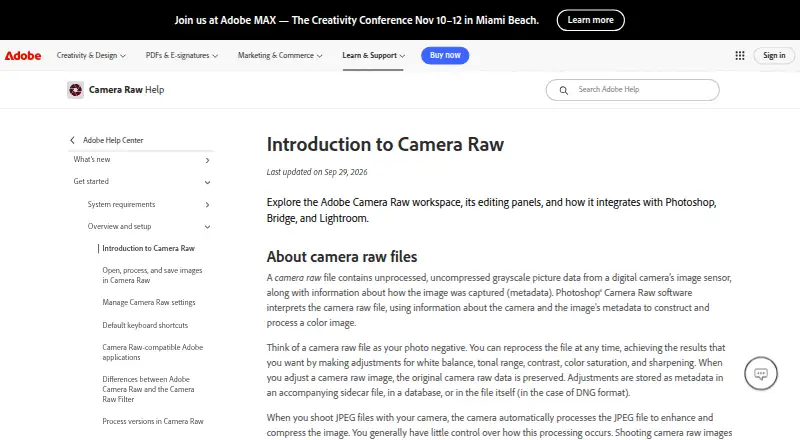
What Adobe Camera Raw is
Adobe Camera Raw is paid software for processing camera-specific RAW files on Windows and macOS. Supported formats include DNG, NEF, RAF, ORF, ARW, and many other camera formats listed by Adobe. Its listed tools include lens correction and local adjustments. Export options include DNG, JPEG, TIFF, PSD, PSB, Cineon, Photoshop Raw, PNG, and PBM. Camera Raw has no catalog workflow, so its stated scope centers on opening RAW files, making corrections, and producing files in supported formats. There is no free plan. Adobe lists Windows and macOS as supported platforms. The Creative Cloud Photography plan includes 1TB of cloud storage, but no price is listed.
Who it suits
Camera Raw suits photographers who need RAW format support, lens correction, local adjustments, and varied export formats on Windows or macOS. It is less suited to workflows requiring a catalog feature.
What it does well
- Supports many camera-specific RAW formats
- Includes lens correction and local adjustments
- Exports DNG, JPEG, TIFF, PSD, and more
- Available on Windows and macOS
What to know first
- No catalog workflow
- No free plan
- Paid software
Limits
The software has no free plan. The Creative Cloud Photography plan includes 1TB of cloud storage.
Plans
| Plan | Billed and limits | Price |
|---|---|---|
| Creative Cloud Photography | 1TB cloud storage | On request |
As helpx.adobe.com lists them, read 24 Sept 2026. The maker's own page has the final word.
Getting started
- Open Adobe’s Camera Raw website
- Choose the Creative Cloud Photography plan
- Install on Windows or macOS
- Open a supported camera RAW file
- Apply corrections or local adjustments
- Export to a supported format
Verdict
Adobe Camera Raw focuses on RAW processing, corrections, and export rather than catalog management. Its format coverage and output list should guide whether it fits your camera and delivery needs.
Questions
Is Adobe Camera Raw free?
No. It uses a paid model and has no free plan.
Which operating systems support it?
Adobe Camera Raw supports Windows and macOS.
Which RAW formats can it open?
It supports camera-specific RAW formats including DNG, NEF, RAF, ORF and ARW, along with many others.
Can it correct lenses?
Yes. Lens correction is supported.
What can it export?
Exports include DNG, JPEG, TIFF, PSD, PSB, Cineon, Photoshop Raw, PNG and PBM.
Does it include a catalog workflow?
No catalog workflow is provided.
Where Adobe Camera Raw stands on Freedom251
- RAW Photo Processing Software#24 of 24