Freedom251 › Ad Blocking Software
AdClear Content Blocker
What AdClear Content Blocker is
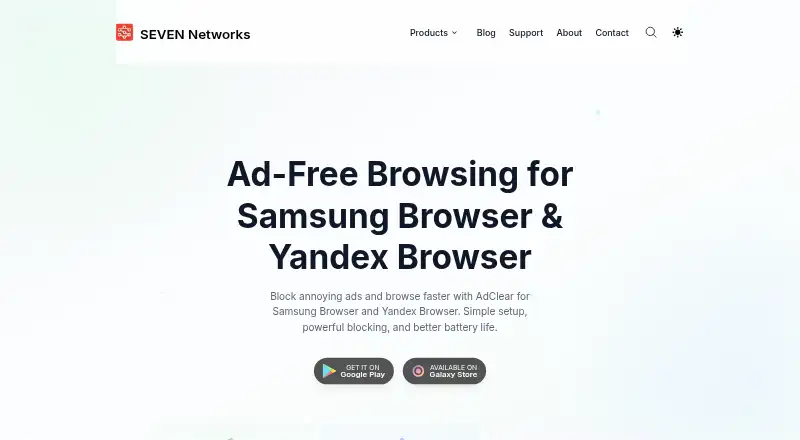
AdClear Content Blocker is a free Android app for blocking ads, trackers, and unwanted content in Samsung Internet and Yandex Browser. Users can whitelist favorite websites, and the maker says blocking capabilities update automatically. The Google Play listing says blocking unnecessary content can speed page loading, reduce data use, and use fewer device resources. AdClear relies on content-blocking APIs in the supported browsers, so it does not work with Chrome or Firefox. After installing it from Google Play or Galaxy Store, users must enable it in each supported browser’s content-blocker settings. Updates arrive through Google Play or Samsung Galaxy Store. The maker says ad blocking happens on the device and personal browsing data is not stored on its servers. Its privacy policy also says the app may automatically collect device, app-use, webpage URL, and data-usage information, while generally keeping traffic data on the device. Email support and a GitHub discussion community are available. AdClear is made by SEVEN Networks, founded in 2000 and headquartered in Marshall, Texas.
Who it suits
It suits Android users who browse with Samsung Internet or Yandex Browser and want to block ads and trackers. It may also interest users looking to reduce browsing data use.
What it does well
- Free Android app.
- Blocks ads, trackers, and unwanted content.
- Lets users whitelist favorite websites.
- Blocking happens locally on the device, according to the maker.
What to know first
- Does not support Chrome or Firefox.
- Must be enabled separately in each supported browser.
- Privacy policy says some usage and device information may be collected.
Plans
| Plan | Billed and limits | Price |
|---|---|---|
| AdClear Content Blocker | Android · Samsung Internet and Yandex Browser | Free |
As sevennetworks.com lists them, read 9 Oct 2026. The maker's own page has the final word.
Getting started
- Install AdClear from Google Play or Galaxy Store.
- Open Samsung Internet or Yandex Browser.
- Enable AdClear in that browser's content-blocker settings.
- Repeat the enablement step in each supported browser you use.
Verdict
AdClear offers browser-specific ad and tracker blocking at no charge. Check browser compatibility and the privacy policy’s listed data collection before installing.
Questions
How much does AdClear cost?
AdClear Content Blocker is free; its listed plan is free.
Which browsers does it support?
It supports Samsung Internet and Yandex Browser. The maker says Chrome and Firefox are not supported.
How do I enable it?
Install it from Google Play or Galaxy Store, then enable it in the content-blocker settings of each supported browser.
What does AdClear block?
It blocks ads, trackers, and unwanted content. Users can whitelist favorite websites.
What does the maker say about privacy?
The maker says blocking happens locally and personal browsing data is not collected or stored on its servers. The privacy policy says the app may automatically collect device, app-use, webpage URL, and data-usage information, while generally keeping traffic data on the device.
Who makes AdClear?
SEVEN Networks makes AdClear Content Blocker. The company was founded in 2000 and is headquartered in Marshall, Texas, United States.
Facts from AdClear Content Blocker's own pages
- Blocking features
- The product page says AdClear blocks trackers, supports whitelisting favorite websites, and automatically updates its blocking capabilities. · sevennetworks.com, 9 Oct 2026
- Browser compatibility
- AdClear uses the content blocking APIs in Samsung Browser and Yandex Browser; the maker says Chrome and Firefox are not supported by this content blocker. · sevennetworks.com, 9 Oct 2026
- Browser support
- multiple-browsers · sevennetworks.com, 20 Sept 2026
- Company
- SEVEN Networks says it was founded in 2000 and is headquartered in Marshall, Texas. · sevennetworks.com, 9 Oct 2026
- Device coverage
- mobile · sevennetworks.com, 20 Sept 2026
- Founded
- 2000 · sevennetworks.com, 28 Sept 2026
- Free plan
- Yes · sevennetworks.com, 20 Sept 2026
- Headquarters
- Marshall, Texas, United States · sevennetworks.com, 28 Sept 2026
- Performance
- The Google Play listing says blocking unnecessary content can speed up page loading, save data, and use fewer device resources. · play.google.com, 9 Oct 2026
- Privacy
- The support page says ad blocking happens locally on the device and no personal browsing data is collected or stored on the maker's servers. · sevennetworks.com, 9 Oct 2026
- Privacy policy detail
- The AdClear privacy policy says it may automatically collect device, app-use, webpage URL, and data-usage information, while generally keeping traffic data on the device rather than its servers. · sevennetworks.com, 9 Oct 2026
- Setup
- After installing from Google Play or Galaxy Store, users must enable AdClear in each supported browser's content blocker settings. · sevennetworks.com, 9 Oct 2026
- Support
- The maker offers email support and a GitHub discussion community for questions and feedback. · sevennetworks.com, 9 Oct 2026
- Updates
- The maker says updates are delivered through Google Play or Samsung Galaxy Store. · sevennetworks.com, 9 Oct 2026
- What it does
- AdClear Content Blocker blocks ads and unwanted content while browsing with Samsung Internet and Yandex Browser. · play.google.com, 9 Oct 2026
- Who it is for
- The maker presents AdClear Content Blocker for Android users of Samsung Internet or Yandex Browser who want a cleaner browsing experience and reduced data use. · play.google.com, 9 Oct 2026
Where AdClear Content Blocker stands on Freedom251
- Ad Blocking Software#15 of 29
- Ad blockers#40 of 48