Freedom251 › Game Achievement Trackers

Achievement Watcher Next
What Achievement Watcher Next is
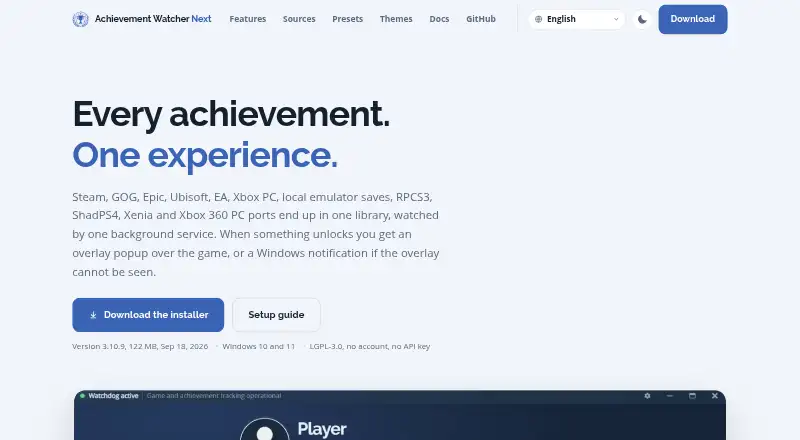
Achievement Watcher Next gathers achievements, rarity information, and playtime from game launchers, local saves, and supported emulators into a Windows library. It works with sources including Steam, compatible Steam saves, GOG, Epic, Ubisoft, EA, Xbox PC, console emulators, RetroAchievements, Games for Windows LIVE, and some mod patches. The library offers search, filters, rarity tiers, progress achievements, covers, collections, and unlock history; locally cached achievement lists and metadata let it work offline. Automatic alerts use an in-game popup when visible, or a Windows notification otherwise, avoiding two alerts for one unlock. A Ctrl+Shift+K overlay provides searchable achievement lists, filters, rarity badges, hidden descriptions, and gamepad navigation. The project says achievement reading is read-only, needs no account of its own or Steam Web API key, and does not upload library data, playtime, folders, or screenshots. Epic unlock-state retrieval can use an optional account connection. The app is free for Windows 10 and 11, with installer and portable ZIP downloads from GitHub releases.
Who it suits
It suits Windows players who want to track achievements across launchers, local game saves, and supported emulators. Players who want offline access or an in-game overlay may also find its library useful.
What it does well
- Combines achievements and playtime from many sources.
- Cached library data can be used offline.
- Overlay supports gamepad navigation.
- Achievement reading does not write to game files.
- Free for Windows 10 and 11.
What to know first
- Available only for Windows 10 and 11.
- Epic unlock-state retrieval may require an optional account connection.
- Repair tools can modify game files, with confirmation and backups.
Plans
| Plan | Billed and limits | Price |
|---|---|---|
| Free | LGPL-3.0 · Windows 10 and 11 · Download from GitHub releases | Free |
As shirowwww.github.io lists them, read 11 Oct 2026. The maker's own page has the final word.
Getting started
- Open the Achievement Watcher Next website.
- Download the installer or portable ZIP from GitHub releases.
- Run the installer or use the portable download on Windows 10 or 11.
- Connect an optional account for Epic unlock-state retrieval if needed.
Verdict
Achievement Watcher Next brings achievement tracking and library tools together for Windows players using multiple game sources. Its Windows-only coverage and optional Epic account connection are worth considering before choosing it.
Questions
How much does Achievement Watcher Next cost?
The Free plan costs nothing.
Which operating systems does it support?
It is for Windows 10 and 11.
Does it require an account or Steam Web API key?
The project says the app needs no account of its own or Steam Web API key. Epic unlock-state retrieval can use an optional account connection.
Can it work offline?
Yes. Achievement lists and product metadata are cached locally, and the library can work offline.
How can I download it?
The maker provides an installer and a portable ZIP through GitHub releases. The installed app updates itself.
What does the overlay do?
Opened with Ctrl+Shift+K, it provides searchable, filterable achievement lists, rarity badges, hidden descriptions, and gamepad navigation.
Facts from Achievement Watcher Next's own pages
- Account and API requirements
- The maker says the app needs no account of its own or Steam Web API key; Epic unlock-state retrieval can use an optional account connection. · shirowwww.github.io, 11 Oct 2026
- Customization
- The app includes nine notification presets and a designer for custom layouts, colors, motion, completion treatments and sounds. · shirowwww.github.io, 11 Oct 2026
- Distribution
- The maker provides an installer and a portable ZIP through its GitHub releases, and says the installed app updates itself. · github.com, 11 Oct 2026
- Game sources
- It reads Steam, compatible Steam saves, GOG Galaxy, Epic Games, Ubisoft Connect, EA Desktop, Xbox PC and Microsoft Store, plus RPCS3, ShadPS4 and Xenia. · shirowwww.github.io, 11 Oct 2026
- In-game overlay
- The overlay can show searchable, filterable achievement lists with rarity badges and hidden descriptions, and supports gamepad control. · shirowwww.github.io, 11 Oct 2026
- Integrations
- Achievement lists and artwork may be fetched from public platform endpoints and services including Steam, SteamHunters, Exophase, SteamDB and SteamGridDB. · shirowwww.github.io, 11 Oct 2026
- Intended users
- The project describes AW Next as a Windows achievement tracker for players using launchers, local game saves, or supported emulators. · github.com, 11 Oct 2026
- Library
- The library includes search, filters, rarity tiers, progress achievements, covers, collections, and unlock history. · github.com, 11 Oct 2026
- Local data
- Settings and app data are stored under `%APPDATA%\Achievement Watcher Next`, and upgrades preserve them. · shirowwww.github.io, 11 Oct 2026
- Notable limit
- The maker lists Windows 10 and 11 and describes the product as Windows-only. · shirowwww.github.io, 11 Oct 2026
- Notifications
- Automatic mode uses an in-game popup when visible and a Windows notification when it is not, without sending both for the same unlock. · shirowwww.github.io, 11 Oct 2026
- Offline use
- Achievement lists and product metadata are cached locally, and the library can work offline. · github.com, 11 Oct 2026
- Overlay and controller
- The in-game overlay opens with Ctrl+Shift+K and supports search, filters, rarity badges, and gamepad navigation. · github.com, 11 Oct 2026
- Privacy
- The documentation says AW Next has no analytics or telemetry and does not upload the user's library, playtime, folders or screenshots. · shirowwww.github.io, 11 Oct 2026
- Purpose
- AW Next brings achievements, rarity, and playtime from launchers, local saves, and supported emulators into one Windows library. · github.com, 11 Oct 2026
- Release
- The GitHub releases page identifies version 3.11.2 as the latest release, dated October 9. · github.com, 11 Oct 2026
- Repairs
- Emulator repair tools can modify game files, but the project says repairs require confirmation and create backups. · shirowwww.github.io, 11 Oct 2026
- Repair safeguards
- Achievement reading does not write to game files; repair tools that do change files require confirmation and make a backup. · shirowwww.github.io, 11 Oct 2026
- Security and privacy
- The project says achievement reading is read-only, requires no account, and uses no Steam Web API key; stored sign-in secrets are encrypted with a per-install key held by Windows. · github.com, 11 Oct 2026
- Streaming
- An OBS Browser source can display the same unlock popup, preset, and artwork, and shows nothing between unlocks. · github.com, 11 Oct 2026
- Support
- The maker invites bug reports and ideas and accepts translations; security vulnerabilities should be reported through the repository's private vulnerability form. · shirowwww.github.io, 11 Oct 2026
- Supported sources
- The project lists Steam, Steam-compatible saves, GOG, Epic, Ubisoft, EA, Xbox PC, console emulators, RetroAchievements, Games for Windows LIVE, and some mod patches. · github.com, 11 Oct 2026
Where Achievement Watcher Next stands on Freedom251
- Game Achievement Trackers#6 of 38
- Achievement trackers#12 of 38