Freedom251 › Accounting Automation Software

AccelClose
What AccelClose is
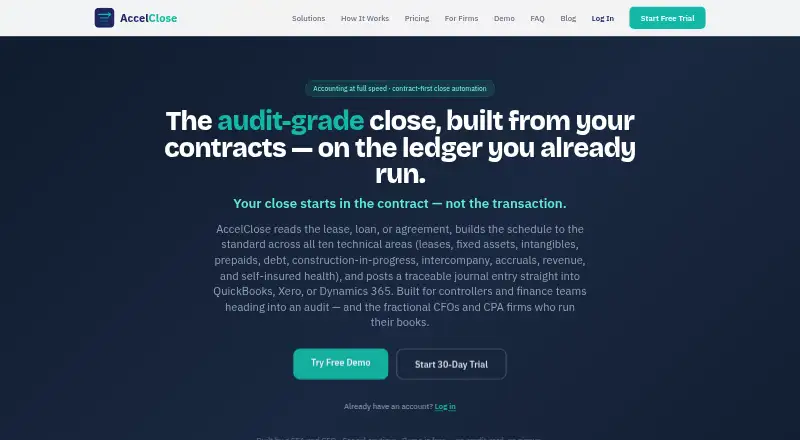
AccelClose builds technical accounting schedules from contracts and posts traceable journal entries to accounting ledgers. Its schedule areas include leases, fixed assets, intangibles, prepaids, debt, construction-in-progress, intercompany, accruals, revenue, and self-insured health. The GL Scanner flags possible misclassifications and missing schedules, then drafts correcting entries. A controller must approve entries before posting, and a period cannot be posted twice. QuickBooks, Xero, and Dynamics 365 Business Central connect live; Sage and NetSuite use ERP-formatted import and export, with Excel and CSV upload also available. Firms can set up isolated client workspaces with separate charts of accounts, schedules, and ERP connections, plus a shared close queue. The free plan costs nothing and includes up to 100 records and one entity. Paid plans start at $149 a month billed monthly. A 30-day trial requires no credit card and becomes read-only when it ends unless a paid subscription is activated. Generated schedules and entries should be reviewed by a qualified accounting professional.
Who it suits
It suits controllers and finance teams, as well as fractional CFOs and CPA firms managing client books. The firm workspace option is relevant to practices handling multiple clients.
What it does well
- Covers ten listed technical schedule areas
- Requires controller approval before posting entries
- Live connections for QuickBooks, Xero, and Dynamics 365 Business Central
- Includes isolated client workspaces and a shared close queue
- 30-day trial requires no credit card
What to know first
- Free plan is limited to 100 records and one entity
- Trial accounts become read-only unless a subscription starts
- Generated schedules and entries require professional review
Limits
The free plan allows up to 100 records and one entity, with manual journal entries and Excel/CSV export; it has no AI autofill or live ERP sync. The lowest paid plan, Starter at $149 a month, allows up to 250 total records and one entity. The 30-day trial becomes read-only when it ends unless a paid subscription is activated.
Plans
| Plan | Billed and limits | Price |
|---|---|---|
| Free | monthly · core technical schedules · up to 100 records · 1 entity · manual journal entries · Excel/CSV export · ASC 842, ASC 360, ASC 350 | Free |
| Starter | monthly · up to 250 records · 1 entity · all core schedule modules · GL Scanner · CSV bulk import · Excel/CSV export · email support | $149 a month |
| Pro | monthly · unlimited records · 1 entity · all core modules · GL Scanner · live QuickBooks, Xero and Dynamics 365 sync · API access · priority support | $299 a month |
| Practice | monthly · first client workspace included · $59/month per additional client · 5-client pack for $249/month · live QuickBooks and Xero posting · separate close queue per client | $449 a month |
| Business | monthly · up to 25 entities · intercompany due-to/from and eliminations · cost-allocation chains · multi-entity consolidation · dedicated priority support | $549 a month |
| Enterprise | custom · unlimited records and entities · AI document extraction on every module · pre-written GL Scanner fixes · custom ERP account mapping · dedicated onboarding and support | On request |
As accelclose.com lists them, read 15 Oct 2026. The maker's own page has the final word.
Getting started
- Visit https://www.accelclose.com/.
- Choose the free plan or a paid plan, starting with Starter at $149 a month.
- Alternatively, begin the 30-day Starter-tier trial; it requires no credit card.
- Use the web platform or API.
- Connect QuickBooks, Xero, or Dynamics 365 Business Central, or use ERP-formatted import/export for Sage or NetSuite; Excel and CSV upload are also available.
AccelClose is cloud accounting software for turning contracts into technical schedules and traceable ledger entries. It is best suited to controllers, finance teams, fractional CFOs, and CPA firms managing recurring close work. Its combination of schedule coverage, scanning, and approval controls is useful, but record and entity caps make the plan choice consequential.
Overview
AccelClose brings contract-based schedule preparation and posting into a controlled close workflow. It covers leases, fixed assets, intangibles, prepaids, debt, construction-in-progress, intercompany, accruals, revenue, and self-insured health. The GL Scanner flags misclassifications and missing schedules and drafts correcting entries, giving finance teams another way to identify issues during close.
Entries require controller approval before posting, and the same period cannot be posted twice. Those safeguards support a reviewable posting process, but they do not replace professional accounting judgment: generated schedules and entries should be reviewed by a qualified accounting professional.
Key features
Close workflow and ledger connections
Journal entry automation, reconciliation automation, close task management, multi-entity support, and an audit trail extend the product beyond schedule creation. QuickBooks, Xero, and Dynamics 365 Business Central connect live. Sage and NetSuite use ERP-formatted import and export, while Excel and CSV uploads provide a manual route. Teams using the latter systems should expect a less direct connection than live-sync users.
Client workspaces and data controls
The Practice offering gives each client an isolated workspace with its own chart of accounts, schedules, and ERP connection, alongside a shared close queue. That structure fits firms coordinating multiple client books. AccelClose says account data is encrypted at rest and in transit using TLS 1.2 or higher, with Supabase row-level security for account isolation. Multi-factor authentication is available. The company says it does not sell personal information or financial data and uses financial schedule data only to provide the service. After cancellation, data remains read-only for 90 days before deletion.
Email support has a one-business-day response target, Monday through Friday, 9am–6pm ET. That is a defined support window, rather than round-the-clock coverage.
Pricing
AccelClose has a free plan and paid plans billed monthly. The 30-day trial includes Starter-tier features, requires no credit card, and becomes read-only at the end unless a paid subscription is activated.
| Plan | Price | What it includes | Best fit |
|---|---|---|---|
| Free | free | Up to 100 records, 1 entity, manual journal entries, and Excel/CSV export; no AI autofill or live ERP sync | Individuals or teams assessing a small, manual workflow. The record cap and lack of live sync constrain ongoing use. |
| Starter | $149 a month, billed Monthly | Up to 250 total records, 1 entity, email support | A single-entity team with a bounded schedule volume. |
| Pro | $299 a month, billed Monthly | Unlimited records, 1 entity, priority support | High-volume work within one entity; it does not add multi-entity capacity. |
| Practice | $449 a month, billed Monthly | First client workspace included; +$59/mo per additional client; 5-client pack at $249/mo | Firms managing client books in isolated workspaces and a shared close queue. Additional client costs matter as the book grows. |
| Business | $549 a month, billed Monthly | Up to 25 entities, intercompany and consolidation, dedicated priority support | Organizations needing multi-entity close work and consolidation, rather than a single-entity plan. |
| Enterprise | Custom pricing | Unlimited records and entities, AI document extraction, custom ERP account mapping, dedicated onboarding and support | Organizations needing broader scale and tailored ERP mapping. |
The free tier is a useful way to begin without a subscription, but its 100-record limit and manual-only entries and exports leave out AI autofill and live ERP sync. Starter raises the cap to 250 total records but remains limited to one entity. Pro removes the record ceiling, while still serving just one entity. Practice addresses separate client books; Business is the clearest fit for companies with multiple entities and consolidation needs.
Platforms
AccelClose is available on the web and through an API, and is deployed in the cloud. Mobile platforms are not part of its stated platform offering.
Who it's for
Controllers and finance teams should consider AccelClose when they need contract-based schedules, review gates, and ledger workflows in the same close process. Fractional CFOs and CPA firms have a stronger case when coordinating client books through Practice workspaces. It is less suited to anyone expecting a replacement for accounting review, or to a high-volume multi-entity operation on a one-entity plan.
Pros and cons
- Pros: Broad technical schedule coverage and a GL Scanner that flags misclassifications and missing schedules and drafts correcting entries.
- Pros: Controller approval and a duplicate-period posting block add specific safeguards to ledger posting.
- Pros: Live connections for QuickBooks, Xero, and Dynamics 365 Business Central, plus import/export and Excel/CSV paths for other workflows.
- Cons: Free use is capped at 100 records and excludes AI autofill and live ERP sync; the 30-day trial turns read-only unless a paid plan is activated.
- Cons: Starter and Pro are each limited to one entity, while firms pay for added Practice client workspaces beyond the included one.
- Cons: Generated schedules and entries still need qualified accounting review, so automation does not eliminate professional oversight.
Alternatives
For a wider category comparison, see Accounting Automation Software.
- Docyt is a freemium alternative with a free Accountant Copilot plan for AI categorization, bank and card reconciliation, and month-end close automation; choose it when those capabilities and Android or iOS access are a better match than AccelClose's technical schedule and ledger workflow.
- WISO Business offers a permanently free plan with unlimited classic and electronic invoices, receipt scanning, a digital archive, and online payments in invoices; choose it when invoicing and receipt handling matter more than AccelClose's close controls.
- Arvexi is another paid option for readers comparing accounting software.
- Finance Automation by Redwood is a paid web service with unlimited connections, development/test/production environments, full SaaS implementation, and 24×7 support; choose it when that implementation and support scope is the priority.
- Finlens has a freemium model and an AI Accounting plan at $49 a month with up to $100k/month expenses, up to 3 bank accounts, unlimited users, and Slack support; choose it when expense and bank-account limits better match the work than AccelClose's technical schedule focus.
- Ledge Cash Application is a paid web option whose Track plan includes one ERP and one bank integration, unlimited CSV uploads, close process management, and a real-time tracking dashboard; choose it when that cash application workflow is the better fit.
- CloseZero is a freemium web alternative.
- Concourse is a freemium web alternative.
Verdict
AccelClose is a strong fit for controllers, finance teams, fractional CFOs, and CPA firms that need technical schedules tied to a controlled ledger close. Its schedule breadth, scanning, and approval gates are the main reasons to choose it. Look elsewhere if you need a free workflow with live ERP sync, broad multi-entity capacity at a lower tier, or accounting work that does not require professional review.
Verdict
AccelClose combines contract-based schedules, ledger entries, and close workflows with multiple import and integration options. A professional accounting review is still needed, and trial access becomes read-only unless the user activates a paid plan.
Questions
Is there a free plan?
Yes. The Free plan costs nothing and allows up to 100 records and one entity.
How much do paid plans cost?
Starter is $149 a month, Pro is $299 a month, Practice is $449 a month, and Business is $549 a month. Enterprise has no price listed.
What platforms does AccelClose support?
Its listed platforms are API and web.
Which accounting systems connect to AccelClose?
QuickBooks, Xero, and Dynamics 365 Business Central have live connections. Sage and NetSuite are supported through ERP-formatted import and export; Excel and CSV upload are also available.
What happens after the free trial?
The 30-day trial provides Starter-tier features and requires no credit card. The account becomes read-only when the trial ends unless a paid subscription is activated.
Who founded AccelClose?
AccelClose says it was founded by Sean Mintz, CFA, a fractional CFO.
Facts from AccelClose's own pages
- Accounting review
- The terms say generated schedules and journal entries should be reviewed by a qualified accounting professional and that the service does not replace a licensed accountant or CPA. · accelclose.com, 30 Sept 2026
- Accounting standards
- The FAQ lists ASC 842, ASC 360, ASC 350, ASC 470 and ASC 606 coverage. · accelclose.com, 15 Oct 2026
- AI review
- The AI Review feature learns correction patterns and flags high-confidence entries for human review. · accelclose.com, 15 Oct 2026
- API access
- API access is included in the Pro plan, but the opened official pages provide no public API reference or SDK documentation. · accelclose.com, 15 Oct 2026
- Approval queue
- Entries pass through a multi-entity approval queue and do not post until a controller approves them. · accelclose.com, 15 Oct 2026
- Approvals
- Entries wait for controller approval before posting, and the same period cannot be posted twice. · accelclose.com, 30 Sept 2026
- Audience
- The product is presented for controllers, finance teams, fractional CFOs, and CPA firms managing client books. · accelclose.com, 30 Sept 2026
- Authentication
- Authentication uses Supabase Auth with bcrypt password hashing, automatic session expiry and optional MFA. · accelclose.com, 15 Oct 2026
- Company profile
- G2 lists AccelClose as founded in 2026, headquartered in Coral Springs, United States, with one LinkedIn employee. · g2.com, 15 Oct 2026
- Data handling
- The company says it does not sell personal information or financial data and uses financial schedule data only to provide the service. · accelclose.com, 30 Sept 2026
- Data retention
- After cancellation, data remains read-only for 90 days and is then permanently deleted unless the account is reactivated. · accelclose.com, 15 Oct 2026
- Demo
- The interactive demo is free, requires no credit card or signup, supports up to three custom schedules per module and resets when the browser closes. · accelclose.com, 15 Oct 2026
- Documentation
- The official site exposes an FAQ and interactive demo; no public developer documentation, changelog or system-requirements page was available in the opened pages. · accelclose.com, 15 Oct 2026
- Duplicate protection
- Each posted entry receives a document ID and duplicate posting for the same period is blocked. · accelclose.com, 15 Oct 2026
- ERP-independent use
- Users can work from Excel or CSV and export ERP-formatted journal entries without connecting an ERP. · accelclose.com, 15 Oct 2026
- Founder
- AccelClose says it was founded by Sean Mintz, CFA, a fractional CFO. · accelclose.com, 30 Sept 2026
- GetApp customer segments
- GetApp lists freelancers, small businesses, mid-size businesses and large enterprises as typical customers. · getapp.com, 15 Oct 2026
- GetApp platform listing
- GetApp lists web, Android and iPhone/iPad support for AccelClose. · getapp.com, 15 Oct 2026
- GetApp support listing
- GetApp lists email/help-desk and FAQs/forum support, plus documentation and video training options. · getapp.com, 15 Oct 2026
- GL Scanner
- Its rules engine scans the general ledger for misclassifications and missing schedules and drafts corrections. · accelclose.com, 15 Oct 2026
- Independent controls description
- G2 says AccelClose combines AI agreement-term proposals, human approval and deterministic rules-based calculations, with document IDs and duplicate blocking. · g2.com, 15 Oct 2026
- Independent pricing model
- G2 states that plans include unlimited users and free read-only access for external auditors, with no per-seat or usage-based fees. · g2.com, 15 Oct 2026
- Independent product description
- G2 describes AccelClose as generating recurring technical schedules from executed contracts and posting to QuickBooks Online, Xero or Dynamics 365 Business Central, with exports for other ledgers. · g2.com, 15 Oct 2026
- Integrations
- Live posting is available for QuickBooks Online, Xero and Dynamics 365 Business Central; Sage Intacct and NetSuite use ERP-formatted import/export. · accelclose.com, 15 Oct 2026
Where AccelClose stands on Freedom251
- Accounting Automation Software#1 of 38