Freedom251 › Investment Accounting Software
Abrigo TPG Software
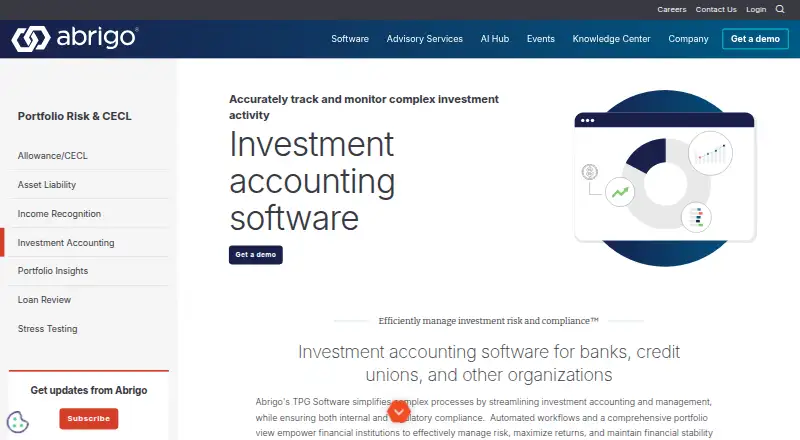
What Abrigo TPG Software is
Abrigo TPG Software supports investment accounting, portfolio management, reporting, and compliance for financial institutions. It handles fixed-income assets and liabilities, with tools for investment accounting and analysis as well as compliance reporting. Staff can enter trades manually or import them from spreadsheets, then review holdings and exposures in real time. The software also supports interest rate swaps, swaptions, options, forwards, and futures, using industry-compliant calculations. Institutions can deploy it cloud-hosted or on-premises. An optional ePortfolio web application extends online access to clients, who can enter transactions, update pledge information, and run reports. Listed market data and analytics connections include Bloomberg, ICE, JP Morgan Pricing Direct, Yield Book, Intex, ZM Financial Systems, and R2Metrics. Other interfaces cover custodial reconciliation, general ledger, asset/liability management, DTCC, data warehouse, and user access management systems. Configurable access and auditing controls can be aligned with an institution’s internal processes. Abrigo says its information security program aligns with FFIEC guidelines and makes SOC 1 Type 2 and SOC 2 Type 2 reports available through due diligence materials. Supported accounting standards include GAAP, IFRS, SIA, FASB, GIPS, and PSA. Abrigo says more than 100 institutions use TPG Software.
Who it suits
TPG Software suits financial institutions that need to account for fixed-income portfolios and liabilities, process trades, and produce investment and compliance reports. Institutions seeking derivative support, configurable access controls, and optional online client access may also find its feature set relevant.
What it does well
- Supports real-time views of holdings and exposures.
- Handles several fixed-income instruments and derivatives.
- Offers cloud-hosted or on-premises deployment.
- Optional ePortfolio gives clients online transaction and reporting tools.
- Lists multiple investment accounting standards.
What to know first
- Pricing is available on request.
- The client-facing ePortfolio application is optional.
Getting started
- Visit the Abrigo TPG Software investment accounting page.
- Request a demo or a no-obligation chat with Abrigo.
- Discuss cloud-hosted or on-premises deployment.
- Ask about the optional ePortfolio application and available interfaces.
Abrigo TPG Software is an institutional platform for investment accounting, portfolio management, trade processing, and compliance. It is aimed at financial institutions with varied fixed-income books, derivatives, and established control requirements. Its strongest case is bringing those workflows and interfaces into one deployment; custom pricing means buyers must qualify the commercial fit directly with Abrigo.
Overview
TPG Software combines accounting, analysis, reporting, and compliance for assets and liabilities such as money markets, bonds, mortgage-backed securities, structured notes, and other fixed-income instruments. That coverage is useful for institutions whose portfolios extend beyond straightforward securities. A smaller operation with a narrow book may not need this breadth.
Trades can be entered manually or imported from spreadsheets, while holdings and exposures are shown in real time. Optional policy checks and approval levels add governance to execution. Performance reporting is included, and reports can be filtered, date-parameterized, batched, consolidated, or customized. Crystal Reports is the primary report writer, making the system better suited to teams with formal reporting expertise than to buyers seeking a lightweight reporting experience.
Key features
- Portfolio accounting: Portfolio Genius handles investment accounting, analysis, compliance reporting, and performance reporting across fixed-income assets and liabilities. It supports GAAP, IFRS, SIA, FASB, GIPS, and PSA standards, which helps institutions align outputs with differing accounting and performance frameworks.
- Trade processing: Manual entry and spreadsheet imports accommodate existing operating habits. Real-time positions and exposures improve oversight, while optional policy checks and approval tiers support controlled trading rather than unrestricted entry.
- Derivative support: Interest-rate swaps, swaptions, options, forwards, and futures are covered with industry-compliant calculations. This is a meaningful advantage for institutions whose risk and accounting workflows include derivatives.
- Client portal: The optional ePortfolio web application lets clients enter transactions, update pledge information, and run reports online. Institutions can expose selected self-service tasks without making the portal mandatory.
- Data and system interfaces: Market-data and analytics connections include Bloomberg, ICE, JPMorgan Pricing Direct, Yield Book, Intex, ZM Financial Systems, and R2Metrics. Automated interfaces can retrieve security data, update positions, import transactions, bring in pricing, connect custodians, and export to general ledger, asset/liability management, DDA, and data-warehouse systems. Custodial reconciliation, DTCC, and user-access-management connections extend that integration footprint.
- Controls and resilience: Configurable access and auditing controls can reflect internal processes. Abrigo says its security program aligns with FFIEC guidelines, and provides SOC 1 Type 2 and SOC 2 Type 2 reports through due-diligence materials. Hosted environments receive ongoing system and security monitoring; backup and replication across redundant data-center facilities support recovery planning.
Pricing
TPG Software is paid software with pricing on request. The product page offers a demo request rather than a published subscription, seat allowance, trial, or renewal term. That suits institutions expecting a scoped implementation, but it prevents straightforward budget comparison before a sales conversation. Abrigo also offers a no-obligation chat about product needs.
Platforms
TPG Software is offered as self-hosted software and as a web deployment. Abrigo describes both cloud-hosted and on-premises options, giving institutions a choice between vendor-hosted operations and control over their own environment. The optional ePortfolio component is web-based.
Who it's for
TPG Software fits banks and other financial institutions managing diversified fixed-income assets, liabilities, derivatives, and formal compliance reporting. It is particularly appropriate where spreadsheet trade imports, real-time exposure views, policy approvals, accounting-standard support, and numerous upstream and downstream interfaces are requirements. Institutions wanting a small, narrowly focused portfolio tool or transparent self-service pricing should look elsewhere.
Pros and cons
Pros
- Broad instrument coverage: Fixed-income securities, liabilities, and major derivative types can be managed in the same environment.
- Institutional integration: Market-data, custodian, reconciliation, ledger, ALM, DTCC, DDA, and warehouse interfaces can reduce manual movement between systems.
- Strong governance options: Approval levels, policy checks, configurable access, and auditing support controlled operating models.
- Deployment choice: Cloud-hosted and on-premises options accommodate different infrastructure and oversight policies.
Cons
- Budget is difficult to assess early: Pricing is custom, with no published trial, seat terms, or plan comparison.
- Reporting may require specialist capability: Crystal Reports is the primary report writer, which can be heavier than a simple built-in report builder.
- Potentially excessive scope for small teams: Its institutional controls and integration surface may outweigh the needs of uncomplicated portfolios.
Alternatives
Investment Accounting Software is the broader category to review when you want to compare several investment-accounting products before requesting a quote.
Enfusion is a paid, multi-platform option spanning iOS, Linux, macOS, web, and Windows; choose it when broad device coverage and a demo-based purchase process matter more than TPG's self-hosted choice. Dynamo CRM & Deal Management is paid and available on Android, iOS, web, and via API, with ballpark pricing through a demo request; it is a better direction when deal and relationship workflows are central. FinFolio is another paid product with web, mobile, API, and self-hosted availability.
FIS Data Integrity Manager is a paid web product without a free plan. Juniper Square is paid and supports Android, iOS, web, and API access. WealthSpectrum offers paid web, mobile, API, and self-hosted deployments. Allvue Investment Management is a paid web product with an extension and custom pricing through a demo. AnyVault is a paid web alternative.
Verdict
Choose Abrigo TPG Software when your institution needs fixed-income and derivative accounting, controlled trade processing, compliance and performance reporting, and deep system connectivity in either a hosted or on-premises setup. Its breadth, standards coverage, and governance controls are the main reasons to shortlist it. Look elsewhere if you need transparent pricing, a short self-serve trial, or a lighter product for a simple portfolio.
Verdict
Consider Abrigo TPG Software if your institution needs investment accounting, trade processing, compliance reporting, and derivative support in one system. Ask Abrigo for a demo and pricing to determine whether its deployment and interface options fit your institution.
Questions
How is TPG Software priced?
Abrigo provides pricing on request and offers a demo request.
Where can TPG Software be deployed?
It is available cloud-hosted or on-premises.
What investment instruments does it support?
It manages fixed-income assets and liabilities and supports interest rate swaps, swaptions, options, forwards, and futures.
Can clients use the software online?
An optional ePortfolio web application lets clients enter transactions, update pledge information, and run reports online.
Which accounting standards are supported?
The product page lists GAAP, IFRS, SIA, FASB, GIPS, and PSA.
What security reports does Abrigo provide?
Abrigo says its security program aligns with FFIEC guidelines and offers clients SOC 1 Type 2 and SOC 2 Type 2 reports through due diligence materials.
Facts from Abrigo TPG Software's own pages
- Accounting standards
- The product page lists GAAP, IFRS, SIA, FASB, GIPS, and PSA among the standards and practices its investment accounting supports. · abrigo.com, 9 Oct 2026
- Audits and resilience
- Abrigo lists SOC 1 Type 2 and SOC 2 Type 2 documentation and says its recovery plans use data backup and replication across redundant data center facilities. · abrigo.com, 9 Oct 2026
- Client portal
- The optional ePortfolio web application lets clients enter transactions, update pledge information, and run reports, and integrates with Portfolio Genius and Safekeeping Genius. · abrigo.com, 9 Oct 2026
- Customer base
- Abrigo says TPG Software is trusted by more than 100 institutions. · abrigo.com, 9 Oct 2026
- Data integration
- Listed market data and analytics integrations include Bloomberg, ICE, JP Morgan Pricing Direct, Yield Book, Intex, ZM Financial Systems, and R2Metrics. · abrigo.com, 4 Oct 2026
- Data interfaces
- Automated data interfaces support security data retrieval, position updates, transaction imports, pricing data, custodian links, and extracts for general ledger, ALM, DDA, and data warehouse systems. · abrigo.com, 9 Oct 2026
- Deployment
- TPG is available cloud hosted or on premises. · abrigo.com, 9 Oct 2026
- Derivatives
- Derivative Genius supports interest rate swaps, swaptions, options, forwards, and futures, with a hedge accounting module for FAS 133 reporting. · abrigo.com, 9 Oct 2026
- Headquarters
- Austin, Texas, United States · abrigo.com, 28 Sept 2026
- Integrations
- Listed market data and analytics integrations include Bloomberg, ICE, JPMorgan Pricing Direct, Yield Book, Intex, ZM Financial Systems, and R2Metrics. · abrigo.com, 9 Oct 2026
- Investment coverage
- Portfolio Genius manages fixed income assets and liabilities including money markets, bonds, mortgage backed securities, structured notes, and more. · abrigo.com, 9 Oct 2026
- Other interfaces
- The page lists custodial reconciliation interfaces and additional connections for general ledger, asset/liability management, DTCC, data warehouse, and user access management systems. · abrigo.com, 4 Oct 2026
- Portfolio accounting
- The software manages fixed-income asset and liability instruments, including investment accounting, analysis, reporting, and compliance reporting. · abrigo.com, 4 Oct 2026
- Pricing
- The product page offers a demo request and does not state a price. · abrigo.com, 9 Oct 2026
- Purpose
- Abrigo TPG streamlines investment accounting, management, reporting, and compliance for banks, credit unions, and other organizations. · abrigo.com, 9 Oct 2026
- Reporting
- Portfolio Genius supports filtered and date-parameterized reports, batches, consolidated results, and custom reports; its Report Manager uses Crystal Reports as the primary report writer. · abrigo.com, 9 Oct 2026
- Security
- Abrigo says its information security program aligns with FFIEC guidelines, hosted clients receive ongoing system and security monitoring, and its architecture uses layered protections. · abrigo.com, 9 Oct 2026
- Security assurance
- Abrigo says its information security program aligns with FFIEC guidelines and provides clients SOC 1 Type 2 and SOC 2 Type 2 reports through its due diligence materials. · abrigo.com, 4 Oct 2026
- Security controls
- TPG's interface offers configurable access and auditing controls to match an institution’s internal processes. · abrigo.com, 4 Oct 2026
- Support
- Abrigo lists a dedicated TPG Portfolio Genius support number: (713) 974-1375, option 2. · abrigo.com, 9 Oct 2026
- Support and service
- Abrigo describes its customer support as world-class and offers a no-obligation chat to discuss product needs. · abrigo.com, 4 Oct 2026
- Trade processing
- Users can enter trades manually or import them through spreadsheets and view holdings and exposures in real time. · abrigo.com, 4 Oct 2026
- Trading
- The Trader module supports manual trade entry and spreadsheet imports, real time positions and exposures, and optional policy checks and approval levels. · abrigo.com, 9 Oct 2026
Where Abrigo TPG Software stands on Freedom251
- Investment Accounting Software#7 of 30