Freedom251 › Product Visualization Software

3DBAE
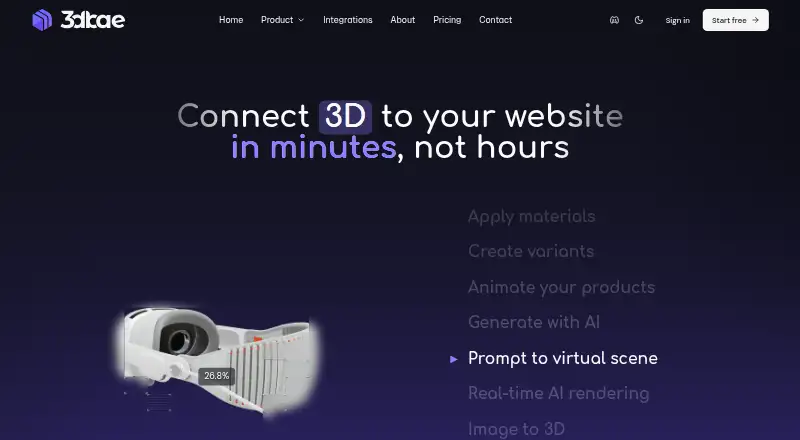
What 3DBAE is
3DBAE is a browser workspace for building interactive 3D product experiences and publishing them as embeddable viewers. Its configurator supports model and material variants, hotspots, animation, on-screen controls, interaction logic, and a JavaScript Model API. Canvas links images, prompts, and AI tools for workflows involving product imagery, video, and image-to-3D generation. The product lists 12 import formats and 8 export formats, including GLB, glTF, FBX, OBJ, USDZ, STL, PLY, SPLAT, SPZ, and SOG. Published viewers can be embedded with an iframe, while supported scenes can open in AR on iPhone or Android. A Live Link connects Autodesk 3ds Max 2024–2027 on 64-bit Windows to a browser project and syncs exportable scenes. The free Hobby plan includes one project, up to two models and two environment assets, and no AI credits. Paid plans start at $12 per month. Projects remain private unless shared or published; published links and embeds make the scene and required rendering files available to people with access. 3DBAE describes its users as e-commerce businesses, manufacturers, 3D studios and designers, and marketing teams.
Who it suits
3DBAE suits e-commerce businesses, product manufacturers, 3D studios and designers, and marketing teams creating interactive 3D product experiences.
What it does well
- Configurator supports variants, hotspots, animation, and interaction logic.
- Published viewers can be embedded in other pages.
- Supported scenes can open in AR on iPhone or Android.
- Free Hobby plan is available.
What to know first
- Hobby limits users to one project and two models.
- Hobby plan has no AI credits.
- Published links and embeds expose scenes to people with access.
Limits
The free Hobby plan provides 100 MB storage, one project, up to two models and two environment assets, and no AI credits. Paid plans include monthly AI credits; Professional starts at $12.00 per month with 5 GB storage, unlimited projects and configurator assets, and 1,000 AI credits per month.
Plans
| Plan | Billed and limits | Price |
|---|---|---|
| Hobby | Free forever; no credit card required · 100 MB storage · 1 project · 2 models · 2 environment assets · GLB export · no AI credits | Free |
| Extra team seat | Monthly; yearly option $96 per person each year · Available on Creator AI or Studio AI · adds no AI credits or storage | $10 a month |
| Professional | Monthly · 5 GB storage · unlimited projects · 1,000 AI credits/month · expanded exports · WebXR | $12 a month |
| Creator AI | Monthly · 10 GB storage · 15,000 AI credits/month · 2 parallel generations · image-to-3D · private links · collaboration | $24 a month |
| Studio AI | Monthly · 50 GB storage · 36,000 AI credits/month · 4 parallel generations · premium models · Rodin 2 · 10% credit-pack bonus | $59 a month |
As 3dbae.com lists them, read 14 Oct 2026. The maker's own page has the final word.
Getting started
- Open the 3DBAE website in a browser.
- Choose the free Hobby plan or a paid plan starting at $12.00 per month.
- Create a project and add models or environment assets within your plan's limits.
- Use Canvas workflows or the 3D Configurator to build the product experience.
- Publish the viewer, then embed it with an iframe or open supported scenes in AR.
3DBAE is a browser-based workspace for creating interactive 3D product scenes and publishing them for websites. It suits product teams and 3D creators who need configurable viewers alongside visual and AI-assisted content workflows. Its breadth is appealing, but the one-project, no-AI-credit Hobby tier is a narrow way to evaluate ongoing production use.
Overview
3DBAE brings authoring, configuration, and publishing into one browser workspace. The configurator handles model and material variants, hotspots, animation, on-screen controls, and interaction logic; a JavaScript Model API gives developers another way to work with scenes. Published viewers can be embedded in a site, and supported scenes can open in AR on iPhone or Android.
The product lists 12 import formats and 8 export formats, including GLB, glTF, FBX, OBJ, USDZ, STL, PLY, SPLAT, SPZ, and SOG. That range may fit varied asset pipelines, while teams should confirm that their specific files are covered before committing.
For broader comparisons, see Product Visualization Software and 3D Product Configurator Software.
Key features
Visual workflows and AI
Canvas connects images, prompts, and AI tools for product imagery, video, and image-to-3D generation. Monthly AI credits are included on paid plans, but not Hobby. Teams relying on frequent generation should weigh the credit allowances against their expected workload; the Hobby cap makes it better suited to basic exploration than AI-led production.
When an AI feature is used, 3DBAE sends required inputs and settings to configured model infrastructure. Those inputs may include prompts, reference media, and a relevant project-state snapshot. This matters for teams deciding what project material to include in AI workflows.
Configuration and delivery
Variants, hotspots, animation, controls, and interaction logic support more than a static model viewer. The iframe publishing option and AR access can help product teams present scenes to customers, though public viewer links and embeds expose the published scene and required rendering files to people who can access the link.
Live Link connects Autodesk 3ds Max 2024–2027 on 64-bit Windows to a 3DBAE browser project and syncs the exportable scene. An MCP server also connects compatible AI clients through OAuth with scopes approved for the task. These are useful workflow bridges, but the 3ds Max integration is tied to the stated versions and Windows environment.
Privacy and access
Projects are private unless shared or published. 3DBAE says it uses access controls, scoped authorization, encryption in transit, credential hashing, signed asset access, and logging. Support messages, contact details, and any files or diagnostic information a user provides are processed to respond to support requests.
Pricing
The freemium model starts at $12 a month for Professional. Hobby is free forever, but its 100 MB storage, single project, allowance of up to two models and two environment assets, and zero AI credits make it a limited fit for active teams.
- Hobby — free: Free forever, with 100 MB storage, one project, up to two models and two environment assets, and no AI credits. It is best for a small initial project, not a portfolio or regular AI generation.
- Professional — $12 a month: 5 GB storage, unlimited projects and configurator assets, and 1,000 AI credits/month. This is the entry paid tier for users who need room to build multiple scenes and some recurring AI capacity.
- Creator AI — $24 a month: 10 GB storage, 15,000 AI credits/month, two parallel generations, and team collaboration. Extra seats are sold separately, so teams should account for seat costs when comparing it with Professional.
- Studio AI — $59 a month: 50 GB storage, 36,000 AI credits/month, four parallel generations, and a 10% bonus on credit packs. It is aimed at heavier generation workloads and larger storage needs.
Moving up brings substantially more storage and AI capacity; Creator AI adds collaboration and parallel generation, while Studio AI increases those limits and adds a credit-pack bonus.
Platforms
3DBAE supports Android, iOS, web, Windows, and API access. The browser workspace is central to its authoring and publishing model, while the stated 3ds Max Live Link specifically requires 64-bit Windows and Autodesk 3ds Max 2024–2027.
Who it's for
3DBAE is a strong candidate for e-commerce businesses, manufacturers, 3D studios, designers, and marketing teams that want configurable product scenes, embedded viewers, or AR presentation in one workflow. Developers may value the JavaScript Model API, while 3ds Max users in the supported Windows setup can sync scenes. It is less compelling for a solo user needing only a simple static viewer, or a team whose AI-generation volume and seat needs exceed what its chosen plan supports.
Pros and cons
- Pro: Configuration controls, interactivity, iframe publishing, and supported AR scenes cover multiple stages of presenting a product.
- Pro: The named import and export formats span several common 3D asset types, and the JavaScript Model API offers a programmatic route.
- Pro: Paid plans scale from 1,000 to 36,000 monthly AI credits, with parallel generation on the two upper tiers.
- Con: Hobby allows only one project, up to two models and two environment assets, and no AI credits.
- Con: Creator AI charges extra for seats, complicating its cost for teams.
- Con: Sharing or publishing makes scenes and necessary rendering files accessible to link holders, which calls for care with sensitive material.
Alternatives
Consider Spheri if its free forever Starter plan's one product, no live configurator, 0.5 GB storage, 2 GB CDN fair-use, zero included credits, and watermark suit a basic presence better than 3DBAE's configurator-led workflow. Spellexo and TARDIS are freemium alternatives for web, iOS, and Android. Roomvo is worth considering for independent retailers seeking a free room visualizer, provided their products come from approved brand partners. Rendered is another freemium web option.
Cylindo uses quote-based pricing tailored to business needs, catalog size, and sales channels. iC3D Suite may suit packaging work that needs Mac or Windows and floating or concurrent-user licensing. Sayduck is a paid alternative with monthly or annual subscriptions.
Verdict
Choose 3DBAE if your team needs configurable, publishable 3D product experiences and wants AI-assisted workflows in the same workspace. Professional is the practical starting point for multiple projects; Creator AI or Studio AI make more sense when collaboration, generation concurrency, or higher credit and storage limits matter. Look elsewhere if a simple viewer is enough, the Hobby caps are too restrictive, or sharing controls do not suit the sensitivity of your scenes.
Verdict
3DBAE brings 3D configurator tools, AI-assisted workflows, and publishing into a browser workspace. The free plan has limited project assets and no AI credits, while shared or published scenes are accessible to link holders.
Questions
Is 3DBAE free?
Yes. Its Hobby plan is free forever and includes 100 MB storage, one project, up to two models and two environment assets, and no AI credits.
How much do paid plans cost?
Professional is $12.00 per month, Creator AI is $24.00 per month, and Studio AI is $59.00 per month.
Can I embed a 3DBAE viewer on a website?
Yes. Published viewers can be embedded with an iframe.
Does it support augmented reality?
Supported scenes can be opened in AR on iPhone or Android.
Can it connect to Autodesk 3ds Max?
Live Link connects Autodesk 3ds Max 2024–2027 on 64-bit Windows to a 3DBAE browser project and syncs the exportable scene.
Who is 3DBAE for?
3DBAE describes the product for e-commerce businesses, product manufacturers, 3D studios and designers, and marketing teams.
Facts from 3DBAE's own pages
- 3ds Max integration
- Live Link supports Autodesk 3ds Max 2024 through 2027 on 64-bit Windows and synchronizes scenes into a browser project. · 3dbae.com, 14 Oct 2026
- AI and Canvas
- Canvas connects images, prompts, and AI tools in visual workflows for product imagery, video, and image-to-3D generation. · 3dbae.com, 3 Oct 2026
- AI client integration
- The Platform MCP server connects compatible AI clients using OAuth and scopes approved for the task. · 3dbae.com, 3 Oct 2026
- AI data handling
- AI requests send required prompts, reference media and relevant project-state snapshots to configured model infrastructure; connected assistants receive only approved scopes. · 3dbae.com, 14 Oct 2026
- AI models
- Paid tiers expose assistant and generation models from providers and families including Gemini, GPT, Claude, Tripo, Hunyuan, Pixal3D, Trellis, Meshy and Rodin. · 3dbae.com, 14 Oct 2026
- Canvas
- Canvas connects reference media, prompts and AI tools into visual workflows for product imagery and image-to-3D work. · 3dbae.com, 14 Oct 2026
- Company identity
- The reviewed official pages identify the maker only as 3DBAE and provide the contact address [email protected]; they do not state a legal entity name, headquarters or founding year. · 3dbae.com, 14 Oct 2026
- Configurator features
- The 3D Configurator supports material and model variants, hotspots, animation, on-screen controls, interaction logic, and a JavaScript Model API. · 3dbae.com, 3 Oct 2026
- Configurator logic
- Configurators support up to 250 options per variant set, hotspots, Screen UI, typed variables, formulas, CSV datasets, 20 actions and 15 condition types. · 3dbae.com, 14 Oct 2026
- Documentation
- The developer page links machine-readable OpenAPI, OAuth metadata, MCP capability and LLM entry points, while the site links separate documentation. · 3dbae.com, 14 Oct 2026
- File formats
- The product page lists 12 import formats and 8 export formats, including GLB, glTF, FBX, OBJ, USDZ, STL, PLY, SPLAT, SPZ, and SOG. · 3dbae.com, 3 Oct 2026
- Import and export
- The service advertises 12 import formats and 8 export formats, including GLB, glTF, FBX, OBJ, USDZ, STL, PLY, SPLAT, SPZ and SOG. · 3dbae.com, 14 Oct 2026
- Independent buyer experience
- 3DIMLI describes buyers orbiting and inspecting 3D products, exploring interactions and staying on the product listing while viewing the embedded experience. · 3dimli.com, 14 Oct 2026
- Independent gallery placement
- According to 3DIMLI, a 3DBAE viewer can be selected as the main media for a product or for an individual variant. · 3dimli.com, 14 Oct 2026
- Independent launch context
- 3DIMLI describes the 3DBAE connection as a feature for digital-product and 3D-model pages, alongside existing images and videos. · 3dimli.com, 14 Oct 2026
- Independent news reference
- A LinkedIn post dated September 13, 2026 links to a Show HN item titled “AI Rendering in Realtime at 3dbae.” · linkedin.com, 14 Oct 2026
- Independent no-download workflow
- 3DIMLI presents the integration as an in-page viewer that lets shoppers examine products without leaving the listing. · 3dimli.com, 14 Oct 2026
- Independent workflow detail
- 3DIMLI says setup consists of creating a 3DBAE account, uploading and publishing a model, then pasting its viewer link into a product's media section. · 3dimli.com, 14 Oct 2026
- Intended users
- 3DBAE describes the product for e-commerce businesses, product manufacturers, 3D studios and designers, and marketing teams. · 3dbae.com, 3 Oct 2026
- JavaScript API
- Published viewers expose a JavaScript Model API for runtime control and events; the home page states it has 71 methods. · 3dbae.com, 14 Oct 2026
- Licence
- The terms state that 3DBAE software, design, documentation and branding are owned by 3DBAE or its licensors and grant users a limited service-use licence. · 3dbae.com, 14 Oct 2026
- Limit: credit metering
- AI operations consume credits according to model and operation, with monthly allowances varying by paid plan. · 3dbae.com, 14 Oct 2026
- Limit: device performance
- The configurator page warns that mobile performance depends on scene complexity, texture sizes and the visitor's device. · 3dbae.com, 14 Oct 2026
- Limit: paid authoring
- The configurator page says some authoring and publishing features require a paid plan. · 3dbae.com, 14 Oct 2026
Where 3DBAE stands on Freedom251
- Product Visualization Software#1 of 32
- 3D Product Configurator Software#2 of 25