What’s actually slowing this PC down?
Pick the symptom - the matching free tool is one click away.
Windows 10 became available on July 29, 2015, initially for PCs and tablets. Microsoft offered a free upgrade to eligible genuine Windows 7 and Windows 8.1 devices, while new computers could ship with Windows 10 preinstalled. The rollout was phased rather than simultaneous. This is a historical announcement: Microsoft ended ordinary Windows 10 support on October 14, 2025.
What Microsoft announced on June 1, 2015
Microsoft announced the July 29 release date in its Windows Experience Blog on June 1, 2015. The initial availability covered PCs and tablets. Terry Myerson, then executive vice president of Microsoft’s Windows and Devices Group, wrote: “On July 29, you can get Windows 10 for PCs and tablets by taking advantage of the free upgrade offer, or on a new Windows 10 PC from your favorite retailer.” Read Microsoft’s original announcement.
The two ways to get Windows 10 at launch
| Route | Who it applied to | How delivery worked |
|---|---|---|
| Free upgrade | Eligible genuine Windows 7 and Windows 8.1 PCs and tablets | Reserved upgrades were released in phases; Microsoft notified users through the taskbar when theirs was ready. |
| New Windows 10 computer | People buying a new PC or tablet from participating manufacturers and retailers | Windows 10 arrived preinstalled on the new device. |
The free-upgrade offer described by Microsoft was a launch-era, first-year offer for qualifying Windows 7 and Windows 8.1 devices. It should not be interpreted as a current entitlement.
Why the upgrade did not appear for everyone on July 29
July 29 was the start of availability, not a promise that every eligible device would upgrade that day. Microsoft used a phased rollout. People who reserved the upgrade waited for a taskbar notification confirming that Windows 10 was ready, allowing Microsoft to expand delivery while addressing compatibility and deployment issues.
Free tools Windows power users keep installed
One-click scans. No signup required.
#1 Best Overall

- 🗝 [Requirement] You must have your Product key. Locate it on a sticker attached to your system. No Key included with item.
- can be installed on HDDs, SATA SSDs, and NVMe SSDs; while HDDs work, they’re slow, SATA SSDs are much faster, and NVMe SSDs provide the best performance.
- Windows 10, installation works best with a drive using the GUID Partition Table (GPT) and UEFI boot mode, but it can also install on Master Boot Record (MBR) drives using Legacy BIOS.
Microsoft’s July 28 launch post described availability in 190 countries and reported feedback from five million Windows Insiders. Its June 1 announcement had reported feedback from more than four million Insiders. These were separate Microsoft-reported figures from two 2015 posts, not a single independently verified measurement. See the launch post.
What “Windows 10 upgrade eligible” meant then
- The device generally needed a qualifying, genuine Windows 7 or Windows 8.1 installation.
- The offer applied to eligible PCs and tablets, not every device running an older Windows edition.
- Eligibility did not guarantee immediate delivery because upgrades were staged.
- The free-upgrade terms were tied to the first year after the 2015 launch and are not a current Windows 10 offer.
Windows 10’s status now
Windows 10 is no longer in its normal support period. Microsoft says Windows 10 version 22H2 was the final general-availability release, and listed editions including Home and Pro reached end of support on October 14, 2025. After that date, those editions no longer receive ordinary security updates. Microsoft’s end-of-support announcement lists the affected editions and date.
Rank #2

- Perfect for installs that are corrupted or full of viruses. Works on any make or model computer.Repair boot manager is missing, NTLDR is missing, Blue Screens of Death (BSOD) and more. This item does not include a key code or a license. You must have your own key code to use the install option otherwise you will get a non-genuine message.
Microsoft’s release information also identifies 22H2 as the final general-availability version and provides current lifecycle details, including information about Extended Security Updates (ESU). ESU, where available to an eligible edition and customer, extends security updates; it does not restore full product support. Check Microsoft’s Windows 10 release information.
Some Microsoft pages can display the retirement date as October 15 when rendered in Pacific Time. Microsoft’s announcement and release information explicitly state October 14, 2025; that is the date used here.
Rank #3

- Bootable DVD. Install, repair, restore & recove your OS. Perfect for damaged, corrupted or full of viruses operating system. Repair BOOTMGR is missing, NTLDR is missing, Blue Screens of Death (BSOD) and more.
- Works on any make or model computer. Install a fresh copy of as long as you have a valid product key code. It does not include a key code.
The Bottom Line
Windows 10 was announced on June 1, 2015 and released for PCs and tablets on July 29, 2015. Eligible Windows 7 and Windows 8.1 devices could receive a time-limited free upgrade through a phased rollout, while new PCs could include Windows 10. The operating system’s ordinary support ended on October 14, 2025.
Quick Recap
Best Value

- [MISSING OR FORGOTTEN PASSWORD?] Are you locked out of your computer because of a lost or forgotten password or pin? Don’t’ worry, PassReset DVD will reset any Windows User Password or PIN instantly, including Administrator. 100% Success Rate!
- [EASY TO USE] 1: Boot the locked PC from the PassReset DVD. 2: Select the User account to reset password. 3: Click “Remove Password”. That’s it! Your computer is unlocked.
- [COMPATIBILITY] This DVD will reset user passwords on all versions of Windows including 11, 10, 8, 7, Vista, Server. Also works on all PC Brands that have Windows as an operating system.
- [SAFE] This DVD will reset any Windows User password instantly without having to reinstall your operating system or lose any data. Other Passwords such as Wi-Fi, Email Account, BIOS, Bitlocker, etc are not supported.
- [100% GUARANTEED] Easily reset recover any Windows User password instantly. 100% sucess rate!
Rank #4
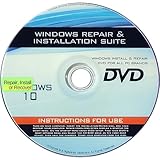
- 🗝 [Requirement] You must have your Product key. Locate it on a sticker attached to your system. No Key included with item.
- 💻 [All in One] Repair, Recovery, Install. For All Versions of 32 & 64Bit, Desktop and Laptop computers.
- 📁 [For All PC Brands] Have available for a friend with another PC brand, be the hero.
- 💿 [Easy to use] (1). Insert the disc (2). Boot the PC (3). Set the bios to boot disc first (4). Boot from the disc and repair/install/recover.
- 🚩 [Who needs] If your system is corrupted or have viruses/malware use the repair feature: If BOOTMGR is missing, NTLDR is missing, or Blue Screens of Death (BSOD). Use the install feature If the hard drive has failed. Use the recovery feature to restore back to a previous recovered version.
Product prices and availability are accurate as of the date/time indicated and are subject to change. Any price and availability information displayed on Amazon at the time of purchase will apply.

