Some links on this page are affiliate links: if you buy through them we may earn a commission, at no extra cost to you.
Zephyr supports Wi-Fi and socket offload, but socket offload does not automatically mean TLS is offloaded. The chosen Wi-Fi driver and hardware determine whether TCP/IP, BSD socket operations, and TLS run on the application MCU or on a network processor. TI SimpleLink CC32xx boards provide a documented example of offloaded sockets and secure-socket integration; other devices may offer only some of those capabilities.
This guide explains the layers, shows how to build Zephyr’s HTTP GET sample for native TLS or SimpleLink TLS offload, and outlines how to choose and troubleshoot each path. The linked documentation is from Zephyr’s rolling latest tree, so confirm board support, option names, and overlay files against the Zephyr revision you build.
Four different things can be called “Wi-Fi offload”
In Zephyr, offload can happen at distinct points in the networking stack. Identifying the boundary matters: an application may keep using BSD sockets even when Zephyr’s native IP stack or TLS implementation is not involved.
Recommended Free Tools
| Layer | What runs outside Zephyr’s native stack | What it means to the application |
|---|---|---|
| Wi-Fi management | Wireless operations such as scanning, association, and access-point behavior | The driver exposes Wi-Fi management through Zephyr’s Wi-Fi API. |
| IP/network stack | IP and transport processing | A vendor stack or network processor handles networking rather than Zephyr’s native IP stack. |
| Socket | Socket creation and I/O | Application code can still call socket(), connect(), send(), and recv(), with operations routed to an offloaded implementation. |
| TLS/DTLS | The secure-session handshake and record processing | The device’s own TLS implementation, trust store, and supported options may govern the connection. |
Zephyr documents network offload and socket offload as separate mechanisms. Socket offload is enabled with CONFIG_NET_SOCKETS_OFFLOAD, but that setting alone does not establish that a device supports secure-socket offload. Support for TLS or DTLS depends on the particular driver and hardware. See Zephyr’s network-offload API and socket documentation.
#1 Best Overall

- High-Speed Internet: Downstream speeds of over 100 Mbps, ideal for streaming, video conferencing, and more.
- PORTABILITY: Compact, lightweight and easy to carry, packs into a backpack for on-the-go use.
- Built-in Wi-Fi Router: Connect multiple devices simultaneously with reliable Wi-Fi coverage.
- Low Power Consumption: Powered by a DC input, it is perfect for situations requiring extended battery life.
- Connect wherever you are: Whether you're in nature, in a vehicle or in a remote area, enjoy fast and stable internet access.
Zephyr’s Wi-Fi management API covers station, access-point, and P2P modes, with documented personal-security modes including Open, OWE, WEP, WPA2-PSK, WPA2-PSK-256, and WPA3-SAE. Driver support varies. Wi-Fi link security and TLS are also separate: WPA2 or WPA3 protects the wireless link to the access point; TLS authenticates and protects an application connection such as HTTPS. Neither substitutes for the other. See the Wi-Fi API documentation.
How Zephyr routes socket calls
A socket-offload driver registers an implementation that can match an address family, socket type, protocol, and support filter. It supplies the socket operations and a handler that creates and finalizes a Zephyr file descriptor. Applications can then use the familiar socket API while the driver routes work to its external stack or device.
Zephyr considers matching registered implementations according to priority; lower numeric values indicate higher priority for offloaded implementations. Consequently, enabling offload can change which implementation handles a socket if native and offloaded implementations both match. An overly broad registration, such as one matching AF_UNSPEC, can capture more sockets than intended. Inspect the driver’s registration and selection rules instead of assuming that the native path wins. Registration and dispatch behavior are described in the socket API documentation.
Free tools Windows power users keep installed
One-click scans. No signup required.
When more than one interface can carry a socket, the ordinary socket() call does not itself identify the interface. With CONFIG_NET_SOCKETS_OFFLOAD_DISPATCHER, Zephyr can defer the final implementation choice so the application can select an interface. The documented binding pattern is:
struct ifreq ifreq = {
    .ifr_name = "SimpleLink",
};

setsockopt(sock, SOL_SOCKET, SO_BINDTODEVICE,
           &ifreq, sizeof(ifreq));
Use the actual interface name reported by your build and driver. The dispatcher also allows an application to request Zephyr-native TLS through TLS_NATIVE, even when the transport is selected separately. Set that option first on a newly created dispatcher socket, then bind the transport interface if needed. These options require the dispatcher; verify exact behavior in the documentation for the Zephyr revision in use.
Native Zephyr TLS: Zephyr owns the secure session
Zephyr’s native secure-socket path uses Mbed TLS. A TLS stream socket can be created with a TLS protocol identifier such as IPPROTO_TLS_1_2; the selected protocol identifier specifies the minimum version for that Zephyr path, not proof of what a remote vendor implementation negotiates.
int sock = socket(AF_INET, SOCK_STREAM, IPPROTO_TLS_1_2);

sec_tag_t sec_tag_list[] = { CA_CERTIFICATE_TAG };
setsockopt(sock, SOL_TLS, TLS_SEC_TAG_LIST,
           sec_tag_list, sizeof(sec_tag_list));

char hostname[] = "example.com";
setsockopt(sock, SOL_TLS, TLS_HOSTNAME,
           hostname, sizeof(hostname));
The security tag refers to credentials registered with Zephyr’s TLS credential subsystem. Credential types include CA certificates, public certificates, private keys, PSKs, and PSK identities. Zephyr requires CONFIG_NET_SOCKETS_SOCKOPT_TLS for secure socket options; DTLS support uses CONFIG_NET_SOCKETS_ENABLE_DTLS. Certificate encodings and Mbed TLS configuration matter: DER is supported by default, while PEM may require the corresponding Mbed TLS setting. Consult the secure-sockets documentation.
What’s actually slowing this PC down?
Pick the symptom - the matching free tool is one click away.
For a dispatcher socket where native TLS is required, the documented option is:
int tls_native = 1;
setsockopt(sock, SOL_TLS, TLS_NATIVE,
           &tls_native, sizeof(tls_native));
Apply it first to a newly created dispatcher socket, then select the underlying interface as needed. Do not treat TLS_NATIVE as a universal switch available on every socket configuration. Zephyr’s secure-socket option reference also describes hostname behavior. Disabling hostname verification by setting the hostname to NULL is not a sound routine workaround for a certificate mismatch.
SimpleLink: a hardware-specific offload example
TI’s CC3235SF LaunchXL illustrates the network-processor model: Zephyr runs on the application MCU, while the SimpleLink network processor handles Wi-Fi and Internet protocols. The Zephyr driver communicates with it over SPI. CC3220SF LaunchXL is another documented board in this family. These are specific integrations, not a generic recipe for any Zephyr Wi-Fi board.
The SimpleLink documentation describes BSD socket operations routed to the device and a secure-socket workflow that uses device-managed certificate and key material. Relevant configuration concepts include:
Quick wins for a faster PC:
Fix the driver behind crashes, sound loss and screen glitchesFind Drivers →Clear out junk files and repair common Windows errorsFree Scan →CONFIG_WIFI=y
CONFIG_WIFI_SIMPLELINK=y
CONFIG_NET_SOCKETS_OFFLOAD=y
CONFIG_NET_SOCKETS_SOCKOPT_TLS=y
CONFIG_TLS_CREDENTIAL_FILENAMES=yThis is a configuration sketch, not a guaranteed complete prj.conf. Board defaults, sample overlays, network credentials, host-interface setup, and Zephyr version can add or change requirements. In the documented secure-socket setup, certificate files and keys are programmed into the SimpleLink secure flash filesystem using TI UniFlash, and the TI Trusted Root-Certificate Catalog must be enabled. A Zephyr security tag is not automatically the same thing as a vendor-managed storage object. Consult the board-specific instructions for the CC3235SF LaunchXL or CC3220SF LaunchXL.
For this path, vendor firmware and storage tooling influence which certificates, TLS versions, cipher suites, and socket options are available. The application may still see socket-like calls, but it should not assume that native Zephyr credential APIs or semantics transfer unchanged.
Build the HTTP GET sample
Zephyr’s HTTP GET sample documents separate overlays for native TLS and TI TLS offload. Example commands from the sample documentation are:
Rank #2
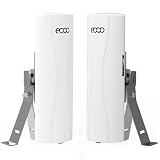
- Extended Starlink WiFi: This point-to-point wireless bridge with bracket mount is specifically designed to seamlessly integrate with Starlink's Gen 2 Ethernet Adapter, Gen 3 routers, and Mini LAN Port, ensuring a reliable and stable network connection with your Starlink satellite internet system. It is ideal for effortlessly connecting remote buildings, barns, shops, farms, garages, warehouses, or security cameras, providing a versatile solution for extending your network coverage.
- Extended Network WiFi: Connect the master bridge to your primary router with internet access. Then, connect the slave bridge to the secondary WiFi router where you want to extend the network - such as a neighbor's house, store, barn, or garage. This point-to-point configuration allows you to extend your network efficiently and cost-effectively. Additionally, the network relay function can be achieved using two pairs of wireless bridges, enabling seamless coverage over longer distances.
- Extended-Range Surveillance System: Features a highly optimized deep protocol for wireless video transmission, ensuring high-speed, smooth, and reliable surveillance. The underlying wireless driver is specially engineered for enhanced anti-interference capabilities and superior stability. Supports both point-to-point and point-to-multipoint connections, allowing expanded monitoring coverage to effectively safeguard your property.
- Plug and Play: This outdoor point-to-point wireless bridge kit includes two compact bridges with lightweight mounting brackets for easy installation on poles or walls. Factory pre-configured for seamless setup - you simply connect your devices to the master and slave bridges, provide power, and you're ready to go.
- Wireless Bridge with Dual Adjustable Mount Brackets: The CPE556 Wireless Bridge features two versatile pole mounting bracket kits, facilitating easy installation on walls or poles. These adjustable brackets allow for precise positioning to optimize signal strength, making them ideal for outdoor network extension deployments and point-to-point wireless bridge setups in various environments.
# Native Zephyr TLS (example target)
west build -b qemu_x86 samples/net/sockets/http_get
  -- -DCONF_FILE="prj.conf overlay-tls.conf"

# SimpleLink TLS offload (documented board example)
west build -b cc3220sf_launchxl samples/net/sockets/http_get
  -- -DCONF_FILE="prj.conf overlay-tls-offload.conf"
The commands illustrate configuration selection; QEMU is not a Wi-Fi hardware test. Check that the target board and overlay exist in your checkout, and use the board-specific certificate and network setup. The sample explicitly identifies cc3220sf_launchxl for the TLS-offload overlay; do not assume every board supports it. See the HTTP GET sample README.
PC Slower Than It Used to Be?
A free scan shows the junk files, broken settings and background clutter dragging Windows down - then fixes them in one click.Free scan · Windows 10 & 11Crashes, No Sound, or Screen Glitches?
Random freezes, missing sound and display glitches usually trace back to one bad driver. Find and replace yours safely.Free scan · under a minuteOn SimpleLink, Wi-Fi can be provisioned using the Wi-Fi shell sample and a known access point. The network processor may retain a successful AP profile using its Fast Connect behavior, so reflashing the Zephyr application may reconnect without a new scan or credential command. Treat first-time provisioning, switching APs, application reflashing, and erasing network-processor persistent storage as distinct operations; consult the board documentation for the supported provisioning and reset procedures.
A useful test proves each stage rather than merely checking that the board associates:
- The Wi-Fi device associates with the intended access point.
- The application obtains IP connectivity, and DNS resolves if the sample uses a hostname.
- The socket is created through the intended native or offloaded implementation.
- TCP connection establishment succeeds.
- TLS negotiation succeeds and the server certificate is accepted under the configured trust policy.
- The HTTP request receives a valid response.
TCP success, ping, or Wi-Fi association alone does not demonstrate that TLS trust-chain or hostname verification worked.
Independent reader supportYour contribution helps us test, update, and keep practical guides available for everyone.Choosing native TLS or vendor TLS offload
| Consideration | Native Zephyr TLS | Vendor secure-socket offload |
|---|---|---|
| Protocol ownership | Zephyr/Mbed TLS owns the secure session. | The device’s vendor stack handles TLS where the driver supports it. |
| Credentials | Registered with Zephyr and referenced by security tags. | May reside in a vendor secure filesystem or trust catalog. |
| Portability | Generally easier to carry across transports and vendors, subject to configuration and resource needs. | Tied more closely to device capabilities, driver, firmware, and provisioning tools. |
| Resource/security boundary | Consumes application-MCU resources; keys are handled by the Zephyr-side TLS path. | May reduce MCU work or keep key material in a network device, but protection depends on the vendor’s documented security model and provisioning. |
| Options and debugging | Uses Zephyr TLS options and diagnostics. | Supported versions, ciphers, verification controls, errors, and socket behavior can be vendor-specific. |
Choose native TLS when consistent certificate handling, portability, or a TLS feature exposed by Zephyr matters most and the application MCU has adequate resources. Consider vendor offload when the hardware’s network processor and protected-storage model are integral to the design and its documented TLS features meet requirements. A middle architecture—vendor-owned Wi-Fi/TCP/IP sockets with Zephyr-native TLS—is also possible only if the driver supports that combination; it is not implied by enabling socket offload.
Offload can reduce work on the application MCU or simplify connectivity integration, but these are potential benefits, not guaranteed performance results. Without board-specific measurements, do not assume a particular CPU, memory, throughput, latency, or power improvement. The trade-offs include dependence on vendor firmware and driver versions, less visibility into the network path, hardware-specific credential provisioning, and reduced portability.
Security and certificate lifecycle
- Verify server identity. Configure the appropriate trust anchor and hostname checking. A trusted CA without hostname validation may accept a certificate issued by that CA for the wrong server.
- Know where keys live. Determine whether private keys are stored in Zephyr-managed credentials or vendor-managed secure storage, whether they are exportable, and which tools or debug interfaces can access them. Do not assume that offload by itself guarantees key protection.
- Plan rotation and expiry. Establish how roots, client certificates, and keys are updated, how expired or compromised credentials are replaced, and whether the update touches the application image or device storage. For SimpleLink, include the trusted-root catalog and secure-filesystem provisioning process in that plan.
- Check time. Certificate validity checks depend on a usable device clock. A bad clock can make a valid certificate appear expired or not yet valid.
- Confirm the negotiated policy. Verify the TLS versions, ciphers, client-certificate behavior, and mutual-TLS support actually offered by the selected implementation. Do not infer them from the socket API shape.
- Keep diagnostics safe. Log useful connection and certificate errors without printing private keys, PSKs, or other secrets. Include network-processor firmware and host-driver versions in product compatibility records.
Troubleshooting by symptom
The socket uses the wrong implementation or interface
Check whether native and offloaded registrations match the same family, type, and protocol; inspect their priorities and filters; and look for broad matches such as AF_UNSPEC. If multiple interfaces are available, enable the dispatcher and bind to the correct interface name. If the intended path is native TLS, set TLS_NATIVE first on a new dispatcher socket. A successful socket() call does not by itself prove which implementation was selected.
Wi-Fi associates, but DNS or TCP fails
Check IP configuration, DNS settings, access-point policy, and whether the network processor’s firmware and Zephyr host driver are compatible. For connection failures, also verify the board revision and host-interface wiring, regional/channel constraints, WPA mode compatibility, and whether a stored profile is steering the device to an unexpected AP.
TCP works, but the TLS handshake fails
Check that the server chain roots at a certificate the selected TLS implementation trusts; confirm certificate filenames or secure-storage objects for vendor offload; verify the device clock and certificate expiry; and check hostname matching, TLS version, cipher support, and any client-certificate requirement. A TLS connection to an IP address may fail hostname verification if the certificate is for a DNS name. Setting TLS_HOSTNAME appropriately is preferable to disabling verification.
The sample builds but the board cannot connect
Confirm the board and overlay match your checkout, the expected SimpleLink driver and network-processor firmware are present, the host interface is configured correctly, and the AP uses a supported security mode. Then check stored profiles, DNS/IP settings, certificate provisioning, trusted-root configuration, and clock initialization. A successful build proves configuration consistency, not radio or certificate readiness.
Reflashing does not forget the AP
The network processor can retain a previously successful AP profile in persistent storage. Reflashing the application may therefore reconnect automatically. Use the documented device-side profile or storage reset procedure if you need a clean provisioning test; an application reflash is not necessarily a factory reset.
A non-blocking TLS send returns EAGAIN
For Zephyr’s native Mbed TLS socket path, the socket documentation notes that after a non-blocking send returns EAGAIN, the next send should provide the same data as the original call because of Mbed TLS buffering requirements. Do not assume this exact behavior maps identically to every vendor-offloaded implementation; check that driver’s semantics.
Compatibility and version caveats
Zephyr’s latest documentation is a rolling reference, not a pinned release. Board targets, overlays, Kconfig symbols, driver behavior, and vendor firmware compatibility can change. Record the Zephyr release or commit, board revision, SimpleLink network-processor firmware, host-driver version, and certificate set used for a product build. For higher-level HTTP applications, Zephyr also provides an HTTP client API that can work over TCP or TLS sockets when the selected configuration supports them.
Quick Recap
Product prices and availability are accurate as of the date/time indicated and are subject to change. Any price and availability information displayed on Amazon at the time of purchase will apply.

