Quick wins for a faster PC:
Repair Windows errors before they cause bigger problemsFix Now →Scan for outdated or missing drivers - takes under a minuteDriver Scan →Clear out junk files and repair common Windows errorsFree Scan →Some links on this page are affiliate links: if you buy through them we may earn a commission, at no extra cost to you.
If WhatsApp calls ring while the app is open but go silent when your phone is locked, check background restrictions and lock-screen notifications first. On Android, battery management or Data Saver is a common suspect; on iPhone, notification permissions and Focus are more likely places to start. The steps below help identify whether calls are silent, hidden, or reaching the phone late—then address the relevant setting.
Start with a quick test
Before changing settings, ask a saved contact to call while WhatsApp is open. Then lock the phone for at least 30 seconds and repeat. If the problem affects only unsaved callers, repeat with one of those numbers too. Try both Wi-Fi and mobile data, and check whether a missed-call entry appears in WhatsApp.
- Missed call appears promptly, but there was no sound: check notification sound, silent mode, Focus or Do Not Disturb, and lock-screen presentation.
- The call appears only after you unlock or open WhatsApp: check background activity, data access, and battery management—especially on Android.
- The phone rings but the screen stays dark: check lock-screen and full-screen call presentation settings.
- Only unsaved callers are silent: check WhatsApp’s Silence unknown callers setting.
- Messages are delayed too: background network or battery restrictions are more likely than a ringtone setting.
- The caller sees “Calling” for a long time rather than “Ringing”: your phone may not be reachable by WhatsApp at that moment. Test another network and check background access.
These clues narrow the cause; none proves it on its own. Android’s Doze mode can defer background CPU and network activity after a device is idle, while manufacturer battery controls may add further restrictions. That does not mean Doze always blocks WhatsApp calls: delivery depends on the operating system, app behavior, and device software. Android’s power-management documentation explains the underlying behavior.
Do these 3 things before closing this tab:
1Repair Windows errors before they cause bigger problems2Scan for outdated or missing drivers - takes under a minute3Clear out junk files and repair common Windows errorsQuick fixes for Android
- Open Settings > Apps > WhatsApp > Notifications. Turn notifications on. Open the call-related category if one is listed; set it to Alerting, with sound and vibration enabled, rather than Silent.
- Allow WhatsApp notifications on the lock screen. Look under Settings > Notifications > Notifications on lock screen and choose an option equivalent to showing all notifications or alerting notifications. Menu names vary by phone.
- Open Settings > Apps > WhatsApp > Battery and, for a test, choose Unrestricted, Allow background usage, or the closest available option.
- Temporarily turn off Battery Saver and test again. If it helps, exempt WhatsApp specifically rather than disabling battery controls for every app.
- Check Settings > Network & internet > Data Saver or your phone’s equivalent. Allow WhatsApp background data, and confirm it can use mobile data if you test away from Wi-Fi.
- Turn off Do Not Disturb and check scheduled modes such as Bedtime, Sleep, or Driving. Allow WhatsApp calls in the mode’s exceptions if you want them to ring while that mode is active.
- Restart the phone and repeat the locked-screen test.
Android distinguishes alerting notifications—which can make sound and appear on the lock screen—from silent ones. The exact controls and labels depend on your Android version and manufacturer. See Google’s notification and lock-screen guidance and its guidance on Do Not Disturb and modes.
#1 Best Overall

- LED DIGITAL DISPLAY & 120H LONG STANDBY TIME : The G7 Wireless Bluetooth Headset comes with a smart LED display that shows the charging status of the earphones and the power of the case. 120 hours of standby time and 72 hours of music playback/talking time with the charging case
- NOISE COOLING HEADSET WITH MIC : UPGRADE G7 WIRELESS HEADSET with noise cancellation microphone that eliminates up to 99.98% of ambient noise, whether you are in a busy central area or on a truck, callers can seamlessly communicate with you like face-to-face, making it the ultimate choice for remote workers
- MUTE DESIGN : COTOE Bluetooth earpiece features a mute button for privacy to meet your need for simpler muting during cell phone call. (ONLY ALLOW TO MUTE DURING CALL ON PHONE)
- COMFORTABLE FIT DESIGN & HD SOUND : The in-ear part can rotate 45 degrees, the ear hook part can rotate 360 degrees, and the mic handle part can rotate 180 degrees. Wireless headset with built-in noise-canceling mic for HD sound and clear calls, ideal for work
- HANDS-FREE CALLING: Designed with a lightweight, on-ear build for lasting comfort and durability. Supports Siri with voice-activated wake-up, allowing you to talk without ever picking up your phone. Equipped with multi-functional buttons that help prevent accidental touches, making on-headset control simple and intuitive—perfect for Taxi drivers/Trucker on the go.
If Android rings but does not show the answer screen
First confirm that WhatsApp’s call notification category is enabled and allowed on the lock screen. If your phone offers a setting called Full-screen notifications, Full-screen alerts, or Manage full-screen intents, search Settings for it and allow WhatsApp if appropriate. Not every phone exposes this control, and it is relevant when the call reaches the phone but its incoming-call interface is not presented—not as a universal fix. Android supports call-style notifications, but their presentation depends on the app, Android version, and device software. Android’s notification documentation describes notification channels and call-style notifications.
Check manufacturer battery controls
Some Android manufacturers add controls beyond the standard battery setting. Look for options such as sleeping or deep-sleeping apps, auto-start, background activity, app launch management, or battery optimization. Samsung, Xiaomi/Redmi/POCO, OnePlus, Oppo/Realme, and Huawei use different labels and paths; treat these as examples, not universal instructions. If WhatsApp is listed as restricted or sleeping, allow it to run in the background and test again.
Rank #2

- Smart Digital Display: Easy-to-read digital display shows the remaining power of the charging case for the refill in time.
- High Capacity and Long-Lasting: Equipped with the 500mAh charging case to juice up the bluetooth headset for almost 72 hours of music/talking time. The single headset offer 18-23 hours of talking time.
- Design Ideas Of Mute: Add the individual mute button on the bluetooth earpiece to meet your demand for muting more simply on the cell phone call. (ONLY ALLOW TO MUTE DURING CALL ON PHONE)
- Ear Painless: Maximizing compactness of wireless headset based on ergonomics. Small and light even unobtrusive but still stable, and provide a more comfortable wearing experience.
- Ultra-Powerful Bluetooth Tech: Wireless earpiece features the updated 5.3 Bluetooth technology to quickly and stably connect devices in the 10m range.
Exempting WhatsApp can improve call reliability but may use more battery and background data. Keep the change limited to WhatsApp if possible. If all apps have late notifications, investigate system-wide Battery Saver, Data Saver, DND, or network settings instead.
The Tool Desk
Outbyte PC Repair FREERepair Windows errors before they cause bigger problemsFix Now →Outbyte Driver Updater FREEFix the driver behind crashes, sound loss and screen glitchesFind Drivers →Quick fixes for iPhone
- Open Settings > Apps > WhatsApp > Notifications. Turn on Allow Notifications, then enable Lock Screen, Notification Center, Banners, and Sounds.
- If you use Scheduled Summary, make sure WhatsApp alerts are not being held for a later summary. Set delivery to immediate where that option is available.
- Open Settings > Focus and check any active or scheduled Focus, including Sleep or Work. Add WhatsApp to allowed apps if its calls should be allowed through.
- Check Control Center for an active Focus and check Silent mode. Make sure the phone is not muted or set to vibrate only; notification volume is not the same as media volume.
- If you need notification details visible while locked, review Settings > Notifications > Show Previews. Also check Settings > Face ID & Passcode for whether Notification Center is allowed while locked.
- If you use an Apple Watch or another connected device, check whether alerts are being routed there rather than appearing on the iPhone.
- Restart the iPhone and test with its screen locked.
Apple’s per-app controls determine whether WhatsApp alerts appear on the Lock Screen, in Notification Center, or as banners, and whether they play a sound. For current guidance, see Apple’s notification settings instructions and its Focus guidance. iPhone does not have Android’s per-app “Unrestricted battery” setting, so do not look for an equivalent battery switch.
Check WhatsApp’s call privacy setting
In WhatsApp, open Settings > Privacy > Calls and check Silence unknown callers. Turn it off if calls from numbers WhatsApp does not recognize as your contacts need to ring. When enabled, this feature silences unknown callers but can still show their calls in the Calls list. That is intentional behavior, not necessarily a notification fault. WhatsApp’s announcement describes the feature.
Rank #3
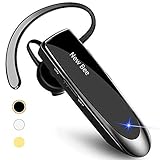
- CVC 6.0 Handsfree Talking: Employs CVC 6.0 technology for clear sound quality during calls, ensuring both you and the person on the other end can hear clearly without distortion
- Long Lasting Battery Life: Requires only 2-3 hours charge time and delivers 22 hours music time, 24 hours talk time, and 60 days standby time, meeting the needs for extended daily use
- Comfortable Wearing Design: Lightweight design at 12 grams does not cause burden to your ears, providing lasting wearing comfort for drivers or businessmen; 360 degree adjustable earbud fits both left or right ear with S/M/L ear tips included for customized fit
- Wide Compatible: Compatible with Bluetooth-enabled devices including iPhone series, Samsung, HTC, LG, SONY, PC, Laptop, iPad, iPod touch, Motorola, and other Android cell phones
- Easy to Carry and Two Device Connection: Connects to 2 devices simultaneously and allows you to hear sound from both; included case helps keep the bluetooth earpiece secure for convenient portability and storage
Also check that the caller is not blocked. Muting a chat normally concerns message alerts, so do not treat it as the first fix for incoming-call ringing.
Independent reader supportYour contribution helps us test, update, and keep practical guides available for everyone.If calls still fail: check the connection and software
- Compare a test call on Wi-Fi with one on mobile data. Check signal, confirm WhatsApp is allowed to use mobile data, and test another network if possible.
- Temporarily disconnect a VPN, firewall, private DNS, or ad blocker to see whether it affects background connectivity. Re-enable it after the test if it is not the cause.
- Update WhatsApp from the official app store, install available iOS or Android updates, and restart the phone.
- On Android, force-stop WhatsApp and reopen it. If needed, clear the app’s cache—not its storage or data—and test again.
- If the issue persists, back up your WhatsApp chats before considering a reinstall. Check that the backup completed and that you can use the phone number needed to verify the account. Reinstalling without a usable backup can put chat history at risk.
- If a clean reinstall does not help, contact WhatsApp support with your phone model, OS and WhatsApp versions, network used, and whether the call is silent, hidden, or delayed until unlock.
On a managed work phone, a work profile or company policy may restrict notifications or background activity. App-lock or privacy tools can also affect how calls are presented. If the fault began after an update and happens only on one device, an app/OS compatibility issue is possible; avoid assuming that every instance has the same cause.
Quick Recap
Rank #4

- Experience Effortless Communication, Anywhere: Our Bluetooth headset incorporates cutting-edge AI noise reduction technology, delivering premium sound quality that effectively blocks 95% of background noise. Enjoy a crystal-clear, lifelike calling experience akin to in-person conversations.
- Extended 55Hrs Battery Life: With a swift 2-3 hours charging time, our Trucker Bluetooth headset offers an extended battery life of up to 36 hours of talk time, 55 hours music time and 80 days of standby time. Drive, commute, meeting or work from home without the hassle of frequent recharging, empowering you to make calls or attend meetings at your convenience.
- All-Day Comfort for Prolonged Wear: Crafted with soft, breathable earmuffs and an ultra-soft adjustable headband, our bluetooth headset features a 270° rotatable design for both earmuffs and microphone, ensuring prolonged comfort and easy to switch and left/right ear available. Ideal for extended use, this wireless headset is perfect for work, promising day-long comfort.
- Seamless Connection to 2 Devices: Effortlessly connect our bluetooth headset to two Bluetooth devices simultaneously. Never miss important calls or meetings while enjoying your favorite music. Compatible with various Bluetooth-enabled devices, this headset ensures versatility.
- Extended 59ft Wireless Range: Enjoy unparalleled freedom of movement with our wireless Bluetooth headset, featuring an impressive working range of up to59ft/18m. Maintain clear and smooth call quality, even when your mobile phone isn't immediately accessible. If you have any problems with the trucker headset, please feel free to contact us, we will offer 24 hours online serivce.
Find the likely cause at a glance
| What you observe | Check first |
|---|---|
| Works with WhatsApp open, fails when locked | Android background/battery limits or lock-screen notifications |
| Missed call appears, but no sound | Silent notification category, sound mode, Focus or DND |
| Phone rings, screen stays dark | Lock-screen visibility and, where available, full-screen call alerts |
| Only unknown callers are silent | Silence unknown callers in WhatsApp |
| Calls and messages both arrive after unlocking | Background data, Battery Saver, Data Saver, or manufacturer app management |
| Only one caller cannot get through | Blocked status, contact recognition, or the caller’s connection |
| Calls work on Wi-Fi but not mobile data | WhatsApp mobile-data permission, cellular coverage, VPN or network settings |
Product prices and availability are accurate as of the date/time indicated and are subject to change. Any price and availability information displayed on Amazon at the time of purchase will apply.

