Free tools Windows power users keep installed
One-click scans. No signup required.
Some links on this page are affiliate links: if you buy through them we may earn a commission, at no extra cost to you.
Synopsys.ai is a portfolio of AI-assisted electronic design automation (EDA) tools, not a button that designs and signs off a chip on its own. It applies optimization, analytics and generative-AI assistance to parts of digital implementation, verification, test, analog design and advanced-package workflows. These tools may save engineering time, improve design results or reduce test effort—but whether they lower total costs depends on the design, existing tool flow, compute use and validation work.
What Synopsys.ai includes
Synopsys.ai is an AI strategy and set of capabilities integrated with Synopsys’ EDA portfolio. It is not one standalone product with a single function or a universal subscription. The tools work within engineering flows whose inputs include design constraints, libraries, process-design kits (PDKs), scripts and verification environments. Compatibility, deployment and licensing depend on the specific product and customer agreement; confirm supported versions and terms with Synopsys.
Synopsys describes the broader portfolio as covering design through verification, test and manufacturing, with capabilities for multi-die systems. Its principal named applications address different tasks:
| Application | Workflow | Role of AI |
|---|---|---|
| DSO.ai | Digital implementation | Explores design-flow settings and candidate solutions to improve power, performance and area (PPA) or other quality-of-results goals. |
| VSO.ai | Functional verification | Helps prioritize regressions, identify coverage gaps and support coverage closure. |
| TSO.ai | Design-for-test and test generation | Optimizes test-generation choices, including pattern count and coverage trade-offs. |
| ASO.ai | Analog design | Assists analog design-space exploration and iteration. |
| 3DSO.ai | 2.5D/3D IC design | Targets trade-offs such as thermal, power and signal integrity in multi-die designs. |
| Synopsys.ai Copilot | Engineering knowledge and productivity | Uses generative AI to assist with knowledge-intensive or repetitive engineering tasks; it is distinct from DSO.ai’s implementation search. |
| Data analytics | Across design flows | Organizes and analyzes engineering and run data so teams can inspect results and potentially reuse learning. |
These categories do not establish that every capability is available in every deployment, edition or flow. Product scope and access should be checked with Synopsys.
#1 Best Overall

- Powerful 8th Generation Processor - The Dell OptiPlex 7060 desktop computer is powered by an Intel 6-core 8th Generation i7-8700 processor, which can reach up to 4.60 Ghz, enabling efficient multitasking.
- Microsoft Windows 11 Pro – This Dell small form factor desktop computer comes pre-installed with the Windows 11 Professional operating system. Microsoft has reimagined how the PC should work for you and alongside you, and this Windows 11-powered desktop is redefining productivity.
- Smooth Multitasking – The Dell OptiPlex is equipped with a blazing-fast new 512GB M.2 NVMe solid-state drive (SSD), which stores important files and applications while supporting faster boot speeds and higher data transfer rates.
- High-Performance Office Desktop – This business desktop computer serves as a reliable workstation, suitable for both home and business computing. The spacious desktop tower case allows for future expansion, making it an excellent fit for use as an office PC.
- Rich Ports – This Dell OptiPlex computer is equipped with 5 USB 3.0 ports, 2 USB 2.0 ports, and 2 DisplayPort ports, supporting dual-monitor connections. Additionally, a wireless keyboard and mouse are included.
How AI can accelerate chip work
Digital implementation: search the flow, not invent the chip
Implementation involves many interacting choices, from synthesis and floorplanning through placement, clock-tree construction and routing. Engineers traditionally configure runs, inspect results and adjust settings repeatedly. DSO.ai automates parts of that design-space exploration: it evaluates candidate flow configurations and uses results to guide further searches. Synopsys describes its approach as using reinforcement learning.
The optimizer works toward objectives and constraints that engineers define. It does not replace the product specification, decide what trade-offs the business should accept or waive timing and physical signoff. A better PPA result is useful only if the design also meets the full set of electrical, physical, reliability and manufacturing requirements.
Prior runs may inform later work, but transfer is not automatic. Learning is more likely to be relevant when designs share characteristics such as flow, node, libraries and design style. A strategy that worked on one chip must be validated on another.
Rank #2

- Model: Dell OptiPlex 7050 Small Form Factor (SFF)
- Processor: Intel Core i7-7700 3.60 GHz
- Memory: 32GB DDR4 Ram
- Storage: 1TB Solid State Drive (SSD) Fast Boot + Storage
- Operating System: Windows 11 Pro (64-bit)
Verification: focus effort on coverage closure
Verification teams run regressions and track functional coverage, assertions, failures and coverage holes. VSO.ai is intended to help prioritize tests, reduce redundant runs and support gap closure or failure analysis. The potential benefit is less wasted iteration—not a guarantee that a complete verification cycle becomes a fixed multiple faster.
Test: balance pattern count with coverage
Test generation must balance defect coverage, fault models, pattern count, runtime and manufacturing requirements. TSO.ai is intended to optimize those choices. Fewer patterns can reduce tester time and data volume, but only if required coverage and quality are preserved. A lower pattern count by itself is not proof of a better test program.
Analog, 3D-IC and engineering assistance
ASO.ai targets design-space exploration in analog workflows, where interactions among design choices can make iteration labor-intensive. 3DSO.ai addresses selected 2.5D/3D-IC trade-offs, including thermal, power and signal-integrity considerations. Copilot tackles a different problem: helping engineers retrieve knowledge or handle repetitive tasks. These applications should be evaluated against their specific bottlenecks rather than treated as interchangeable forms of “AI.”
Rank #3

- 【Processor】Intel Core i7-7700 delivers fast, reliable performance for office work, web browsing, and everyday multitasking.
- 【Storage & Memory】8GB DDR4 RAM for smooth multitasking; 256GB NVMe SSD for quick boot times and plenty of room for files and applications.
- 【WiFi Included】A USB WiFi adapter is included in the box, so you can join a wireless network as soon as you power the machine on — no separate purchase needed. DisplayPort video output, multiple USB 3.0/3.1 ports, RJ-45 Gigabit Ethernet, and audio jacks cover everyday home and office needs.
- 【Ready to Use】Ships with Windows 11 Pro pre-installed and activated, plus a wired keyboard and mouse. Plug in and get to work.
- 【BUY WITH CONFIDENCE】Professionally refurbished, tested, and certified to look and work like new; 90-day warranty and technical support.
What Synopsys reports—and what the numbers mean
Synopsys’ public materials report results across different products and customer contexts. In a July 29, 2026 post, the company said DSO.ai had reached 100 production tape-outs and cited results including productivity gains above 3×, power reductions of up to 15%, up to 30% higher IP-verification productivity and a 10× improvement in reducing functional-coverage holes. Synopsys also describes a broader potential 5× development-cycle acceleration. In March 2025, it reported an average 2× productivity improvement among customers using its generative-AI knowledge assistant.
What’s actually slowing this PC down?
Pick the symptom - the matching free tool is one click away.
These are vendor-reported claims, not a common, independently controlled benchmark. The figures concern different tools, users, metrics and baselines; they cannot be added together or treated as a promise that every chip project will be 5× faster. In particular, a 10× improvement in reducing coverage holes is not necessarily a 10× reduction in total verification time. The public claims cited here do not establish a universal cost reduction, a guaranteed schedule improvement or a reduction in license spending. Review the original Synopsys results article, suite overview and DSO.ai description for the company’s framing.
How it might cut costs—and where costs can rise
- Engineering effort: Automating configuration, comparison and repetitive analysis may reduce hours spent on manual iterations. In practice, that capacity may be used for more design exploration or additional projects rather than fewer staff.
- Schedule: Faster work on a genuine critical-path bottleneck may bring a milestone forward. Speeding up a non-critical stage will not necessarily shorten tapeout time.
- Rework risk: Better exploration or earlier coverage-gap detection could reduce the chance of late changes. Public claims do not prove that the tools eliminate redesigns or mask respins.
- Compute: Systematic search can use many candidate runs. Compute, cloud consumption, storage and data transfer may rise, especially before a team has tuned the flow or established which experiments are worthwhile.
- Manufacturing test: If an optimized pattern set maintains required coverage with fewer patterns, tester time may fall. The value depends on production volumes, tester economics and product requirements.
- Reusable knowledge: Results may save effort across related designs if data is reliable, consistently labeled and permitted for reuse. Poor metadata or dissimilar designs weaken that benefit.
Total cost can also include licenses, integration engineering, training, engineering supervision, validation, support and infrastructure. Synopsys does not publish a standard Synopsys.ai list price in the cited materials and directs prospective buyers to sales. Do not assume the suite is cheaper than conventional EDA or a competitor; contract terms depend on product scope and deployment.
Rank #4

- Fast Performace - This Desktop PC is engineered to deliver lightning-fast performance with an i7-6700 3.2GHz processor that ensures quick boot times and speedy application launch. Dell computers are professionally renewed to deliver like-new performance.
- AX200 WIFI 6 Built-in WIFI Card Installed - The Data Transfer Rate of this WIFI Card reach 3000 Megabytes Per Second. With WIFI 6 technology, you'll get faster speeds, improved security,so you can easily connect to the internet and other devices in your home or office on the dell desktop.
- Easy to Setup - This Desktop Computer is designed for easy setup, so you can start working out of box. The system comes pre-installed with Windows 11 Pro, and the included 24-inch Koorui monitor can be set up easily without any complicated steps.
- High-Speed 32GB DDR4 Ram & 512gb M.2 NVMe SSD - The Desktop Computer set features 32GB DDR4 RAM and a 512GB M.2 NVMe SSD,providing plenty of high-speed memory and storage space to ensure that even the most resource-intensive applications run smoothly.
- New 24 inch FHD Monitor - Refurbished Desktop Computers include a new Koorui 24 inch FHD monitor. Which features a Full HD resolution of 1920 x 1080, providing clear and sharp images.The monitor has a slim design and a narrow bezel, making it an attractive addition to your workspace on this dell refurbished desktop.
Risks and prerequisites
AI optimization is only as useful as the flow and objective it receives. Unstable scripts, inconsistent constraints, weak metadata or irreproducible runs can lead an optimizer to chase noise. An objective can also omit an important concern: a candidate that improves area or timing may still create problems in routing, thermal behavior, signal integrity, power integrity, yield or testability.
Before evaluating a tool, establish a reproducible baseline and confirm that the relevant tools, PDKs, libraries and versions work together. Plan for enough compute to run experiments, engineers who can define objectives and investigate unexpected results, and normal independent verification and signoff. The AI’s score is not signoff evidence.
Proprietary RTL, netlists, layouts, test patterns and reports raise security and IP questions, particularly in cloud deployments. Review data-handling terms, access controls, retention and deployment architecture directly with the vendor and your security team. A broad suite may ease integration but can deepen dependence on a vendor’s tools, formats, support and licensing. Exact compatibility and deployment options are customer- and product-specific.
Best Value
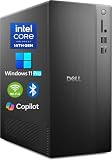
- POWERFUL 14TH GEN PERFORMANCE: Dell Tower Desktop powered by Intel Core i3-14100 processor (4-Core, 8-Thread, 3.5GHz base/4.7GHz turbo, 12MB cache) delivers fast, reliable computing for business tasks, heavy multitasking, and daily productivity, seamlessly powered by pre-installed Windows 11 Pro.
- ENHANCED SPEED & STORAGE: Equipped with 16GB high-speed DDR5 RAM for effortless multitasking, paired with a 1TB PCIe SSD for lightning-fast boot times, quick app launches, and secure storage for all your files.
- MULTI-DISPLAY CAPABILITY: Integrated Intel UHD 730 Graphics supports up to 4 FHD monitors via DisplayPort 1.4a or dual 4K displays (HDMI 2.1 + DisplayPort)—ideal for professionals, analysts, and creators needing an expansive visual workspace.
- COMPREHENSIVE CONNECTIVITY: MediaTek Wi-Fi 6 (802.11ax) with Bluetooth ensures fast wireless performance; Multiple ports include USB 3.2 Gen 1 Type-C, USB 3.2/2.0 Type-A, HDMI 2.1, DisplayPort 1.4, RJ45 Gigabit Ethernet, media card reader, and headset jack for seamless peripheral and network connections.
- BUSINESS-READY & EFFICIENT DESIGN: Pre-loaded with Windows 11 Pro 64-bit offering enterprise-grade security and manageability. Its compact, space-saving tower chassis (12.76" x 6.06" x 11.53") is engineered for optimal airflow, keeping your system cool, quiet, and reliable in any office environment.
How to evaluate it: run a measured pilot
- Choose a representative bottleneck. Select a real, bounded block or workflow where the problem is measurable: PPA closure, regression runtime, coverage closure, ATPG pattern count or another supported task. Avoid choosing only a showcase case that is unusually easy.
- Freeze the baseline. Record tool versions, PDK and library versions, scripts, constraints, compute environment, runtime, PPA, coverage or pattern count, and engineering effort.
- Define success before the trial. For example: improve PPA at comparable compute cost; meet the same target with fewer engineering hours; maintain coverage with fewer regression runs; or reduce patterns without losing required coverage. Set a no-regression condition for signoff violations.
- Measure total effort and compute. Track candidate runs, CPU/GPU hours, cloud or data-center charges, storage, integration work, supervision and validation—not just the best result.
- Check repeatability. Run multiple comparable experiments or seeds. One favorable result does not show that the outcome is repeatable.
- Use normal signoff independently. Validate promising candidates with the team’s standard verification, timing, physical, reliability and manufacturing checks.
- Test transfer if reuse is part of the case. Try the learned approach on a related block and record how much performance changes. Do not assume results carry across nodes or unrelated designs.
A useful comparison is the total cost of the AI-assisted pilot against the baseline: license and compute costs, integration and supervision, plus validation, weighed against measured engineering time, schedule and quality outcomes. A startup with one small project may struggle to amortize integration and compute overhead; a larger organization with repeated, related designs may have more opportunity to reuse infrastructure and learning. Neither size guarantees a positive return.
Alternatives: compare the workflow, not the headline
Cadence Cerebrus is a direct alternative for AI-driven digital implementation and PPA optimization. Cadence positions Cerebrus AI Studio for multi-block, multi-user SoC closure. Its published claims, like Synopsys’ figures, should be checked against their specific workload and baseline rather than compared as if standardized.
Siemens EDA AI and its Fuse EDA AI system emphasize generative and agentic AI across Siemens semiconductor and PCB workflows, including data and orchestration capabilities. Siemens also publishes large speed and productivity claims for particular workflows; those are not directly comparable to DSO.ai or VSO.ai without equivalent tests.
A mixed-vendor flow may be the right choice if teams need best-of-breed tools across implementation, verification, simulation or packaging. It can, however, complicate data exchange, orchestration, support responsibility, licensing and reproducibility. Existing vendor investment and the exact bottleneck are more useful starting points than a claim that one full-stack suite is universally superior.
Who should consider Synopsys.ai?
It is most worth evaluating when a team already uses compatible Synopsys tools, has a stable and reproducible flow, and can identify a measurable bottleneck that one of the applications targets. The case is weaker when the main delay is specification churn, software architecture or missing verification infrastructure—or when data-security rules, project scale or flow incompatibility make deployment impractical.
Before committing, ask which product and tool versions are included, what deployment model is supported, how the system interacts with your scripts and PDKs, what data it retains or reuses, what compute the trial requires, and how pricing and support are structured. Then judge it on your own design and full signoff flow—not on a suite-wide multiplier.
Quick Recap
Product prices and availability are accurate as of the date/time indicated and are subject to change. Any price and availability information displayed on Amazon at the time of purchase will apply.

