Recommended Free Tools
Some links on this page are affiliate links: if you buy through them we may earn a commission, at no extra cost to you.
Spotify lets eligible Free and Premium users create playlist cover art in its mobile app. The editor can combine text, colors, stickers and personal images; it is separate from simply uploading a finished picture. Spotify’s current instructions cover mobile phones and tablets, while desktop and web support image uploads rather than the in-app editor.
What Spotify’s cover-art editor does
The editor lets you build a cover inside Spotify instead of preparing one elsewhere. Spotify lists text, personal images, background colors and stickers among the available elements. Other reported controls, such as gradients or visual effects, may vary by app version or rollout; not every user should expect the same set.
This is a lightweight personalization tool, not a full graphic-design suite. Use it for a quick design made from simple elements. If you need precise typography, retouching or a repeatable template, create the artwork in another app and upload the finished image.
Who can use it, and where?
Spotify’s support documentation lists the feature for Free and Premium users on mobile phones and tablets. The editor is documented for the Spotify apps on iOS and Android; Spotify does not give a minimum operating-system or app version, so keep the app updated rather than relying on a particular version number. The instructions refer to playlists you created, not Spotify editorial playlists or playlists you only follow.
#1 Best Overall

- 【Size】about 20 x 16 x 12 Inch (50×40×30cm) Very suitable for HP/Epson/Canon printers. HP OfficeJet Pro 9015/8600/8025/8035/8022/7855/99025/6455, mfc-hll2395dw/, Epson xp-7100, etc. Applicable for similar size printers. high-quality dust cover can well protect your printer. Note: *Please confirm the size before purchasing, thank you!
- 【Worth To Buy】Top Grade Material Dust proof and Extend Your Printer Life-Span.adopts double-stitched sewing tech.Water Proof,soundproof and dustproof, to prevent the printer from being covered with dust.
- 【Reuseable】 Reasonable Price At A Reliable High Quality Can Be Washed For Multi-Time Reuse For Years. Enjoy Your Device Protected And Also Keep Them Clean The Same Time.
- 【Easy To Use】Light Weight One-Piece Cover Design, 1 Step Install For Easy Install And Take Off For Anybody.
- 【Good Looking】Black Color For Easy Identify And Pleasant Vision Matching For Home And Office, Also An Ideal Decoration For Your Working Place.
Availability has expanded over time. The editor was reported as a beta for English-language users in 65 markets on October 22, 2024. Spotify said it was available in 128 markets on September 15, 2025. That dated figure does not mean the feature is available in every country or that every account sees identical controls. Thurrott’s October 2024 report describes the initial beta; Spotify’s September 2025 announcement gives the later market figure.
How to create cover art in the Spotify app
- Open Spotify and go to Your Library.
- Open a playlist you created.
- Tap Edit at the top of the playlist.
- Tap Change playlist cover, then choose Create cover art.
- Add or adjust the elements available to you, such as text, an image, a background color or stickers.
- Tap Save to apply the design to the playlist.
Spotify has also documented an alternate route: open your playlist and tap the three-dot menu beneath its name, then select Create cover art. If that option is not in the menu, try the Edit route; labels and placement can differ as Spotify updates the app. The current steps are in Spotify’s cover-image support instructions.
Rank #2

- Fits Most Compact Printers: Measures 18.1 x 15 x 8.3 in. Compatible with HP DeskJet 2755e/2855e, ENVY 6055e/6455e, Canon PIXMA TR4720/TS6420a/TS3522/MG3620, Epson XP-4200/XP-5200. Models are for reference only; please measure your printer before purchase
- All-Around Protection: The printer protector cover helps keep dust, pet hair, debris, light splashes, and everyday mess off your printer, keeping it clean and ready for the next print job
- Durable 210D Oxford Fabric: Made with a 210D Oxford outer layer and silver-coated inner lining, this dust cover for printer helps resist daily scratches, pulling, and surface wear during regular office use
- Easy-Lift Handle Design: Side handles make the printer cover easy to lift, open, and remove. The open-bottom design allows quick placement over your printer without extra steps
- Easy Care & Compact Storage: Wipe clean with a damp cloth for simple maintenance. Includes a zipper storage bag for folding and neat storage when the cover is not in use
When to create a cover and when to upload one
Choose Create cover art when you want to assemble a simple design without leaving Spotify. Choose an image upload when you already have finished artwork or need more control over layout, fonts or image editing.
Free tools Windows power users keep installed
One-click scans. No signup required.
Upload an image on mobile or tablet
- Go to Your Library and open the playlist.
- Tap Edit, then Change cover image.
- Choose an image from your device and tap Save.
Upload an image on desktop or web
- Go to Your Library and open a playlist you created.
- Click the playlist image and choose a photo.
- Click Save.
Spotify documents image uploading on desktop and web, but not creating cover art there. If you cannot find the editor on a computer, use the mobile or tablet app to build a design, or upload a finished image through the desktop or web player.
Quick Recap
Best Value

- Printer Dust Cover Size is :20.7"D×17.1"W×9.1"H (52.5×43.5×23cm),Cover for for HP ENVY Inspire 7975e/for ET-15000 Wireless All-in-One Color Inkjet Printer; (Please measure product size carefully)
- Waterproof 600D Nylon:Dust Cover made of quality durable and heavy duty nylon material can be waterproof and scratch resistant; can completely cover the printer surface to protect your printer from particles, hair and moisture.
- Printer Protector Case: can prevent dust and water stains from entering the printer; Extend the life of it; Cover is very suitable for unused printers in the office and at home.
- Convenient Top Handle:Easy to pick up the integrated lid and slide it from the top of the printer to cover it; The lid is easy to use and can be folded and stored when not in use, taking up little space.
- Bottom Opening Design:Dust cover Allow air circulation and prevent water stains from staying on the printer to make it bad; provide reliable protection for your device.
Rank #4

- Size: 20W x16D x11H inch /53W x41D x30H cm. Open at bottom, the width and depth can be interchangeable. Be sure to measure your device's width and height in inches or cm before purchasing to ensure a proper fit.
- Heavy Duty: Crafted from high-quality, heavy-duty fabric, this cover is exceptionally strong and durable, offering excellent tear resistance. Protects the device from dust accumulation in internal components. reduce maintenance and extend your device’s life-span.
- Snug & Secure Fit: Designed with a sturdy adjustable buckle and solid cord at the bottom, this heavy-duty fabric cover wraps your printer like a custom fit—no slipping, no gaps. It keeps dust, spills, and moisture out while staying firmly in place for all-around protection. The solid cord also helps neatly align your cables for a clean, organized setup.
- Easy to Maintain: Fold it, store it, and keep it spotless with ease! Simply wipe with a damp cloth for quick cleaning, or toss it in the washing machine for a deep refresh. Durable heavy-duty fabric keeps its quality after wash. Keep your device protected, dry, and looking like new—effortlessly.
- Smooth Outside and Soft Inner Layer: The cover's smooth exterior offers a sleek look, while the soft interior lining prevents surface scratches and damage. Additionally, it leaves no residue even after long-term use, keeping your device pristine. Stylish with exquisite workmanship and tight sewing seams. pleasant vision matching for home and office, also an ideal decoration for your working place.
Rank #3
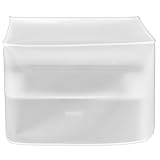
- Size: 17W x17D x13H inch /43W x43D x33H cm. Please measure your device’s width (W) Depth(D) and height (H) in inches before purchase for a snug fit. Open at the bottom, the width and depth can be interchangeable.
- Dust & Waterproof: Protects the device from dust accumulation in internal components, as well as from dirt, spills, moisture, and other environmental factors — helping extend its lifespan and reduce maintenance. The cover is also suitable for other rectangular-shaped equipment that needs protection, especially devices with internal electronic components. It is widely used in offices, homes, studios, factories, and other environments, adapting to a multitude of occasions.
- See-through: Half-transparent design allows you to easily identify and access your printer without removing the cover. Complements home and office decor, also serving as an attractive addition to your workspace.
- Lightweight yet durable: Ensures long-lasting protection without adding bulk or causing hassle when removing or fitting. Easy to clean —machine washable or simply wipe with a damp cloth for a fresh, protective finish.
- Premium Material: Made of healthy and eco-friendly vinyl, with excellent weather resistance to withstand ultraviolet rays, water, salt, and other elements, while maintaining good performance even in outdoor environments. Won’t scratch the surface or leave any residue.
Limits to know before replacing a cover
- One custom design per playlist: Spotify says saving a new custom cover replaces the previous custom design for that playlist. Keep a copy of artwork outside Spotify if you may want to restore it.
- Controls can differ: Market, account rollout and app version may affect whether the editor or a particular sticker appears. Spotify’s December 2025 Taylor Swift sticker collection was a promotional example, not a promise of a permanent sticker catalog. Spotify’s announcement shows that campaign.
- Use images you have rights to use: Spotify warns against uploads that violate copyright, trademark or personal-image rights. That includes artwork, logos or photos you do not have permission to use.
If “Create cover art” is missing
- Make sure you are using Spotify’s mobile or tablet app, not desktop or web.
- Update Spotify through your device’s app store.
- Open a playlist you created, rather than one you only saved or follow.
- Try both Edit → Change playlist cover and the three-dot menu beneath the playlist name.
- If the editor still does not appear, availability may differ for your market or account. Use Change cover image to upload a finished design instead.
Product prices and availability are accurate as of the date/time indicated and are subject to change. Any price and availability information displayed on Amazon at the time of purchase will apply.

