A black Spotify screen can come from an outage, blocked network, damaged app data, offline-mode behavior, storage or SD-card trouble, an update mismatch, or an account/device problem. Start with the checks that preserve downloads and account data: view Spotify Status, try the web player, and switch networks. Reinstall only after those tests; reinstalling removes offline downloads from the device, but not playlists or your Spotify account.
Check whether Spotify is down first
On August 18, 2026, Spotify’s official status page showed “All Systems Operational” and no incident for August 16–18. Status can change after that check, and a regional, account-specific, or newly developing fault may not appear immediately.
- Open Spotify Status.
- Try Spotify’s web player in a browser.
- If possible, test the same account on another phone, tablet, or computer.
- Compare Wi-Fi with mobile data.
If the web player and multiple devices fail together, wait for service information or contact Spotify rather than repeatedly deleting app data. If the web player works but the mobile app does not, the fault is more likely local to the app, device, permissions, storage, or network configuration.
Identify the exact symptom
| Symptom | Best first test |
|---|---|
| Entire screen is black immediately after launch | Try another network, update Spotify, then clear app data if necessary |
| Spotify logo appears but loading never finishes | Test the web player and another device |
| Home opens but Search, playlists, or Your Library spin | Compare those sections with the web player and another account |
| Works online but not in airplane mode | Connect once, confirm downloads, update Spotify, and check Offline mode |
| Wi-Fi fails but cellular works | Check router, VPN, DNS filtering, and network restrictions |
| Cellular fails but Wi-Fi works | Check Spotify’s cellular permission and data-saving settings |
| Only one account fails | Test another account on the same phone and the affected account elsewhere |
| App crashes or returns to the home screen | Update, restart, check storage, then reinstall |
Low-risk fixes for Android, iPhone, and iPad
Force-close Spotify
On Android, open recent apps and swipe Spotify away. If it remains stuck, use Settings → Apps → Spotify → Force stop (labels vary by manufacturer). On iPhone or iPad, open the app switcher, swipe Spotify away, and reopen it.
Do these 3 things before closing this tab:
1Clear out junk files and repair common Windows errors2Fix the driver behind crashes, sound loss and screen glitches3Repair Windows errors before they cause bigger problems#1 Best Overall

- SUPERIOR COMFORT — Unlike traditional circular ear buds, the design of EarPods is defined by the geometry of the ear. Which makes them more comfortable for more people than any other ear bud–style headphones.
- HIGH-QUALITY AUDIO — The speakers inside EarPods have been engineered to maximize sound output and minimize sound loss, which means you get high-quality audio.
- BUILT-IN REMOTE — EarPods with USB-C plug also include a built-in remote that lets you adjust the volume, control the playback of music and video, and answer or end calls with a pinch of the cord.
- COMPATIBILITY — Works with all devices that have a USB-C port.
- INTEGRATED MICROPHONE — A built-in microphone precisely captures your voice while you’re on the phone, taking a FaceTime call, or summoning Siri — so you’re always heard loud and clear.
Restart the device
Restart after an operating-system update, a long-running Spotify session, or use of airplane mode. A restart resets temporary processes and network state, but it is not proof of the underlying cause. Apple’s app troubleshooting sequence also starts with closing the app and restarting the device: Apple Support.
Test the connection
- Switch between Wi-Fi and mobile data.
- Temporarily disable a VPN, private-DNS or DNS-filtering app, ad blocker, security profile, or content filter.
- Confirm other apps can reach the internet.
- Restart the router if only Wi-Fi fails, and complete any captive-portal sign-in.
- Turn off Low Data Mode, Android Data Saver, and aggressive battery restrictions temporarily.
- Set date and time automatically.
On iPhone or iPad, check Settings → Cellular and enable Spotify. Apple also recommends another network, current software, automatic date and time, and router checks when connectivity is failing: Apple connectivity guidance. Android community guidance likewise calls out mobile-data permission and battery/data-saving restrictions: Spotify Community.
Update Spotify and the operating system
On Android, open Google Play Store, search for Spotify, and tap Update. On iPhone or iPad, open the App Store, tap your profile icon, and check App Updates; then check for an iOS or iPadOS update. Do not rely on a particular app version: releases and staged rollouts differ by platform and region.
Free storage
Spotify’s general troubleshooting guidance says to have at least 250 MB available, while its storage guidance recommends at least 1 GB of free device memory. Treat 1 GB as the more useful practical target when you have downloads; actual needs vary with the operating system and downloaded media. Sources: Spotify playback troubleshooting and Spotify storage information.
Quick wins for a faster PC:
Clear out junk files and repair common Windows errorsFree Scan →Fix the driver behind crashes, sound loss and screen glitchesFind Drivers →Repair Windows errors before they cause bigger problemsFix Now →Rank #2
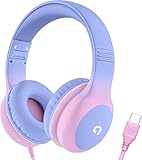
- 85dB Safe Volume Limit: Engineered with a 85dB volume cap to safeguard your child’s hearing. This feature ensures safe listening levels for music, videos, or learning apps, giving parents confidence that their kids’ ears are protected at all times.
- Adjustable Fit for Growing Kids: Designed for comfort, these headphones for kids come with an adjustable headband and slightly rotatable ear cups. Perfect for children of all ages, they provide a snug, comfortable fit for long hours of use at home or school.
- USB-C Connectivity for Modern Devices: Equipped with a USB-C plug, these headphones for school offer seamless compatibility with the latest tablets, laptops, and more. A future-ready choice for tech-savvy families.
- Tangle-Free Cord for Easy Handling: Say goodbye to messy cords! Our kids headphones with cord feature a durable, anti-tangle design, making them easy for kids to use and store without frustration—ideal for daily play or travel.
- Hassle-Free After-Sales Support: We stand by our product with dedicated customer service—contact us anytime for assistance, replacements, or refunds, ensuring your satisfaction is our priority.
Clear Spotify’s cache without deleting your account
If the interface opens, use the same in-app path on Android and iOS: Profile picture → Settings and privacy → Data-saving and offline → Storage → Clear beside Clear cache. Cache clearing removes temporary files; it does not delete your account, playlists, or saved library. If the app is entirely black and cannot reach Settings, use the platform steps below. Spotify documents this path at its storage page.
Android-specific fixes
Clear app cache, then storage
- Open Settings → Apps → Spotify.
- Tap Storage or Storage & cache, then Clear cache.
- Reopen Spotify.
- If it is still black, return to the same screen and choose Clear storage, Clear data, or the equivalent, then confirm.
Clearing storage signs you out and removes local downloads and app data. It does not delete account-synced playlists or your Spotify account; you will need to sign in and download offline content again.
Test the SD card
An SD card can cause failures when it is nearly full, intermittently unavailable, or holds Spotify downloads. Back up personal files, then test Spotify with the card removed or with downloads moved to internal storage. Do not format the card as an initial fix. Spotify lists SD-card testing among its troubleshooting steps: Spotify support.
Perform a clean Android reinstall
For Android 6.0 and newer, Spotify’s documented sequence is:
Outdated Drivers Are Slowing You Down
One free scan finds every outdated or missing driver and matches the right update for your exact hardware.Free scan · exact hardware matchWindows Errors? Fix Them Before They Spread
Repair common Windows errors and clear accumulated junk for a smoother, more stable PC - no reinstall needed.Free scan · no reinstallRank #3

- SUPERIOR COMFORT — Unlike traditional circular ear buds, the design of EarPods is defined by the geometry of the ear. Which makes them more comfortable for more people than any other ear bud–style headphones.
- HIGH-QUALITY AUDIO — The speakers inside EarPods have been engineered to maximize sound output and minimize sound loss, which means you get high-quality audio.
- BUILT-IN REMOTE — EarPods with Lightning Connector also include a built-in remote that lets you adjust the volume, control the playback of music and video, and answer or end calls with a pinch of the cord.
- COMPATIBILITY — Works with all devices that have a Lightning connector and support iOS 10 or later, including iPod touch, iPad, and iPhone. Also works with iPad models with iPadOS.
- INTEGRATED MICROPHONE — A built-in microphone precisely captures your voice while you’re on the phone, taking a FaceTime call, or summoning Siri — so you’re always heard loud and clear.
- Go to Settings → Apps → Spotify → Storage/Storage & cache.
- Tap Clear storage and Clear cache, then uninstall Spotify.
- In a file manager, check Internal Storage → Android → data for a remaining
com.spotify.musicfolder; remove that Spotify folder if accessible. - If downloads used an SD card, check its Android → data location for the same folder.
- Restart the device and reinstall Spotify from Google Play.
Newer Android versions may restrict access to these folders. Do not bypass those protections or use third-party cleaner utilities; proceed with uninstall, restart, and reinstall if the folder cannot be accessed. Full instructions: Spotify’s reinstall guide.
iPhone and iPad fixes
Delete and redownload Spotify
Apple’s general sequence is to update, restart, then delete and redownload an app that will not open: Apple Support. For Spotify’s clean sequence:
- If possible, use Settings and privacy → Data-saving and offline → Storage → Clear beside Clear cache.
- Open Settings → General → iPhone Storage or iPad Storage.
- Select Spotify and tap Delete App.
- Shut down the device completely, wait a few minutes, and restart it.
- Reinstall Spotify from the App Store.
The quicker alternative is to hold the Spotify icon, choose Remove App → Delete App, and reinstall. Either method removes downloaded music and podcasts from the device; playlists and account data remain online. Spotify’s instructions are at Spotify reinstall support.
Special offline and network cases
Black screen only in airplane mode or without internet
Spotify previously documented and marked fixed an Android issue in which opening the app without internet, especially after startup or in airplane mode, could leave a black screen. That historical report shows that version-specific offline startup bugs can occur; it does not prove that every current black screen has the same cause. Connect to the internet and open Spotify once, enable Spotify’s own Offline mode before disconnecting, verify downloads, and update the app. If the behavior persists, perform the clean reinstall above. Source: Spotify Community issue report.
Recommended Free Tools
Rank #4

- 65 Hours Playtime: Low power consumption technology applied, BERIBES bluetooth headphones with built-in 500mAh battery can continually play more than 65 hours, standby more than 950 hours after one fully charge. By included 3.5mm audio cable, the wireless headphones over ear can be easily switched to wired mode when powers off. No power shortage problem anymore.
- Optional 6 Music Modes: Adopted most advanced dual 40mm dynamic sound unit and 6 EQ modes, BERIBES updated headphones wireless bluetooth black were born for audiophiles. Simply switch the headphone between balanced sound, extra powerful bass and mid treble enhancement modes. No matter you prefer rock, Jazz, Rhythm & Blues or classic music, BERIBES has always been committed to providing our customers with good sound quality as the focal point of our engineering.
- All Day Comfort: Made by premium materials, 0.38lb BERIBES over the ear headphones wireless bluetooth for work are the most lightweight headphones in the market. Adjustable headband makes it easy to fit all sizes heads without pains. Softer and more comfortable memory protein earmuffs protect your ears in long term using.
- Latest Bluetooth 6.0 and Microphone: Carrying latest Bluetooth 6.0 chip, after booting, 1-3 seconds to quickly pair bluetooth. Beribes bluetooth headphones with microphone has faster and more stable transmitter range up to 33ft. Two smart devices can be connected to Beribes over-ear headphones at the same time, makes you able to pick up a call from your phones when watching movie on your pad without switching.(There are updates for both the old and new Bluetooth versions, but this will not affect the quality of the product or its normal use.)
- Packaging Component: Package include a Foldable Deep Bass Headphone, 3.5MM Audio Cable, Type-c Charging Cable and User Manual.
Wi-Fi and cellular behave differently
For Wi-Fi-only failure, investigate the router, captive portal, VPN, DNS filtering, workplace or school restrictions, and another Wi-Fi network. For cellular-only failure, check Spotify’s cellular permission, Data Saver or Low Data Mode, battery restrictions, and carrier filtering. If other media apps also fail on that connection, the network—not Spotify’s app data—is the stronger lead.
Independent reader supportYour contribution helps us test, update, and keep practical guides available for everyone.If Spotify still will not load
- Sign in with another account on the same phone, if practical.
- Sign in with the affected account on another phone or tablet.
- Test the web player and record whether Wi-Fi, cellular data, or both fail.
- Write down the phone model, Android/iOS/iPadOS version, Spotify version, exact symptom, and the time it occurred.
- Contact Spotify Support or post in the relevant official Community board with those details, plus a screenshot or screen recording if possible.
Spotify moderators specifically ask for model, operating-system version, Spotify version, network comparison, and account/device comparison when diagnosing an app that will not load: Spotify Community diagnostic guidance.
What not to do
- Do not assume every black screen is corrupted cache or a Spotify-wide outage.
- Do not delete unrelated Android folders or use untrusted “booster” and cleaner apps.
- Do not expect a Premium upgrade to repair an app-loading fault.
- Do not reinstall before checking for an outage if preserving offline downloads matters.
Frequently Asked Questions
Will clearing Spotify’s cache delete my playlists?
No. Cache clearing removes temporary files. Playlists and saved library content tied to your account remain available.
Will reinstalling delete downloaded music?
It removes local offline downloads, which must be downloaded again. It does not delete your Spotify account or cloud-saved playlists.
What’s actually slowing this PC down?
Pick the symptom - the matching free tool is one click away.
Best Value

- 【Upgraded USB-C Connector for School】 Bywulanda kids headphones is special designed for a wide range of mobile devices and PCs using the type-c headphone jack (𝐏𝐥𝐞𝐚𝐬𝐞 𝐧𝐨𝐭𝐞: 𝐧𝐨𝐭 𝐜𝐨𝐦𝐩𝐚𝐭𝐢𝐛𝐥𝐞 𝐰𝐢𝐭𝐡 𝐔𝐒𝐁-𝐂 𝐜𝐡𝐚𝐫𝐠𝐢𝐧𝐠 𝐩𝐨𝐫𝐭). No need usb converter, hassle-free plug-and-play functionality. This wired kids headphones for school is follow connector new trend.
- 【94dB Safe Volume Limit】 To protect your kid’s delicate ears, you want headphones that aren’t only comfortable but can also provide effective hearing protection. With a volume limit at 94dB, the Type-C kids headphones for school can protect vulnerable and sensitive ears of kids while give parents a piece of mind.
- 【Stereo Sound】 With built-in 40mm drivers, so our kids headphones with cord emit a full balanced stereo sound, and our wired toddler headphones use high-quality audio chips and professional tuning technology to provide better sound quality. Clear and stable sound not only improves your child's listening experience but also protects their hearing health.
- 【Comfort Wear & Foldable Design】 The ultra-soft earmuffs and over-ear design allow getting the perfect and comfortable fit for your head shape. And the wired headphones' foldable design makes it easy to carry or store, perfect for traveling or school. Accompany your child anytime, anywhere.
- 【Generous Services】 We always put customers first, and we're proud to stand by the quality of our products. You are entitled to enjoy 24-hour Customer-friendly Support Service. Any questions please feel hassle-free to contact us.
Why does Spotify work in a browser but not in the app?
That pattern points more toward local app data, permissions, storage, operating-system compatibility, or device configuration than a general service outage.
Should I install a phone-cleaning app?
No. Use Spotify’s own cache, storage, uninstall, and reinstall controls; third-party cleaners can delete unrelated data and are not required.
When should I wait instead of reinstalling?
Wait and monitor Spotify’s official status when the web player and multiple devices fail together, or when Spotify has acknowledged an incident.
Quick Recap
Product prices and availability are accurate as of the date/time indicated and are subject to change. Any price and availability information displayed on Amazon at the time of purchase will apply.

