Some links on this page are affiliate links: if you buy through them we may earn a commission, at no extra cost to you.
An early build of Research In Motion’s Android App Player for the BlackBerry PlayBook leaked online in July 2011. It was a real, unofficial work-in-progress that could run some Android apps, but it was not a finished Android installation, a route into Google Play, or a guarantee that hundreds of thousands of apps would work.
What leaked—and when
Reports published on July 21 and 22, 2011 described an early build of RIM’s Android App Player for the PlayBook. The file was reportedly exposed through a RIM software-update or changelog path and then copied to third-party mirrors. Contemporary coverage called it an app player or emulator; more precisely, it was a compatibility layer intended to run suitably prepared Android applications inside the PlayBook’s QNX-based environment. The tablet itself did not become an Android device. (Engadget; BGR)

The date matters: the leak was a 2011 event. A BGR page carrying a later update date can make the story look newer than it was; the reports of the original leak appeared in July 2011.
Why RIM wanted Android apps on the PlayBook
The PlayBook’s native app catalog was a weakness for a tablet competing with devices supported by larger software ecosystems. RIM’s answer was to let developers bring some Android applications to the platform, potentially adding to the software available through BlackBerry App World without requiring every app to be rebuilt as a native PlayBook app.
#1 Best Overall

- 1 GB of RAM
- 7 inch multi-touch capacitive LCD screen, 1024 x 600-pixel resolution
- Wi-Fi: 802.11 b/g/n, 3 MP forward facing, 5 MP rear cameras
- 14.4 ounces
That strategy could widen the pool of available apps, but compatibility was selective. Developers generally had to adapt, package, sign, and submit applications for BlackBerry distribution. The player was not a general-purpose Android environment in which owners could simply install any APK or browse Google Play. (TechCrunch)
What the early build showed
Contemporary reports identified the leaked player with Android 2.3.3, known as Gingerbread. Testers were able to launch at least some Android apps, enough to demonstrate that the compatibility approach could work. That version reference does not mean every app written for Android 2.3 would run correctly: applications could depend on APIs, Google services, hardware, screen behavior, or navigation conventions the PlayBook runtime did not support. (Tech Digest)
Rank #2
- BlackBerry Tablet Os, 1 GHz dual-core processor.
- It has 1 GB of RAM, 16 GB for storage.
- It has 7 inch multi-touch capacitive LCD screen, 1024 x 600-pixel resolution.
- Wireless-N Wi-Fi (802.11a/b/g/n).
- Supports all blackberry applications, will not work with android applications.
The first impressions were not of a polished release. Reports described sluggish performance and unfinished behavior. One conspicuous difference was navigation: the build lacked a dedicated Android-style back button. Back navigation was mapped to a PlayBook gesture instead. Early accounts do not describe that gesture consistently, so it is safer to say that users had to rely on the tablet’s gesture interface rather than a visible Android control. (Engadget; IntoMobile)
Recommended Free Tools
Those limitations belong to the leaked build, not necessarily every later version. It was an early preview rather than a supported product, and its lag or missing controls should not be treated as a full assessment of the eventual PlayBook software.
Rank #3
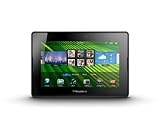
- blackberry playbook, tablet
Did it bring 250,000 Android apps to the PlayBook?
No—not in the sense that PlayBook owners could install 250,000 apps. Some contemporary headlines cited an Android ecosystem of roughly 250,000 applications. That was an estimate of the broader Android catalog at the time, not a compatibility count for the PlayBook. Each app still needed to be suitable for the runtime and prepared for BlackBerry’s distribution process. Direct Google Play access and universal APK installation were not what the leak delivered.
Compatibility could also fail for less obvious reasons: an app might require newer Android APIs, Google Play Services, unsupported hardware, or assumptions about Android navigation and screen layout. “Android app support” meant a potential route for selected, adapted software—not parity with an Android tablet.
Rank #4
Was the leaked file safe or supported?
No. The build was not released for general use. Contemporary reports said the original hosted file was removed and users were advised to wait for an official release. Copies on unofficial mirrors could not be assumed to match RIM’s file; installing an unverified system component also risked instability, incompatibility, or corrupted software. It is not a good idea to treat old mirror links as a safe way to equip a PlayBook today. (TechCrunch)
Outdated Drivers Are Slowing You Down
One free scan finds every outdated or missing driver and matches the right update for your exact hardware.Free scan · exact hardware matchPC Slower Than It Used to Be?
A free scan shows the junk files, broken settings and background clutter dragging Windows down - then fixes them in one click.Free scan · Windows 10 & 11What happened after the leak
Android player support later became part of the PlayBook OS 2.0 story, turning the compatibility concept into a platform feature rather than leaving it as just a leaked preview. That still did not make the PlayBook a full Android tablet or guarantee compatibility with the wider Android catalog. (PlayBook OS 2.0 FAQ)
Best Value

- BlackBerry Playbook Leather Sleeve, Black
- Genuine RIM Product
The distinction between historical availability and present-day support is important. BlackBerry says PlayBook OS 2.1 and earlier legacy services reached end of life on January 4, 2022. The leaked build is not an officially supported or currently downloadable product. (BlackBerry End-of-Life FAQ)
The takeaway
The leak was significant because it let people see RIM’s proposed answer to the PlayBook’s app shortage before the feature was publicly ready. It showed that some Android software could run through a compatibility layer, while also revealing the practical limits: uneven app support, awkward navigation, and a slow, unfinished experience. It was a technical preview—not a shortcut to Android’s entire app store.
Quick Recap
Product prices and availability are accurate as of the date/time indicated and are subject to change. Any price and availability information displayed on Amazon at the time of purchase will apply.
Do these 3 things before closing this tab:
1Repair Windows errors before they cause bigger problems2Scan for outdated or missing drivers - takes under a minute3Clear out junk files and repair common Windows errors
