Some links on this page are affiliate links: if you buy through them we may earn a commission, at no extra cost to you.
Razer added Rapid Trigger to the Huntsman V2 Analog and Huntsman Mini Analog through a Synapse update on June 7, 2023—not through a newly announced 2026 update. The feature remains relevant in 2026 through Razer Synapse 4, but it works only on compatible analog or magnetic keyboards. It does not turn every Huntsman model into a Rapid Trigger keyboard, and it is separate from Snap Tap.
What Razer’s Rapid Trigger update actually added
Most keyboards use a fixed actuation point and a fixed reset point. After a key activates, you generally need to release it past that reset point before pressing it again.
Rapid Trigger changes that behavior dynamically. Instead of waiting for a fixed reset position, the keyboard responds to the key’s movement and can reset or reactivate it with much less physical travel. That makes the feature most useful for repeated taps, rapid alternating inputs, counter-strafing and direction changes in first-person shooters, and rhythm-game controls.
The Tool Desk
Outbyte PC Repair FREEClear out junk files and repair common Windows errorsFree Scan →Outbyte Driver Updater FREEScan for outdated or missing drivers - takes under a minuteDriver Scan →It does not automatically make every keystroke or game faster, nor does it guarantee a specific latency or frame-rate improvement. Its practical advantage is reducing the movement required between successive key activations. Razer presented the original feature as a way to improve responsiveness; that is a manufacturer claim rather than a universal performance guarantee. Razer announced the feature on June 7, 2023.
#1 Best Overall

- PRO-LEVEL SPEED AND PRECISION — Gain ultra-fast repeated inputs with Gen‑2 Razer Analog Optical Switches featuring Rapid Trigger and a 0.1–4.0 mm adjustable actuation range for competitive FPS and esports play
- CLEANER MOVEMENT IN CLUTCH MOMENTS — Execute faster directional changes with Razer Snap Tap, which prioritizes your intended input when two assigned keys are pressed simultaneously during intense gameplay
- True 8000 Hz Polling for near-zero latency - Gain a split-second advantage over your opponents with a blistering polling rate 8 times faster than the industry standard. Experience the fastest response and pull off every play without delay.
- NEAR-ZERO INPUT LATENCY — React instantly with true 8000 Hz HyperPolling, delivering response times up to 8× faster than standard gaming keyboards for split-second advantages in shooters and competitive titles
- ONBOARD PERFORMANCE TUNING — Adjust actuation height and Rapid Trigger sensitivity directly on the keyboard using the number row, then save settings to onboard memory with no software required
Which Razer keyboards support Rapid Trigger?
| Keyboard or device | Rapid Trigger support | How it is configured | Important limitation |
|---|---|---|---|
| Huntsman V2 Analog | Yes | Synapse 4 | 1,000 Hz polling; no Snap Tap |
| Huntsman Mini Analog | Yes | Synapse 4 | 60% layout; no Snap Tap |
| Tartarus Pro | Yes, according to Razer’s Rapid Trigger documentation | Latest Synapse version | Not a Huntsman keyboard |
| Huntsman V3 Pro family | Yes | Synapse and onboard controls | Rapid Trigger is unavailable on the factory-default profile |
| Huntsman V3 HE Magnetic models | Yes | Synapse and onboard features, depending on model | Uses Hall Effect magnetic switches |
| Standard non-analog Huntsman models | Not automatically | — | The Huntsman name alone does not indicate compatibility |
The original 2023 rollout covered the Huntsman V2 Analog and Huntsman Mini Analog. Razer’s current Rapid Trigger documentation also lists the Tartarus Pro as requiring Synapse, while newer Huntsman V3 Pro and V3 HE models provide the feature as part of their newer hardware and firmware platforms.
How to enable Rapid Trigger on the Huntsman V2 Analog or Mini Analog
For the V2 Analog and Mini Analog, use Razer Synapse 4 rather than Synapse 3. Razer says Synapse 3 stopped receiving updates and cloud-service support on February 3, 2026. Check Razer’s Synapse 3 support notice for the current status.
- Install or update Razer Synapse 4. Use the current Razer software release for the supported keyboard.
- Connect the keyboard directly to the computer. Avoid a USB hub or passthrough while setting it up.
- Let Synapse detect the device. If it does not appear, restart the computer after installing Synapse.
- Install any available device firmware update. Firmware and Synapse are separate components, so do not assume that one replaces the other.
- Open the keyboard’s configuration page. Look for the Rapid Trigger and actuation controls.
- Enable Rapid Trigger and adjust its sensitivity.
- Save a dedicated gaming profile. A separate typing profile can use a deeper actuation point or disable Rapid Trigger.
Razer’s Huntsman V2 Analog support page recommends keeping Synapse current and provides firmware and detection guidance. The Huntsman Mini Analog support page provides the corresponding model-specific information.
Free tools Windows power users keep installed
One-click scans. No signup required.
Rank #2

- FASTER THAN TRADITIONAL MECHANICAL SWITCHES — Razer Linear Optical switch technology uses optical beam-based actuation, registering key presses at the speed of light (15-30% shorter actuation distance than other linear switches at 1.0 mm)
- ULTIMATE PERSONALIZATION & GAMING IMMERSION WITH RAZER CHROMA RGB LIGHTING — Fully syncs with popular games, Razer hardware, Philips Hue, and gear from 30+ partners; supports 16.8 million colors on individually backlit keys from the world’s largest lighting ecosystem for gaming devices
- QUALITY, ALUMINUM CONSTRUCTION — Covered with a matte, aluminum top frame for increased structural integrity
- OIL-RESISTANT DOUBLESHOT PBT KEYCAPS — Made of textured, high-grade PBT for a more durable and textured finish less prone to long-term grime buildup
- FULLY PROGRAMMABLE MACROS — Razer Hypershift allows for all keys and keypress combinations to be remapped to execute complex commands
How setup differs on the Huntsman V3 Pro
The Huntsman V3 Pro line can adjust Rapid Trigger without Synapse actively running. Razer’s onboard instructions are:
- Press Fn + Caps Lock to enter Rapid Trigger Adjustment Mode.
- Use the arrow keys or multifunction dial to change sensitivity.
- Press Caps Lock to toggle Rapid Trigger on or off.
- Press Esc to exit and store the setting on the keyboard.
Razer notes that Rapid Trigger is not available on the factory-default profile. The V3 Pro product line also advertises adjustable actuation, onboard adjustment and storage for up to six profiles. See the official Rapid Trigger instructions and the Huntsman V3 Pro product page.
Rapid Trigger versus adjustable actuation and Snap Tap
| Feature | What it changes | What it does not change |
|---|---|---|
| Adjustable actuation | How far a key must be pressed before it activates | It does not necessarily change the reset behavior |
| Rapid Trigger | How quickly a key resets and can reactivate as it moves | It does not prioritize one directional key over another |
| Snap Tap | Prioritizes the latest input between selected opposing keys without requiring the previous key to be released | It is not the same as Rapid Trigger |
| Analog input | Reports variable key position rather than only on or off | Analog capability alone does not mean every model supports Rapid Trigger |
Rapid Trigger and adjustable actuation can work together: one controls the activation depth, while the other changes reset and reactivation behavior. Snap Tap addresses a different problem by prioritizing the newest input during selected directional-key combinations.
Rank #3

- ANALOG OPTICAL SWITCHES: Actuation at the speed of light now comes with the finest degree of control — set a desired actuation point to suit your playstyle, or use analog input for smoother, more nuanced control
- RAPID TRIGGER MODE: Unlock maximum speed & response with the ability to release & repeatedly press keys at a faster rate (feature enabled in the Actuation tab of Razer Synapse)
- DOUBLESHOT PBT KEYCAPS: Harder and more durable than ABS, these tough keycaps won’t wear down to a shiny finish and have labels which will never fade thanks to their doubleshot molding process
- POWERED BY RAZER CHROMA RGB: With 16.8 million colors and a suite of effects, sync its keys and underglow with the rest of your battlestation, and enjoy greater immersion as it dynamically reacts with over 150 integrated games
- ERGONOMIC, MAGNETIC WRIST REST: Made of plush leatherette to maximize comfort over extended gaming sessions (with built-in underglow lighting)
Razer says Snap Tap is not available on the Huntsman V2 Analog or Huntsman Mini Analog. It was associated initially with the Huntsman V3 Pro line and was later expanded to additional products through Synapse 4. Check Razer’s Snap Tap documentation for the current device list.
What’s actually slowing this PC down?
Pick the symptom - the matching free tool is one click away.
Choosing a sensible starting setup
There is no single best sensitivity setting. The lowest possible setting may feel responsive in a game but can also make ordinary typing uncomfortable or cause accidental activations.
- Start with moderate Rapid Trigger sensitivity rather than the most sensitive setting.
- Test movement keys separately from keys used for repeated abilities or rhythm-game inputs.
- If keys activate accidentally, reduce sensitivity or increase the actuation distance.
- Use a deeper actuation point for general typing if the keyboard feels too sensitive.
- Save separate gaming and typing profiles.
- Test the configuration in a key-testing utility or game training range before using it in competitive play.
These are practical starting points, not Razer-certified universal values. The right configuration depends on how heavily you rest your fingers on the keys, the game and your typing habits.
Rank #4

- CHOSEN BY PRO’S FOR ADVANCED FPS MOVEMENT — With Rapid Trigger, Adjustable Actuation and Razer Snap Tap, the Huntsman V3 Pro offers lightning-fast, precise movements that provides gamers an unbeatable edge especially in FPS games
- RAZER SNAP TAP — Prioritize the latest input between two selected keys without having to release the previous one, and enjoy more responsive inputs for near-instant directional changes in FPS games (latest firmware update required)
- RAPID TRIGGER — A step up from traditional mechanical or optical keyboards to achieve the most responsive and precise inputs; reset keys at the slightest lift of a finger, and experience an advantage in speed that is especially useful for movement in competitive FPS games
- ANALOG OPTICAL SWITCHES GEN-2 — Max out on precision and response with advanced switches for ultra fast repeated inputs, a 0.1–4.0 mm adjustable actuation range, and a 100 million keystroke lifespan
- QUICK ONBOARD ADJUSTMENTS — Make precise, on-the-fly adjustments to actuation height or Rapid Trigger sensitivity with the visual aid of an onboard LED array while saving the settings to the keyboard with no software required
Troubleshooting Rapid Trigger
Rapid Trigger is missing
- Confirm that the keyboard is an analog or magnetic model listed by Razer.
- Install or update Synapse 4.
- Check that Synapse has detected the correct keyboard.
- Install available keyboard firmware from the model’s support page.
- Check the active profile; on V3 Pro models, the factory-default profile does not provide Rapid Trigger.
- Make sure you are not looking for Snap Tap instead. The V2 Analog and Mini Analog do not support Snap Tap.
The keyboard is not detected
- Restart the PC after a fresh Synapse installation.
- Install the latest Synapse updates.
- Reconnect the keyboard directly to the computer.
- Remove hubs and other intermediary USB connections while troubleshooting.
- Download and run the latest firmware updater from the product support page.
If you are updating from a laptop, Razer advises keeping it connected to wall power, saving open documents and closing other programs before running the firmware updater. Follow the exact instructions on the relevant support page.
Keys trigger when you do not intend them to
- Lower Rapid Trigger sensitivity.
- Increase the actuation distance.
- Disable Rapid Trigger on the typing profile.
- Use a separate profile for movement keys.
- Check for accidental profile switching or onboard-profile conflicts.
- On models with onboard storage, test whether the saved profile behaves differently with Synapse closed.
Should existing Huntsman owners upgrade?
Keep the Huntsman V2 Analog or Mini Analog if:
- You already own one and only want Rapid Trigger.
- You are comfortable configuring the feature through Synapse 4.
- You do not need Snap Tap or onboard Rapid Trigger adjustment.
- You are satisfied with 1,000 Hz polling.
The full-size V2 Analog offers dedicated media controls and USB passthrough. The Mini Analog is a compact 60% keyboard with fewer physical controls and no USB passthrough. Razer lists the model specifications on its V2 Analog support page and Mini Analog support page.
Quick wins for a faster PC:
Scan for outdated or missing drivers - takes under a minuteDriver Scan →Repair Windows errors before they cause bigger problemsFix Now →Consider the Huntsman V3 Pro if:
- You want onboard Rapid Trigger controls and profiles.
- You want Snap Tap as well as Rapid Trigger.
- You prefer newer Analog Optical Switch Gen-2 hardware.
- You value quick physical adjustments rather than relying primarily on software.
Consider a V3 Pro 8 kHz or V3 HE Magnetic model if:
- 8,000 Hz polling is a specific buying priority.
- You want newer competitive-keyboard hardware.
- You specifically want Hall Effect magnetic switches on a V3 HE model.
- You want the broader combination of Rapid Trigger, adjustable actuation and Snap Tap.
The V3 Pro 8 kHz supports 8,000 Hz HyperPolling alongside Rapid Trigger and Snap Tap. The V3 HE Magnetic Mini lists Hall Effect switches, up to 8,000 Hz polling and 0.1–4.0 mm adjustable actuation. See Razer’s V3 Pro 8 kHz specifications and V3 HE Magnetic Mini support page. Razer also lists a V3 HE Magnetic Tenkeyless model.
Best Value
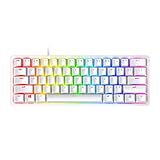
- FASTER THAN TRADITIONAL MECHANICAL SWITCHES — Razer Linear Optical switch technology uses optical beam-based actuation, registering key presses at the speed of light (15-30% shorter actuation distance than other linear switches at 1.0 mm)
- ULTIMATE PERSONALIZATION & GAMING IMMERSION WITH RAZER CHROMA RGB LIGHTING — Fully syncs with popular games, Razer hardware, Philips Hue, and gear from 30+ partners; supports 16.8 million colors on individually backlit keys from the world’s largest lighting ecosystem for gaming devices
- QUALITY, ALUMINUM CONSTRUCTION — Covered with a matte, aluminum top frame for increased structural integrity
- OIL-RESISTANT DOUBLESHOT PBT KEYCAPS — Made of textured, high-grade PBT for a more durable and textured finish less prone to long-term grime buildup
- FULLY PROGRAMMABLE MACROS — Razer Hypershift allows for all keys and keypress combinations to be remapped to execute complex commands
Higher polling does not automatically produce a proportional improvement in every game or on every computer. Likewise, a software update cannot add analog or magnetic sensing to a keyboard without compatible hardware.
Competition and game-rule considerations
Rapid Trigger and Snap Tap should not be treated as universally permitted competitive features. Tournament rules, game policies and anti-cheat systems vary. Razer’s Synapse Web documentation describes a tournament-oriented mode that can disable features considered overpowered, but that does not establish approval for every game or event. Check the rules for the specific title, league or tournament before using input-prioritization features. Razer’s release notes provide the relevant Synapse Web context.
The bottom line
Razer’s Rapid Trigger feature for the Huntsman V2 Analog and Huntsman Mini Analog is real, useful and still supported through Synapse 4—but it originated on June 7, 2023. Update compatible keyboards rather than replacing them solely to obtain Rapid Trigger. Upgrade to a Huntsman V3 Pro or V3 HE model when you also want onboard controls, Snap Tap, higher polling or newer switch technology.
Quick Recap
Product prices and availability are accurate as of the date/time indicated and are subject to change. Any price and availability information displayed on Amazon at the time of purchase will apply.

