Windows Errors? Fix Them Before They Spread
Repair common Windows errors and clear accumulated junk for a smoother, more stable PC - no reinstall needed.Free scan · no reinstallCrashes, No Sound, or Screen Glitches?
Random freezes, missing sound and display glitches usually trace back to one bad driver. Find and replace yours safely.Free scan · under a minuteSome links on this page are affiliate links: if you buy through them we may earn a commission, at no extra cost to you.
Pixel Experience based on Android 10 was available for selected Xiaomi, Redmi and POCO phones, but there is no universal Xiaomi ROM. You must match the build to your phone’s exact model and codename. The project’s device repositories are archived, and its documentation warns that older builds may be removed and are no longer maintained. Treat Android 10 Pixel Experience as legacy software—not a current, supported upgrade.
What Pixel Experience is—and isn’t
Pixel Experience was an AOSP-based custom ROM designed to provide a Pixel-like Android interface, with features such as Pixel-style apps, wallpapers, icons, fonts and boot animation. The project described its ROM as including Google apps and Pixel features (project overview).
It is not Xiaomi firmware, Google’s factory image for Pixel phones, or an installer that works on every Xiaomi device. Some devices also had a separate Plus Edition, so check the exact release details rather than assuming all packages have the same features. Unofficial ports may differ, including in whether Google apps are included; do not add a separate GApps package unless the device-specific instructions tell you to.
What’s actually slowing this PC down?
Pick the symptom - the matching free tool is one click away.
Is Android 10 Pixel Experience still supported?
No: treat these releases as historical builds. The PixelExperience device repositories are archived, and the project FAQ explains that older Android releases may stop being maintained or be removed. That does not prove every community port or mirror disappeared, but a file still being downloadable does not make it current or supported.
#1 Best Overall
![WRTBS Phone Case for Xiaomi Redmi 13C / Poco C65 Case with Glass Screen Protector [2 Pack], Built Slide Camera Protection Cover,Military Heavy Duty Full Body Protective Phone Case - Black](https://m.media-amazon.com/images/I/41clSxCOEkL._SL160_.jpg)
- 【Compatible Model】Perfect Designed for Xiaomi Redmi 13C / Poco C65.
- 【Smart Window】Delicate camera slide cover, higher than the raised lens, stuck in a groove. Premium lens protection. Annular stripes, smooth slide. Slight lock in each side, not slide randomly.
- 【Dual Layer Protection】Unique edge TPU is combined with Hard PC to protect your phone from drops, scratches and bumps. Military-Grade Protection with Air-Cushion Technology for all corners, and all around protection for your device.
- 【Multifunction Kickstand】Built in kickstand gives you the convenience to watch videos and movies hands-free with desired comfort and stability.Metal kickstand can rotate 360°, easy to rotate and sturdy.
- 【Tempered Glass Protector】2.5D arc design,Highly sensitive touch,Bubble-free,9H Hardness, prevent your screen breaking, scratches .One-click easy installation.
The official device directory is useful for historical device and codename references, not proof of active Android 10 support. Check the archived device repositories, the project FAQ and the device directory. A missing package may mean the device left the roster, Android 10 was deprecated, a build was pulled, or the project no longer hosts it. Do not assume every old official ZIP is preserved.
In 2026, Android 10 is several major Android releases behind current software. Old security patches can leave known vulnerabilities unaddressed. Banking, work, streaming or other apps may reject the Android version or device state; Play Store certification and Play Integrity can also be problems. A historically official build is not a currently maintained or inherently safe build.
Identify your Xiaomi phone by codename
Before searching for a ZIP, establish the exact commercial model, regional variant and internal codename. Retail names alone are not enough: related phones can use different hardware and require different ROMs. Confirm the codename in the project’s device documentation or trusted device-specific recovery and ROM documentation. Also check the SoC, partition layout, required firmware/vendor base, and whether the build is official or unofficial.
Free tools Windows power users keep installed
One-click scans. No signup required.
These are examples of historical Xiaomi-family Pixel Experience device names—not a promise that an Android 10 download is available now:
Rank #2
![Zoeirc for Xiaomi Redmi 10C 220333QBI Case with Tempered Glass Screen Protector, [Military Grade] Magnetic Car Ring Holder Mount Kickstand Protective Phone Cover Case for Xiaomi Redmi 10C (Black)](https://m.media-amazon.com/images/I/417G8IoQ-5L._SL160_.jpg)
- Coming with HD tempered glass screen protector, Compatible with for Xiaomi Redmi 10C 2022 6.71" 220333QBI
- 【Perfect protection】 Unique edge TPU is combined with the built-in PC to protect your phone from drops, scratches and bumps.Military-Grade Protection with Air-Cushion Technology for all corners , and all around protection for your device with a slim design.
- 【360° Rotable Kickstand Design】 Metal ring kickstand can rotate 360°,easy to rotate and sturdy on the case.Built in kickstand gives you the convenience to watch videos and movies hands-free with desired comfort and stability,Besides,Built-in metal magnetic sheet for stable adsorption,which can be directly adsorbed to the magnetic car mount holder.(Not includes the magnetic car mount holder)
- Dual Layer: Dual layers of shockproof TPU and solid PC for double protection. Specially tough reinforced four-corner Non-slip texture protect your Phone from all bumps and falls.Textured interior for additional shock absorbent protection.
- 【PRECISE CUTOUT】All buttons and interface user-friendly design, to avoid frequent disassembly. and the case perfect cutouts for speakers, camera and charging hole allow you to easy access to all features and controls.
| Device family | Codename |
|---|---|
| Redmi Note 4 / 4X | mido |
| Redmi K20 / Mi 9T | davinci |
| Redmi K20 Pro / Mi 9T Pro | raphael |
| Redmi Note 10 | mojito |
| Redmi Note 10 Pro / Pro Max | sweet |
| Redmi K30 / POCO X2 | phoenix |
These codenames are not interchangeable. For example, a davinci build is not for raphael. Never flash a package described only as “for Xiaomi.”
Know what kind of download you have
- Official historical build: Published by Pixel Experience for the exact device codename. It may still be outdated or unavailable from the original source.
- Unofficial port: Built by an independent maintainer. Check the maintainer’s history, documentation, source and support record; the project name in a filename does not establish provenance.
- Archived mirror: A copy on another host. Confirm its origin and compare a published checksum if one is available. A mirror without trustworthy provenance is not a safe substitute.
- GSI: A generic system image, not the same thing as a device-specific Pixel Experience build. Device and partition requirements differ.
- Repacked or modified ROM: Avoid it unless you can verify who made it and what changed.
If the exact package, required firmware and reliable return-to-stock method cannot be verified, do not proceed.
Should you install it?
| Your situation | Practical choice |
|---|---|
| Primary banking, work or security-sensitive phone | Generally avoid an unsupported Android 10 build. |
| Secondary, experimental or offline phone | It may be reasonable if the exact build and device instructions are trustworthy and you accept the risks. |
| You do not know the exact codename | Do not flash. |
| The only download is from an unknown mirror | Do not flash. |
| A maintained, compatible ROM exists | Prefer the maintained option, after checking its device-specific requirements. |
| Your phone is unusable on stock firmware | A verified custom ROM may be worth considering, but keep a tested recovery path. |
A custom ROM can offer a cleaner Pixel-like interface and less Xiaomi-specific software. On older hardware it may feel more responsive, but performance gains are device- and build-dependent, not guaranteed. You may lose Xiaomi camera processing or utilities, and some builds can have unreliable VoLTE, Wi-Fi calling, NFC, infrared, fingerprint reading or encryption. A Pixel-like interface does not make Xiaomi camera hardware produce Pixel-quality photos.
Recommended Free Tools
Before flashing: prerequisites and stop checks
- Confirm the exact model, regional variant and codename against the ROM and recovery instructions.
- Back up photos, messages, files, authenticator recovery codes and app data. Unlocking and formatting commonly erase user data.
- Have a computer, reliable USB cable, and working Android Debug Bridge (
adb) and Fastboot tools. - Use the recovery image, Android 10 ROM ZIP and firmware/vendor base specified for that exact device. Do not borrow files or steps from a related model.
- Know how you will restore official Xiaomi firmware before starting; make sure the recovery route applies to your model and variant.
- Charge the phone sufficiently for the whole process and do not begin if you cannot tolerate a data wipe or recovery failure.
Most Xiaomi custom-ROM installations require an unlocked bootloader. Xiaomi’s requirements, account binding, waiting periods and eligibility can vary by device and region and can change. Use Xiaomi’s current official unlock method; unlocking can trigger a factory reset. Avoid paid “instant unlock” offers and bypass tools.
Rank #3

- 【Compatible Models】: Compatible with Xiaomi Redmi 10C / Poco C40, NOT compatible with other devices.
- 【Screen Protector】: We will send the phone case with 1 piece tempered glass screen protector.
- 【Materal】: Soft TPU, soft silicone will not hurt the phone, fingerprint resistant.
- 【Wireless Charging】: It works with wireless charging.
- 【After-sales service】: If you are not satisfied with the products received and avoid your losses, please contact us in time, we will deal with you for specific problems immediately (re-send product / direct refund / return and refund)
Test the stock system first, particularly calls, SMS, Wi-Fi, LTE/mobile data, VoLTE and Wi-Fi calling. The Pixel Experience installation documentation specifically cautions that some devices need IMS provisioning before those services work on a custom ROM. See the installation guide example, but follow your own device’s instructions.
Installation: follow the device guide, not a universal recipe
Recovery type, recovery partition, A/B slots, dynamic partitions, firmware requirements and sideload behavior vary by phone. The official installation flow is a useful outline, but it is not a Xiaomi-wide command sequence:
- Verify the codename and read the exact device guide from beginning to end.
- Unlock the bootloader using Xiaomi’s current official process.
- Obtain the correct recovery, ROM, firmware and any explicitly required auxiliary files.
- Install or boot the recovery exactly as that guide specifies.
- Format or wipe only the partitions and data the guide names.
- Install or sideload the ROM and any required files in the stated order.
- Reboot to system, allow the first start to finish, then test the phone.
Commands like these appear in some device-specific guides; placeholders are not executable filenames, and the steps may be wrong for your device:
adb devices
adb reboot bootloader
fastboot devices
fastboot flash recovery <recovery_filename>.img
adb reboot recovery
adb sideload <rom_filename>.zip
adb reboot
Do not flash recovery with that command unless your phone’s own guide tells you to. Some devices require different partition targets or slot handling. The jasmine_sprout guide, for example, describes legacy A/B and dynamic-partition steps involving files such as copy-partitions or super_empty.img. Those are device-specific examples, not generic Xiaomi requirements.
Rank #4

- Made from high quality soft silicone rubber gel material.
- Shock absorption TPU bumper cushion, can effectively withstand impact, wear tear ,avoid drop.
- Precisely cut openings to allow full access to all the functions of your phone.
- Clear, slim, lightweight case design that adds minimal bulk to your phone.
- Premium anti-UV TPU material effectively delays the case from yellowing to a 6-month use, longer than normal 3 months’ period.
If adb sideload stops near 47% or prints a message such as adb: failed to read command: Success, the transfer percentage alone may not establish whether installation failed. Check the recovery’s on-device installation result and the exact device instructions before doing anything else. Do not continue after a genuine failed step.
First boot and post-install checks
The first boot can take much longer than an ordinary restart. A prolonged boot animation alone does not prove a bootloop; timing depends on the device. One official guide gives about 15 minutes as an example for its documented phone, not a universal limit. Repeated restarts, a return to recovery, an immediate crash or unexplained encryption prompts are reasons to stop and consult the device guide rather than wipe partitions at random.
Once Android starts, test:
- SIM detection, mobile data, calls, SMS, VoLTE and Wi-Fi calling.
- Wi-Fi, Bluetooth, GPS and compass.
- Fingerprint reader, proximity sensor and auto-brightness.
- Front and rear cameras, video recording and flash.
- NFC and contactless payments, if your model has them.
- Charging, battery drain, USB file transfer and audio through the speaker, wired headset and Bluetooth.
- Play Store certification, banking apps and authentication apps you actually need.
Troubleshooting and getting back to stock
“Installation aborted”
Stop rather than bypassing checks. Reconfirm the codename and variant, recovery, Android generation, firmware/vendor requirement and ZIP integrity. Follow the exact guide to restore the required base or recovery. Do not disable an assert check simply to force an install.
The Tool Desk
Outbyte PC Repair FREERepair Windows errors before they cause bigger problemsFix Now →Outbyte Driver Updater FREEScan for outdated or missing drivers - takes under a minuteDriver Scan →Bootloop or return to recovery
Possible causes include data not being formatted when required, an incompatible firmware base or recovery, dirty-flashing across Android versions, mismatched partitions, or a defective unofficial build. Use the device-specific recovery instructions. Reformat only after confirming your backup, and reinstall files only in the order the guide specifies. If necessary, restore official Xiaomi firmware using the method for that exact model; do not mix random recoveries, kernels and firmware.
Best Value
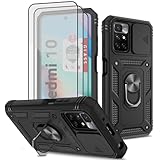
- [Compatible With]: ONLY designed for Xiaomi Redmi 10 6.5" / Redmi 10 4G , Not fit for Redmi 10C 6.7", Package includes 3pcs Tempered Glass Screen Protector
- [360 Full-Body Protection]: Dual-Layer case made of Hard PC back cover + Soft TPU Bumper + Sturdy PC front frame for military-grade protection, protect your phone against scratches, shocks, bumps, drops, dust and fingerprints. Perfect fit Xiaomi Redmi 10 and easy to access to all buttons, ports, and features
- [Camera Cover Slide Design]: Sliding camera cover, easy to slide, protect your camera and privacy. (Not need the camera protector). All coverage protection perfectly protects the camera from damage and wear. The raised edges around the camera area avoid lens from scratches when placed down on a table or dropping on the ground
- [Rotatable Ring Holder]: 360-degree rotating ring bracket for hands-free video and movie viewing. Built-in metal magnetic patch, adsorption stability, can be directly adsorbed to the magnetic car mount. (Not Include Magnetic Car Mount)
- [What you get]: for Xiaomi Redmi 10 6.5" full body armor case with 3 pcs Tempered Glass Screen Protector.All the item come with 60 days warranty. If you have any question, ANOUKE will help you solve with in 24 hours.
No signal, VoLTE or Wi-Fi calling
Check whether the service worked on stock firmware first. Regional firmware, missing or incompatible vendor files, carrier limitations, missing IMS provisioning or ROM telephony bugs can all matter. Preserve the required modem/vendor base and consult device-specific documentation rather than flashing files from another model.
Camera quality is worse than MIUI
Custom ROMs may lack Xiaomi’s proprietary image-processing stack. A Pixel-style look does not promise Pixel camera processing, and installing an unrelated camera app cannot guarantee stock-level results.
Play Store certification or banking apps fail
Certification, bootloader state, build fingerprint, root or other modifications, Play Integrity changes and each app’s Android-version requirements may affect compatibility. Do not rely on unofficial “SafetyNet bypass” packages as a routine fix: they can be unstable, create security risks or conflict with app policies.
For any failure, the safest recovery plan is the one documented for your exact device and a verified stock firmware package. Keep backups and the required files before flashing; do not assume an old project mirror or a guide for a similar Xiaomi phone will remain available or apply to yours.
Quick Recap
Product prices and availability are accurate as of the date/time indicated and are subject to change. Any price and availability information displayed on Amazon at the time of purchase will apply.

