Some links on this page are affiliate links: if you buy through them we may earn a commission, at no extra cost to you.
NVIDIA 3DTV Play brought compatible GeForce PCs to the 3D televisions of 2010. Released on October 21, 2010, it converted supported PC games and other 3D content into HDMI 1.4-compatible formats for a television to display. The TV—not NVIDIA—provided the screen and its own glasses. It was a bridge between two 3D systems, not a new kind of television or a current plug-and-play NVIDIA feature.
What 3DTV Play did
NVIDIA’s original 3D Vision setup was built around a compatible GeForce PC, a 120 Hz 3D-ready monitor or projector, NVIDIA active-shutter glasses, and an infrared emitter. A consumer 3D TV used a different signal path and its own glasses system. 3DTV Play addressed that gap: NVIDIA software and drivers sent stereoscopic output over HDMI to a compatible 3D television.
In practical terms, the PC rendered or prepared the two eye views, the TV accepted a supported 3D signal and displayed it, and viewers wore glasses compatible with that television. NVIDIA described the software as supporting hundreds of games; its launch materials cited more than 400. That was a compatibility claim, not a guarantee that every listed game would have equally good 3D or work without visual issues. NVIDIA’s launch announcement named games including World of Warcraft: Wrath of the Lich King, Battlefield: Bad Company 2, and James Cameron’s Avatar: The Game.
“Big screen” meant a compatible home 3D TV—not a commercial cinema system. The software did not turn an ordinary 2D television into a stereoscopic display, and NVIDIA 3D Vision glasses were not automatically interchangeable with a TV’s glasses.
#1 Best Overall

- Compatible with AWOL VISION LTV-2500, LTV-3000 Pro and LTV-3500 Pro, Vanish TV & other DLP-LINK 3D projectors. With very few simple settings, you will have an immersive 3D 4K home theater with your AWOL VISION
- Prior to use, kindly ensure that the glasses are fully charged and functioning correctly. After charging, press the button located on the top of the glasses—when the blue light is on, it indicates the glasses are properly powered on. Additionally, please confirm that the 3D feature on your projector is activated. Should you have completed these steps and still experience issues, please do not hesitate to contact our customer support team for assistance
- Long Lasting Rechargeable Battery: Built-in high capacity rechargeable batteries allows you playing up to 50 hours continuously, which means you can enjoy 15 films with 1 single charge
- Ergonomic design: The 28 Grams super light weight of soft PC material won't make you feel any discomfort. If you are wearing myopic glasses, the large frame design of this 3D glasses is also suitable for you
- Wide Viewing Angle: 178° wide viewing angle enables you to watch large screen movies without distortion, providing you a superior 3D visual experience
3DTV Play versus 3D Vision on a PC monitor
| Feature | 3D Vision monitor setup | 3DTV Play setup |
|---|---|---|
| Display | Compatible 120 Hz PC monitor or projector | Compatible HDMI 1.4 3D television |
| Glasses | NVIDIA active-shutter glasses, typically paired with an emitter | The television’s compatible glasses system |
| Signal path | PC display modes designed for 3D Vision hardware | HDMI 3D formats supported by the TV and PC |
| Trade-off | Designed for high-refresh PC display operation | Large-screen convenience, but more restricted HDMI-era modes |
It is useful to call 3DTV Play “3D Vision over HDMI” as shorthand, but the systems were not identical. Their display timings, glasses, and hardware requirements differed. For technical background, see NVIDIA’s 3D Vision and Surround overview and AnandTech’s launch coverage.
Supported content—and what required other software
NVIDIA promoted 3DTV Play for stereoscopic PC games, 3D photographs, streaming 3D video, and compatible Blu-ray 3D playback. These uses did not all work in the same way:
- Games: The NVIDIA driver and 3DTV Play output path enabled stereoscopic game output, subject to GPU, driver, title, and display compatibility.
- Photos and streaming video: Playback depended on the content format and compatible software as well as the TV’s ability to display the signal.
- Blu-ray 3D: 3DTV Play was not a complete Blu-ray playback package. A compatible third-party application—NVIDIA cited vendors such as CyberLink, Corel, ArcSoft, and Roxio—was also required. Some movie playback setups could send a 3D signal over HDMI without the 3DTV Play add-on, so movie playback and game output should not be conflated. NVIDIA’s earlier announcement describes the software requirement.
HDMI formats: why 1080p24 was not 1080p gaming at 60 fps per eye
NVIDIA’s launch materials listed three output formats: 1080p24, 720p60, and 720p50. The exact mode available depended on the GPU, driver, connection path, application, and television. In particular, 1080p24 means a 24-frame-per-second 3D signal; it is not 1080p at 60 frames per second for each eye.
Recommended Free Tools
Rank #2

- [Cinema 3D Glasses] Circular polarized non-flashing passive 3D glasses, polarized to reduce glare and improve picture clarity. Suitable for all passive Real technology compatible screens - the most common 3D technology on the market. A pair of glasses that supports 3D TV and cinema.
- [Better 3D Experience] The 3D movie glasses in theaters are public glasses, hygiene cannot be guaranteed. And being used by people for a long time may cause damage to the lenses affecting the viewing of 3D images. Bring your own glasses can bring you a more comfortable experience.
- [Compatible with Multiple Devices] 3D glasses can be used in all Real format cinemas, non-flashing polarized 3D TVs, polarized 3D computer monitors and polarized 3D projectors.
- [Note] The following are not available: IMAX 3D、 MasterImage 3D、 Red-blue 3D movies/regular TVs, monitors and projectors、 Active shutter 3D TVs, monitors and projectors、Cell phones. Please confirm that the product matches your TV or monitor before purchase, if you are not sure, you can ask the seller's service center.
- [Reliable After-sales Service] Our company offers a 12-month warranty. If there is any problem with the product, please feel free to contact us. We will try our best to help you. Free replacement or 100% refund.
That distinction mattered for games. A 1080p24 mode could suit film-oriented playback but was not equivalent to a 120 Hz 3D Vision PC monitor. The 720p modes offered higher frame rates at lower resolution, while HDMI 1.4-era TV formats generally constrained the refresh rates available compared with PC-monitor 3D Vision. Contemporary hands-on coverage discussed those format limits. NVIDIA’s phrase “Full HD 3D” therefore needs context: it did not mean that every game ran at full-HD resolution and high refresh.
Hardware and software requirements at launch
The original release belonged to the Windows 7 and GeForce-driver era. A working setup required more than simply having an NVIDIA graphics card:
- A GeForce GPU supported by the relevant 3DTV Play driver and software version. Launch coverage centered on GeForce 400-series hardware and the existing 3D Vision ecosystem; compatibility should not be generalized to every GeForce card.
- A compatible Windows PC and driver/software installation from the period.
- An HDMI 1.4-compatible 3D television that accepted one of the supported 3D timings.
- A suitable direct HDMI connection, with a receiver, switch, adapter, or splitter potentially complicating the signal handshake.
- The television’s own compatible glasses and, for Blu-ray 3D, separate licensed playback software.
NVIDIA also supported certain 3D Vision-ready DLP projectors as a separate category. For example, Optoma’s HD67N was described as supporting NVIDIA 3D Vision at up to 720p in 120 Hz frame-sequential mode, using NVIDIA glasses and an IR emitter. That projector configuration should not be confused with the HDMI 1.4 TV workflow. Optoma’s historical announcement gives its specifications.
Rank #3
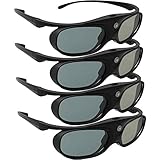
- Next generation super fast 144Hz refresh rate, ahead of other 120Hz or 96Hz product's level
- Fashion design, beautiful color stands out among other dull black ones. Lightweight and portable to take, comfortable for long time wearing. Please note we don't support 3D TV
- 178° wide viewing angle enables you to watch large screen movies without distortion, providing you a superior 3D visual experience
- Built-in high capacity rechargeable batteries allows you playing up to 30 hours continuously. Indicator Light for showing Battery status
- Easy Operation: Simple One Button Operation with Auto 5 seconds Stand by and 5 minutes Shut Off, detailed user manual included
What the experience could—and could not—promise
Getting a game to display in stereo did not guarantee a polished result. The GPU had to render two viewpoints, which could reduce performance. Game-specific rendering could also produce incorrect depth, convergence problems, misplaced menus or HUD elements, artifacts, or compatibility failures. NVIDIA’s headline count of supported games described breadth, not equal optimization.
Free tools Windows power users keep installed
One-click scans. No signup required.
Comfort varied, too. Excessive depth or poor convergence, crosstalk between the eyes, low frame rates, or flicker from active-shutter glasses could make viewing tiring or uncomfortable. Television glasses were specific to the display’s optical and synchronization system, so a viewer needed the correct pair for that TV.
Independent reader supportYour contribution helps us test, update, and keep practical guides available for everyone.Historical setup and troubleshooting
For a 2010-era system, the intended setup was to install a compatible GeForce driver and 3DTV Play component, connect the PC to the television by HDMI, choose a supported display mode, enable stereoscopic output in the NVIDIA software or game, and use the TV’s 3D mode and glasses. Menu labels varied by driver version; this is a description of the legacy workflow, not current NVIDIA installation guidance.
Rank #4

- Compatible with AWOL VISION LTV-2500, LTV-3000 Pro and LTV-3500 Pro, Vanish TV & other DLP-LINK 3D projectors. With very few simple settings, you will have an immersive 3D 4K home theater with your AWOL VISION
- Long Lasting Rechargeable Battery: Built-in high capacity rechargeable batteries allow you to play up to 50 hours continuously, which means you can enjoy 15 films with 1 single charge
- Ergonomic design: The 28 Grams super light weight of soft PC material won't make you feel any discomfort. If you are wearing myopic glasses, the large frame design of this 3D glasses is also suitable for you
- Wide Viewing Angle: 178° wide viewing angle enables you to watch large screen movies without distortion, providing you a superior 3D visual experience
- Bright and Vivid: less than 1.5 ms response and 38% high transmittance bring you the most vivid, bright and lossless 3D effect
- Black screen or rejected mode: The selected resolution may not be a supported HDMI 3D timing, or the TV may not have completed the handshake. Connect the PC directly to the TV, bypass the receiver or switch, try a known-supported mode such as 720p60 or 1080p24, and confirm the TV input and 3D mode. Historical setup instructions document errors for modes the display did not recognize as HDMI 1.4 3D-compatible.
- Game runs in 2D: Check that stereoscopic output is enabled, that the title and driver profile support the rendering path, and that the TV is receiving a 3D signal. A game’s general compatibility did not guarantee that every version or configuration behaved correctly.
- Blu-ray 3D fails: Confirm that the playback application supports Blu-ray 3D and that the full video path, including any receiver, meets the application’s display and copy-protection requirements. The TV and GPU alone were not enough.
Price and availability in 2010
NVIDIA announced an anticipated U.S. standalone price of $39.99 and said existing 3D Vision customers would receive it free. Some notebooks and prebuilt PCs also bundled the software. Those are launch-era terms, not a current price or entitlement; availability varied by product and timing. AnandTech covered the October 2010 launch, while TechSpot reported driver and system availability.
Why it mattered—and why it is now a legacy technology
During the 2010 push to sell 3D televisions as premium home displays, 3DTV Play gave PC owners a way to add compatible games and other computer content to that television without buying a separate 3D Vision monitor. It was a practical bridge between PC stereoscopic gaming and the consumer TV ecosystem, but it accepted the latter’s format and refresh-rate constraints.
The Tool Desk
Outbyte Driver Updater FREEFix the driver behind crashes, sound loss and screen glitchesFind Drivers →Outbyte PC Repair FREEClear out junk files and repair common Windows errorsFree Scan →The broader consumer 3D-TV market later receded, and NVIDIA discontinued the 3D Vision platform. As of 2026, 3DTV Play should be treated as legacy software and hardware, not a feature to expect from current GeForce drivers or modern televisions. Anyone trying to preserve a setup needs to verify the exact GPU, driver, operating system, TV timing support, glasses, and any intervening receiver or adapter; a current-looking plug-and-play path cannot be assumed. NVIDIA’s discontinuation notice documents the platform’s end.
For anyone researching alternatives, legacy 3D Vision monitors and projectors belong to the same historical ecosystem but are not interchangeable with 3DTV Play. Modern VR offers stereoscopic gaming through a headset rather than a shared television, while third-party stereoscopic tools and specialist displays use different pipelines; none is an official NVIDIA successor established by the historical launch materials.
Quick Recap
Product prices and availability are accurate as of the date/time indicated and are subject to change. Any price and availability information displayed on Amazon at the time of purchase will apply.

