PC Slower Than It Used to Be?
A free scan shows the junk files, broken settings and background clutter dragging Windows down - then fixes them in one click.Free scan · Windows 10 & 11Outdated Drivers Are Slowing You Down
One free scan finds every outdated or missing driver and matches the right update for your exact hardware.Free scan · exact hardware matchSome links on this page are affiliate links: if you buy through them we may earn a commission, at no extra cost to you.
Microsoft is replacing older 2011 Secure Boot certificates with newer 2023 certificates. The first certificate expiration window began in June 2026, but an unupdated PC generally does not stop booting when an old certificate expires. The longer-term concern is that it may lose the ability to receive or validate future protections for the early boot process. Check Windows Security → Device security → Secure Boot for your device’s certificate-specific status.
Timing: Microsoft began the phased rollout before the June 2026 expiration window. Its July 14, 2026 update said targeting had expanded and deployment would continue across eligible devices. The status described here reflects Microsoft’s published guidance through August 18, 2026; it does not establish that every PC has received the update.
What the Secure Boot refresh changes
Secure Boot is a UEFI firmware feature that checks the digital signatures of software before the operating system starts. The trusted and revoked signatures are held in firmware databases: the Platform Key (PK), Key Exchange Keys (KEK), the allowed-signature database (DB), and the forbidden-signature database (DBX). Microsoft’s refresh moves relevant trust entries from the 2011 generation to 2023 certificates and updates the Windows boot manager where required.
What’s actually slowing this PC down?
Pick the symptom - the matching free tool is one click away.
The certificates have different roles and expiration windows; they did not all expire on one date. Microsoft’s certificate guidance identifies the following changes:
#1 Best Overall

- Security Key : Protect your online accounts against unauthorized access by using FIDO2 and U2F authentication with T110. It's the world's most protective security key that works with windows, Mac OS, Linux as well as Chrome, Firefox, Edge and many other major browsers.
- Certified with the new FIDO2 standard, T110 provides the benefit of fast login and strong protection against phishing, account takeover as well as many other online attactks.
- Works with : Bank of America, Github, Google, Microsoft, DUO, Twitter, Facebook, Dropbox, Apple, ebay, BINANCE, mor and more.
- Fits USB-A port : Insert the T110 security key into the USB-A port of each service and log in conveniently with one touch
- For the driver download and user guide, please visit TrustKey Solutions Home support page.
| 2011 certificate | Expiration period | 2023 replacement | Firmware store | Role |
|---|---|---|---|---|
| Microsoft Corporation KEK CA 2011 | June 2026 | Microsoft Corporation KEK 2K CA 2023 | KEK | Authorizes updates to DB and DBX |
| Microsoft Windows Production PCA 2011 | October 2026 | Windows UEFI CA 2023 | DB | Signs the Windows boot loader and related boot components |
| Microsoft UEFI CA 2011 | June 2026 | Microsoft UEFI CA 2023 | DB | Signs third-party boot loaders and EFI applications |
| Microsoft UEFI CA 2011 | June 2026 | Microsoft Option ROM UEFI CA 2023 | DB | Signs compatible third-party option ROMs |
Microsoft separates trust for Windows boot components, third-party UEFI applications and option ROMs so firmware can make more specific trust decisions. The exact date for an individual certificate should not be generalized to the entire set. See Microsoft’s certificate names, purposes and expiration guidance and its Azure Stack documentation on certificate dates and management.
How to check whether your Windows PC is updated
- Install available Windows updates and restart if Windows asks you to.
- Open Windows Security.
- Select Device security, then Secure Boot.
- Read the certificate status message. Do not rely on the icon color alone.
Microsoft says certificate-specific status began appearing in the Windows Security app in April 2026. Its status-screen guidance explains the messages. A green Secure Boot badge by itself is not proof that all required certificate updates have been applied; look for the accompanying text.
“Fully updated”
Microsoft uses this status when the required certificate updates and updated Boot Manager are installed.
“Not yet updated”
This means the device still uses an older trust configuration. Microsoft expects eligible devices to receive the update automatically, so this message alone does not mean the PC is broken or that manual key replacement is required.
Rank #2

- 【🔒 Never Worry About Data Theft Again!】 Finally feel safe leaving your computer unattended!" Our military-grade USB metal port lock physically blocks USB ports, stopping hackers from stealing files/photos/trade secrets. Protect your privacy as easily as putting on a phone case.
- 【💻 Extend Your Device’s Lifespan by 30%!】 Lab-proven: Blocking dust reduces USB port failures by 75%! Save hundreds on repair costs – perfect for families with kids or dusty workspaces.
- 【⏱️ 3-Second Security Upgrade】 Easier than tying your shoes! No tools needed – just insert and twist. Bring them when traveling to secure hotel computers in seconds.
- 【🔑One key, full protection】Your one high-security key can fully control the USB port, no need to use multiple keys. Precision cut from durable metal, moderate size, unique hollow design can be hung on a keychain or other items to prevent loss.
- 【🛡️ Childproof & Employee】Proof Security Finally stop worrying about: Kids inserting random USB drives (goodbye corrupted files!) Employees plugging in unauthorized devices (hello productivity!) Cleaning crews accidentally damaging exposed ports
“Requires action” or a firmware limitation
Windows cannot deliver a boot-related security update with the current configuration, or the firmware needs an OEM-supported change. Follow the displayed instruction, check the manufacturer’s support page for the exact model, and use Microsoft’s blocked-update and OEM troubleshooting guidance. If no supported firmware update is available, contact the manufacturer rather than manually replacing keys.
An update is paused
Microsoft may pause deployment for a device configuration after identifying a compatibility issue. Its status guidance says deployment is expected to resume automatically after the issue is resolved; keep Windows updated and check the status again rather than forcing a firmware change.
What to do if the update is pending or blocked
For a personal PC
- Keep the PC connected to the internet and install current Windows quality updates.
- Restart when prompted, then check the Secure Boot status again.
- Look up the PC’s exact model on the manufacturer’s support site and install only BIOS/UEFI updates approved for that model.
- If Windows reports a firmware limitation, record the exact message and current BIOS/UEFI version before contacting the OEM.
Most personal devices are intended to receive the certificates through Microsoft-managed updates, but some systems depend on a firmware update from their manufacturer. Older PCs may no longer have an OEM-supported firmware path. Microsoft’s explanation of expiration impact and device support describes this distinction.
Recommended Free Tools
Before changing firmware settings
Have your BitLocker recovery key available before applying a BIOS/UEFI update or changing Secure Boot settings. A change to the measured boot environment can trigger BitLocker recovery even when the change is legitimate; that possibility does not mean the certificate refresh necessarily breaks BitLocker. Avoid manual edits to PK, KEK, DB or DBX unless you are an experienced administrator following a documented procedure for the device.
Rank #3
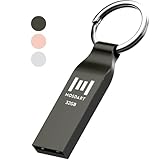
- Waterproof and durable: This 32gb flash drive is completely resistant to water, with high-quality metal casing for durability, provides you the reliability as the metal casing provides you protection against dust, water and temprature and shock resistant.
- Small and key chain design: The thumb drive is so small and handy that you can put it in your pocket. With the built in key ring to help you to attach it to your backpack or wallet and no need to worry it will loose, carrying the data wherever you go.
- Plenty of storage for you : You can use the 32gb zip dirve to back up your photos, record good memory videos, listen to music or books in your car, give power point presentations or projects, to make Windows recovery and general files back up......
- Broad compatibility : This 32gb jump drive supports almost all operating systems including Windows Windows 2000/7/8/8.1/10/Vista/XP/2000/ME, Linux and MacOs 10.3 and intel. Compatible with any device with a USB port.
- Default format: FAT32, you can reformat it to exFAT if needed.
What an unupdated PC can and cannot do
An expired 2011 certificate does not, by itself, mean Windows shuts down, the PC immediately becomes unbootable, or ordinary Windows updates stop. Microsoft says affected devices should generally continue to boot, run Windows and receive ordinary updates.
The concern is the future early-boot trust chain. A device that remains on the old trust configuration may miss or fail to validate new Windows Boot Manager protections, Secure Boot database and revocation-list updates, and mitigations for newly discovered boot-level vulnerabilities. Some third-party boot components or newer bootloaders may also depend on the updated trust. In practical terms, the risk is a progressive loss of boot-chain protection and compatibility, not an automatic cutoff of normal PC use. Microsoft details the distinction in its Secure Boot expiration guidance and Windows client update guidance.
Why Windows Update may not be enough
The refresh is not simply a BIOS update, nor can Windows servicing overcome every firmware limitation. Many eligible devices receive certificate and boot-manager changes through Windows servicing; some need an OEM firmware update or a supported firmware capability first. Relevant constraints can include UEFI support for authenticated variable updates, available firmware-variable storage and the device’s boot configuration.
For new preloaded systems, Microsoft’s hardware guidance specifies 2023 certificate requirements for Windows 11 version 25H2 and later. OEMs and firmware partners are responsible for provisioning the required keys and databases on supported hardware. The Windows Secure Boot key and certificate guidance covers integration details and certificate information for organizations managing keys directly.
Rank #4

- Ultra-Compact FIDO2 Security Key - Plug-and-stay or carry on a keychain. This USB-A hardware security key offers portable, always-on protection for desktop and mobile use. (Item Size: 0.75 X 0.74 IN x 0.25 IN)
- USB-A Hardware Key for All Devices - Works with USB-A ports on PC, Mac, Android, and other laptop/notebook device. Enables secure, cross-platform login with FIDO2.0 passkey support.
- FIDO Certified Security Key - Meets FIDO and FIDO2 standards. Works with Google, Microsoft, GitHub, Dropbox, and more. Please check service compatibility before purchase.
- Passwordless Login with Passkey - Supports passkey login via WebAuthn and CTAP2. Enjoy password-free sign-ins where supported. Not all websites or services currently support passkeys.
- Advanced Multi-Factor Authentication - Offers 200 FIDO2 passkey slots and 50 OATH-TOTP slots. Strong, flexible 2FA/MFA support across various apps and authentication platforms.
What IT teams should include in rollout planning
Consumer status checks are not a substitute for fleet readiness. Microsoft recommends inventorying affected devices and checking OEM firmware readiness. Administrators should test representative hardware, use staged deployment, monitor failures or pauses, and account for recovery and boot workflows before broad rollout.
- Inventory devices still using 2011 certificates and verify certificate state alongside Secure Boot state.
- Confirm OEM firmware readiness by model, then pilot updates on representative hardware.
- Include Windows Server, Windows 365 Cloud PCs, virtual machines, custom images and deployment media in scope.
- Validate WinPE and recovery media, PXE/network boot, third-party boot tools, diagnostics and firmware utilities.
- Assess dual-boot and Linux-dependent systems before changing trust stores.
Microsoft’s client deployment guidance covers inventory and rollout considerations. The rollout announcements and timeline point to separate material for Intune monitoring, Windows Autopatch, Server, virtualized environments and Linux-related considerations. Microsoft’s July 14, 2026 Windows update coverage notice said targeting had expanded and deployment would continue across eligible devices; it did not say the rollout was complete everywhere.
Managed-device status notifications
On enterprise-managed Windows devices and Windows Server, Secure Boot-specific badge changes and notifications may be disabled by default to limit notification noise. The status text remains available; administrators can enable the enhanced experience using Microsoft’s IT admin status guidance.
Quick wins for a faster PC:
Scan for outdated or missing drivers - takes under a minuteDriver Scan →Clear out junk files and repair common Windows errorsFree Scan →Windows 365
For Windows 365, readiness includes both Secure Boot-enabled Cloud PCs and the custom images used to provision them. Microsoft says these need the 2023 certificates to retain boot-level protections. See its Windows 365 certificate-update guidance.
Best Value
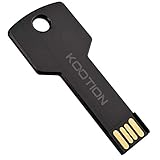
- New and high quality, novelty key design
- Keep your digital world in your pocket in our smallest package
- Transfer and share photos, videos, songs and other files between computers with easy
- Fast data transmission speed
Linux, dual boot and other UEFI software
The refresh concerns firmware trust, not only Windows startup. A Linux distribution’s shim or another EFI application may rely on a Microsoft third-party UEFI certificate; option ROMs and other signed pre-OS components can matter too. Compatibility depends on the distribution, bootloader, firmware trust store and signed components in use. Microsoft published a distinct Linux-related item for IT teams in its updates and announcements timeline, but that does not establish that every Linux installation will fail.
Before changing keys on a dual-boot system, check the distribution’s guidance and the PC manufacturer’s firmware instructions. Do not assume disabling Secure Boot is necessary or that it is a harmless compatibility fix.
Do not disable Secure Boot to clear a warning
Microsoft advises against disabling Secure Boot as a workaround for certificate expiration. Turning it off removes pre-OS signature validation and can introduce compatibility, compliance and measured-boot problems. Address a pending or blocked update through Windows servicing and the OEM-supported firmware path instead. Microsoft explains the consequences in its Secure Boot expiration guidance.
Quick Recap
Product prices and availability are accurate as of the date/time indicated and are subject to change. Any price and availability information displayed on Amazon at the time of purchase will apply.

