The Tool Desk
Outbyte Driver Updater FREEScan for outdated or missing drivers - takes under a minuteDriver Scan →Outbyte PC Repair FREERepair Windows errors before they cause bigger problemsFix Now →“Mail isn’t working” on an iPhone or iPad running iOS 15 is not one universal bug. The cause is usually a network connection, Fetch or Push setting, disabled notification, provider outage, authentication failure, incorrect SMTP configuration, or Mail Privacy Protection blocking remote content. Start by checking webmail and the provider’s status page, then use the symptom-specific fix below. Do not delete the account until you have verified that important messages are stored on the server.
Quick diagnosis: what kind of Mail problem do you have?
| Symptom | Most likely areas to check |
|---|---|
| No new mail appears | Internet access, Fetch New Data, account enabled, provider outage |
| Mail arrives only after opening Mail | Push unavailable, Fetch set to Manually, background-fetch limits |
| No notifications appear | Mail notifications, per-account alerts, Focus or Do Not Disturb |
| Email will not send | Internet connection, Outbox, password, authentication, SMTP settings |
| “Cannot Send Mail” appears | Outgoing server, port, SSL/TLS, authentication, provider policy |
| Password prompts repeat | Changed password, expired authorization, multifactor authentication, app password, account lockout |
| Messages disappear after account changes | Mail downloaded only to the device may have been removed |
| Images show a privacy warning | Mail Privacy Protection, VPN, or unavailable remote content |
| Only work email fails | Exchange or Microsoft 365 policy, certificate, enrollment, or administrator restriction |
| Only one network causes trouble | Wi-Fi, VPN, firewall, DNS, captive portal, or network administrator |
Before changing account settings
- Open Safari and confirm that ordinary websites load.
- Sign in to the provider’s website and check whether new messages are present.
- Send a test message to the account from another address.
- Check the provider’s service-status page for an outage.
- Temporarily test without a VPN or restrictive Wi-Fi network.
- Check whether every account in Mail is affected or only one.
If webmail also fails, the problem is probably the account, provider, storage limit, password, or an outage. If webmail works, continue with the iOS and account checks below. Apple recommends these checks before deeper reconfiguration (Apple’s receiving-mail guidance).
If new email is not arriving
On iOS 15, open Settings > Mail > Accounts > Fetch New Data. (Newer iOS versions place Mail under Settings > Apps > Mail.)
- Turn on Push if the account supports it.
- Open the account and confirm its Push option where available.
- Under Fetch, choose Automatically or a schedule instead of Manually.
Push is not available for every provider or account type. When Push is unavailable, Mail uses Fetch. Apple says Automatically may fetch in the background only while the device is charging and connected to Wi-Fi (Apple Support). A shorter Fetch interval can improve timeliness, but it does not guarantee instant delivery and may affect battery use.
#1 Best Overall
![SUNGUY USB C Cable 1.5FT [3Pack] 3A USB to USB C Cable Fast Charging Data Sync Braided Compatible with iPhone 16 15 Pro/Pro Max/Plus, Samsung Galaxy S23/S22/S21, Note10/9, USB C Devices, Black](https://m.media-amazon.com/images/I/41oP5BXBH8L._SL160_.jpg)
- 【Support Fast Charge】The USB A to USB C Cable Supports 3A safe and fast charging, deliver up to 18W(max) power, support QC 3.0/2.0, which makes your charging faster. 56KΩ pull-up resistor provides a safer charging current, protect your devices from damage.
- 【Support USB 2.0 Data Transfer】SUNGUY USB C Cable support up to 480Mbps data transfer. High speed transfer HD movies, songs, files or photos.
- 【High-quality Materials】The type C charging cord adopt nylon braided, TPE jacket joint, premium aluminum housing adds the durability of the cable. It can bear over 10000 bending test. USB C cord is 1.5 ft (about 18 inch). It's good for short distance charging.
- 【Wide Compatibility】Compatible with iPhone 16/16 Pro/16 Plus/16 Pro Max/15/15 Plus/ 15 Pro/ 15 Pro Max, Samsung Galaxy S23/S22, S21/S20 Ultra S10 S9 S8 Note 20 10 9 8, Moto Z/Z2, LG G5/G6/V20/V30, Google Pixel 4/Pixel 4 XL/Pixel 3/Pixel 3XL; And other usb c devices.
- 【What You Get】You will receive 3 Pack Black 1.5FT USB Type C cable. 12 Months Warranty! If any questions please contact us via Amazon Email or SUNGUY Customer Support Email.
Also open Settings > Mail > Accounts, select the account, and confirm that Mail is enabled. If only one account is missing, investigate that provider’s authentication and server settings rather than treating the issue as an iOS-wide failure.
If Mail updates only when you open it
This usually indicates Fetch rather than a broken mailbox. Confirm that Fetch is not set to Manually, and remember that iOS can delay background activity for power or network reasons. An account that does not offer Push cannot be made genuinely real-time by changing the Fetch interval.
If notifications are missing
Mail can receive a message without displaying an alert. Open Settings > Notifications > Mail and check:
Rank #2
![SUNGUY 6 inch USB-A to Lightning Cable [2Pack], USB to Lightning Cable for Car, iPhone Charger Cord Nylon Braided Compatible with iPhone 14/13/12/11 Pro Max Mini X XS XR 8 Plus 10 SE iPad](https://m.media-amazon.com/images/I/416vrJaBKrL._SL160_.jpg)
- 【Safe Charging】This Lightning to USB Cable ensures full compatibility with Apple devices, providing safe, reliable charging without any error messages.
- 【iPhone Carplay Cable for car】Connect your iPhone to your car’s CarPlay system for a hands free driving experience. Enjoy easy access to navigation, music, and calls while keeping your focus on the road.
- 【Fast Charging & Data Transfer】The iphone charging cable supports 2.4A fast charging and 480Mbps data transfer for quick syncing of photos, videos, and files. Ensures reliable and fast performance for all your charging and data needs. Featuring a high quality aluminum alloy casing and braided nylon exterior, this iphone cable fast charging combines durability with a sleek and stylish look.
- 【Wide Compatibility】This iphone charger works flawlessly with Lightning-port devices, including iPhone 14/13/12/11/XS/XR/8, iPad Pro, iPad Air, iPad Mini, iPod Touch, and more.
- 【What You Get】You will receive 2Pack 6 inch/0.5FT USB A to Lightning cable. 36 Months Warranty! If any questions please contact us via Amazon Email or SUNGUY Customer Support Email.
- Allow Notifications is on.
- Lock Screen, Notification Center, and banners are enabled as desired.
- Sounds and Badges are enabled if you use them.
- Per-account notification options inside Mail’s notification settings include the affected account.
- Focus or Do Not Disturb is not suppressing Mail.
- The account or message is not muted or excluded from a notification summary.
These settings cannot create an alert for a message that Mail has not fetched. Diagnose delivery and notifications separately.
Do these 3 things before closing this tab:
1Repair Windows errors before they cause bigger problems2Fix the driver behind crashes, sound loss and screen glitches3Clear out junk files and repair common Windows errorsIf a message is stuck in the Outbox
- Open Mail and go to the Mailboxes screen.
- Tap Outbox. If it is absent, Apple says there are no unsent messages (Apple’s sending-mail guidance).
- Open the stuck message and verify the recipient address.
- Confirm that the device is online, then tap Send again.
For a large attachment, remove it and try a short text-only message. Check that the intended account is selected, and investigate SMTP authentication if small messages also fail.
If you see “Cannot Send Mail”
Receiving and sending use separate server settings. On iOS 15, open Settings > Mail > Accounts > [account] > Account > SMTP. Check the enabled Primary Server for the hostname, username, password, SSL/TLS setting, port, and authentication method supplied by your provider.
Rank #3

- Carplay Cable: iPhone 3FT USB A to Lightning Cable ensures fast charging and stable synchronization without any error messages
- Compatibility: iPhone 14 13 12 11 Pro 14 Max, SE Mini SE 2nd, XR XS X 8 7 6 Plus,iPad/iPad Air 2/Mini/Air Pods 1 2nd, AirPods
- Exceptional Durability:Made to last, our cables are designed to be long-lasting and reliable, making it the perfect choice for your devices
- Note: Please find Siri and Search in Set Phone Settings before linking to Carplay
- Professional After-sales Service: We provide the 24 hours email support to give you peace of mind. Please feel free to contact us if you have any questions
Do not copy generic Gmail, Outlook, Yahoo, or ISP values from an old article. Providers change hostnames, ports, and authentication rules, and Apple’s Mail settings lookup does not cover every provider. Apple documents incoming and outgoing servers as separate configurations with their own ports and authentication (Apple deployment guide).
If Mail repeatedly asks for your password
A repeated prompt can mean more than a mistyped password:
Free tools Windows power users keep installed
One-click scans. No signup required.
- The password was changed elsewhere.
- Two-step verification or multifactor authentication needs completion.
- The provider requires an app-specific password.
- Apple Mail has not been authorized through the provider’s modern sign-in flow.
- An OAuth token expired.
- The account is locked or restricted by an administrator.
- Sign in through the provider’s official website.
- Complete any security challenge or authorization request.
- Read the provider’s instructions for Apple Mail, app passwords, or modern authentication.
- Only then update credentials in iOS Mail.
If the web sign-in works but Mail still cannot authenticate, contact the provider or, for a managed account, your administrator. Do not follow obsolete instructions to enable insecure password-only access.
Rank #4

- 3-Feet White USB Sync / Charge Cable with Apple 30-Pin Dock Connector
- Features an Apple-compatible 30-pin plug and a USB-A plug
- MFI Certified
- Compatible with iPhone (4s, 4, 3Gs, 3G and iPhone), iPad (3rd generation), iPad 2, iPad, iPod Touch (1st through 4th generation), iPod classic and iPod Nano (1st through 6th generation)
- 2-year limited warranty
If images or remote content will not load privately
iOS 15 introduced Mail Privacy Protection. It hides your IP address from senders and prevents normal tracking from reliably showing whether a message was opened (Apple Support). A warning such as “Unable to load remote content privately” is therefore not evidence that sending or receiving is broken.
On iOS 15, find the setting at Settings > Mail > Privacy Protection > Protect Mail Activity. A VPN can contribute to the warning. In the message, tap Load Content to permit remote content to load; if a VPN is involved, it may load through that VPN. Keeping protection enabled preserves privacy. Disabling it may improve compatibility but weakens privacy and should not be the first response to an ordinary delivery problem (Apple’s Mail Privacy Protection explanation).
Independent reader supportYour contribution helps us test, update, and keep practical guides available for everyone.Provider-specific checks
iCloud Mail
- Confirm iCloud Mail is enabled on the device.
- Check Apple’s system status and available iCloud storage.
- Test the mailbox at iCloud.com.
- Review Push and Fetch settings.
Apple’s iCloud troubleshooting steps are available at Apple Support.
Quick wins for a faster PC:
Clear out junk files and repair common Windows errorsFree Scan →Fix the driver behind crashes, sound loss and screen glitchesFind Drivers →Best Value
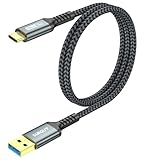
- 【10Gbps USB 3.1 Data Transfer】 USB 3.1 Gen2 Type-C to USB-A Cable supports astonishing speed data transmission up to 10Gbps, transfer HD movies, songs, file or photos in seconds. Backwards compatible to USB 3.0 and 2.0. Note: Not support video output.
- 【Work with Android Auto】This USB A to USB C Cable can work with android auto. Support 3A fast charging. 56KΩ pull-up resistor provides a safer charging current, protect your devices from damage.
- 【Durable & Nylon Braided】The Android Auto USB C Charging Cord is made of premium aluminum alloy shell and gold-plated connector add additional durability and stability to this cable, which makes it more durable than normal cables. Nylon braided provide strong protection and flexibility, can withstand 20000+ bending test.
- 【Widely Compatibility】USB to USB C Charger Cable compatible with iPhone 16/16 Pro/16 Plus/16 Pro Max/15/15 Plus/ 15 Pro/ 15 Pro Max, Galaxy S23 S22 /S22 Ultra/S21/S21+/S20/Note10/Note 10 Plus/Note 20 S10/S10e/S10+, Google Pixel, iPad Pro, MacBook, MacBook Pro, MacBook Air, LG G5 G6 G7 V40 V35 ThinQ V30S V30 V20, Chromebook, Dell XPS 13 and other USB-C devices.
- 【What You Get】You will receive 1pcs 2feet USB C 3.1 gen 2 cable. If any questions please contact us via Amazon Email or SUNGUY Customer Support Email.
Gmail
Check Google sign-in alerts, security challenges, storage, filters, forwarding, and account restrictions. Add Gmail through the native Google account sign-in flow where possible, and compare with Gmail in Safari or the Gmail app. Do not use legacy “less secure apps” instructions.
Outlook.com and Microsoft 365
Complete Microsoft multifactor authentication and distinguish a personal Outlook.com mailbox from an organization-managed Microsoft 365 account. Organization policies may block Apple Mail even when the Outlook app works.
Yahoo and ISP mail
Check provider-specific app-password requirements, security verification, outages, and current IMAP/SMTP settings. An ISP may have retired or changed its mail servers.
Work, school, and Exchange accounts
Contact the administrator when certificates, device-management profiles, enrollment, modern authentication, or security policies are involved. Do not remove a managed account before confirming what contacts, calendars, and organizational data depend on it.
Recommended Free Tools
Safely remove and re-add an account
Rebuilding an account can fix damaged configuration, but deleting it too early can remove downloaded messages from the device. An iCloud or iTunes backup preserves mail settings, not the email itself. POP accounts are especially important: they may store messages locally rather than synchronizing every folder like IMAP.
- Sign in to the provider’s website and confirm that important messages are on the server.
- Save anything that exists only locally.
- Record custom folders, signatures, and server settings.
- Open Settings > Mail > Accounts > [account].
- Tap Delete Account.
- Restart the iPhone or iPad.
- Add the account again using the provider’s supported sign-in method.
Apple explicitly recommends verifying that mail is stored somewhere other than the device before removing an account (Apple Support).
Quick Recap
When to escalate
- Provider: webmail fails, the service reports an outage, authentication is blocked, or current server settings are unknown.
- Administrator: the account is managed by work or school, or certificates and device policies are involved.
- Apple: multiple accounts fail despite working webmail, correct credentials, working internet, and verified Fetch and notification settings.
Compact troubleshooting checklist
- Test Safari and webmail.
- Check provider status and send a test message.
- Identify whether receiving, sending, notifications, authentication, or remote content is failing.
- Review Push, Fetch, notifications, Focus, and VPN settings.
- Check Outbox and SMTP separately.
- Complete provider security authorization before changing passwords.
- Verify server-side mail before deleting an account.
Product prices and availability are accurate as of the date/time indicated and are subject to change. Any price and availability information displayed on Amazon at the time of purchase will apply.

