Some links on this page are affiliate links: if you buy through them we may earn a commission, at no extra cost to you.
Yes, 0patch is a legitimate third-party micropatching service, but it is not a full replacement for Microsoft’s Windows 10 Extended Security Updates (ESU) or for a supported operating system. Its paid PRO and Enterprise plans can reduce exposure on a Windows 10 22H2 PC that must remain in use. The free plan does not include the legacy patches needed to address Windows 10’s end of support. For an eligible computer, upgrading to Windows 11 or enrolling in Microsoft ESU is generally the stronger first choice.
What changed when Windows 10 support ended?
Windows 10 did not stop working on October 14, 2025. Microsoft ended normal support for affected Windows 10 releases: devices no longer receive ordinary feature, quality, and security updates or general technical support unless covered by an applicable program. Microsoft explains the change and upgrade options on its Windows 10 end-of-support page.
End of operating-system support does not make every other product stop working on the same day. Microsoft says Microsoft 365 Apps on Windows 10 will continue receiving security updates until October 10, 2028, although Windows 10 itself is no longer supported. That is not a reason to treat the underlying operating system as patched. Office 2016 and Office 2019 have their own support status, and browsers, drivers, security products, and other applications follow their own support policies. Check each vendor’s lifecycle rather than assuming 0patch restores support for them all.
PC Slower Than It Used to Be?
A free scan shows the junk files, broken settings and background clutter dragging Windows down - then fixes them in one click.Free scan · Windows 10 & 11Crashes, No Sound, or Screen Glitches?
Random freezes, missing sound and display glitches usually trace back to one bad driver. Find and replace yours safely.Free scan · under a minuteFor Windows 10 22H2 devices, Microsoft ESU can provide eligible security updates beyond the end-of-support date. Consumer and commercial ESU are different programs: Microsoft currently describes consumer protection through October 12, 2027, while commercial ESU is documented for up to three years. Eligibility, enrollment, and licensing depend on the program and device; see Microsoft’s consumer-facing guidance and commercial ESU documentation.
#1 Best Overall

- 【Windows Hello Biometric Compatibility】 Seamlessly integrates with Windows 10/11 Hello security framework, enabling password-free login through registered fingerprints. Provides enterprise-grade authentication compatible with most modern laptop and desktop computers.
- 【360-Degree Recognition Technology】 Advanced capacitive sensor captures fingerprint data from any orientation without requiring specific finger placement. Supports registration of up to 10 distinct fingerprint profiles for multi-user accessibility.
- 【Instant 0.05-Second Authentication】 Patented algorithm delivers rapid fingerprint verification in under 0.05 seconds, significantly faster than manual password entry. Enables near-instant system access while maintaining robust security protocols.
- 【Adaptive Learning Intelligence】 Self-learning technology continuously improves recognition accuracy with each use. The dynamic algorithm enhances scanning precision for consistent performance across different environmental conditions.
- 【Advanced Data Protection】 Encrypted fingerprint storage ensures biometric data remains securely localized on the device. Provides reliable protection against unauthorized access while eliminating password vulnerability risks.
What 0patch does—and what “micropatching” means
0patch is a commercial service from ACROS Security. Its lightweight 0patch Agent connects a computer to a 0patch account and downloads micropatches for supported software. Rather than waiting for a conventional full component update, a micropatch can modify vulnerable code while the software is running. The service covers selected vulnerabilities in Windows and certain other products; it is not a universal patch stream for every Windows flaw or every application.
0patch describes its “security adoption” process as monitoring newly disclosed critical vulnerabilities in adopted products and issuing patches as much as possible. That is the vendor’s description of its work, not a promise that every issue will receive a patch. Its adoption list identifies which Windows products and baselines it covers.
Legitimate does not mean equivalent to Microsoft
0patch has an official product site, licensing and account systems, an agent, support documentation, published coverage information, and an end-user license agreement. Its published plan details and support terms are available in its PRO license documentation. These are reasonable grounds to describe it as a real commercial service.
What’s actually slowing this PC down?
Pick the symptom - the matching free tool is one click away.
They do not establish that 0patch catches every vulnerability, that each micropatch is equivalent to a Microsoft-tested cumulative update, or that a Windows 10 PC with 0patch is equivalent to a supported Windows 11 PC. The available evidence does not establish a broad independent audit or comparative study proving that 0patch’s coverage is as complete as Microsoft ESU. Nor does its service provide general Windows technical support or Microsoft endorsement.
Which Windows 10 versions does 0patch cover?
0patch’s current product documentation lists Windows 10 22H2 as security-adopted and updated through October 2025; the page was updated August 14, 2026. The same page lists older Windows 10 releases, including 21H2, 21H1, 20H2, 2004, 1909, 1809, and 1803, but with older security-adoption baselines. The versions should not be treated as equally current. For a machine that must remain on Windows 10, 22H2 is the sensible target where the edition and installation support it.
Rank #2
![FIDO U2F Security Key, Thetis [Aluminum Folding Design] Universal Two Factor Authentication USB (Type A) for Extra Protection in Windows/Linux/Mac OS, Gmail, Facebook, Dropbox, SalesForce, GitHub](https://m.media-amazon.com/images/I/414cv-4SxrL._SL160_.jpg)
- Protect Online Account - Offer a strong factor authentication to your online account. Never lose your accounts through password theft, phishing, hacking or keylogging scams.
- Universal Compatibility - The Thetis U2F key can be used on any websites which support U2F protocol with the latest Chrome installed on your Windows, Mac OS or Linux. (Important Note: Not compatible with any email clients including Apple Mail, Mozilla Thunderbird or Microsoft Outlook)
- FIDO-U2f-Certified - Safety is our priority. Certified by world's largest Ecosystem for Standards-based, interoperable Authentication. Only support U2F protocol (No UAF or OTP). Provide low-cost and simple solution with high security.
- Extremly Durable - Designed with a 360° rotating metal cover that shields the USB connector when not in use. Also, crafted from a durable aluminum alloy to protect the Key from drops, bumps and scratches.
- Portable Design - Compact, ultra-portable design allows you to take your FIDO key anywhere you need it.
0patch says it plans to adopt the Windows 10 22H2 ESU year-one baseline in October 2026. That is a stated vendor plan, not a Microsoft commitment. 0patch also says it intends to provide Windows 10 22H2 coverage for at least five years; that duration is likewise the vendor’s forward-looking claim, not an independently guaranteed lifecycle. Microsoft’s documented ESU eligibility also requires Windows 10 version 22H2. Confirm the latest details in 0patch’s adoption list and Microsoft’s ESU documentation.
FREE, PRO, and Enterprise: which plan includes legacy patches?
| Plan | What it provides | Fit for Windows 10 after support ends |
|---|---|---|
| FREE | Free patches for qualifying personal, testing, and certain nonprofit educational uses; 0patch documents a limit of up to 10 devices under its stated personal-use terms. It excludes legacy end-of-support patches. | Not sufficient as the continuing legacy-patching service for unsupported Windows 10. |
| PRO | FREE patches plus PRO patches, including post-end-of-support micropatches for covered products such as Windows 10; one license per physical or virtual computer; email support with a guaranteed response within 24 hours, according to 0patch. | Potential bridge for an individual or a small number of machines that need paid legacy patches. |
| Enterprise | Micropatches plus enterprise administration features such as central management, multiple users and roles, computer groups, group-based policies, and single sign-on, according to 0patch. | More relevant where administrators need centralized controls and reporting. |
The key distinction is not that FREE provides no security value at all: it may provide an additional layer for certain unfixed zero-days. The problem is that it excludes the legacy end-of-support patches needed for the Windows 10 use case in this article. 0patch itself says FREE is not right for keeping a product secure without its normal updates; see its FREE-plan explanation. Do not rely on the free tier alone as a Windows 10 end-of-support plan.
Do these 3 things before closing this tab:
1Repair Windows errors before they cause bigger problems2Scan for outdated or missing drivers - takes under a minute3Clear out junk files and repair common Windows errorsPRO and Enterprise are subscriptions, not permanent ownership of downloaded patches. 0patch says that if the subscription expires, subscription-associated micropatches are unapplied until a valid subscription is restored. Monitor the account and renewal status; the vendor explains this in its subscription-expiration guidance.
How 0patch compares with Microsoft ESU
| Question | 0patch | Microsoft ESU |
|---|---|---|
| Who supplies the fixes? | ACROS Security, a third-party vendor. | Microsoft. |
| What is the patch model? | Selected vendor-created micropatches and certain zero-day patches; coverage is selective. | Microsoft security updates classified as critical and important under the program. |
| Windows 10 version focus | 0patch’s current adopted target is Windows 10 22H2; other listed releases have older baselines. | Documented Windows 10 eligibility requires version 22H2. |
| Stated time horizon | 0patch says it plans to cover Windows 10 22H2 for at least five years; this is a vendor claim. | Commercial ESU is documented for a maximum of three years; Microsoft currently says consumer ESU protects devices through October 12, 2027. |
| Cost signal | A 0patch official blog listed PRO at €24.95 plus tax per computer per year and Enterprise at €34.95 plus tax per computer per year on August 18, 2026. Check current pricing and tax at purchase. | Microsoft documents commercial ESU at $61 per device for year one, with the price doubling in subsequent years. This is commercial pricing, not a universal consumer price. |
| Management and support | PRO supports local use; Enterprise adds centralized administration features. Support is for the 0patch service, not general Windows support. | ESU supplies the specified security updates, not new features, general Windows support, or ordinary nonsecurity updates. |
0patch says it may address vulnerabilities Microsoft has not fixed or has not fixed quickly enough and that it covers certain third-party products. Treat these as vendor claims about its coverage, not proof that it is more complete overall. Microsoft ESU is the more authoritative default when a device is eligible and the requirement is Microsoft-originated security fixes. It is particularly important to check the procurement, support, audit, insurance, and software-vendor requirements for business or regulated systems. Microsoft’s program limits are described in its ESU support overview.
There is no established universal winner based on comparative effectiveness data. ESU provides Microsoft’s official security updates; 0patch offers a different, selective third-party layer and a vendor-stated longer coverage objective. Which matters more depends on eligibility, risk tolerance, support obligations, and whether a third-party patching arrangement is acceptable.
Rank #3

- STAY PROTECTED EVERYWHERE you go, at home, in a café, at the airport—everywhere—on ALL YOUR DEVICES, with cloud-based protection against viruses & other online threats
- Webroot PASSWORD MANAGER by Last Pass creates, encrypts, and saves all your passwords, so you only have to remember one.
- As the #1 TRUSTED PROVIDER OF THREAT INTELLIGENCE, you know you’re in good hands. Stay safe from viruses, ransomware, phishing, and more.
- Webroot SOFTWARE UPDATES ITSELF AUTOMATICALLY, so you always have the most current protection without lifting a finger—and updates happen in the background so they won’t slow you down.
- PREMIUM FEATURES: Encrypts & protects passwords and account information for all your devices so you can stay protected wherever you are.
What 0patch does not protect against
Micropatching can reduce exposure to selected software vulnerabilities. It does not make an unsupported PC secure by itself, and it cannot substitute for a broader security and maintenance plan. In particular, it does not inherently address:
Quick wins for a faster PC:
Scan for outdated or missing drivers - takes under a minuteDriver Scan →Clear out junk files and repair common Windows errorsFree Scan →Fix the driver behind crashes, sound loss and screen glitchesFind Drivers →- Vulnerabilities that have not been discovered, are not selected for patching, or cannot safely be fixed with a micropatch.
- Unsupported applications that 0patch does not cover, or every flaw in an application it does cover.
- Phishing, malicious downloads, weak passwords, credential theft, misconfiguration, or social engineering.
- Malware already present, ransomware damage, accidental deletion, or hardware failure; maintain tested backups.
- Unsupported drivers, firmware, BIOS, peripherals, routers, network appliances, cloud accounts, or SaaS services.
- Application requirements for a supported Windows version, or compliance obligations that demand Microsoft-supported software.
Keep browsers, Office, PDF readers, Java, archive utilities, drivers, and other software updated through their own supported channels. A Windows micropatch does not automatically patch those products.
Install and maintain 0patch carefully
- Check the Windows release. Confirm the PC is on Windows 10 22H2 where available. Older releases have older 0patch adoption baselines.
- Install available official Windows updates. Continue applying Microsoft updates while they are available; 0patch’s setup guide says not to stop Windows Update.
- Create a 0patch Central account and install the agent. Download the agent through 0patch’s official service, then register it with the account credentials.
- Choose the plan that includes the coverage you need. Legacy Windows 10 patches require PRO or Enterprise, not FREE. One license is required per physical or virtual computer running the agent; see 0patch’s licensing guidance.
- Check synchronization and status. Allow the agent to sync, then confirm the account/license status and that patches are reported. The setup guide says the console need not remain open after setup and the agent synchronizes automatically.
- Validate the machine. Test essential applications after deployment, keep a known-good backup or system image, and check the agent periodically rather than assuming installation means protection is active.
If the agent shows no patches, check network access, account registration, license validity, and Windows build before assuming the product has nothing applicable. If a micropatch appears to conflict with an application, use the agent’s available controls to disable or roll back that specific patch if supported by the current version, and contact 0patch support. The available setup documentation does not establish every current console label or rollback path, so avoid relying on a guessed menu sequence.
Set a renewal reminder, verify whether automatic renewal is enabled, keep account ownership and payment under an organization-controlled identity, and monitor license status. Do not uninstall or disable Microsoft’s update mechanisms because 0patch is present.
Independent reader supportYour contribution helps us test, update, and keep practical guides available for everyone.Which option fits your situation?
Home PC that supports Windows 11
Upgrade to Windows 11 if the device meets Microsoft’s hardware requirements and the move works for your applications. Microsoft describes the free upgrade for eligible Windows 10 22H2 PCs in its end-of-support guidance. If you need time to migrate, compare consumer ESU eligibility with 0patch PRO rather than assuming the free 0patch tier covers legacy Windows 10 flaws.
Recommended Free Tools
Rank #4
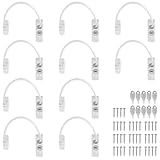
- Add Extra Security: Kamtop window restrictors are specifically designed for children 's safety. Effectively limit the distance a window can open to prevent children from falling out of windows. Can also discourage intrusions and keep air circulation
- 10 Pcs Childproof Window Locks: You will a package Including 10 pcs window cable locks, 10 pcs keys and 40 pcs screws. White look of window lock adds elegant style for your window. Ideal solution for home sefety improvement
- Premium Material: Made of premium stainless steel and ABS, lockable window restrictor locks are sturdy and rust-proof. Can withstand a lot of pressure, not easy to wear out. Ensure long-lasting performance and offer reliable child home safety
- Easy to Install: Our window safety locks can be locked and unlocked. Flexible use. When the cable is in place, there is the distance of 19cm that window can be opened. Once the cable is removed from one end with a key, the window can be fully opened
- Wide Applications: Suitable for most types of windows and small doors. Widely used for many kinds of materials like UPVC, wood, aluminum and metal. Ideal safety locks for home, public and commercial occasions
Home user who needs a temporary bridge
Microsoft consumer ESU is the more direct choice if you qualify and want Microsoft-provided updates. 0patch PRO may suit someone who cannot use ESU or needs a longer bridge, provided they accept selective third-party coverage and keep the PC maintained. Replace or migrate before the applicable support window ends.
Small business with a few legacy PCs
Compare commercial ESU procurement and per-device costs with 0patch PRO, then account for application compatibility, centralized visibility, backups, endpoint detection, and the cost of continuing to manage the machines. Enterprise is more relevant if central management, roles, groups, or policy enforcement are needed. A written migration or retirement date is still necessary.
Regulated, sensitive, or business-critical system
Prioritize migration to supported Windows or Microsoft ESU where possible. If 0patch is proposed as an alternative or additional control, obtain security-team approval and validate vendor, insurer, customer, auditor, and regulator acceptance. Document coverage, patch deployment, testing, vulnerability management, and incident response; buying a license alone does not establish compliance.
Legacy machine used for a specialist or offline task
If replacement or migration is not immediately possible, limit network access, remove unnecessary internet connectivity, restrict local administrator rights, segment the device from sensitive systems, and keep tested offline backups. Use a separate supported device for email, banking, and other high-value accounts. Isolation reduces exposure but does not patch the system.
The Tool Desk
Outbyte Driver Updater FREEFix the driver behind crashes, sound loss and screen glitchesFind Drivers →Outbyte PC Repair FREERepair Windows errors before they cause bigger problemsFix Now →Quick Recap
Alternatives to 0patch
- Upgrade to Windows 11: Preferred when the hardware meets requirements and critical applications are compatible.
- Replace the computer: Appropriate when the hardware is ineligible for Windows 11, unreliable, or costly to maintain.
- Enroll in Microsoft ESU: The official update path for eligible devices requiring Microsoft security fixes; consumer and commercial terms differ.
- Move the workload to a supported cloud PC: Windows 365 or Azure Virtual Desktop-related scenarios may provide ESU entitlements under specific conditions. See Microsoft’s ESU documentation and Windows 365.
- Move to a supported Linux distribution: A possible way to extend hardware life, but it requires assessing application and peripheral compatibility, data migration, and user training.
- Isolate a legacy system: A containment measure for a narrow task, not a substitute for supported software or security updates.
Product prices and availability are accurate as of the date/time indicated and are subject to change. Any price and availability information displayed on Amazon at the time of purchase will apply.

