An iPhone reboot is an event to investigate, not a diagnosis. The same visible symptom can follow an app or operating-system failure, memory pressure, a power or hardware problem, a management or security action, or an intentional restart. Start by recording the iPhone model, iOS version, approximate restart times, recent repair or liquid/impact exposure, and whether the behavior repeats. That context helps an Apple technician or examiner; it does not identify a cause by itself.
Three different ways to investigate a reboot
Apple’s built-in diagnostics, Apple’s crash and console logs, and a forensic-lab examination answer different questions. Treating them as interchangeable is how a useful clue gets mistaken for proof.
| Workflow | Primary purpose | What it produces | Conclusion it can support | Important boundary |
|---|---|---|---|---|
| Apple Diagnostics mode | Repair and component triage | Results from supported component and software checks | Whether a tested function appears to have an issue that may require service | Not forensic acquisition or a complete explanation for every reboot |
| Crash reports and console logs | Debugging and technical investigation | App crash records, jetsam events, and time-stamped operating-system/app activity | Clues about what was happening around a failure | One record does not, by itself, prove why the whole device restarted |
| Forensic-lab examination | Evidence-oriented examination | Validated acquisition, preserved evidence, analysis, and a report | Findings documented under the lab’s applicable procedures and legal requirements | Exact methods depend on the case, jurisdiction, device, and validated tools |
Apple Diagnostics mode: useful triage, not a forensic exam
Apple describes Diagnostics mode as part of Recovery Assistant. Its current support list includes iPhone 14 models and later, along with specified iPad models, and it requires Wi‑Fi. Available checks include Mobile Resource Inspector, audio, display pixel anomalies, Multi‑Touch, Face ID, and camera image quality. If a test identifies an issue, Apple says service may be needed.
Use this mode when your practical question is, “Does a supported component or function show a problem that should go to service?” It is not designed to preserve a complete evidentiary record, acquire a forensic image, or explain every unexpected restart. A passing test also does not establish that no intermittent software, power, or hardware fault exists.
Recommended Free Tools
#1 Best Overall

- Easily Diagnose Car and Truck Issues from Your Phone – Scan and identify 39,000+ issues across thousands of vehicles, from Check Engine lights to enhanced codes. Validate repairs or vehicle condition and reset codes without being an expert.
- Free App with Unlimited Scans – Get simple explanations of your car's issues instead of confusing error codes. Get alerted when FIXD detects dangerously severe issues or needed maintenance so your car and loved ones stay safe.
- Manage All Your Cars in One App – Save scans by vehicle, track mileage-based reminders, and share results with family or a shop. The compact sensor stays hidden under the dash in all your cars, always ready to scan.
- Works with OBD2 Vehicles 1996+ – Supports gasoline & hybrid vehicles 1996+ and diesel vehicles 2006+. Connects via Bluetooth to iPhone and Android for fast, wireless diagnostics. Features may vary based on vehicle make and model.
- Free Premium Trial Included (& Optional) – Get repair recommendations, cost estimates, vehicle value by condition, and live mechanic support. Upgrade anytime for advanced insights and expert help.
What the different Apple logs actually mean
Crash reports
Apple’s developer documentation describes crash reports as records of an app termination, including the failing thread and backtraces. They are principally about the process that stopped, not automatically about a complete iPhone reboot.
Jetsam event reports
Jetsam reports describe the system responding to memory pressure. They can show that processes were terminated to recover memory, but a jetsam entry is not a universal explanation for a later restart.
Rank #2
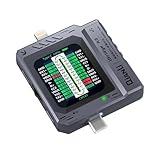
- Small and portable design for easy handling.
- High-definition screen display for clear readings.
- Automatic scan detection for efficient testing.
- Supports both Lightning and Type-C interfaces.
- One-key retest function for quick results.
Console logs
Console logs provide operating-system and app activity around a time period. They can add context that a single crash report lacks. Apple cautions that logs may contain sensitive information, so handle and share them carefully.
The appearance of a panic-full file should be treated as a lead for investigation, not as a guaranteed hardware diagnosis or proof that a particular part failed. A 2025 Forensic Science International: Digital Investigation paper discusses panic-full state and repeated reboot cycles in physically damaged iPhones, but that evidence does not establish a rule for every model, iOS release, or panic record.
Rank #3

- [Diagnose Like a Pro] BlueDriver Pro is a professional OBD2 scanner and diagnostic tool that helps you scan, understand, and clear vehicle trouble codes with confidence. Turn your phone into a powerful car diagnostic scanner—no guesswork, no unnecessary repairs.
- [Read and Clear More Codes Than Ever] Read and clear more codes than basic car code readers. Access enhanced diagnostics for Check Engine, ABS, SRS, Airbag, TPMS, Transmission.
- [Verified Fixes and Real-Time Data] Get unlimited, technician-verified repair reports matched to your VIN, with definitions, causes, and confirmed fixes. Monitor live vehicle data as you drive, view freeze frames, check smog readiness, and analyze Mode 6 test results.
- [Wireless & Bluetooth Enabled] - Say goodbye to wires. BlueDriver connects with Bluetooth via your phone/tablet to a sensor that plugs into your car's OBDII port. Get all of the capabilities of an expensive code reader & scan tool without any annoying wires.
- [Broad Make & Model Coverage] Strong support for GM, Ford, Stellantis (RAM, Jeep, Chrysler), Toyota, Honda, Nissan, Mazda, Subaru, Hyundai, Mercedes-Benz, BMW, and VW.
How to collect the records Apple describes
Find an iPhone crash or jetsam report
- Open Settings.
- Go to Privacy & Security → Analytics & Improvements → Analytics Data.
- Look for a file named for the affected app or an entry beginning with
JetsamEvent. Other system records may use different names. - Record the file name and timestamp alongside the exact time the phone restarted. Preserve the original file before editing or redacting a copy for sharing.
Review device console activity with a Mac
- Connect the iPhone to a Mac.
- Open Apple’s Console app and select the iPhone in the device list.
- Reproduce the issue if it is safe and practical to do so.
- Note the exact time of the event.
- Review entries immediately before and after that time, then export or share only through a trusted channel.
Apple presents these logs as clues that guide further investigation. They should be interpreted with the device model, iOS version, timing, recent changes, and repeatability of the symptom—not as standalone verdicts.
Automatic Restart: a security behavior in newer iOS versions
Apple documents Automatic Restart for iOS 18.1 and later. After a prolonged period in the locked state, the iPhone can restart and return from After First Unlock to Before First Unlock. The transition purges sensitive security keys and transient data from memory, reducing the value of a device that remains unattended and locked.
Rank #4

- 【Comprehensive Performance Testing】V011 OBD2 Scanner provides a complete diagnostic solution, giving you a thorough understanding of your vehicle's condition. It supports a variety of performance tests, support 9 protocols,👍automotive fault clearing,including fast reading of DTCs, access to electronic emission readiness, turning off CEL or MIL, resetting monitors, reading live data and retrieving the vehicle's VIN, freeze frame, sensor data, data streaming, diagnostic reports, onboard monitoring, live data streaming, and more. With these features, you can monitor your car's performance in real time and discover potential problems before they become major issues.
- 【Convenience and Savings for All Users】Designed with user-friendliness in mind, the V011 OBD2 Scanner is perfect for both novices and seasoned car enthusiasts. The intuitive app helps you interpret the check engine light, and suggests possible fixes. This can help you avoid unnecessary trips to the repair shop and prevent you from being overcharged for repairs. The product also includes helpful how-to guides and video tutorials, empowering you to clear the check engine light yourself and save significantly on repair bills.The fault code can only be cleared after the car is repaired. ⚠️ Notice:lf the car is not repaired,the fault code can only be cleared by the computer in the 4s shop.
- 【Intuitive Data Visualization】Understanding car diagnostics has never been easier. The V011 OBD2 Scanner displays detected data in clear, easy-to-read charts. Whether it's engine coolant temperature, engine speed, vehicle speed, or control module voltage, the visual representation helps you quickly grasp your car’s status. Even beginners can compare these readings against normal values to determine if their car needs any repairs.
- 【Broad Compatibility】The newly upgraded V011 OBD2 Scanner supports over 96% of car makes and models, making it one of the most versatile diagnostic tools on the market. It is compatible with a wide range of brands including Toyota, Honda, Chevrolet, Ford, Mercedes-Benz, Jeep, BMW, Porsche, Subaru, Nissan, Cadillac, Volkswagen, and Lexus, covering vehicles from 1996 to the present. This ensures that almost any vehicle owner can benefit from its extensive features. The device also supports multiple languages, including English, German, Spanish, Finnish, French, Italian, Dutch, Portuguese, and Chinese, ensuring accessibility for a global audience.
- 【Advanced Bluetooth 5.4 Connectivity】Say goodbye to the hassle of traditional wired connections. The V011 OBD2 Scanner features an upgraded Bluetooth 5.4 system, providing faster and more reliable connections. This seamless connectivity ensures you can start diagnosing your vehicle without any delays.Tips: 1. The car must be started (power on and ignition), 2. The mobile phone Bluetooth is turned on. Note that Apple phones only need to turn on Bluetooth, do not connect Bluetooth in the phone settings to turn on OBD Home, the APP will automatically connect (this product is only suitable for OBD home)
Apple says Automatic Restart is off by default on supervised devices. For iOS 18.4 and later, device management can control the behavior with the IdleRebootAllowed setting. Therefore, an unexplained restart on a managed iPhone must be evaluated with its supervision status, management profile, and iOS version in view; do not assume that every restart is a crash.
When a forensic laboratory is the right boundary
NIST’s Guidelines on Mobile Device Forensics (SP 800‑101 Rev. 1, 2014) frames mobile forensics as recovery of digital evidence under forensically sound conditions. Its workflow includes validation, preservation, acquisition, examination, analysis, and reporting.
Free tools Windows power users keep installed
One-click scans. No signup required.
Best Value

- Turn your iPhone, Android device, or Windows PC into a professional grade diagnostic scan tool.
- Recommended adapter for FORScan, Torque, BimmerCode, Dashcommand, AlfaOBD, Carista, and more.
- Enhanced OEM Support for Ford, GM, Mazda, Nissan/Infiniti, Toyota/Lexus/Scion, Honda, Hyundai, Kia.
- Clear check Engine Light and get more live parameters (ABS, SRS, TPMS, etc) than other scanners.
- Over-voltage and battery drain protection, and included firmware updates.
That framework is materially different from running a consumer diagnostic or emailing a log. In an evidentiary matter—such as suspected tampering, an injury or death investigation, a dispute over device use, or a case where chain of custody matters—ask a qualified examiner to use the laboratory’s validated procedures. The examiner should document how the device was received, preserved, acquired, examined, and reported, including relevant limitations. Ordinary log sharing does not itself preserve evidence, and Apple’s support workflow is not a substitute for a lab’s case procedure.
A practical decision path
For a personal phone seeking a repair
- Write down the model, iOS version, restart times, and recent updates, repairs, drops, or liquid exposure.
- Use Apple Diagnostics mode when the model is supported and Wi‑Fi is available.
- Collect crash, jetsam, or console records if a technician asks for them.
- Back up important data and arrange Apple or authorized service if the behavior persists or a diagnostic test flags a problem.
For a technical investigation
- Correlate timestamps across crash reports, jetsam entries, console logs, and user observations.
- Separate an app termination from a device-wide restart.
- Check whether the device is supervised and whether iOS 18.1-or-later Automatic Restart could account for the event.
- State conclusions narrowly: identify observed conditions and competing explanations rather than naming an unproven failed component.
For potential evidence
- Minimize interaction with the device and document its condition, state, and time received.
- Do not factory-reset, update, repeatedly unlock, or run ad-hoc “repair” procedures before obtaining case-specific advice.
- Use a qualified mobile-forensics examiner and request documentation of validation, preservation, acquisition, analysis, and reporting steps.
What a reboot record can—and cannot—establish
A timestamped record can establish that a report was generated and may show an app termination, memory-pressure response, system activity, or panic state. It cannot automatically establish the physical cause of the reboot, identify a failed component, or prove that a security-triggered restart did or did not occur. Those conclusions require correlation with the device’s version, management state, physical history, repeatable symptoms, and—when the stakes are evidentiary—a validated examination.
Quick Recap
Product prices and availability are accurate as of the date/time indicated and are subject to change. Any price and availability information displayed on Amazon at the time of purchase will apply.

