Some links on this page are affiliate links: if you buy through them we may earn a commission, at no extra cost to you.
The iPhone 14, 14 Plus, 14 Pro, and 14 Pro Max remain supported by current iOS releases. At Apple’s August 16, 2026 release-list cutoff, iOS 26.5 supported iPhone 11 and later, including every iPhone 14 model; Apple also listed iOS 18.7.8 for the iPhone 14 family. Most launch bugs were fixed years ago. The important current exception is a rear-camera service program for some iPhone 14 Plus units. For other failures, identify whether the cause is iOS, an app, your carrier or eSIM, battery aging, a previous repair, or damaged hardware before resetting or replacing the phone.
Latest iOS update for iPhone 14
Use Settings > General > Software Update to see the build Apple offers your particular phone. Apple’s release list showed iOS 26.5 for iPhone 11 and later and iOS 18.7.8 for iPhone 14 and other supported models at the research cutoff. The visible offer can differ by rollout timing, region, beta enrollment, storage, and later releases, so do not treat a release-table version as permanently current. See Apple’s release history at support.apple.com/en-us/100100.
Update safely
- Back up to iCloud or a computer.
- Connect to Wi-Fi and power (or charge the phone).
- Open Settings > General > Software Update and install the offered public release.
- After restarting, allow time for photo analysis, indexing, data restoration, and app updates.
- Judge battery life and heat after normal use, not immediately after installation.
iOS installations generally cannot be downgraded after Apple stops signing the previous build. Do not install a beta solely to cure a suspected bug unless you accept beta reliability and rollback limits.
Known problems: historical bugs versus current faults
| Symptom | Models | Status | First action |
|---|---|---|---|
| Rear camera shakes in Snapchat, TikTok, Instagram or another third-party app | Mainly 14 Pro and 14 Pro Max | Launch-era software/camera-control bug fixed in iOS 16.0.2 | Update, then test Apple’s Camera app |
| Activation failure or “SIM Not Supported” | iPhone 14 family at launch | Historical; current cases are often carrier, eSIM, account or network problems | Use Wi-Fi, restart, and contact the carrier |
| Rear camera shows no preview or does not work | Some iPhone 14 Plus units | Apple service program; eligibility required | Check Apple’s program page |
| Battery drain or warmth | All models | Could be indexing, an app, weak signal, usage, battery aging or damage | Check Settings > Battery |
| Charging stops, is slow, or disconnects | All models | Cable, adapter, port, wireless alignment, temperature, battery or hardware | Test known-good accessories and wired charging |
| Face ID, display, touch, sound or random-restart failure | All models | Persistent failures are often hardware-related, especially after damage or repair | Back up and arrange diagnostics |
| SOS, No Service, Wi-Fi or eSIM failure | Region and carrier dependent | Provisioning, outage, settings, radio hardware or regional eSIM differences | Follow carrier checks before resetting |
Camera problems
iPhone 14 Pro camera vibration
At launch, the main camera could shake or vibrate uncontrollably when accessed through some third-party apps. Apple addressed the issue in iOS 16.0.2; contemporary release coverage is available at macrumors.com/2022/09/22/apple-releases-ios-16-0-2/. A camera that still physically shakes, rattles, cannot focus, or produces persistent distortion in Apple’s Camera app years later should be treated as a possible damaged module, not automatically as that historical bug.
#1 Best Overall
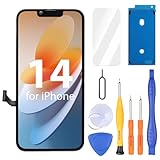
- Compatibility: Only compatible with iPhone 14 screen replacement (model A2649, A2881, A2884, A2883, A2882), Please confirm the phone model before ordering
- Installation: The Front camera and Earpiece Speaker housing was pre-installed on iPhone 14 LCD screen replacement, you could transfer the original parts to the new screen in a short time
- Excellent Performance: Ayake used the Full HD Display on the iPhone 14 screen replacement, which makes the high resolution, high Saturation and smooth 3D Touch
- Package Includes: Full HD Screen replacement for iPhone 14 + Glass Digitizer + Repair Tools + Screen Protector + Waterproof Adhesive Tape
- ⚠️True Tone: True Tone function needs to be activated by a programmer. ⚠️Warning: Please DISCONNECT the battery flex cable before install the screen to avoid dead screen⚠️⚠️⚠️If there's a non OEM part message pop-up, it will disappear completely after 15 days
iPhone 14 Plus rear-camera service program
Apple’s program covers certain iPhone 14 Plus phones manufactured from April 10, 2023, through April 28, 2024. An affected phone may show no rear-camera preview or fail to function correctly. The program does not automatically cover the regular iPhone 14, 14 Pro, or 14 Pro Max. Confirm eligibility and service instructions at Apple’s service-program page. Back up before service; Apple says owners who paid for a qualifying repair can contact Apple about a refund.
Camera checklist
- Remove a case, lens protector, magnetic accessory or anything covering the lens.
- Clean the lens and restart the phone.
- Test rear and front cameras, focus, flash, video and low-light shots in Apple’s Camera app.
- Compare with a second app. If only one app fails, update or reinstall that app.
- If the camera and flashlight fail together, or the camera remains dead after an update, use Apple Diagnostics or service.
Battery drain and overheating
Short-term drain after an iOS update can come from indexing, iCloud synchronization, photo analysis, restored data and app updates. Weak cellular signal, 5G, navigation, gaming, high brightness and camera recording also increase consumption. Longer-term drain can reflect battery capacity loss, a runaway app, charging damage, thermal exposure or an internal fault.
- Open Settings > Battery and inspect activity by app and time period.
- Check Settings > Battery > Battery Health & Charging.
- Update apps and restart.
- Compare Wi-Fi use with cellular use and note whether heat occurs while idle, charging, gaming or using the camera.
No single battery-health percentage proves that replacement is mandatory. Capacity, peak-performance messages, unexpected shutdowns and actual runtime matter together. Stop using the phone and seek service if it is unusually hot, swollen, leaking an odor or physically damaged.
Charging failures
- Try a known-good cable, adapter and outlet, then test wired charging separately from MagSafe or Qi.
- Inspect the port and gently remove visible lint without metal tools. Do not charge a wet connector.
- Remove a thick or misaligned case from a wireless charger.
- “Accessory may not be supported,” repeated disconnects or a loose connector point to cable, port, accessory or hardware problems.
- Heat can temporarily limit charging; restart and update before arranging service.
Apple rates iPhone 14 MagSafe charging up to 15 W and Qi charging up to 7.5 W. Its approximately 50% charge in 30 minutes claim uses a 20 W-or-higher adapter and controlled conditions, so real results vary. Specifications: support.apple.com/en-us/111850.
Rank #2
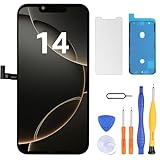
- Have a cracked/broken screen, touch issue or display issue on your iPhone 14? This is the High Quality screen you are looking for!
- This screen is ONLY compatible with iPhone 14 (6.1‘’), model number:A2649、A2881、A2884、A2883、A2882. Please check your phone's model number before buying.
- Only the iPhone screen and digitizer assembly, not including earpiece speaker, sensor assembly and the thin metal LCD shield plate, please transfer them from your original display to the new screen.
- Please search "replace iPhone 14 screen" on Youtube for professional instruction before replacing the screen.
- Each product has been checked and tested for high quality and performance standards before delivery.
Cellular, SIM, eSIM and Wi-Fi issues
U.S. iPhone 14 models have no physical SIM slot and use eSIM; international and regional variants differ. eSIM setup depends on country, carrier, plan and transfer method. Apple documents carrier activation, eSIM Quick Transfer and carrier-app setup at its cellular-service guide.
- Check the carrier’s outage page and account status.
- Toggle Airplane Mode, then restart.
- Confirm the line is enabled in Settings > Cellular.
- Install any carrier-settings update and the latest iOS offered.
- Ask the carrier to verify provisioning, unlocking, eSIM transfer and plan compatibility.
- Only when instructed, remove and re-add an eSIM.
- As a later step, use Settings > General > Transfer or Reset iPhone > Reset > Reset Network Settings. This removes saved Wi-Fi passwords and network configurations.
“SOS,” “No Service,” “Searching,” dropped calls and LTE/5G changes can be caused by an outage, poor coverage, account provisioning, eSIM transfer, settings or radio hardware. If the carrier confirms the account and network are working but the phone remains unusable, contact Apple.
Face ID, display, touch, sound and restart failures
Face ID or TrueDepth errors after screen or front-camera damage, ghost touches, flicker, discoloration, a black screen, repeated restarts, missing speaker or microphone audio, failed haptics and proximity-sensor faults deserve hardware triage when they persist after a restart and update. Apple’s iPhone 14 repair manual, published January 12, 2026, separates these categories and provides diagnostic paths: support.apple.com/en-us/100308.
Parts, repairs and “Unknown Part” warnings
Check Settings > General > About > Parts and Service History where available. An “Unknown Part” message indicates a verification or part-history issue; it does not by itself prove fraud or make the phone unusable. It can, however, affect functionality, safety, calibration, privacy and resale value. Apple explains the warning at support.apple.com/en-us/102658.
Rank #3

- 📲【Compatibility】 This 3D touch LCD screen replacement Only fits for 6.1 inch iPhone 14, fit for models A2649, A2881, A2884, A2883, A2882, NOT for 14 Pro, 14 Pro Max, 14 Plus or any other models. Please make sure you identify the model of your device correctly before purchase.
- 📢【Upgrade LCD Screen】 This iPhone 14 digitizer featured with Exclusive Colors! High Brightness! High Saturation and Sensitive Touch Response! The 3D touch & Face ID will be working as the original screen after replacing the screen. This iphone 14 LCD can be used to repair faulty & defective screens. Fix all kinds of screen issues like lagging touch response, distortion pixels, cracked screen, wrong color display, and dead screen. Give your phone a new look!
- ✅ 【Easy installation】Every iPhone 14 screen replacement is PRE-INSTALLED with the back metal shield. Note: Please transfer the original camera, earspeaker and sensors from your original screen to this new screen and keep all the functionality. The screen iPhone 14 replacement installation video will be send to you after placed an order, please check it out before replacing your screen.
- 😊【Special Features】Every screen replacement for iPhone 14 came with a Magnetic screw map, on which you can put all the screws and flex cable according to their location. And the included Waterproof Adhesive Sticker will restore the waterproof capabilities of your iPhone 14 repair kit to keep it safe from water and moisture. Comes with a high-quality tempered film, free from worry about the screen being scratched.
- 📩【Lifetime-Customer Support】All LCD iPhone 14 Screen Replacement is strictly QC double tested and 100% in good condition before shipping. Professional 24-hour after-sale service team is always here for help, please let us know immediately via Amazon message or email address on the package if you need any assistance.
Improper repairs or nongenuine batteries, displays, cameras and TrueDepth components can create symptoms that look like iOS bugs. Repair Assistant supports specified parts on iPhone 14 and requires the latest iOS when available; see Apple’s Repair Assistant guide and parts information at support.apple.com/en-us/120555.
A practical escalation ladder
- Record the exact symptom, alert text, affected model and iOS build.
- Restart and update iOS and the affected app.
- Test Apple’s own apps and compare Wi-Fi with cellular.
- Check Battery and Parts and Service History.
- Back up the phone.
- Reset only the relevant setting, with the data-loss warning understood.
- Run Apple Diagnostics or contact Apple Support.
- Arrange repair if the failure persists; consider replacement when multiple repairs approach the phone’s current value.
Do not factory-reset first. It is disruptive, can erase local data and cannot repair a failed camera, port, battery, display or carrier provisioning problem.
Independent reader supportYour contribution helps us test, update, and keep practical guides available for everyone.Choosing service or replacement
Apple or an Apple Authorized Service Provider
This is the safest route for Face ID, TrueDepth, camera, swollen-battery, liquid or impact damage, AppleCare+ claims and repairs requiring calibration or paired parts. Estimates depend on model, country, coverage and inspection; start at support.apple.com/iphone/repair.
What’s actually slowing this PC down?
Pick the symptom - the matching free tool is one click away.
Independent repair
An established independent provider may cost less for an out-of-warranty battery or screen. Ask about genuine parts, calibration, water-resistance limitations, warranty and Parts and Service History effects. Nongenuine or poorly installed parts can reduce functionality and resale value.
Rank #4

- Compatible with: ONLY for iPhone 14 screen replacement (6.1 inch),Please DO NOT use it on any other models.Compatiblewith model (Model A2649, A2881, A2884, A2883, A2882) .
Self-service repair
Use it only if you are technically capable, the device is outside warranty, and you can follow Apple’s manual with the required tools and safety procedures. Avoid self-repair for swollen batteries, severe liquid damage or TrueDepth failures.
When replacement makes sense
Replacement is reasonable when the phone has several failed modules, extensive water or impact damage, or repair estimates that approach its market value. For a used iPhone 14, verify Activation Lock removal, carrier lock, regional eSIM or physical-SIM needs, battery condition, Parts and Service History, Face ID, cameras, flash, charging, speakers and wireless connectivity. For an iPhone 14 Plus, also check service-program eligibility.
FAQ
Is the iPhone 14 still supported?
Yes. Apple’s release list at the August 16, 2026 cutoff included iPhone 14 on iOS 26.5 and iOS 18.7.8 branches. Check your phone for the current offer rather than relying on an old article.
Do these 3 things before closing this tab:
1Clear out junk files and repair common Windows errors2Scan for outdated or missing drivers - takes under a minute3Repair Windows errors before they cause bigger problemsShould I update to iOS 26?
Use a backup and install the stable release Apple offers when security, compatibility or a documented fix matters. If the update is a brand-new major release and the phone is mission-critical, waiting briefly is reasonable; avoid beta software for routine troubleshooting.
Best Value

- This Screen Replacement For IPhone 14 A2649 A2881 A2884 A2883 A2882.Please check the Model Number of your device before purchasing this Item. You can find the Model type of your device on your device and / or in the settings.
- This replacement screen comes With Front Frame. Matched with screen protector and a complete repair tool kit. everyone can complete easily.
- Replacing old, cracks, dead spots, damage, touch not working properly or touch response problems on the screen.
- It’s highly recommended to install the screen with the guidance of the tutorial videos on YouTube.
- We provide the best service to our customers.please contact us immediately via Amazon message if you need any assistance.
Does the camera program cover the regular iPhone 14?
No. The documented rear-camera program is for eligible iPhone 14 Plus units from Apple’s stated manufacturing window.
Why does my iPhone 14 say SOS?
Usually investigate carrier outage, account or eSIM provisioning, coverage, line settings and carrier updates before suspecting hardware. Apple service is appropriate when the carrier verifies everything and the fault remains.
Can an American iPhone 14 use a physical SIM?
U.S. variants are eSIM-only, while regional versions differ. Confirm the model and carrier before buying or transferring service.
Recommended Free Tools
Is an Unknown Part warning serious?
It warrants checking the repair history and testing the affected function. It does not alone prove a counterfeit part, but it can affect safety, calibration, features and resale value.
The Bottom Line
Keep the iPhone 14 on a supported stable iOS release, but diagnose the symptom instead of labeling every failure a bug. Historical launch issues are largely resolved; persistent camera, battery, charging, Face ID, display or cellular faults—especially after damage or repair—need model-specific Apple eligibility checks and hardware diagnostics.
Quick Recap
Product prices and availability are accurate as of the date/time indicated and are subject to change. Any price and availability information displayed on Amazon at the time of purchase will apply.

