Free tools Windows power users keep installed
One-click scans. No signup required.
Some links on this page are affiliate links: if you buy through them we may earn a commission, at no extra cost to you.
Yes. Microsoft Intune can manage certain HTC VIVE and PICO enterprise headsets through its Android Open Source Project (AOSP) enrollment framework. However, support is limited to named models running at least the minimum firmware listed by Microsoft. It does not mean that every HTC or PICO headset, every Android app, or every XR feature is compatible with Intune.
Which HTC and PICO headsets does Intune support?
Microsoft’s supported-device list identifies these enterprise AR/VR headsets as eligible for AOSP management:
| Manufacturer | Supported model | Minimum firmware listed by Microsoft |
|---|---|---|
| HTC | HTC Vive Focus 3 | 5.2 / 5.0.999.624 |
| HTC | HTC Vive XR Elite | 4.0 / 1.0.999.350 |
| HTC | Vive Focus Vision | 7.0.999.159 |
| PICO | PICO 4 Enterprise | PUI 5.6.0 |
| PICO | PICO Neo3 Pro/Eye | PUI 4.8.19 |
See Microsoft’s supported AOSP device list for the current table. The firmware entries are reproduced as Microsoft presents them; they should not be treated as Android version numbers.
What’s actually slowing this PC down?
Pick the symptom - the matching free tool is one click away.
A supported model running older firmware may fail enrollment or behave differently from a qualified device. Check the exact headset, SKU, and installed firmware before purchasing or deploying a fleet.
#1 Best Overall

- Visualize in 5K clarity-bring out the finer details with combined 4896 x 2448 resolution. 5K resolution may be subject to processing compatibility .Operating system : Windows 11 / Windows 10.
- See more of your environment-a wide 120 Degree field of view (FOV) expands the VR viewing experience. The increased angle better aligns with the human eyes, letting you see more naturally
- Experience seamless visuals-increase your visual comfort in graphics-intensive games and apps with a 120Hz refresh rate
- Enjoy VR with hours on end comfort-industry-defining balanced construction and adjustability provide a comfortable Fit for VR sessions of any length and purpose. The headset fits a wide range of head sizes and vision types, even glasses
- Find your sweet spot-minimize eye fatigue with the IPD adjustment dial. Interpupillary distance (ipd)-the distance measured in mm between the centers of eye pupils
Why these headsets use AOSP enrollment
These deployments use Intune’s AOSP management path for organization-owned devices that do not use Google Mobile Services (GMS). AOSP enrollment is separate from Android Enterprise enrollment, so an Android-based headset is not automatically eligible for standard Android Enterprise management.
Intune support means that the device can use the supported AOSP enrollment and management capabilities. It does not guarantee:
- Compatibility with every Intune policy or Android Enterprise feature.
- Google Play or Google Play Services availability.
- Compatibility with every Microsoft, VR, or enterprise application.
- Support for headset-specific controls such as guardian settings, passthrough behavior, controller management, or VR-store distribution.
Microsoft describes AOSP support as limited to selected OEMs and devices. Its general Android enrollment guidance explains when AOSP is appropriate instead of Android Enterprise.
PC Slower Than It Used to Be?
A free scan shows the junk files, broken settings and background clutter dragging Windows down - then fixes them in one click.Free scan · Windows 10 & 11Outdated Drivers Are Slowing You Down
One free scan finds every outdated or missing driver and matches the right update for your exact hardware.Free scan · exact hardware matchChoose the correct Intune enrollment mode
| Enrollment mode | Best for | Identity model |
|---|---|---|
| Corporate-owned, user-associated | An assigned headset used by one employee or clinician | A user signs in with an organizational account |
| Corporate-owned, userless | A shared headset, kiosk, lab station, training device, or task-specific unit | No individual user is associated with the device |
Use user-associated enrollment when a specific person owns the work relationship with the headset and needs organizational sign-in. Use userless enrollment when multiple people share the device or it performs a defined workplace task without personal ownership.
Rank #2

- Includes Deluxe Pack VR Accessories: VIVE Face Gasket 2.0, VIVE Deluxe Strap, VIVE Temple Clips, and VIVE MR Gasket.
- PC Gaming Headset: Bring captivating PC VR games to your all‑in‑one VR headset. Connect to your VR-ready PC and enjoy low-latency, high-fidelity, PC-VR gaming.¹
- Base Station-Free: No base stations needed with this standalone VR headset. Get next-level freedom with the HTC Vive XR Elite Virtual Reality headset with 4 wide field-of-view tracking cameras.
- Personalize Your Fit: Fine-tune your viewing experience with stepless IPD and diopter adjustments for the most natural and clearest VR experience.
- Immersive High-Resolution Graphics: The XR Elite boasts 3840 x 1920 combined resolution and 19 pixels per degree. Up to 110° field of view and 90Hz refresh rate in a remarkably compact form factor.
Choosing userless mode for an individually assigned headset can produce unsuitable sign-in, compliance, single sign-on, and Conditional Access behavior. Conversely, associating a shared headset with one person can make ownership and access controls difficult to operate.
Prerequisites before enrollment
- An active Microsoft Intune tenant, with Intune configured as the mobile-device-management authority.
- A corporate-owned HTC or PICO model on Microsoft’s supported list.
- Firmware at or above the minimum version listed for that model.
- A new or factory-reset headset.
- Android 10 or later, as specified in Microsoft’s current AOSP enrollment guidance.
- The appropriate Intune and Microsoft licensing. Microsoft’s administrator guidance also refers to valid licenses for specialized device users where applicable; confirm the entitlement for your deployment.
- A reliable provisioning network that can reach Microsoft enrollment services.
- An AOSP enrollment profile and QR-code token.
- A plan for token expiration, replacement, revocation, and secure distribution.
Microsoft’s AOSP enrollment requirements specifically call for corporate ownership, a supported device, Android 10 or later, and a new or factory-reset device.
How to enroll a supported HTC or PICO headset
User-associated enrollment
- In the Intune admin center, go to Devices > Enrollment.
- Select the Android tab.
- Under Android Open Source Project (AOSP), select Corporate-owned, user-associated devices.
- Create an enrollment profile.
- Configure the device naming template and, if required, scope tags.
- Open the profile and retrieve its enrollment token or QR code. Microsoft also allows the token to be exported as JSON.
- Factory-reset the headset or begin with a new device.
- Connect it to Wi-Fi when prompted.
- Scan the QR code during setup.
- Complete the on-device prompts and sign in with the work account when requested.
- Confirm that the headset appears in Intune and receives its assigned policies.
Follow Microsoft’s user-associated AOSP enrollment procedure for the current interface and profile options.
Quick wins for a faster PC:
Fix the driver behind crashes, sound loss and screen glitchesFind Drivers →Clear out junk files and repair common Windows errorsFree Scan →Userless enrollment
- Go to Devices > Enrollment > Android.
- Under AOSP, select Corporate-owned, userless devices.
- Create the enrollment profile.
- Configure the device name, token expiration, and Wi-Fi SSID where applicable.
- Retrieve the QR-code token.
- Start with a new or factory-reset headset.
- Scan the QR code.
- Complete the enrollment wizard without associating a user.
- Verify compliance and configuration status in Intune.
- Move the device into its shared, kiosk, laboratory, or task-specific operating workflow.
Microsoft’s userless AOSP documentation contains additional device-specific guidance. It states that userless tokens must be replaced at least every 90 days. User-associated token expiration can be configured much farther into the future, but long-lived tokens should still be handled as sensitive provisioning credentials.
Rank #3

- All-In-One VR Solution: The VIVE Focus series offers standalone and PC VR experiences. Harness the power of virtual reality with high-resolution displays, versatile tracking features, and immersive applications. Base station-free.
- PC VR Gaming Headset: Immerse yourself in low-latency VIVEPORT andSteamVR gameplay. DisplayPort mode delivers lossless, high-fidelity visuals straight from your PC.(1) Connect your PC directly to your Wi-Fi router using an Ethernet cable for PC VR streaming.
- Make Interactions Real: Connect in VRChat like never before. With built-in eye and low-light, hand tracking plus face and body tracker support, movement in VR is intuitive and lifelike.(2)(3)
- Immersive 5k Headset Display: The immersive display puts you right at the heart of the action with a 5K resolution of 2448 x 2448 pixels per eye, up to 120° field of view, and 90 Hz refresh rate.
- Personalize Your Fit: Auto-IPD adjustment aligns the XR headset's lenses with the centers of your pupils, giving your eyes the clearest, most comfortable viewing experience.(4)
What Intune can manage
Subject to the headset’s OEM build and the capabilities exposed by that device, Intune can provide AOSP management such as:
- Device restriction policies.
- Password and lock controls where supported.
- Bluetooth and connectivity restrictions.
- System-update controls.
- Kiosk or dedicated-task configurations.
- Application deployment and configuration within AOSP and OEM limitations.
- Compliance policies.
- Conditional Access and organizational-resource access where the identity and application flows support them.
- Remote wipe and delete actions.
Microsoft’s Android device restriction documentation identifies settings that can apply to Android Enterprise and AOSP devices, but individual controls can vary by platform and OEM implementation.
For remote actions, Microsoft lists Wipe and Delete for Android AOSP devices. A wipe remains pending until the device is restored to factory defaults. Delete removes the device from the Intune list immediately, while the factory reset occurs at the next check-in.
Intune compatibility is not application compatibility
A headset can enroll successfully while an application fails to install, launch, authenticate, or provide its expected features. Common causes include:
Rank #4

- All-In-One VR Solution: The VIVE Focus series offers standalone and PC VR experiences. Harness the power of virtual reality with high-resolution displays, versatile tracking features, and immersive applications. Base station-free.
- PC VR Gaming Headset: Immerse yourself in low-latency VIVEPORT and SteamVR gameplay. DisplayPort mode delivers lossless, high-fidelity visuals straight from your PC.(1) Connect your PC directly to your Wi-Fi router using an Ethernet cable for PC VR streaming.
- Make Interactions Real: Connect in VRChat like never before. With built-in eye tracking and low-light hand tracking; plus face and body tracker support, movement in VR is intuitive and lifelike.(2)(3)
- Immersive 5k Headset Display: The immersive display puts you right at the heart of the action with a 5K resolution of 2448 x 2448 pixels per eye, up to 120° field of view, and 90 Hz refresh rate.
- Personalize Your Fit: Auto-IPD adjustment aligns the XR headset's lenses with the centers of your pupils, giving your eyes the clearest, most comfortable viewing experience.(4)
- The application requires Google Play Services or another GMS-dependent component.
- The app expects Android Enterprise APIs rather than the available AOSP interfaces.
- The app is not packaged or distributed in a way supported by the headset.
- The OEM restricts sideloading, background execution, or installation sources.
- Conditional Access requires an identity or device signal that the application cannot provide.
- The headset’s vendor store and Intune’s application deployment model do not align.
Test the actual XR applications, authentication flow, content distribution method, and required permissions on the precise headset firmware—not merely on the same product family.
Independent reader supportYour contribution helps us test, update, and keep practical guides available for everyone.Important QR-code and token security precautions
Enrollment QR codes can contain Wi-Fi credentials in plain text so the headset can connect during provisioning. Treat them as secrets.
- Use a restricted staging SSID or VLAN with no unnecessary access to corporate resources.
- Do not publish QR codes in uncontrolled email, chat, tickets, or documentation.
- Limit access to the people performing enrollment.
- Revoke or replace tokens after the intended batch is complete.
- Replace userless tokens before their 90-day limit.
- Test factory reset and re-enrollment before deploying to the field.
- Confirm that a wipe returns the headset to an acceptable provisioning state.
Microsoft discusses the Wi-Fi credential risk in its user-associated and userless enrollment guidance.
Upcoming Intune app-version requirement
Microsoft’s current AOSP documentation states that, beginning October 1, AOSP devices must use Microsoft Intune app version 24.7.0 or later to synchronize with the Intune service. The extracted documentation wording does not make the year explicit, so administrators should verify the live Microsoft page’s date and final wording before scheduling a deployment or upgrade.
Best Value
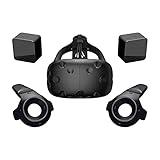
- FLEXIBLE PLAY AREA - Use VIVE seated, standing or in a space up to 11'5" x 11'5". SteamVR Tracking provides the most ideal experience possible, so play the way that works for you.
- FULLY IMMERSIVE - Realistic movement and actions from precise, 360-degree controller and headset tracking with realistic graphics, directional audio and HD haptic feedback in the virtual world
- POWERED BY STEAM VR - Enjoy over 1500 games for SteamVR, plus everything you love about Steam, including new releases, automatic game updates and millions of your closest friends
- PLAY SAFER - The Chaperone system warns you when you reach the boundaries of your play area and the headset's front-facing camera gives you a glimpse of the real-world when you need it
- VIVE VIDEO - An immersive, cinematic VR video player for standard, 3D, 180 and 360 degree videos. Available free on VIVEPORT and Steam.
Include the Intune app version in the fleet qualification checklist and test it alongside the headset firmware, enrollment profile, policies, and required applications.
Common enrollment failures
The supported headset will not enroll
- Confirm the installed firmware meets Microsoft’s minimum.
- Factory-reset the headset.
- Ensure the AOSP profile—not Android Enterprise—was selected.
- Confirm that the device does not unexpectedly require GMS.
- Generate a fresh QR code from the correct Intune tenant and profile.
- Check that the token has not expired or been revoked.
- Verify the Intune app version and network access to Microsoft enrollment endpoints.
- Check that the headset is not already registered with another tenant.
The device enrolls but policies or apps do not work
Check the individual policy’s platform support, the OEM firmware behavior, application packaging, Google-service dependencies, permissions, and Conditional Access requirements. Enrollment confirms the management channel; it does not confirm that every workload is supported.
A firmware update changes behavior
A vendor update can change the Android build, enrollment components, permission behavior, kiosk operation, or app-launch behavior. Maintain a qualification ring: test updates on a small number of headsets before broad rollout, and record the exact firmware version associated with each approved configuration.
Is Intune enough for an XR fleet?
Intune is a strong fit when an organization already uses Microsoft Entra ID and Microsoft security tooling and wants centralized enrollment, compliance, device restrictions, and access control for supported corporate-owned headsets.
It may not replace an OEM-native or XR-specialist management platform. Vendor tools can expose deeper controls for headset configuration, immersive-content distribution, VR-store operations, or XR-specific modes. The trade-off is another console, additional licensing, and potentially separate identity and compliance workflows.
Android Enterprise may be preferable for supported GMS devices and standard Android Enterprise modes, but it is not a substitute for AOSP eligibility on a no-GMS headset. Organizations should compare the exact device, application dependencies, identity requirements, XR controls, and operational overhead before choosing a management architecture.
Quick Recap
Deployment decision checklist
- Is the exact HTC or PICO model on Microsoft’s supported AOSP list?
- Does its firmware meet Microsoft’s listed minimum?
- Is the device corporate-owned and intended solely for work?
- Does the headset genuinely use the required no-GMS AOSP configuration?
- Should it be user-associated or userless?
- Can the required applications run without Google dependencies?
- Have the actual policies and XR workflows been tested on the intended firmware?
- Can the organization protect QR codes and manage token replacement?
- Does the fleet need an OEM or XR-specialist platform alongside Intune?
Product prices and availability are accurate as of the date/time indicated and are subject to change. Any price and availability information displayed on Amazon at the time of purchase will apply.

