What’s actually slowing this PC down?
Pick the symptom - the matching free tool is one click away.
Some links on this page are affiliate links: if you buy through them we may earn a commission, at no extra cost to you.
Verdict: The iKOOLCORE R2 Max makes the most sense as a compact 10GbE router, firewall, or virtualization host. Its four Ethernet ports and two NVMe slots give it unusual flexibility, but limited storage expansion and Marvell driver considerations make it a less convincing choice as a turnkey NAS. Check the exact processor, cooling, memory, and operating-system compatibility of the unit on sale: the R2 Max has changed since the N100/N305 systems tested in 2024.
What the iKOOLCORE R2 Max is—and which version this review covers
The R2 Max is a small x86 computer built around networking rather than the usual mini-PC priorities. Its defining feature is the combination of two Marvell AQC113C 10GbE ports and two Intel i226-V 2.5GbE ports. It also has two M.2 NVMe slots, a TF/microSD slot, one DDR5 SO-DIMM slot, HDMI and USB-C display output, and USB ports. The metal enclosure measures 15.6 × 11.8 × 4.0 cm and weighs about 1,050 g according to the manufacturer’s specifications.
That mix suits a router, firewall, network-services box, or small hypervisor. It is not laid out like a conventional NAS: there are no hot-swap bays or native SATA drive connections, and the two internal SSD positions are the main storage expansion. The R2 Max is a more capable networking platform than a typical office mini PC, but it is not a small multi-bay storage server.
Quick wins for a faster PC:
Repair Windows errors before they cause bigger problemsFix Now →Fix the driver behind crashes, sound loss and screen glitchesFind Drivers →Clear out junk files and repair common Windows errorsFree Scan →“R2 Max” does not identify one fixed configuration. Independent reviews from 2024 covered Intel N100 and Core i3-N305 systems, with both fanless and actively cooled options at the time. Later coverage described a move to Twin Lake processors, including N150 and Core 3 N355, and a fanless production direction. The current product page lists N150 and N350 options. These names and configurations vary across generations and listings, so treat benchmark results as specific to the hardware tested—not as a guarantee for every R2 Max now offered. Before buying, confirm the exact CPU, cooling design, RAM, SSD, power adapter, and BIOS revision with the seller. See the Liliputing review and ServeTheHome’s hands-on coverage for the older configurations.
#1 Best Overall
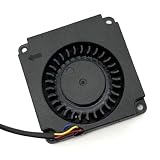
- Note: Even if the model numbers match, the fans may be incompatible if they are manufactured by different companies.
- Before purchasing, please verify that the manufacturer and part number of your original fan are correct.
- If you have photos of your old fan after removal, please send them to us for verification.
It is also distinct from the smaller R2: the Max’s selling points include four Ethernet ports and two NVMe slots rather than a basic two-port 2.5GbE layout. The extra network and storage options come with a larger enclosure and more configuration complexity.
Hardware: four Ethernet ports, two NVMe slots
- Networking: two 10GbE copper ports using Marvell AQC113C controllers, plus two 2.5GbE ports using Intel i226-V controllers. The manufacturer identifies the interfaces as PCIe-connected.
- Storage: two M.2 NVMe positions and one TF/microSD slot. The current specification calls the M.2 slots 2280 and says each supports drives up to 8TB; confirm the exact revision and included thermal hardware before ordering SSDs. Older reviews and teardown material discuss different drive sizes or supplied hardware, so do not assume every revision is identical.
- Memory: one DDR5-4800 SO-DIMM slot, operating in single-channel mode. The primary specification lists 32GB as the maximum, while the manufacturer also mentions testing higher-capacity Samsung modules. Treat memory above 32GB as unofficial and dependent on the exact unit.
- Other I/O: two USB-A ports rated at 5Gbps, one USB-C port rated at 10Gbps with display support, HDMI 2.1, and a microSD/TF slot. The maker lists display output up to 4K at 60Hz; that capability does not make this primarily a desktop-performance system.
- Firmware and power: AMI EFI BIOS features listed by the maker include auto power-on, Wake-on-LAN, and PXE boot. Input is specified at 12–19V; check whether the selected SKU includes the appropriate adapter.
The official page listed the R2 Max at $369 when checked, with selected configurations unavailable or sold out. Price and stock are volatile, and that figure is not a promise of present availability. Barebones cost, RAM, SSDs, and any separately purchased adapter all affect the real system cost.
As a 10GbE router or firewall
This is the R2 Max’s strongest role. In a direct, single-direction iperf3 test on an older N100 system, CNX Software measured about 9.41Gbps—close to the practical ceiling of a 10GbE link. That is strong evidence that the hardware can make good use of 10GbE under suitable conditions, but it is one test, not a guaranteed file-transfer speed or a measure of every routing workload. Read the CNX Software test and configuration details.
Router performance depends on more than link speed. Small packets, bidirectional traffic, NAT and firewall rules, VPN encryption, IDS/IPS inspection, and the number of interfaces and virtual machines in the path can all change throughput. A bare-metal Linux result should not be used to predict performance from a firewall running as a VM. CNX recorded lower results in its virtualized pfSense tests on N100-era hardware: approximately 7.26Gbps download and 3.18Gbps upload in separate directions, and about 3.33/2.36Gbps in a full-duplex test. These historical results are useful context, not a forecast for every CPU generation or software release.
The two 10GbE ports use Marvell AQC113C controllers, which are the key compatibility question. Linux-based systems were more straightforward in independent testing. ServeTheHome reported that the 10GbE ports did not work out of the box in the pfSense or OPNsense testing of that period, as FreeBSD driver support was still evolving. That does not prove the ports cannot work with a later release or driver, but it does mean that a product-page operating-system list is not the same as a guarantee of plug-and-play support on all four interfaces. If you need pfSense or OPNsense, verify the exact release and hardware revision before relying on it, and keep a recovery or management path available.
For multigigabit copper, confirm the switch, cabling, and negotiated speed in your own setup. A 10GbE port may negotiate at a lower supported rate, but compatibility depends on the connected equipment and link conditions. Jumbo frames help only when every device along the path is configured for the same MTU. Copper 10GbE links can also add heat; do not assume a particular temperature or cable outcome without testing the installed arrangement.
Rank #2

- Power Specification: Input Voltage: 100~240V Input Frequency: 50~60HZ
- Compatible with iKoolCore R2 Max 12VDC DC12V 12volt 12.0 Volts Barrel Connector Switching Power Supply Cord Charger Cable PSU Mains
- Features: Low interference and noise. Advanced technology and high quality. High efficiency and reliability
- Safety& Reliability: PowerHOOD products has been tested many times for providing protection, featuring overcharging, overheating, overvoltage and short circuit protection, which will charge your devices efficiently and keep you and your devices safe
- Warranty: We offer 14-Days money-back guarantee and 30-Days exchange service. If you have any questions, please feel free to contact us, we'll reply within 24 hours
Choosing an operating system
- Ubuntu, Debian, and other Linux distributions: Strong starting points for broad driver compatibility, general server duties, and direct network testing. ServeTheHome reported working networking under Ubuntu 24.04.
- Proxmox VE: A natural choice for a lab host that will run a router VM alongside Linux services. Proxmox VE 8.3 was used in CNX Software’s historical review; use the current installer and documentation when setting up a new system rather than treating 8.3 as the current release.
- OpenWrt: A good fit for routing, VLANs, and firewalling. Distinguish standard OpenWrt from an iKOOLCORE-provided image or fork, and check the relevant image and driver guidance in the R2 Max coverage and documentation references.
- pfSense and OPNsense: Potential options, but not the lowest-risk choice if you expect every port to work immediately. Confirm current AQC113C support for the exact release and board revision before deployment.
- Unraid and storage-focused Linux: The manufacturer lists Unraid among supported systems, but software compatibility does not add drive bays or SATA ports. Plan for the two internal NVMe slots and any external storage separately.
The manufacturer also lists Windows and VMware ESXi among supported operating systems. Such support claims do not by themselves establish that every feature or network controller works equally well in every version. Verify the required drivers and intended configuration before making an appliance dependent on them.
Crashes, No Sound, or Screen Glitches?
Random freezes, missing sound and display glitches usually trace back to one bad driver. Find and replace yours safely.Free scan · under a minutePC Slower Than It Used to Be?
A free scan shows the junk files, broken settings and background clutter dragging Windows down - then fixes them in one click.Free scan · Windows 10 & 11Proxmox and virtualization: useful, with a finite budget
The R2 Max can combine a router VM, DNS and DHCP, Home Assistant, monitoring, a lightweight Linux server, or a lab environment. A faster processor and enough memory make that combination more practical, but the platform is still a compact, low-power system rather than a many-core server. Heavy IDS/IPS at high throughput, numerous active VMs, full-speed virtual network paths, and storage workloads competing with routing are less comfortable workloads.
CNX Software’s tests illustrate the distinction between direct network performance and virtualized performance: the N100 platform came close to 10GbE in a direct test, but results fell in some pfSense VM and multi-VM configurations. If you virtualize the router, decide whether to use PCI passthrough or virtual bridges based on your desired isolation and management model. Either approach adds troubleshooting complexity. Reserve CPU and RAM for the hypervisor and network appliance, and test the actual workload—including traffic in both directions—before depending on it.
A single box hosting the firewall, storage, and home services is convenient, but it concentrates failure. A failed update, hardware fault, or hypervisor problem can take down internet access and local services at once; if storage is also on that machine, it can interrupt access to data too. Keep backups elsewhere and have a way to restore basic routing without the host if network uptime matters.
Installing Proxmox and checking the link
CNX’s review used Proxmox VE 8.3 and made a management interface during setup. A historical example of writing that installer image to a USB device is:
sudo dd bs=1M conv=fdatasync
  if=./proxmox-ve_8.3-1.iso
  of=/dev/sda
Warning: dd overwrites the destination. /dev/sda is only an example and may be a different device—or a system drive—on your computer. Identify the USB device carefully before running any write command. The review’s dashboard address, https://192.168.4.253:8006, was specific to its network, not a default IP address for the R2 Max.
Rank #3

- Country of Origin: China
- Note: Fan wiring sequences vary widely and are incompatible with each other. The fan interface wiring sequence must be checked before shipment. Please send us a diagram of the fan front and back, along with the interface wiring sequence, for verification.
- If you have disassembled pictures, please send them to us for verification.
On Linux, check the interface name and negotiated link speed with:
ethtool enp8s0 | grep SpeedIn the cited test, a 10GbE port reported Speed: 10000Mb/s. Your interface name may differ. To measure traffic between the R2 Max and a suitably equipped server, run iperf3 at the peer and then try:
iperf3 -t 60 -c <server-ip> -i 10That command measures a 60-second client-to-server test, with results printed at 10-second intervals. It does not automatically test full duplex, VPN, firewall inspection, or file-sharing performance. A negotiated 10GbE link is not the same as 10Gbps of application data.
Do these 3 things before closing this tab:
1Fix the driver behind crashes, sound loss and screen glitches2Repair Windows errors before they cause bigger problems3Scan for outdated or missing drivers - takes under a minuteCan it work as a NAS?
Yes, it can host storage software and serve files, especially if the goal is a tiny system with a pair of NVMe drives and other services. Two internal SSDs can support a mirrored data pool or separate system and data drives, and 10GbE provides useful bandwidth for fast storage when the rest of the network and drives can keep up. But those attributes do not make it equivalent to a conventional multi-bay NAS.
The limits are practical: there are no hot-swap bays or native SATA expansion, no ECC memory is identified in the specifications, and memory is single-channel with an official listed maximum of 32GB. NVMe drives in a compact enclosure need sensible thermal planning. If you attach storage over USB, you add another connection and enclosure rather than gaining built-in NAS drive bays. A mirror can protect against a single drive failure, but it is not a backup.
Liliputing reported an out-of-memory failure while transferring a 4GiB file to a NAS virtual machine and advised against the device as a NAS in that test setup. Take the result seriously as a warning about memory pressure, but not as proof that every R2 Max configuration will fail at file serving. The outcome can depend on available RAM, VM allocation, file system and cache behavior, swap, and other services running at the same time. A storage VM running ZFS alongside a router and media services is a very different load from a modest file server on bare metal.
Rank #4
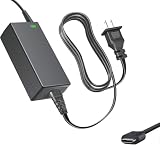
- Product Type: Replacement AC Adapter
- Input: 100–240V 50/60Hz Output: 12V
- Certification: ETL Listed, with FCC,CE,ROHS certified
- Compatibility: iKOOLCORE R2 / R2 Max mini PC and Router 12VDC DC12V 12volt 12.0 Volts GA-0481204000 Switching Type-C Charger Power Supply Cord Cable PSU; iKOOLCORE R2 / R2 Max mini PC and router 12VDC DC12V 12volt 12.0 Volts GA-0481204000 Switching Type-C Charger Power Supply Cord Cable PSU Mains
- Protection: OVP / OCP / SCP
If you test storage performance, record whether the NAS runs bare metal or in a VM, installed and allocated RAM, file system, swap availability, active services, transfer protocol, and test-file size. Monitor SSD temperatures under sustained writes. For a storage experiment, use two matching, adequately cooled NVMe drives if you want a mirror, keep a separate backup, and avoid sizing the system so tightly that the hypervisor and storage workload compete for memory. For large arrays, easy drive replacement, or storage-first reliability, choose a purpose-built multi-bay NAS or a system with native SATA connectivity instead.
Free tools Windows power users keep installed
One-click scans. No signup required.
Memory and configuration recommendations
- Basic router or firewall: 8GB can be enough for a simple, focused setup. Choose it only if the required operating system and interfaces are confirmed, and avoid piling on virtual machines.
- Router plus a few services: 16GB is a more sensible starting point for a modest mixed workload.
- Proxmox lab or storage experiment: Prefer 32GB for several containers or VMs, media services, or a small storage workload. Confirm the official limit for the particular system.
- Above 32GB: Do not assume 64GB is officially guaranteed. The manufacturer’s specification lists 32GB maximum despite separately mentioning tests with higher-capacity modules.
For SSDs, confirm whether the unit takes your intended M.2 length and includes the needed mounting and thermal hardware. The current product page specifies two M.2 2280 slots; older coverage describes different drive arrangements or supplied hardware. The maker’s claim of up to 8TB per slot is a specification, not independent validation of every drive model, temperature profile, or RAID setup.
Buying advice: who should choose it?
Buy the R2 Max if you specifically need multiple copper 10GbE and 2.5GbE ports in one compact x86 box, want a flexible router or network-services host, or plan a modest Proxmox lab and are comfortable checking drivers and tuning the setup. The combination is distinctive and can avoid the integration work of adding a 10GbE card to a generic mini PC.
Look elsewhere if your priority is a turnkey NAS with several replaceable drives, ECC memory, enterprise storage features, redundant power, or guaranteed out-of-box FreeBSD firewall support. A generic mini PC plus a 10GbE adapter may cost less but brings its own integration and thermal questions. A used small-form-factor business PC can offer more expansion at the cost of footprint, noise, and power. A dedicated firewall appliance may be a better fit when firewall support matters more than having a general-purpose hypervisor. Compare the full configuration and support terms, not only the chassis price.
For an unattended installation, the listed auto power-on, Wake-on-LAN, and PXE settings can be useful. If you update BIOS, follow the official R2 Max BIOS procedure: use a FAT32 USB drive and the correct archive, copy its extracted EFI folder to the drive root, disconnect SSDs, USB storage, and TF cards, connect a monitor, and boot with the USB inserted. Do not interrupt power during an update. Never flash firmware intended for a different processor, board revision, or R2 Max generation.
Recommended Free Tools
Finally, check the actual SKU’s cooling. The product’s history includes actively cooled and fanless systems, while current listings and later coverage describe different cooling directions. The official page and reviews do not make every generation’s fan arrangement interchangeable. If silence, sustained throughput, or SSD temperatures are important, confirm the precise unit rather than relying on the model name alone.
Quick Recap
Product prices and availability are accurate as of the date/time indicated and are subject to change. Any price and availability information displayed on Amazon at the time of purchase will apply.

