Some links on this page are affiliate links: if you buy through them we may earn a commission, at no extra cost to you.
Short answer: iPhone does not have a Recently Deleted folder for Phone call history. First check the Phone app’s filters and your carrier’s records. To restore the deleted entry in the Phone app, Apple’s documented method is to restore the entire iPhone from an iCloud or computer backup made before the deletion. Back up your current iPhone before attempting that restore.
First, check whether the call is hidden
A call may be missing from the list without having been deleted. The Phone app can use different layouts depending on your iOS version and settings.
| # | Preview | Product | Price | |
|---|---|---|---|---|
| 1 |

|
Phone Recovery Stick Cell Phone Data Backup & Analysis Device for Android | $149.00 | Buy on Amazon |
| 2 |
|
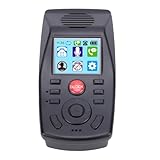
Fafeicy Landline Call Blocker with Call Recording | $92.66 | Buy on Amazon |
Unified layout
- Open Phone.
- Tap Filter.
- Check Calls, Missed, Unknown Callers, and Spam.
- Tap the call or contact to view the available details.
Classic layout
Open the call-history view, choose the relevant category such as All or Missed, then tap the information button beside a call. Apple documents both Phone layouts and their filtering options in its current Phone guide.
Windows Errors? Fix Them Before They Spread
Repair common Windows errors and clear accumulated junk for a smoother, more stable PC - no reinstall needed.Free scan · no reinstallCrashes, No Sound, or Screen Glitches?
Random freezes, missing sound and display glitches usually trace back to one bad driver. Find and replace yours safely.Free scan · under a minuteAlso check whether the call was made through FaceTime, WhatsApp, Signal, or another calling app. Those calls do not necessarily appear in the ordinary cellular call list. Look in the relevant app instead.
#1 Best Overall
- Recover Existing Android Data - Retrieve text messages, call logs, contacts, calendar entries, notes, photos, videos, and more from supported Android phones and tablets. Designed to help access important files and information quickly through an easy-to-use recovery process. Ideal for personal, business, or technical data recovery needs.
- Advanced Search & Data Review Tools - Built-in search functions help locate keywords, symbols, names, and specific records across extracted device data. Review messages, browsing history, app data, media files, and timelines more efficiently without manually sorting large amounts of content. Helps streamline file discovery and organization.
- Runs Directly from the Stick, No Installation Required - The software operates directly from the included recovery device, so no installation is required on your Windows computer. Simple plug-and-use setup makes operation fast and straightforward.
- Unlimited Use with Lifetime License & Updates - Use the Phone Recovery Stick across multiple supported devices with no per-phone usage limits. Includes lifetime license access with software updates to help maintain compatibility over time. A cost-effective solution for ongoing recovery and device access needs.
- Windows Compatible for Supported Android Devices - Compatible with Windows systems and designed to work with many supported Android phones and tablets using a standard data cable. Access available device data through a simple connection process with user-friendly recovery software. For advanced recovery options that may require root access, third-party rooting solutions can be used separately.
Other Apple devices are not guaranteed undeleted copies. If call history is synchronized between devices, changes may appear on more than one device.
Check your carrier’s call records
Your carrier may have separate records for some older or deleted calls. This is not the same as recovering the Phone app entry: carrier records cannot normally repopulate the iPhone’s local call-history list.
- Sign in through the carrier’s official website or app.
- Open a section named Usage, Billing, Call history, or Call details.
- Select the relevant billing period.
- Save or download the record if you need it for business or legal documentation.
What appears varies by carrier, country, plan, account permissions, retention rules, and call type. A portal may show outgoing calls but not incoming calls, or may provide different numbers and timestamps from the Phone app. Wi-Fi calls, calls on another SIM or eSIM, and app-based calls may be recorded differently. Apple says a carrier may have more information about deleted or older calls; it does not promise that every call will be available.
Find a backup made before the deletion
The key question is not whether backup is enabled now. It is whether a usable backup was created before the call was deleted and is still available.
iCloud backup
Apple describes iCloud Backup as a periodic snapshot of device information and settings that are not already syncing to iCloud. It is different from iCloud synchronization. Turning on iCloud Backup now does not recreate a call already deleted from the phone.
Review your available backups in the iPhone’s Apple Account and iCloud backup settings. Menu wording can differ by iOS release, so look for the device’s backup list and its dates and sizes. Apple’s explanation of what iCloud Backup contains is available here.
Mac or Windows backup
Connect the iPhone to the computer used for backups. In Finder on modern macOS or Apple Devices on current Windows, select the iPhone and open Manage Backups. Older Windows installations may use iTunes. Review the dates before choosing anything.
What’s actually slowing this PC down?
Pick the symptom - the matching free tool is one click away.
Apple lists these example local locations:
- macOS:
~/Library/Application Support/MobileSync/Backup/ - Windows with Apple Devices or Microsoft Store iTunes:
%USERPROFILE% - Some older iTunes installations:
%AppData%
See Apple’s backup-management instructions for current steps. If a local backup is important, archive or copy it before experimenting. An encrypted backup may require a password; Apple cannot reveal a forgotten encrypted-backup password.
Restore from an iCloud backup
- Back up the iPhone’s current state.
- If the phone is already set up, erase it so it returns to the Hello screen.
- Follow setup until Transfer Your Apps & Data.
- Choose From iCloud Backup or Restore from iCloud Backup, depending on the displayed wording.
- Sign in with the Apple Account used for the backup.
- Choose a backup dated before the call was deleted, checking its date and size.
- Keep the iPhone connected to Wi-Fi and power while the restore runs.
Apps and other content may continue downloading after setup. A backup made after deletion will not normally bring the entry back. The restore also rolls back much more than one call: it replaces the device’s content and settings with the selected backup state. Apple’s detailed instructions are available for restoring from iCloud and restoring iPhone content from a backup.
Rank #2
- [ENHANCED COMMUNICATION] Experience superior clarity with our Analog Phone Management System, expertly designed to elevate your home or office communication. This device is packed with powerful features to ensure seamless connectivity, making every call an effortless exchange of information.
- [AUTOMATIC CALL RECORDING] Say goodbye to missed details! Our landline phone blocker boasts an automatic call recording function that captures both incoming and outgoing calls. Each file is saved with the relevant phone number and timestamp, giving you easy access to important conversations at any time.
- [PERSONALIZED VOICEMAIL] Enjoy peace of mind with our unique answering function. When you can't answer, callers are effortlessly transferred to voicemail, where they can leave messages. Customize your greeting to provide a warm touch, ensuring every caller receives personal attention even when you're unavailable.
- [INTUITIVE DO NOT DISTURB MODE] Stay focused and eliminate distractions with our convenient Do Not Disturb mode. Schedule specific times for your phone to silence incoming calls or directly redirect them to voicemail, allowing you to maintain productivity during important tasks or meetings.
- [EASY CALL BLOCKING] Effortlessly manage unwanted calls with our one-touch call blocking feature. Add numbers directly from log or input them manually to block persistent callers. This ensures a hassle-free phone experience, giving you control over who can you.
Restore from a Mac or PC backup
Mac using Finder
- Connect the iPhone to the Mac with a USB cable.
- Open Finder and select the iPhone in the sidebar.
- Choose Restore Backup.
- Select a backup created before the deletion.
- Enter the encrypted-backup password if prompted.
- Leave the iPhone connected until restoration and synchronization finish.
Windows using Apple Devices or iTunes
- Connect the iPhone to the PC.
- Open Apple Devices or iTunes, depending on the installation.
- Select the iPhone and choose Restore Backup.
- Choose the relevant backup by date.
- Enter its password if it is encrypted.
- Keep the device connected until the process completes.
This is also a whole-device restore, not a single-call restore. Apple’s current workflow for Finder, Apple Devices, and iTunes is covered in its restore guide.
Independent reader supportYour contribution helps us test, update, and keep practical guides available for everyone.If you cannot erase your current iPhone
If the call matters but erasing your active phone is too risky, consider restoring the backup to a spare iPhone. The spare device’s existing contents may be replaced, so back it up first. You can also preserve or duplicate the local backup before testing it. Apple Support can help with backup and restore failures, but there is no Apple-documented process for selectively extracting one deleted Phone entry from an active iPhone.
Quick wins for a faster PC:
Clear out junk files and repair common Windows errorsFree Scan →Fix the driver behind crashes, sound loss and screen glitchesFind Drivers →Repair Windows errors before they cause bigger problemsFix Now →If there is no suitable backup
If no pre-deletion backup exists and your carrier has no usable record, Apple provides no documented recovery route for the deleted Phone entry. A new backup made after deletion preserves the phone’s current state; it should not be treated as a way to recreate the missing call.
Before considering paid software, search for the information you actually need:
| What you need | Best places to check |
|---|---|
| One phone number | Contacts, Messages, voicemail, previous emails, or the carrier account |
| Date, time, or details of a cellular call | Carrier call-detail records |
| The deleted Phone app entry | A pre-deletion iCloud or computer backup |
| An entire older call list | An older backup or carrier records |
| A FaceTime call | FaceTime-related history and available Apple account records |
| A WhatsApp, Signal, or similar call | The app’s own history or backup |
| Legal or business evidence | Carrier statements, account records, or an official records request |
Are third-party iPhone recovery apps worth trying?
Usually, they should be a last resort—not the first recommendation. Recovery software may inspect a backup, which is different from directly recovering deleted data from a modern locked iPhone. It is not Apple-supported, and success depends on the software, backup type, device, and iOS version.
For example, iMyFone’s own D-Back FAQ says call-history recovery is supported only on iOS 12 and earlier because of Apple’s privacy policy. That limitation is a warning against generic claims that any current iPhone can be scanned reliably for deleted call logs. A product’s free scan or preview is not proof that it can recover or export the call.
Do these 3 things before closing this tab:
1Fix the driver behind crashes, sound loss and screen glitches2Clear out junk files and repair common Windows errors3Scan for outdated or missing drivers - takes under a minuteIf you still evaluate a tool:
- Confirm compatibility with your exact iOS version and backup type on the vendor’s current documentation.
- Prefer a preview that shows the specific call before paying.
- Do not share your Apple Account password, iPhone passcode, or recovery codes with an untrusted program.
- Do not disable security protections merely because software asks.
- Check subscription, cancellation, refund, and privacy terms before installation or payment.
- Be skeptical of “no backup required” claims that do not clearly state current iOS limitations.
Restore troubleshooting
If restoration fails, confirm that the iPhone is connected to power and a reliable Wi-Fi network, that its software is compatible with the backup, and that you selected the correct backup. Try another available backup or network if appropriate. Apple provides additional restore troubleshooting guidance.
Remember the main failure cases: the backup may postdate the deletion, may no longer be available, may belong to another device, or may require an encrypted-backup password you do not have. If the carrier portal shows only general usage, it may not contain the specific record you need.
Quick Recap
What Apple does not provide
- There is no Apple-documented Recently Deleted folder for Phone call history.
- Apple’s iCloud Data Recovery page covers items such as contacts, calendars, and bookmarks—not deleted Phone call history.
- iCloud synchronization should not be confused with an iCloud device backup.
- Restoring a backup is not a selective, one-call undo operation.
Decision guide
| Your situation | Best route |
|---|---|
| The call may only be missing from view | Check Phone filters, categories, and the relevant calling app. |
| You only need proof or call details | Check the carrier portal, bill, or official account records. |
| A pre-deletion backup exists | Make a current backup, then consider restoring it to the iPhone or a spare device. |
| No backup exists, but the carrier may have records | Request the record without changing the iPhone. |
| No backup or carrier record exists | There is no guaranteed Apple-supported way to recover the deleted entry. |
| A recovery app promises modern direct recovery | Verify its exact iOS limitations and privacy terms; do not assume the claim is reliable. |
Product prices and availability are accurate as of the date/time indicated and are subject to change. Any price and availability information displayed on Amazon at the time of purchase will apply.

