Some links on this page are affiliate links: if you buy through them we may earn a commission, at no extra cost to you.
To set or change a TigerVNC password, run vncpasswd as the Linux user who runs the VNC server. Some distributions call the utility tigervncpasswd. The password file’s location varies by package, and an existing-display server such as x0vncserver usually needs that file specified explicitly.
First identify which VNC server you are using
Password setup depends on whether VNC creates a separate desktop or shares a desktop already running on Linux. TigerVNC also has a server for sharing a Wayland compositor.

| Server mode | Typical command | Password handling |
|---|---|---|
| Virtual desktop | vncserver, tigervncserver, or Xtigervnc |
The wrapper typically finds the server user’s default password file. |
| Existing X display | x0vncserver |
Specify the password file with -PasswordFile or -rfbauth. |
| Existing Wayland compositor | w0vncserver |
A different server mode; consult its configuration and security options. |
TigerVNC documents x0vncserver as sharing an existing X display and w0vncserver as making a Wayland compositor accessible. An X11 server that cannot open display :0 may be facing a display or authorization issue, not a password problem.
Create or change the password
-
Confirm which Linux account you are using:
whoami -
Run the password utility as the account that starts the server:
#1 Best Overall
vncpasswdIf that command is unavailable, try the package’s alternate name:
tigervncpasswd -
Enter the password twice when prompted. The utility may then offer an optional view-only password, which allows viewing without normal interactive control where supported.
This VNC password is separate from your Linux login, sudo, and SSH passwords. TigerVNC’s vncpasswd documentation describes the utility and its password-file behavior. The normal interactive mode requires at least six characters, but traditional VNC password authentication uses only the first eight. A longer entry does not strengthen that authentication method by adding more significant characters.
Recommended Free Tools
The utility writes an obfuscated password file, not a secure password hash. Someone who can read the file may recover the password, so use a unique VNC credential rather than reusing an important account password.
Use the right password file
There is no universal path across Linux packages and versions. Current upstream TigerVNC documentation gives the default as $XDG_CONFIG_HOME/tigervnc/passwd, or ~/.config/tigervnc/passwd when XDG_CONFIG_HOME is unset. Older packages, including some Ubuntu versions, use ~/.vnc/passwd. Ubuntu 24.04 documentation and Debian testing documentation describe different defaults, so check the manual for the installed package rather than assuming one path.
List the common locations for your current account:
Rank #2

- True 4K@60Hz simulation — supports full 3840×2160@60Hz resolution (actual output depends on your device's specifications)
- Powered directly by the DisplayPort port — no external power supply needed
- Ultra-compact and lightweight — 43 × 21 × 10mm and only 12g for easy installation anywhere
- Plug & play simplicity — no drivers, no software, hot-plug stable
- Premium Build & Reliability: Aluminum alloy housing, fabric-braided cable – built for 24/7 professional use
ls -l ~/.config/tigervnc/passwd ~/.vnc/passwd 2>/dev/nullTo create a file at a chosen path explicitly, use a path supported by your installed utility:
mkdir -p "$HOME/.config/tigervnc"
vncpasswd "$HOME/.config/tigervnc/passwd"
chmod 600 "$HOME/.config/tigervnc/passwd"
The utility normally sets owner-only permissions itself; chmod 600 is a way to enforce them if the file was copied or moved. The file should belong to the server account and should not be made readable by other users to work around a permissions error.
Check the installed command’s manual pages for its accepted options and package-specific defaults:
man vncpasswd
man vncserver
man tigervncserver
Run the server with that password file
Virtual TigerVNC desktop
A virtual desktop such as display :1 typically uses the VNC user’s default password file automatically. To select a file explicitly, use the option supported by your wrapper:
vncserver :1 -PasswordFile "$HOME/.config/tigervnc/passwd"Some packaged versions use the older option spelling and path:
Quick wins for a faster PC:
Fix the driver behind crashes, sound loss and screen glitchesFind Drivers →Repair Windows errors before they cause bigger problemsFix Now →Scan for outdated or missing drivers - takes under a minuteDriver Scan →tigervncserver :1 -rfbauth "$HOME/.vnc/passwd"With the usual VNC port convention, display :1 commonly maps to TCP port 5901 and display :0 to 5900. A service wrapper, socket activation, or custom port setting can change where a server actually listens.
Rank #3
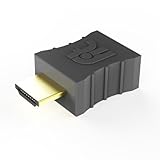
- Display emulator for remote desktop access
- Supports up to 1080p resolution. For higher resolutions up to 4K - check fit-Headless 4K
- Works with any operating system, no software installation required
- Plugs into HDMI port, does not require additional power
- Works with Mac Mini, CompuLab fit-PC and Intense PC and with any other computer
Sharing an existing X display with x0vncserver
Pass the file explicitly when starting x0vncserver:
x0vncserver
  -display :0
  -PasswordFile "$HOME/.config/tigervnc/passwd"
The equivalent older option is:
x0vncserver
  -display :0
  -rfbauth "$HOME/.config/tigervnc/passwd"
If your package created ~/.vnc/passwd, substitute that path. Do not routinely supply a plaintext password with the -Password command-line option: TigerVNC warns that passing it directly is insecure and recommends a password file. See the x0vncserver manual for server options.
The X display also has its own access controls. If the process cannot open the display, it may need the correct display number and X authorization environment, including DISPLAY and XAUTHORITY. Those are separate from VNC password setup.
The Tool Desk
Outbyte Driver Updater FREEScan for outdated or missing drivers - takes under a minuteDriver Scan →Outbyte PC Repair FREEClear out junk files and repair common Windows errorsFree Scan →Make sure the server uses the same Linux account
Creating a password as the wrong user is a frequent cause of rejected credentials. For example, sudo vncpasswd may create a file under root’s home directory even though the VNC service runs as another account. The TigerVNC server setup HOWTO says to create the password as the user who will run the server.
For a service intended to run as alice, switch to that account and create the file there:
sudo -iu alice
vncpasswd
Inspect ownership and permissions with the paths that exist on your system:
Rank #4
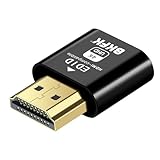
- 4K@60Hz HDR VIRTUAL DISPLAY: This BKFK HDMI EDID emulator uses EDID emulation to keep a virtual screen active without a physical monitor. It supports up to 3840×2160 at 60Hz (4:2:0) and 1920×1080 at 120Hz, helping enable smoother hardware-accelerated remote desktop, video editing, rendering, and development workflows. Available display modes may vary by GPU and operating system.
- BUILT FOR HEADLESS PC SETUPS: This dummy HDMI plug is designed for remote-deployed PCs, home servers, SOHO systems, colocation environments, and mini servers. It provides a persistent display target for remote management without keeping a physical monitor connected, helping reduce desk space, monitor power use, and the cost of maintaining dedicated displays.
- PLUG & PLAY HDMI EMULATOR: No drivers, software, external power supply, or configuration utility required. Simply insert it into an HDMI output and select a supported resolution in your operating system. Ideal for unattended PCs, remote access, screen sharing, simulations, workstation rendering, and other headless applications. Not an HDMI transmitter or receiver.
- ALUMINUM HOUSING WITH STATUS LED: The compact BKFK HDMI dongle features a durable aluminum shell for improved heat dissipation and everyday wear resistance. An integrated LED provides a quick visual indication of connection status, while the low-profile design is suitable for long-term use with home labs, server racks, workstations, and remotely managed computers.
- WIDE SYSTEM COMPATIBILITY: Works with most HDMI-equipped desktops, laptops, mini PCs, and discrete graphics cards running Windows, macOS, Linux, and other common operating systems. Suitable for remote desktop, VNC, game streaming, screen sharing, VR setups, home servers, and virtual display workflows. Connect to an HDMI output for use.
stat -c '%A %U:%G %n'
  "$HOME/.config/tigervnc/passwd"
  "$HOME/.vnc/passwd" 2>/dev/null
The file should be owned by the account running VNC and typically have mode 0600. Do not expose it to other users to solve a service access problem; correct the service user or configured file path instead.
Restart the server after changing the password
Some setups may pick up a changed file without a restart. TigerVNC documents that x0vncserver accesses its password file when new connections arrive. Because wrappers and service configurations vary, restarting is the most predictable way to apply a change when clients still reject it.
For a manually started virtual display:
vncserver -kill :1
vncserver :1
For systemd-managed services, use the service that actually starts your server:
sudo systemctl restart vncserver@:1.servicesystemctl --user restart x0vncserver.serviceThose unit names are examples; installations may use different names. Check the active unit and its command before restarting or editing it.
Independent reader supportYour contribution helps us test, update, and keep practical guides available for everyone.Troubleshoot a password that is not accepted
-
Verify the server’s authentication configuration. A server using
SecurityTypes Nonedoes not require the traditional VNC password; PAM, username-based, and other security types are distinct mechanisms. TigerVNC’s server manual documents security-type options. PAM or username-based authentication is not enabled merely by runningvncpasswd.Free tools Windows power users keep installed
One-click scans. No signup required.
Special offer. See more information about Outbyte and uninstall instructions. Please review EULA and Privacy policy. -
Check the active command or service for its password-file option. Look for
-rfbauthor-PasswordFileand compare the path with the file you changed:Best Value
 HDMI Dummy Plug 4 Pack for Remote Using PC Computer without Actual Monitor
- True 4K@60Hz HDR Performance: Herfair HDMI Dummy Plugs supports 4K Ultra HD resolution at 60Hz (4:2:0), by activating the GPU to create a virtual display, it ensures high-performance remote desktop operations, smooth video editing and efficient game development without lags. Downward support 1080P@120Hz
- Ideal for Headless PC Setups: Perfect for server farms, colocation centers, SOHO, game streaming, VR setups, mining and home servers, this Herfair edid emulator is the best solution for remote-deployed headless PCs. It maintains system stability without the power consumption and cost of a physical display, optimizing your workspace for remote management
- Effortless to Rmote Control Your Device: Herfair virtual monitor emulator supports plug-and-play functionality and requires no extra drivers or power cables, designed for maximum convenience that provides a stable virtual display environment for cryptocurrency mining, video editing, stock trading, and game AFK (away from keyboard)
- Bright LED Indicator: Designed for durability, this Herfair hdmi dummy plug 4k integrated blue LED light that allows you to monitor the connection status at a glance, combining aesthetics with practicality. It also features a sturdy aluminum alloy shell that enhances heat dissipation to prevent overheating during intensive tasks, as well as wear-resistant construction ensures long-lasting use
- Wide System Compatibility: Herfair dummy hdmi universally compatible with any discrete graphics card, laptop, PC or device with an HDMI output. It works seamlessly with Windows, macOS, Linux, and other mainstream operating systems. Dummy hdmi plug provides a stable virtual display solution across all your platforms, such as RustDesk/TeamViewer/Sunshine+Moonlight/Parsec/VNC Applications.
ps -ef | grep -E '[X]vnc|[v]ncserver|[x]0vncserver'
systemctl cat vncserver@:1.service
systemctl --user cat x0vncserver.service
Use the service inspection command appropriate to your setup.
-
Confirm the file, user, and permissions. The server process must be able to read the file, and it should belong to the user running that process. To locate common defaults:
echo "$XDG_CONFIG_HOME" find "$HOME" -maxdepth 3 -type f ( -path '*/.vnc/passwd' -o -path '*/.config/tigervnc/passwd' ) -ls -
Check the connection target. Make sure the client is connecting to the expected host, display, and port—not another VNC session with a different password.
Recommended: Update Every Outdated Driver on Your PC in One Scan - Free →Recommended: PC Feels Slow? A Free Scan Shows What's Dragging Windows Down →Recommended: Crashes or Glitches? A Free Driver Scan Usually Finds the Culprit →Special offer. See more information about Outbyte and uninstall instructions. Please review EULA and Privacy policy. -
Rule out client-side and input issues. Clear any saved client credential and try entering the password again. Keyboard-layout differences can alter punctuation. If using traditional VNC authentication, remember that only its first eight characters are significant.
-
Restart and inspect logs if needed. Check status and logs for the actual system service:
systemctl status vncserver@:1.service
journalctl -u vncserver@:1.service -b
For a user service:
systemctl --user status x0vncserver.service journalctl --user -u x0vncserver.service -
Separate display errors from password errors. If
x0vncservercannot open:0, check whether an X11 session is running, whether the display number and authorization cookie are correct, and whether the server is running as the right user. For a Wayland session, investigate a compatible method such asw0vncserverrather than treating the X11 display error as a bad password.
If a short password is rejected by the standard interactive utility, use at least six characters; its filter mode can accept shorter or empty passwords, but bypassing the normal safety check is not appropriate for ordinary administration.
PC Slower Than It Used to Be?
A free scan shows the junk files, broken settings and background clutter dragging Windows down - then fixes them in one click.Free scan · Windows 10 & 11Crashes, No Sound, or Screen Glitches?
Random freezes, missing sound and display glitches usually trace back to one bad driver. Find and replace yours safely.Free scan · under a minuteProtect the connection, not just the password file
A password prompt authenticates a client; it does not by itself establish that the desktop session is encrypted. Keep the password file private, do not commit it to Git or put it in a shared directory, and do not use a valuable Linux or administrator password as the VNC credential. Avoid forwarding raw VNC ports directly to the public Internet. Safer deployment choices include restricting access with a firewall or VPN, tunnelling VNC over SSH, or using a suitable TLS-enabled TigerVNC security type supported by both server and client.
Quick Recap
Product prices and availability are accurate as of the date/time indicated and are subject to change. Any price and availability information displayed on Amazon at the time of purchase will apply.

