Some links on this page are affiliate links: if you buy through them we may earn a commission, at no extra cost to you.
To stop a managed Windows 10 PC from using public Windows Update locations, enable Do not connect to any Windows Update Internet locations in Group Policy. It is intended for computers configured to get updates from WSUS or another intranet update service—not as a general internet-blocking switch or a way to turn off updates. Configure Specify intranet Microsoft update service location as well; Microsoft says the restriction depends on that policy.
Important: Windows 10 reached the end of ordinary support on October 14, 2025. This setting can still matter for legacy or eligible Extended Security Updates (ESU) fleets, but it does not extend Windows 10 support or replace an upgrade and servicing plan.
What the policy does—and what it does not do
When a Windows Update client is configured to use an intranet update service, it may otherwise periodically contact public Windows Update services. The policy restricts that public-update path. It can also remove the user-facing option to check online for updates from Microsoft Update and prevent applications using Windows Update Agent APIs from explicitly choosing that public source. See Microsoft’s Windows Update policy reference and WSUS Group Policy guidance.
This is not a firewall rule, an internet kill switch, or a comprehensive privacy control. It does not guarantee that Windows or other Microsoft products make no internet connections. It also does not independently disable Delivery Optimization, which controls how update content is sourced and shared. For peer-to-peer download settings, see Microsoft’s Delivery Optimization guide; for broader component connections, see Microsoft’s service-connection documentation.
#1 Best Overall
![BENFEI USB 3.0 to Ethernet Adapter, USB C to RJ45 Gigabit LAN (1000Mbps) Network Adapter, Compatible with MacBook/Pro/Air, Surface Pro, Windows 11/10/8/7, Mac OS [Aluminium Shell&Nylon Cable]](https://m.media-amazon.com/images/I/41fk9DHmdwL._SL160_.jpg)
- COMPACT DESIGN - The compact-designed portable BENFEI USB A/C to Ethernet adapter connects your computer or tablet to a router,modem or network switch for network connection. It adds a standard RJ45 port to your Ultrabook, notebook or Macbook Air for file transferring, video conferencing, gaming, and HD video streaming.
- SUPERIOR STABILITY - Built-in advanced IC chip works as the bridge between RJ45 Ethernet cable and your USB A/C devices. The driver-free installation with native driver support in Chrome, Mac, and Windows OS; The USB A/C Ethernet adapter dongle supports important performance features including Wake-on-Lan (WoL), Full-Duplex (FDX) and Half-Duplex (HDX) Ethernet, Crossover Detection, Backpressure Routing, Auto-Correction (Auto MDIX).
- INCREDIBLE PERFORMANCE - Supports full 10/100/1000Mbps gigabit ethernet performance over USB A/C's 5Gbps bus, faster and more reliable than most wireless connections. Link and Activity LEDs. USB powered, no external power required. Backward compatible with USB 2.0/1.1.✅ To reach 1Gbps, make sure to use CAT6 & up Ethernet cables.
- BROAD COMPATIBILITY - The USB A/C-Ethernet adapter is compatible with Windows 11/10/8.1/8/7/Vista/XP, Mac OSX 10.6/10.7/10.8/10.9/10.10/10.11/10.12, Linux kernel 3.x/2.6, Android and Chrome OS.Compatible with IEEE 802.3, IEEE 802.3u and IEEE 802.3ab. Supports IEEE 802.3az (Energy Efficient Ethernet).❌Do Not Support Windows RT. (NOT compatible with Nintendo Switch.)
- 18 MONTH WARRANTY - Exclusive BENFEI Unconditional 18-month Warranty ensures long-time satisfaction of your purchase; Friendly and easy-to-reach customer service to solve your problems timely.
Before you enable it
- Have an internal update service ready. Confirm the computer can reach the organization’s WSUS or other intranet update service, and that the service has the required updates approved and available. With no public fallback, a broken or unreachable internal service can leave scans or downloads failing.
- Configure both policies. Enable Specify intranet Microsoft update service location with the correct service URLs, then enable the no-public-locations policy. Microsoft says the latter has no effect unless the intranet-service policy is enabled.
- Do not disable Configure Automatic Updates in a way that stops the client operating. Microsoft’s policy guidance warns that disabling or not configuring this policy can make the no-public-locations restriction ineffective.
- Apply it at computer scope. Use domain Group Policy, MDM, Configuration Manager, an imaging baseline, or local policy as appropriate. Check for competing settings that may overwrite it.
- Consider edition and management limits. Local Group Policy Editor is generally available on Pro, Enterprise, Education, and related business editions; Windows 10 Home normally does not include the full editor. A registry value can be created on Home, but that does not provide a managed WSUS setup or make it equivalent to centrally administered policy.
- Account for Windows 10’s lifecycle. Windows 10 22H2 is the final general-release version, and ordinary support ended October 14, 2025. Some devices may qualify for ESU, subject to applicable terms. Check Microsoft’s Windows 10 lifecycle and support-ending notice. Restricting update sources is not a substitute for migration, replacement, or eligible extended servicing.
Set the policy in Group Policy
On a standalone supported edition, sign in with administrative privileges and run gpedit.msc. For a domain-managed fleet, edit the appropriate Group Policy Object through Group Policy Management instead of relying on a local setting.
- Go to Computer Configuration > Administrative Templates > Windows Components > Windows Update > Manage updates offered from Windows Server Update Service.
- Open Specify intranet Microsoft update service location, set it to Enabled, and enter the organization’s update-service URLs in the fields shown.
- Open Do not connect to any Windows Update Internet locations and set it to Enabled.
- Apply the policy. On a client, refresh policy from an elevated Command Prompt:
gpupdate /forceFollow your organization’s deployment procedure if it requires a restart. These settings control the Windows Update client; they do not configure or repair the WSUS server itself.
Set the registry value
For local scripting or a narrowly targeted deployment, the policy maps to this computer-level value:
Free tools Windows power users keep installed
One-click scans. No signup required.
Rank #2

- 𝐇𝐢𝐠𝐡-𝐒𝐩𝐞𝐞𝐝 𝐔𝐒𝐁 𝐄𝐭𝐡𝐞𝐫𝐧𝐞𝐭 𝐀𝐝𝐚𝐩𝐭𝐞𝐫 - UE306 is a USB 3.0 Type-A to RJ45 Ethernet adapter that adds a reliable wired network port to your laptop, tablet, or Ultrabook. It delivers fast and stable 10/100/1000 Mbps wired connections to your computer or tablet via a router or network switch, making it ideal for file transfers, HD video streaming, online gaming, and video conferencing.
- 𝐔𝐒𝐁 𝟑.𝟎 𝐟𝐨𝐫 𝐅𝐚𝐬𝐭𝐞𝐫, 𝐌𝐨𝐫𝐞 𝐒𝐭𝐚𝐛𝐥𝐞 𝐃𝐚𝐭𝐚 𝐓𝐫𝐚𝐧𝐬𝐟𝐞𝐫𝐬- Powered via USB 3.0, this adapter provides high-speed Gigabit Ethernet without the need for external power(10/100/1000Mbps). Backward compatible with USB 2.0/1.1, it ensures reliable performance across a wide range of devices.
- 𝐒𝐮𝐩𝐩𝐨𝐫𝐭𝐬 𝐍𝐢𝐧𝐭𝐞𝐧𝐝𝐨 𝐒𝐰𝐢𝐭𝐜𝐡- Easily connect your Nintendo Switch to a wired network for faster downloads and a more stable online gaming experience compared to Wi-Fi.
- 𝐏𝐥𝐮𝐠 𝐚𝐧𝐝 𝐏𝐥𝐚𝐲- No driver required for Nintendo Switch, Windows 11/10/8.1/8, and Linux. Simply connect and enjoy instant wired internet access without complicated setup.
- 𝐁𝐫𝐨𝐚𝐝 𝐃𝐞𝐯𝐢𝐜𝐞 𝐂𝐨𝐦𝐩𝐚𝐭𝐢𝐛𝐢𝐥𝐢𝐭𝐲- Supports Nintendo Switch, PCs, laptops, Ultrabooks, tablets, and other USB-powered web devices; works with network equipment including modems, routers, and switches.
Key:   HKEY_LOCAL_MACHINESOFTWAREPoliciesMicrosoftWindowsWindowsUpdate
Name:  DoNotConnectToWindowsUpdateInternetLocations
Type:  REG_DWORD
Data:  1
Run this from an elevated Command Prompt:
reg add "HKLMSOFTWAREPoliciesMicrosoftWindowsWindowsUpdate" /v DoNotConnectToWindowsUpdateInternetLocations /t REG_DWORD /d 1 /f
gpupdate /force
Or use elevated PowerShell:
$path = 'HKLM:SOFTWAREPoliciesMicrosoftWindowsWindowsUpdate'
New-Item -Path $path -Force | Out-Null
New-ItemProperty -Path $path -Name 'DoNotConnectToWindowsUpdateInternetLocations' -PropertyType DWord -Value 1 -Force
gpupdate.exe /force
Microsoft documents this registry mapping in its Configuration Manager troubleshooting guidance. Creating the value does not set up WSUS, validate the update source, or prevent another management system from changing it. For managed computers, configure and maintain the setting through the authority that manages the device.
Verify policy and update routing
Check both that the setting applied and that the client has a working internal update source. A registry value alone is not proof that the service is reachable or supplying updates.
Generate a computer policy report:
gpresult /h "%USERPROFILE%Desktopgpresult.html"Open the report and inspect the applied computer policies, including the intranet update-service setting and the no-public-locations setting. Then check the registry value:
Rank #3

- USB 3 to Ethernet adapter adds network connectivity to a computer with a USB 3.0 port; The USB to Gigabit Ethernet adapter supports SuperSpeed USB 3.0 data transfer rate up to 5 Gbps for 1000 BASE-T network performance with backwards compatibility to 10/100 Mbps networks; Connect the USB computer network adapters with a Cat 6 Ethernet cable (sold separately) for the best performance
- Wireless alternative USB to RJ45 adapter for connecting to the Internet in Wi-Fi dead zones, streaming large video files, or downloading a software upgrade through a wired home or office LAN; USB 3.0 to Ethernet adapter provides faster data transfers and better security than most wireless connections; Ideal solution for replacing a failed network card or upgrading the bandwidth of an older computer
- Driver free installation with native driver support in Chrome, Mac, and Windows OS; The USB to Network Adapter supports important performance features including Wake-on-Lan (WoL), Full-Duplex (FDX) and Half-Duplex (HDX) Ethernet, Crossover Detection, Backpressure Routing, Auto-Correction (Auto MDIX), Preboot Execution Environment (PXE), Supports MAC address pass-through (MAC clone) with the Cable Matters EZ-Dock utility software (Windows)
- Lightweight Ethernet to USB adapter weighs less than 1 ounce for easy portability in your laptop case; Add a standard RJ45 port to your Ultrabook or MacBook with a USB 3.0 port for file transfers, video steaming and gaming with this USB network adapter
- Chrome & Mac & Windows compatible USB lan adapter for Windows 11/10/8/8.1/7/Vista and MacOS 10.8 and up; The USB Ethernet Adapter 3.0 does not support Windows RT
reg query "HKLMSOFTWAREPoliciesMicrosoftWindowsWindowsUpdate" /v DoNotConnectToWindowsUpdateInternetLocationsOr in PowerShell:
Get-ItemProperty -Path 'HKLM:SOFTWAREPoliciesMicrosoftWindowsWindowsUpdate' -Name DoNotConnectToWindowsUpdateInternetLocationsConfirm separately that the configured internal update service is the intended source and that the client can reach it. Depending on the Windows 10 build and management state, the public “Check online for updates from Microsoft Update” option may be absent or unavailable; its appearance is not identical in every version, so use policy reporting and internal-service checks too.
Quick wins for a faster PC:
Clear out junk files and repair common Windows errorsFree Scan →Scan for outdated or missing drivers - takes under a minuteDriver Scan →Repair Windows errors before they cause bigger problemsFix Now →Undo the change
The preferred Group Policy rollback is to set Do not connect to any Windows Update Internet locations to Not Configured, then refresh policy. Microsoft recommends removing the policy value rather than relying on writing 0 in some troubleshooting scenarios.
To remove the value locally from an elevated Command Prompt:
Rank #4

- Connects a USB 3.0 device (computer/laptop) to a router, modem, or network switch to deliver Gigabit Ethernet to your network connection. Does not support Smart TV or gaming consoles (e.g.Nintendo Switch).
- Supported features include Wake-on-LAN function, Green Ethernet & IEEE 802.3az-2010 (Energy Efficient Ethernet)
- Supports IPv4/IPv6 pack Checksum Offload Engine (COE) to reduce Cental Processing Unit (CPU) loading
- Compatible with Windows 8.1 or higher, Mac OS
reg delete "HKLMSOFTWAREPoliciesMicrosoftWindowsWindowsUpdate" /v DoNotConnectToWindowsUpdateInternetLocations /f
gpupdate /force
Or use PowerShell:
Remove-ItemProperty -Path 'HKLM:SOFTWAREPoliciesMicrosoftWindowsWindowsUpdate' -Name 'DoNotConnectToWindowsUpdateInternetLocations' -ErrorAction SilentlyContinue
gpupdate.exe /force
If the value returns, a domain GPO, MDM profile, Configuration Manager baseline, imaging process, security product, or remediation script is likely applying it again. Find and change the controlling policy rather than repeatedly deleting the local value. Microsoft’s Windows Autopatch conflict guidance describes this value among configurations that can conflict with managed update services.
Independent reader supportYour contribution helps us test, update, and keep practical guides available for everyone.Troubleshooting
The PC gets no updates
First confirm the intranet update-service URL is correct and reachable, then check firewall or proxy rules, certificate configuration if HTTPS is used, client targeting, authentication, update approvals, and whether the server has the needed content. This policy does not fix any of those issues. Because public fallback is restricted, restore the policy to Not Configured while diagnosing only if your organization’s change controls permit it.
What’s actually slowing this PC down?
Pick the symptom - the matching free tool is one click away.
The public-update option remains visible
Confirm the intranet-service policy and the no-public-locations policy are both applied at computer scope. Refresh policy and check gpresult and the registry. Interface behavior can vary by build and management configuration, so do not treat one Settings screen as the sole test.
Best Value
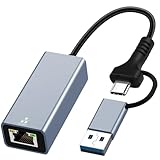
- USB 3.0 and USB Type - C Ethernet Adapter - Designed for connectivity between USB 3.0 and USB-C to RJ45 1000 Mbps Ethernet devices. Provides a stable and reliable wired connection, and adapts to USB 3.0 and Thunderbolt 3. It can help enables faster file transfers, smoother video conferencing and seamless streaming, avoiding the embarrassment of network lag when using WiFi.
- Plug to Play & Safe - No need to install any drivers, provides access to fast network speeds 1000Mbps, say goodbye to the loading and latency, just plug and play, and makes it possible for computers without an Ethernet port to connect to network. Built-in surge protection keeps your devices and data safe, avoid your data interruption during transfer.
- USB 3.0 to Ethernet Adapter - The USB Ethernet adapter with USB 3.0 to RJ45 gigabit Ethernet port can up to 1000Mbps stable connection speeds. Gigabit Ethernet port provides fast network speed for you to online gaming, surf the Internet, online HD video streaming, upload, and download, backward compatible with 100Mbps/10Mbps networks.
- USB C to LAN AdapterS- mall and portable, high-end built-in chip and aluminum shell design, smarter work, more efficient cooling. Ideal for travel use and business trip.
- Package Contents - USB C to Gigabit Ethernet Adapter with USB 3.0. baolongking ethernet adapter with 2 years warranty. If you have any questions about the product, please feel free to contact us
The value changes back or cannot be removed
Check for domain Group Policy, MDM, Configuration Manager, Autopatch, an imaging baseline, or a script that owns the setting. On an enterprise-managed device, resolve the conflict in the management system that reapplies it.
The real goal is stopping peer downloads or reducing bandwidth
This policy controls the public Windows Update service connection path, not peer-to-peer sharing. Configure Delivery Optimization separately if you need to restrict downloads from other PCs. If you only want a temporary delay, use the applicable update pause or deferral controls rather than blocking the public service path.
Choose the control that matches the goal
| Goal | Appropriate control |
|---|---|
| Require updates through WSUS | Configure the intranet update-service location and enable this policy. |
| Stop peer-to-peer update sharing | Configure Delivery Optimization separately. |
| Temporarily delay updates | Use supported pause or deferral controls for the managed edition and update service. |
| Block broader outbound traffic | Use firewall, proxy, DNS, or network controls; this policy is not a general Microsoft endpoint block. |
| Manage a modern fleet centrally | Use an update-management architecture appropriate to the organization, such as Windows Update for Business, Intune, or Configuration Manager. |
| Keep a Windows 10 fleet receiving eligible security updates | Plan migration or replacement, or confirm eligibility and terms for an applicable ESU path. |
Use this setting when a working internal update service is the intended source and public Windows Update access must not be an alternate route. It is a routing and management control—not a permanent Windows Update shutdown, a comprehensive privacy measure, or a replacement for keeping the operating system on a supported servicing path.
Quick Recap
Product prices and availability are accurate as of the date/time indicated and are subject to change. Any price and availability information displayed on Amazon at the time of purchase will apply.

