Quick wins for a faster PC:
Fix the driver behind crashes, sound loss and screen glitchesFind Drivers →Clear out junk files and repair common Windows errorsFree Scan →To add a server-level password prompt before WordPress loads its normal login, protect the /wp-admin/ directory with HTTP Basic Authentication. On Apache, this normally means an authentication block in the applicable .htaccess or server configuration and a separate .htpasswd file. It is a second gate, not a replacement for WordPress accounts, strong passwords, HTTPS, updates, or role controls.
Protecting every request under /wp-admin/ can also break features—WordPress specifically warns about wp-admin/admin-ajax.php—so test the site immediately after enabling it.
What directory protection actually does
When a browser requests a protected URL, the web server displays its own username-and-password prompt first. Only after that server check succeeds can the request reach WordPress’s login page or administration files.
- It adds a perimeter layer: automated requests and other visitors must pass Basic Authentication before WordPress handles the request.
- It does not replace WordPress security: each administrator still needs an individual WordPress account, a strong password, appropriate privileges, and preferably multifactor authentication.
- It is not a complete attack defense: keeping WordPress, plugins, themes, and the server patched remains necessary.
The WordPress hardening handbook describes this as an additional layer and warns that securing the whole directory may break functionality, including the AJAX handler at wp-admin/admin-ajax.php. See WordPress’s hardening guidance.
#1 Best Overall
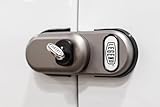
- MAXIMUM SECURITY SLAMLOCK SYSTEM: Engineering meets brute force. The SecuriLock Double SlamLock automatically secures your van doors the moment they close, providing a "set-and-forget" defense against opportunistic break-ins and sophisticated cargo theft. Keep your van safe, and your stuff safer.
- HARDENED STEEL & ANTI-TAMPER DESIGN: Built to withstand extreme conditions, this lock features a heavy-duty hardened steel body. With a specialized Zinc and Nickel coating, it provides superior resistance against cutting, drilling, and corrosion, ensuring your van remains a "no-go" zone for thieves.
- HIGH-SECURITY KEY ACCESS: Each set comes with premium, high-security keys designed with complex pinning to prevent picking or bumping. Experience peace of mind knowing your vehicle is protected by a locking mechanism tested against the most aggressive tampering methods.
- SAFETY-FIRST EMERGENCY RELEASE: Stay compliant and safe. Equipped with an integrated emergency release pin as per state laws and regulations, this lock ensures that anyone inside the cargo area can exit quickly and easily in an emergency.
- UNIVERSAL FIT (WITH NOTED EXCEPTIONS): Designed for a wide range of commercial work vans. PLEASE NOTE: This model is NOT compatible with GM Savana or Chevrolet Express models that feature a sliding side door. Please verify your vehicle’s door type before purchasing.
Check your hosting stack before editing files
The configuration below is Apache syntax. An .htaccess file works only when Apache is serving the site and the host permits per-directory overrides. Do not paste these directives into an nginx configuration, an IIS web.config, or an arbitrary WordPress rewrite block.
| Environment | Where the control is configured | What you need to confirm |
|---|---|---|
| Apache | Applicable .htaccess or server/vhost configuration |
Overrides are enabled, the file is in the correct directory, and the host supports Basic Authentication. |
| nginx | nginx server or location configuration | Your host supplies an nginx-specific recipe; .htaccess is not read by nginx. |
| IIS | IIS authentication settings and, where applicable, web.config |
The host’s current IIS instructions and permission to change authentication rules. |
| Managed hosting | Control panel or a host-operated server setting | Whether the provider exposes directory protection or must apply it for you. |
If you cannot identify the web server or obtain its absolute filesystem paths, ask the host for its current directory-password instructions rather than guessing.
Prepare the password file safely
Basic Authentication reads usernames and password hashes from a separate .htpasswd file. The AuthUserFile value must be the full, absolute server path—not a web URL and not a path guessed from your browser-visible site address.
Rank #2
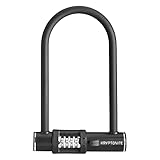
- DURABLE DESIGN: This Anti-Theft bike u lock features a 12mm hardened steel shackle that provides high security against theft. This combo u-lock includes an easy to use 4-digit resettable combination and no keys for you to lose
- MULTI-FUNCTIONAL: This Kryptonite bike lock is ideal to secure your bicycles, sports equipment, gates and fences, tool boxes & ladders, grills & lawnmowers, skateboards, truck bed and more
- PORTABLE SIZE: This is a standard size bicycle u lock which is great for many lock-up scenarios. Size interior locking dimensions are 4" x 8" and exterior locking dimensions are 6.5” x 9.5”
- COMBO SAFE PROGRAM: Register your unique 4-digit combination code on our website and our customer service team will be able to help, should you forget your combination
- LIFETIME WARRANTY AND CUSTOMER SERVICE: Kryptonite is committed to providing our customers with high quality products, ensuring full satisfaction. If you are experiencing any problems with your product, please reach out to our Customer Experience team. We will work to solve your issue as quickly as possible. We provide our locks with a limited lifetime warranty so you can buy your lock with confidence.
- Create the file with your host’s supported tool, such as its control panel or documented command-line utility.
- Place it outside the publicly served document root when the hosting layout permits.
- If it must reside under the document root, configure the server to deny web access to it and verify that requesting its URL returns no credentials.
- Use a unique, long password for the Basic Authentication account; do not reuse a WordPress password.
- Keep a recovery route, such as file-manager or SFTP access, so you can remove the rule if the site becomes inaccessible.
Apache: add Basic Authentication to wp-admin
Back up the existing configuration and adapt the following WordPress-documented pattern to your host. Put it in the configuration context that applies to the wp-admin directory; do not overwrite unrelated WordPress rewrite rules.
What’s actually slowing this PC down?
Pick the symptom - the matching free tool is one click away.
- Confirm the directory: locate the site’s real
wp-admindirectory on the server. - Create the credentials file: make a
.htpasswdfile and add the Basic Authentication username and password. - Record its absolute path: for example, a host-specific path such as
/home/account/.htpasswd. The example below is only a format, not a path to copy literally. - Edit the applicable
.htaccess: add the authentication directives in thewp-admindirectory’s context:
AuthType Basic
AuthName "Password Protected"
AuthUserFile /full/absolute/path/to/.htpasswd
Require valid-user
Satisfy All- Replace the placeholder: change
/full/absolute/path/to/.htpasswdto the verified absolute path and choose a prompt label that identifies the site. - Save and test in a private browser window: open
https://example.com/wp-admin/. You should see the server’s credential prompt before the WordPress login screen. - Test a failed login: cancel the prompt or enter an incorrect password. The request should be denied and should not reach the WordPress login form.
Whether Apache accepts these directives depends on the host’s AllowOverride and authentication modules. A “500 Internal Server Error” after saving commonly means the directives are unsupported in that context, the module is unavailable, or the file contains a syntax/path error. Remove the new block through SFTP or the host’s file manager, then ask the host for the correct context.
Test WordPress features before keeping the lock
Do not stop after confirming that the login prompt appears. WordPress warns that protecting all of wp-admin can interfere with requests that are not ordinary dashboard page loads.
Rank #3

- Additional Home Security: Crafted from sturdy alloy, the door reinforcement lock withstands up to 800 lbs of force, 16 times stronger than a normal deadbolt to against being kicked in
- Easy to Install: Each Door Reinforcement Lock is equipped with total 8 screws including 4 long and 4 short ones, select the appropriate screws, use an electric drill to install within 5 minutes,Drill bit: 1/8" (3.18 mm, common size). Easily add child locks for door. Please check the image to see if our product is suitable for your door
- Easy to Use: Use your thumb and forefinger to pinch both the top and bottom grooves, pull to the side and swing away from the door to open the lock. Reverse the actions to close. You can also see a step-by-step instruction in our pictures
- Safe to Operate in an Emergency: Upgraded design and high-quality springs allow you to quickly open security door locks and evacuate from the inside
- Making Ladies and the Elderly Feel Safer: The sturdy door lock provide extra door lock security for elderly and ladies when they are at home alone. Please note: door reinforcement lock is not suitable for french double doors, garage doors, doors with gaps less than 0.07", outward opening doors, or doors with misaligned frames.
Run an administrator checklist
- Sign in and open the main Dashboard, Posts, Pages, Media, Users, and Settings screens.
- Create, edit, preview, publish, and trash a test item if your workflow depends on those actions.
- Upload media and verify that the media library loads and remains usable.
- Check plugin and theme screens, update checks, scheduled actions, imports, and integrations that run from the dashboard.
- On the public site, test forms, shopping-cart actions, search, comments, previews, and any plugin feature that uses AJAX.
- Inspect the browser’s Network panel and the server error log for failed requests to
admin-ajax.phpor other endpoints.
If a required flow fails, do not add a broad anonymous bypass as a guess. Determine which endpoint needs access, whether it truly belongs under wp-admin, and what narrowly scoped exception your host supports. A host or WordPress professional can help design that exception without removing protection from the entire directory.
Use HTTPS for both prompts
Basic Authentication sends the username and password in an encoded HTTP header, not as an encrypted credential exchange. Serve the administration URL over HTTPS and redirect or disable plain HTTP before relying on the extra prompt. WordPress’s hardening guidance treats HTTPS for administration as the appropriate implementation of this layer.
- Visit the site with an
https://URL and confirm the certificate is valid. - Ensure the server does not permit an unencrypted HTTP request to submit the Basic Authentication credentials.
- Do not place the password in screenshots, shared tickets, shell history, or browser-sync tools.
Common symptoms and safe recovery
The prompt never appears
You may be editing the wrong directory, using an unsupported .htaccess context, or running nginx/IIS instead of Apache. Confirm the server type and the physical path, then use the host’s native instructions.
Rank #4

- 【High-quality Material】- The remote control door lock with anti-rust battery box, the spring is made of special material, durable in use. The locking tab and main parts are stainless steel, no fading. Beautiful appearance and arc design, the lock body is relatively thin.
- 【Induction Lock】- Our deadbolt access control system unlocks by remote control, then closes the door, locks 3 seconds later. (no lock, no lock). The remote control distance is 0-10m. The unlock mode includes remote control unlock and key unlock.
- 【Power Saving Control Mode】- low power consumption, 4 AA batteries can offer about 1 year of work (not include 4 AA batteries). This smart lock has a long service life, 300 thousand lock operations, no wear.
- 【EASY TO INSTALL】 - Easy and firm installation with the external mounting plate. Remote control with digital conversation system, can not be decoded or duplicated. Innovative release and lock tone. It is easy to install without plugging in.
- 【Wide Application】- Remote controls with digital conversation system, cannot be decoded or duplicated. Ideal for office, home, hotel, anti-theft door, hall door, wooden doors, garage door, etc.
The prompt loops or rejects valid credentials
Check the AuthUserFile absolute path, the username entry, file permissions, and whether the password file was generated in the format required by the server. Ask the host to verify the authentication module and logs.
The site returns a 500 error
Remove or rename the new authentication block using SFTP or the hosting file manager, restore service, and inspect the server error log. Do not repeatedly edit live rules without a rollback path.
The dashboard works but a plugin feature fails
Look for blocked AJAX or integration requests, especially calls involving wp-admin/admin-ajax.php. Scope any exception to the exact required request only after understanding its authentication and abuse implications.
Recommended Free Tools
When another control is better
Directory-level Basic Authentication is most useful when you control the server configuration and can test every affected request. If your host does not expose Apache overrides or equivalent controls, use its managed protection feature or request that support configure it. If the goal is to reduce login abuse rather than shield the entire directory, WordPress account hardening, multifactor authentication, rate limiting, a web application firewall, and timely updates may address that goal with fewer compatibility risks. These controls complement rather than replace the server gate.
Quick Recap
Product prices and availability are accurate as of the date/time indicated and are subject to change. Any price and availability information displayed on Amazon at the time of purchase will apply.

