Free tools Windows power users keep installed
One-click scans. No signup required.
Some links on this page are affiliate links: if you buy through them we may earn a commission, at no extra cost to you.
To make a QR code for a Google Form, publish the form, copy its responder link, paste that URL into a QR-code generator, then download and test the code. A QR code does not change who can access the form, so check the responder permissions before sharing or printing it.
Make a QR code for a Google Form: the quick method
- Publish the form. Open it in Google Forms, review its settings, and select Publish. Responders cannot access an unpublished form through its link. See Google’s instructions for publishing and sharing a form.
- Set who can respond. Choose access that fits your audience. A public event form may need broad access; a school or workplace form may be restricted to selected users, groups, or a domain. A QR code cannot bypass those restrictions.
- Copy the responder link. Use Preview → Copy responder link, or copy it from the published form or its sharing controls. Google may offer Shorten URL; using the shortened link is optional.
- Generate the code. In a QR generator, choose a URL or website QR code, paste the responder link, and create the image. A basic static QR code can be made without a Google Workspace add-on.
- Download and test it. Save a sharp PNG for everyday use or SVG if available and you need to resize it for print. Scan the downloaded image and the final printed version before distributing it.
Add a short instruction near the code, such as “Scan to complete the form.” If the audience may have trouble scanning, include a readable copy of the responder link as a backup.
Use the responder link, not the editing link
The QR code should open the version of the form respondents fill out. Do not encode the browser address from the form editor, a collaborator link, a Google Drive file-sharing link, or a linked response spreadsheet. Those links serve different purposes and may expose an editing view or deny respondents access.
After publication, find the control labeled Copy responder link. If you are unsure whether you copied the right URL, open it in a private browser window or on a phone that is not signed in to the form owner’s account. Confirm that it opens the form for responding, not the editor.
#1 Best Overall

- Continuous Usage All Day: The EY-H2 USB barcode scanner is designed to always be ready for the next scan, which significantly reduces downtime and repair costs; it shortens checkout lines, improves customer service, and boosts business productivity
- Plug and Play: Eyoyo wired barcode scanner is connected via a USB cable, with no need to install any driver or software; It offers effortless connection and is compatible with Windows, Mac, Android, and Linux; Seamlessly works with Quickbook, Word, Excel, Novell, and all common software
- Supports Multiple 1D/2D Barcodes: Eyoyo QR code scanner scan with most 1D 2D barcodes with ease; 1D Barcodes: EAN, UPC, Code 39, Code 93, Code 128, UCC/EAN 128, Codabar, Interleaved 2 of 5, ITF-6, ITF-14, ISBN, ISSN, MSI-Plessey, GS1 Databar, Code 11, Industrial 25, Matrix 2 of 5, etc. 2D Barcodes: QR, DataMatrix, PDF417, and so on
- Supports Screen Scanning: The Eyoyo 2D scanner is capable of reading barcodes from smartphone screens, such as mobile coupons, digital wallets, and digital loyalty cards; Before scanning, simply turn your screen brightness to the maximum
- Sturdy Anti-Shock and Durable Design: The Eyoyo 2D barcode scanner features an ergonomic design made of high-quality ABS, enabling it to withstand repeated drops from 5 ft/1.5 m high onto the concrete ground; The durable plastic material ensures a long service life
Choose form access before printing
Google Forms access settings determine who can open and submit the form. Depending on the form and account, you may be able to allow responders broadly or restrict access to selected users, groups, domains, or an organizational audience. Google’s sharing guidance explains the available controls.
- Public-facing survey or event registration: Make sure the intended audience can respond without being part of an organization, if that is your goal.
- School or workplace form: A sign-in or domain restriction may be appropriate, but tell people which account they need to use.
- Controlled distribution: Restrict responders to the intended users or groups and test with an account that has the expected access.
A code may scan perfectly and still lead to an access-denied message if the form is unpublished, restricted, or closed to responses. Also check whether the form collects email addresses or requires sign-in; a QR code does not make a form anonymous.
Rank #2

- 【Omnidirectional Automatic Barcode scanner】NetumScan Barcode Scanner can easily capture bar codes 1D, 2D/QR on labels, paper, and mobile phone or computer displays,Sensitive and accurately and you can easily scan damaged barcode, distortion barcode, colorful barcode and reflective barcode, etc special barcode. Perfect for retail and other high-volume scanning applications.
- 【Automatic Smart Sensing Scanning】Specially equipped induction trigger, the desktop barcode scanner support auto-sensing scanning, barcode recognition more intelligent. When you not use the barcode scanner for a while, it will be into a sleeping mode. When handsfree barcode scanner in sleeping mode, it will automatically be activated once the item moving, and read the barcode under the window to upload to your device.
- 【Non-slip Base and Anti-shock Design】Our Handsfree Omnidirectional Barcode Scanner can be directly placed on the desk, the anti-slip base makes it more stable, Built-in anti-vibration system can avoid damage while falling from the height of 4.92 feet. IP54 technology protects the wireless barcode scanner from dust.
- 【Improve Your Efficiency】Compared with handheld barcode scanner, our handsfree barcode scanner is more free of your hands, no need to pick up the scanner when scanning, whether it is cashier scanning goods, or customer scanning digital barcode from smart phone. It can improve work efficiency and save time. Also it is so easy to use, no need extra training necessary for new staff.
- 【Plug and Play, Easy to Use】No need to install any software or app, Our desktop barcode scanner is Plug and play. Easily connected with your laptop, PC, POS by USB Cable. Ideal work for Windows XP/7/8/10, Mac OS, Linux.(Note:NOT compatible with Square/Clover/Shopify.)
Static or dynamic QR code?
For a static code, the QR image encodes the form URL directly. A dynamic code typically points to a third-party redirect service, which may let you change the destination or view scan analytics. Features vary by provider and plan.
Do these 3 things before closing this tab:
1Repair Windows errors before they cause bigger problems2Scan for outdated or missing drivers - takes under a minute3Clear out junk files and repair common Windows errors| Consideration | Static QR | Dynamic QR |
|---|---|---|
| Best suited to | Simple forms and short-term use | Long-running signs or campaigns |
| Change destination after printing | Usually no; make and print a replacement | Often possible through the provider |
| Scan analytics | Not inherent to a direct link | May be included, depending on provider and plan |
| Third-party dependency | Usually none beyond Google Forms | Relies on the redirect service remaining available |
| Cost | Basic generation is often free | Editing, analytics, or other features may require payment |
A direct static code is usually the simplest choice for a classroom activity, one-time event, or survey when the form URL will stay the same. Consider a dynamic code if you expect to change the destination after printing, need scan reporting, or manage many campaign codes. Before using one, check whether the code will keep working after a trial or subscription ends, and review the provider’s privacy and data-retention policies.
Rank #3
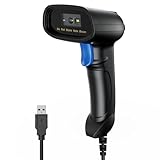
- 【Excellent 1/2D Code Decording Ability】Compared to traditional scanners that only support 1D barcode technology, the upgraded PecuMecu Barcode Scanner supports decoding various 1D 2D QR codes. 1D Code: UPC-A, UPC-E, Code 11, Code93, MSI, Code 128, UCC/EAN-128, Code 39, EAN-8, EAN-13, , ISBN, Industrial 25, Interleaved 25, Standard25, etc; 2D Code: QR Code, DataMatrix, Micro PDF417, Aztec, Hanxin, etc. (Note: Not compatible with Square.)
- 【Plug and Play】PecuMecu wired barcode scanner is connected via a USB cable, with no need to install any driver or software; It offers effortless connection and is compatible with Windows, Mac, Android, and Linux; Seamlessly works with Quickbook, Word, Excel, Novell, and all common software
- 【Supports Screen Scanning】The PecuMecu 2D scanner is capable of reading barcodes from smartphone screens, such as mobile coupons, digital wallets, and digital loyalty cards; Before scanning, simply turn your screen brightness to the maximum
- 【Widely Application Range】This PecuMecu Handheld barcode scanner can be used in supermarkets, convenience stores, warehouses, libraries, bookstores, drugstores, and retail shops for file management, inventory tracking, POS(point of sale), etc
- 【Sturdy Anti-Shock and Durable Design】The PecuMecu 2D barcode scanner features an ergonomic design made of high-quality ABS, enabling it to withstand repeated drops from 5 ft/1.5 m high onto the concrete ground; The durable plastic material ensures a long service life.
Google Forms responses are not scan analytics. A person can scan without submitting, scan more than once, or open the link another way. To measure scans, you need a tracking redirect or another suitable tracking setup; the extra layer also creates a service dependency.
Create a QR code that pre-fills form answers
A pre-filled link can automatically populate answers such as a location, booth, class, or department. In Google Forms, open the form and select More → Pre-fill form. Enter the values you want pre-populated, select Get link, then use that resulting URL in the QR generator instead of the ordinary responder link. Google documents this option in its form-sharing help.
Rank #4

- 【Unique Designed Screen Setting】It allows you to customize the screen display according to your preferences. With this innovative feature, you can easily set the language, adjust volume settings, select connection options, and view stored and total barcodes. Experience unparalleled convenience and flexibility as you personalize the settings of your Tera HW0009 to suit your specific needs. 【Package Includes: Barcode Scanner x1, Charging Cradle x1, Charging Cable x1, User Manual x1】
- 【Superior Global CMOS Imaging Scanning】This advanced scanner excels in fast and accurate reading of both ordinary and high-density barcodes, including challenging formats like PDF417 found on driver's licenses. Its exceptional performance effortlessly handles various scanning scenarios, including underwater scanning, reading barcodes on silver paper, reflective materials, and more.
- 【Charging Cradle & 2500mAh Large Battery】Designed with a convenient charging cradle, the HW0009 barcode scanner allows you to easily charge it whenever it's not in use. In addition, the scanner itself is equipped with a powerful 2500mAh battery, ensuring seamless all-day operation without the need for frequent charging.
- 【3-in-1 Connections & Widely Compatible】 Tera HW0009 wireless barcode scanner can work with bluetooth & 2.4G wireless & usb wired. The transmission distance can be 328ft in barrier free environment and 114ft in obstacles environment using 2.4G USB dongle. It can be connected with a variety of devices, such as smartphones, computers, POS, tablets. In addition, it is also compatible with various operating systems, such as windows 11/10/8/7/xp, Mac OS, iOS, android, linux.
- 【1D 2D QR code Programmable】2D: QR code, Data Matrix, PDF417(including PDF417 on driver’s license), Aztec, Maxicode, Micro QR, Micro PDF417; 1D: UPC/EAN, Code 128/EAN128, GS1-128, ISBT-128, Standard 2 of 5, Matrix 2 of 5, Code 39, Code 32, Code 93, Code 11, Codabar, PLESSEY, MSI, GSI Databar, ITF-14, GS1.
This can help distinguish responses from separate locations without asking every respondent to type the location. A pre-filled value is not a secure identifier: it is part of the link, and people may be able to see or change it. Do not put confidential information in a pre-filled URL or display it in a public QR code.
The Tool Desk
Outbyte Driver Updater FREEScan for outdated or missing drivers - takes under a minuteDriver Scan →Outbyte PC Repair FREEClear out junk files and repair common Windows errorsFree Scan →Prepare and test the code for printing
A code that scans on a computer screen may fail when printed small, blurred, cropped, or viewed at a distance. There is no single print size that works for every phone, material, and scanning distance. Test the actual size and setup people will encounter.
Best Value

- Fast 1D & 2D Code Reading: Built with a CMOS sensor and 32-bit decoding chip, this QR code scanner reads common 1D and 2D codes including UPC, EAN, Code 39, Code 128, QR Code, PDF417, Data Matrix and Aztec from printed labels or screens
- USB Wired Plug and Play: Connect the wired barcode scanner to a standard USB port and start scanning without drivers or batteries. It works as keyboard input with Windows, macOS, Linux, spreadsheets, POS and inventory systems
- Three Scan Modes for Different Jobs: Use trigger mode for controlled scans, auto-sensing mode for hands-free desk work, or continuous mode for batch scanning. Choose the mode that fits your workflow to reduce accidental repeat scans
- Built for Daily Work Areas: The ABS+TPU body and silicone protective cover help protect the handheld barcode scanner from scratches and drops up to 6.56 ft, suitable for warehouse shelves, retail counters, libraries and office inventory
- Practical Setup Support: Some barcode types or settings may need to be enabled by scanning setup barcodes. Keep the guide available when changing modes, suffix settings, or special code types such as Interleaved 2 of 5 or MaxiCode
- Use the original, high-quality download. Prefer SVG for print resizing if your generator provides it; use PNG for ordinary sharing and printing.
- Keep the code sharp and square. Avoid stretching it, compressing it heavily, or cropping its blank border.
- Use dark code elements on a plain, light background. Avoid glare, patterned backgrounds, and decorations or logos that cover the code.
- Print at the intended final size and test from the distance at which people will scan. Check glossy signs, badges, table tents, and posters in their actual lighting.
- Scan with more than one phone where possible, ideally an iPhone and an Android device. Include a test on a device not signed in to the form owner’s account.
- Complete a test submission. Confirm it reaches the form’s Responses area or linked spreadsheet, and verify required questions and response collection behave as intended.
If the form will be used for attendance, remember that a QR code by itself does not prove that someone is physically present. A person can photograph or share it. Use authentication, staff checks, time controls, or other appropriate safeguards when attendance integrity matters.
When is a Google Workspace add-on useful?
Google’s standard Forms sharing instructions focus on publishing the form and copying its responder link; they do not document a general built-in control for downloading a QR image. The simplest option is to generate a QR code from the link with a separate tool. Workspace Marketplace listings also offer third-party add-ons that advertise QR generation and, in some cases, customization or destination changes. For example, see QR Code for Google Forms and QR Code Generator.
Marketplace availability does not make an add-on a Google-built Forms feature. Check its requested permissions, developer, privacy terms, support, and any usage or export limits. An add-on is unnecessary for a single basic static code; it may be convenient if you need an integrated workflow or features its provider supports.
Fix common Google Form QR code problems
- The scan says access is denied: Confirm the form is published and accepting responses, then review who can respond. If sign-in or an organizational restriction is required, test using an authorized account. Copy the responder link again if you may have used an editor or Drive link.
- The QR opens the editor: The wrong URL was encoded. Generate a replacement using Copy responder link, not the form editor’s browser address.
- The code scans but the form says it is closed: Check whether the form is accepting responses. A QR image can keep scanning even after response collection is stopped.
- It works on one phone but not another: Compare account access first; one device may already be signed in to an authorized account. Then check focus, lighting, glare, print size, and image sharpness.
- The printed code will not scan: Reprint from a sharper file, increase its size, restore the blank border, and improve contrast. Test the physical print rather than relying only on a screen preview.
- The form link changes: A direct static QR usually needs to be regenerated and reprinted. A dynamic QR may let you update the destination, but only while the redirect provider supports the code.
If you need separate reporting for different booths, rooms, or signs, make distinct pre-filled links or distinct dynamic codes for each location. The same generic QR code and response timestamps alone do not establish where a respondent scanned it.
Quick Recap
Product prices and availability are accurate as of the date/time indicated and are subject to change. Any price and availability information displayed on Amazon at the time of purchase will apply.

