Do these 3 things before closing this tab:
1Fix the driver behind crashes, sound loss and screen glitches2Repair Windows errors before they cause bigger problems3Scan for outdated or missing drivers - takes under a minuteSome links on this page are affiliate links: if you buy through them we may earn a commission, at no extra cost to you.
Generate the image in a Node-compatible renderer, then return its bytes from an Express route. Express handles the URL and HTTP response; a renderer such as @vercel/og creates the pixels. The example below exposes GET /og, produces a 1200×630 PNG, and bounds the title parameter before rendering.
How the Express endpoint works
An Open Graph image is an image file that a social platform can fetch when it reads a page’s metadata. Express does not draw the image itself: the route receives validated input, passes it to an image renderer, and sends the resulting binary data with an image content type.


The flow is:
- A page’s metadata points
og:imageto a publicly reachable URL such ashttps://example.com/og?title=An%20Example. - A crawler requests that URL independently of the visitor’s browser session.
- Express reads permitted query parameters and asks the renderer to build the composition.
- The route sends PNG bytes, not a JSON representation of the buffer.
Vercel documents 1200×630 pixels as its recommended Open Graph image size and default for ImageResponse. A custom endpoint can use other dimensions, but its metadata, layout and output should agree.
Create a runnable Express route with @vercel/og
Install Express and @vercel/og in a Node project. This example uses ES modules and React’s createElement to provide the element tree, avoiding JSX transpilation in the route file. Check the API reference for the installed @vercel/og release and your deployment runtime; its integration syntax and runtime support can vary by release.
#1 Best Overall
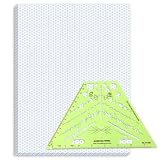
- Package Contents: you will receive one 50 sheet isometric graph paper and one isometric pipe template, ensuring you can handle any design task, whether drawing detailed technical drawings or undertaking creative projects, helping you to create accurate isometric drawings
- Ease of Use: the isometric paper measures 8.5 x 11 inches/21.59 x 27.94 cm, with grid line angles of 30, 90, and 120 degrees, allowing you to easily draw 3D objects with a 45-degree rotation; This thoughtful design and smooth operating experience make these papers ideal for your workspace
- Convenient Design: the isometric pipe template, measuring only 8.5 x 5.19 inches, has a compact design perfect for on-the-go design work; This comprehensive template includes symbols for valves, flanges, elbows, reducers, caps, and pumps, supporting artistic designs, architectural blueprints, and detailed technical drawings in various environments
- Ideal Material: the isometric graph paper notebook are made of paper, with a single-sided printing design and a unique blueprint grid; Uncopyable; The paper is smooth and opaque with a padding back and sealant on the left side; The template is made of translucent green plastic, allowing you to easily draw precise shapes
- Versatile Applications: this isometric template set is ideal for mechanical drafting and design needs; Whether in engineering, architecture, or patent offices, the template serves as a versatile tool, allowing precise shape drawing on various surfaces according to your project needs
import express from 'express';
import React from 'react';
import { ImageResponse } from '@vercel/og';

const app = express();
const h = React.createElement;

app.get('/og', async (req, res, next) => {
  try {
    const rawTitle = req.query.title;
    const title = typeof rawTitle === 'string'
      ? rawTitle.slice(0, 100)
      : 'Default title';

    const image = new ImageResponse(
      h(
        'div',
        {
          style: {
            display: 'flex',
            width: '100%',
            height: '100%',
            alignItems: 'center',
            justifyContent: 'center',
            padding: '64px',
            backgroundColor: '#111111',
            color: '#ffffff',
            fontSize: 60,
            fontWeight: 700,
            textAlign: 'center',
          },
        },
        title
      ),
      { width: 1200, height: 630 }
    );

    const png = Buffer.from(await image.arrayBuffer());
    res.type('png').send(png);
  } catch (err) {
    next(err);
  }
});

app.listen(3000, () => {
  console.log('OG image endpoint listening on port 3000');
});
The route accepts one string title, falls back when it is absent or not a string, and truncates it at 100 characters. That is a basic boundary, not a substitute for validating every input your design accepts. Add only explicit fields such as a known theme key or slug; do not let arbitrary query parameters control rendering.
ImageResponse returns a response-like object whose arrayBuffer() can be converted to a Node Buffer. Express can send a Buffer as a response body. Setting res.type('png') makes the intended content type explicit, and send(png) returns the bytes. Do not JSON-encode the buffer: a crawler expects an image response at the metadata URL.
Why the layout uses flexbox
@vercel/og uses Satori and Resvg to convert HTML and CSS into PNG. Satori supports a constrained CSS subset rather than a complete browser layout engine, so flexbox is a safer basis for the composition than CSS Grid. Test the exact styles you rely on in the installed version instead of assuming that any browser CSS will render.
PC Slower Than It Used to Be?
A free scan shows the junk files, broken settings and background clutter dragging Windows down - then fixes them in one click.Free scan · Windows 10 & 11Outdated Drivers Are Slowing You Down
One free scan finds every outdated or missing driver and matches the right update for your exact hardware.Free scan · exact hardware matchFonts, images and bundle limits
Custom fonts must be supplied in supported font formats. Include them in the renderer’s input as required by the version you use, and account for Vercel’s documented 500 KB maximum bundle size for @vercel/og. If the image uses a logo or other external image, verify how the chosen runtime and renderer load it; do not accept an arbitrary user-supplied image URL. Restrict remote assets to known sources or serve controlled assets yourself.
Add the image URL to page metadata
Set og:image to the absolute, publicly accessible URL of the endpoint. Encode query values rather than concatenating untrusted text directly into a URL. For example, in server-rendered HTML:
<meta property="og:image" content="https://example.com/og?title=An%20Example">In an application that constructs metadata dynamically, use a URL encoder for the title and keep the base host under your control. Social crawlers fetch the image themselves, so a URL that works only after login, only on an internal network, or only with a browser cookie will not work for them. Confirm that the deployed endpoint is reachable without a session and responds with Content-Type: image/png.
Stable URLs and cache behavior
Choose the URL and cache policy together. Vercel documents ImageResponse cache-control headers with a default max-age of 31536000 seconds—one year—and publicly cacheable, immutable output. That is a sensible fit only when the same URL always represents the same image. If changing the title, theme, logo or design can change the output, ensure those inputs are reflected in the URL. When you change the design for otherwise identical inputs, add a version parameter, such as v=2, so a cache can distinguish the new composition from an old one.
The Tool Desk
Outbyte Driver Updater FREEScan for outdated or missing drivers - takes under a minuteDriver Scan →Outbyte PC Repair FREERepair Windows errors before they cause bigger problemsFix Now →Choose a renderer that fits the image
@vercel/og is useful when its Satori layout model, supported CSS and runtime compatibility fit the composition. It generates PNG output; the route example is not a general-purpose browser screenshot service. If the design needs raster resizing, compositing or conversion to another format, use a separate image-processing stage such as sharp. Sharp documents PNG, JPEG, WebP, GIF and AVIF conversion and can return image data as a Buffer with toBuffer().
Rank #3

- The STUDYGRAPH Normograph allows you to draw 62 ellipses of different sizes, from 4mm diameter to 35mm, with angles from 20 to 50 degrees (17 ellipses at 20 degrees, 16 ellipses at 30 degrees, 15 ellipses at 40 degrees and 14 ellipses at 50 degrees). Accuracy of engraving. of the different shapes, scribing is done without tearing for clean and clean work.
- It is made of a strong and durable plastic that is very shockproof. Thanks to its slim and lightweight design, this tool fits easily into the flaps of a notebook cover or in a work bag. Designed for students and professionals, it will accompany you everywhere.
- The scale is printed with UV ink for optimal durability, ensuring a high quality marking that ensures exceptional durability.
- The Studygraph range includes a wide range of letters, traces of shapes, circles, etc
For designs that need full browser HTML/CSS behavior, elaborate external assets, or a different rendering runtime, evaluate those requirements before committing to Satori. Compare the actual runtime compatibility, CSS support, font-loading approach, external-image handling, output dimensions and format, bundle-size constraints, cold-start behavior and cache controls for the deployment you plan to use. Available documentation does not establish comparable cold-start measurements, so test your own deployment rather than assuming a performance ranking.
Generate an image with SVG or another intermediate format
If you want to keep the initial design independent of a specific renderer, generate SVG or another intermediate representation and pass it through an image-processing pipeline. Sharp can resize, convert formats, composite images or return a Buffer. The Express response pattern remains the same: generate the bytes first, set the matching content type, and send the buffer.
Match the response type to the output. For the PNG route above, use image/png. If you add a JPEG or WebP output mode through an image-processing step, validate the requested format against a small allowlist and return the corresponding content type. Do not reflect an arbitrary query value into a response header or filesystem path.
Quick wins for a faster PC:
Repair Windows errors before they cause bigger problemsFix Now →Fix the driver behind crashes, sound loss and screen glitchesFind Drivers →Security, reliability and cost considerations
- Validate input: query parameters are untrusted. Bound text length, allow only the fields and theme values the route supports, and use a fallback for missing or malformed input.
- Control remote fetches: avoid fetching arbitrary URLs supplied by a request. If remote assets are necessary, use an allowlist; otherwise an attacker could turn your renderer into a server-side request mechanism.
- Keep errors in the Express error path: the
try/catchpasses failures tonext(err). Configure your application’s error handling so a rendering failure returns an error status rather than a misleading successful image response. - Check deployment limits: runtime compatibility, memory, execution duration and cold-start behavior depend on the hosting environment and installed renderer version. The documentation facts here do not establish a universal latency or cost for a particular deployment.
- Make cache keys deterministic: output should be a function of the URL and controlled inputs. If output changes without a URL change, public caches may keep serving a previous image.
Troubleshoot common failures
The route returns an error instead of an image
Check the server log for the renderer exception, confirm the installed package supports the deployment runtime, and verify that the element structure and styles are accepted by that package version. Keep the error flowing through Express middleware; do not swallow it and return an empty buffer that looks like a successful response.
The social preview shows no image
Open the exact og:image URL without relying on a logged-in browser session. Confirm the hostname is public, the route responds successfully, the body is image bytes, and the content type is image/png. Also check that the HTML page has an absolute URL and correctly encoded query values.
The image is clipped or the layout differs from a browser
Satori is not a full browser CSS implementation. Simplify the layout to supported styles, favor flexbox, and render a test image for the exact title lengths and font files you expect. Long titles need an intentional wrapping or truncation policy; truncating input prevents unbounded text but does not guarantee every title fits the composition.
A changed design still displays the old image
The default ImageResponse cache headers allow long-lived public caching. Change the image URL when the design or content changes—typically by adding a version parameter for design changes—and use URL inputs that uniquely represent the image content.
Free tools Windows power users keep installed
One-click scans. No signup required.
Remote logos or fonts fail to load
Check that assets use supported formats and are accessible to the deployed renderer, not merely to your local browser. Avoid arbitrary remote URLs, use controlled asset locations, and ensure custom font files fit the documented bundle limit.
Or skip the browser setup
For a screenshot of an already-designed HTML page, ScreenshotNeo can return an image from one GET request. It is a screenshot API, so it captures a URL; it does not replace the Express route and image-rendering approach when you need to generate a unique Open Graph composition from a title.
For example, capture a public page that presents your designed OG graphic as HTML. See the ScreenshotNeo documentation for options and current API details.
curl -G "https://api.screenshotneo.com/v1/shot" -d access_key=YOUR_API_KEY --data-urlencode url=https://stripe.com -o shot.webpScreenshotNeo removes cookie banners, popups and chat widgets before the shot; bot checks, blank pages and failed loads are never billed; an MCP server lets AI agents take screenshots; and 1,000 screenshots a month are free with no card, with paid plans starting at $5 for 3,000. Sign up for free.
Frequently Asked Questions
Can I use Vercel OG without Next.js?
The recommended pattern is a Node-compatible renderer called from an Express route. Check the runtime support and integration syntax for the installed @vercel/og version before deploying.
Can this endpoint return JPEG or WebP directly?
The example returns PNG. Add an image-processing conversion stage, such as sharp, if you need another format, then send the matching content type.
Does Express itself create the Open Graph graphic?
No. Express routes the request and sends the response; a renderer or image-processing pipeline creates the image pixels.
Quick Recap
Product prices and availability are accurate as of the date/time indicated and are subject to change. Any price and availability information displayed on Amazon at the time of purchase will apply.

