Quick wins for a faster PC:
Clear out junk files and repair common Windows errorsFree Scan →Fix the driver behind crashes, sound loss and screen glitchesFind Drivers →Repair Windows errors before they cause bigger problemsFix Now →Some links on this page are affiliate links: if you buy through them we may earn a commission, at no extra cost to you.
If your Sony WH-1000XM3 headphones sound windy, first turn off Ambient Sound Mode and Voice Focus, then test them in ordinary Noise Canceling mode. Sony warns that Ambient Sound Mode can make wind more noticeable and recommends disabling Voice Focus—or Ambient Sound Mode itself—if that happens. If a wind-like hiss, whistle, crackle, or rumble continues indoors in one ear with ANC on, it may be a fit, microphone, or hardware problem rather than actual wind.
First identify which kind of “wind noise” you hear
The right fix depends on whether air is hitting the headphones or their microphones are processing or reacting to sound. The WH-1000XM3 uses built-in microphones for Noise Canceling and Ambient Sound. Noise Canceling primarily reduces low-frequency noise; it does not remove every sound. Sony also warns that covering the microphones or wearing the headphones in certain ways can cause abnormal operation or feedback. See Sony’s guide to Noise Canceling operation.
- Actual airflow: Noise starts outdoors, near a fan or vent, or while walking or cycling, and may change when you turn your head. Air can buffet the external microphones, especially under a hood, helmet, scarf, or loose hair.
- Ambient Sound pickup: Wind becomes louder or more obvious with Ambient Sound Mode on. The microphones are intentionally feeding outside sound into the ear cups; Voice Focus can make microphone pickup more prominent.
- ANC feedback or microphone trouble: A hiss, rumble, whistle, crackle, or clicking occurs indoors without wind, often mainly in one ear, and may stop when Noise Canceling is off. That is less like ordinary outdoor wind and more reason to investigate fit or a possible fault.
- A poor seal: Flattened, damaged, damp, or displaced ear pads—or gaps caused by glasses, hair, headwear, or fit—can let more outside sound in and affect ANC performance.
A faint residual sound does not by itself prove the headset is broken. Loud, unstable, one-sided, or feedback-like noise deserves more attention.
Do these 3 things before closing this tab:
1Clear out junk files and repair common Windows errors2Scan for outdated or missing drivers - takes under a minute3Repair Windows errors before they cause bigger problemsTry the quickest settings fix
- Turn on the headphones.
- Press the NC/AMBIENT button repeatedly to cycle through Noise Canceling on with Ambient Sound off, Ambient Sound Mode, and both functions off.
- Compare the sound in each mode and use the one with the least wind noise for now.
Sony documents the NC/AMBIENT button controls and the Ambient Sound wind-noise guidance. If the noise occurs only with Ambient Sound Mode, leave that mode off in windy conditions. If ANC itself produces an abnormal sound, both functions off is a useful diagnostic and temporary fallback, though it reduces isolation.
#1 Best Overall

- Easy Installation: Smooth installation with this complete replacement ear cushions kit compatible with Bose 700 Noise Cancelling headphones. No special tools are needed and the package includes a step-by-step guide for you to follow along.
- Unmatched Comfort: These replacement ear pads are made from a new softer PU leather and memory foam combination that finds the perfect balance of comfort and durability. No need to break these ear pads in, they feel soft from Day 1.
- Enhanced Sound: Old, beat-up ear cushions negatively affect the sound performance of your headphones? These earpads for Bose 700NC comfortably conform to your ear, blocking out noise and dialing in the sound, so you can drift off into the beats.
- Rugged Durability: The inside seams on this replacement ear cushion kit for Bose 700 are made with added stitching reinforced with glue, to prevent your cushions from splitting and increase their lifespan.
- Fits Like A Glove: These ear pads, made by Wicked Cushions, fit the following models of Bose Headphones perfectly: Noise Cancelling 700
Turning Ambient Sound off also makes it harder to hear announcements, traffic, and people around you. Stay alert, particularly near roads, bicycles, and machinery; do not rely on either setting to make cycling or other travel safe.
Disable Voice Focus if you use Ambient Sound Mode
Voice Focus is intended to make voices and announcements easier to hear. In moving air, it can make outside microphone pickup more noticeable. Sony specifically recommends canceling Voice Focus if wind noise increases in Ambient Sound Mode, and turning Ambient Sound Mode off if wind remains severe.
- Open Sony’s current headphone-control app and connect the WH-1000XM3.
- Open the noise-control or Ambient Sound settings.
- Turn Voice Focus off, then test again.
- If wind is still intrusive, switch Ambient Sound Mode off.
The XM3 guide uses the older app name Sony | Headphones Connect; Sony’s current support ecosystem uses Sony | Sound Connect. Names and menu labels can vary by app version and region, so look for the noise-control or Ambient Sound options rather than expecting an identical screen. The official guide does not establish a universal dedicated wind-reduction toggle for every XM3 app version.
Rank #2

- Easy Installation: Smooth installation with this complete replacement ear cushions kit compatible with Bose 700 Noise Cancelling headphones. No special tools are needed and the package includes a step-by-step guide for you to follow along.
- Unmatched Comfort: These replacement ear pads are made from a new softer PU leather and memory foam combination that finds the perfect balance of comfort and durability. No need to break these ear pads in, they feel soft from Day 1.
- Enhanced Sound: Old, beat-up ear cushions negatively affect the sound performance of your headphones? These earpads for Bose 700NC comfortably conform to your ear, blocking out noise and dialing in the sound, so you can drift off into the beats.
- Rugged Durability: The inside seams on this replacement ear cushion kit for Bose 700 are made with added stitching reinforced with glue, to prevent your cushions from splitting and increase their lifespan.
- Fits Like A Glove: These ear pads, made by Wicked Cushions, fit the following models of Bose Headphones perfectly: Noise Cancelling 700
Run NC Optimizer with the headphones on
NC Optimizer adjusts noise canceling for your wearing conditions and fit. It is not a wind-suppression switch and cannot repair a damaged pad or microphone, but it is a sensible next step if the fit has changed or ANC sounds wrong.
- Put the headphones on and turn them on.
- Hold NC/AMBIENT for about two seconds.
- When the voice prompt says optimization has started, stay still and do not touch the headphones.
- Wait for the voice prompt that optimization is finished.
Sony recommends running it while wearing the headphones under the conditions in which you will use them. Repeat after changes such as wearing or removing glasses, changing your hairstyle, or adjusting other parts of your fit. Sony’s NC Optimizer instructions also note that it can be useful in situations such as air travel.
Check the seal and microphone area
- Center each cup over your ear and check that the headband is not pulling one cup up.
- Move hair away from the cushions and test with and without glasses.
- Remove bulky hats, hoods, scarves, or helmet straps that may disrupt the seal or channel turbulent air over the microphones.
- Inspect both ear pads for flattening, cracks, tears, dampness, stickiness, or a loose edge. If a pad is worn, replacement may improve fit and isolation, but it will not fix an electronic microphone fault.
- Do not press or cover the microphone openings or place a hand over a cup while testing ANC. Sony warns that covering the microphones can interfere with Noise Canceling or Ambient Sound and can cause feedback.
If the headphones have become wet or heavily sweaty, stop using them and let them dry naturally at room temperature. Wipe the exterior with a soft, dry cloth. Do not spray liquid into microphone openings, poke them with pins or tools, or force compressed air into the cups. These are precautions, not a guaranteed repair.
Rank #3

- Cushions compatible with : Bose Noise-Cancelling 700 /NC700 over- ear headphones.
- Ultra Comfort and Perfect Sound: High quality protein leather and elastic memory foam, ergonomic design, quietcomfort and soft without clamping ears.Noises cancelling perfectly and enhances every beat to make voice outstanding.
- Easy installation: just remove the old NC 700 ear cups and install the new replacements in seconds . Perfect fitting and same size as the original,to give your favourite headphones into brand new.
- Long Durability: Easy maintenance and long life span. Never worry about falling off because they are specially designed and exact match with the ear muffs.
- All Full,no-questions asked refund if you're not satisfied. Don’t hesitate to contact us from Amazon for service or if any issue with your purchase at any time.
Check for software updates
Update the companion app and check Sony’s support page for software currently offered for your region. Sony’s U.S. WH-1000XM3 downloads page lists firmware version 4.5.2, released May 28, 2020. That is a dated, regional support-page fact, not a promise that every region offers the same update or that firmware will cure wind noise.
The Tool Desk
Outbyte PC Repair FREEClear out junk files and repair common Windows errorsFree Scan →Outbyte Driver Updater FREEFix the driver behind crashes, sound loss and screen glitchesFind Drivers →- Charge the headphones.
- Update the Sony headphone-control app.
- Connect the headphones and install any firmware update Sony offers for your model and region.
- Restart the headphones, run NC Optimizer again, and retest with Ambient Sound Mode and Voice Focus off.
Check Sony’s WH-1000XM3 downloads page for current availability. Updating is sensible maintenance, not a verified fix for a defective microphone.
Initialize only after the simpler checks
Initialization resets settings and deletes pairing information, so use it after checking modes, fit, and software—not as a first response to physical damage or microphone feedback.
Rank #4
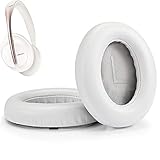
- Cushions compatible with : Bose Noise-Cancelling 700 /NC700 over- ear headphones.
- Ultra Comfort and Perfect Sound: High quality protein leather and elastic memory foam, ergonomic design, quietcomfort and soft without clamping ears.Noises cancelling perfectly and enhances every beat to make voice outstanding.
- Easy installation: just remove the old NC 700 ear cups and install the new replacements in seconds . Perfect fitting and same size as the original,to give your favourite headphones into brand new.
- Long Durability: Easy maintenance and long life span. Never worry about falling off because they are specially designed and exact match with the ear muffs.
- Enjoy your music time anytime : if you need help or any questions ,Don’t hesitate to contact us from Amazon for service or if any issue with your purchase at any time.
- Turn the headset off and disconnect its USB Type-C cable.
- Hold Power and NC/AMBIENT together for at least seven seconds.
- Confirm that the blue indicator flashes four times.
- Delete the old WH-1000XM3 Bluetooth pairing from your phone or computer, then pair the headphones again.
Sony says initialization deletes pairing information but leaves updated software installed. Follow its initialization instructions. A reset can clear unusual settings or configuration problems; it cannot repair a microphone, moisture damage, or a worn seal.
Independent reader supportYour contribution helps us test, update, and keep practical guides available for everyone.Use a controlled test to decide whether to seek repair
- In a quiet indoor room, play no music and listen with Noise Canceling on and Ambient Sound off.
- Compare that with Ambient Sound Mode, then with both functions off.
- Note whether the noise is in one ear, whether it is a hiss or unstable whistle/crackle/click, and whether it changes when you move your head.
- After checking fit, Voice Focus, and optimization, restart the headphones. If the problem remains, update software and initialize only if you have not already done so.
- If useful, try a second phone to rule out confusion from the app or connected device. A noise only during calls may involve call microphones or the connected device rather than playback ANC.
Wind that appears only outside, changes with head movement, or occurs only in Ambient Sound Mode points first to airflow, fit, or microphone pass-through. Persistent noise indoors—especially a one-sided whistle, crackle, click, or unstable rumble that appears with ANC and stops when ANC is off—is more suspicious for microphone feedback or a hardware fault. If it survives the checks above, contact Sony support or a qualified repair provider. Do not open the headset or try invasive microphone cleaning.
Free tools Windows power users keep installed
One-click scans. No signup required.
Frequently Asked Questions
Does Ambient Sound Mode make wind noise worse on the WH-1000XM3?
It can: Ambient Sound Mode uses microphones to pass outside sound through, and Sony warns that wind may become more noticeable. Disable Voice Focus first; if wind persists, turn Ambient Sound Mode off.
Best Value

- Easy Installation: Smooth installation with this complete replacement ear cushions kit compatible with Bose 700 Noise Cancelling headphones. No special tools are needed and the package includes a step-by-step guide for you to follow along.
- Cooler for Longer with Uncompromised Comfort: Experience the perfect fusion of cooling gel and premium PU leather with our Bose 700 Cooling Gel Earpads, designed to keep your ears cool and comfortable during extended listening sessions while maintaining the luxurious feel and durability of traditional PU leather. Elevate your audio experience and stay chill, no matter how long you jam to your favorite beats
- Enhanced Sound: Old, beat-up ear cushions negatively affect the sound performance of your headphones? These earpads for Bose 700NC comfortably conform to your ear, blocking out noise and dialing in the sound, so you can drift off into the beats.
- Rugged Durability: The inside seams on this replacement ear cushion kit for Bose 700 are made with added stitching reinforced with glue, to prevent your cushions from splitting and increase their lifespan.
- Fits Like A Glove: These ear pads, made by Wicked Cushions, fit the following models of Bose Headphones perfectly: Noise Cancelling 700
Will replacing the WH-1000XM3 ear pads fix wind noise?
It may help if the pads are visibly worn, flattened, torn, or no longer seal well. It will not repair a faulty ANC microphone or other electronics.
Can firmware 4.5.2 fix WH-1000XM3 wind noise?
Sony’s U.S. support page lists 4.5.2, released May 28, 2020, but that does not establish it as a wind-noise repair. Check Sony’s regional downloads page for what is offered to your headset.
Why is only one WH-1000XM3 ear cup making wind-like noise?
A one-sided sound indoors, especially a whistle, crackle, or unstable rumble that appears only with ANC, is more concerning than ordinary outdoor wind. Check fit and settings; if it persists after the diagnostic steps, seek repair.
Is faint hiss with Noise Canceling on normal?
Some residual sound can remain because ANC primarily reduces low-frequency noise and does not eliminate everything. Loud, unstable, one-sided, or feedback-like noise should not automatically be dismissed as normal.
Quick Recap
Product prices and availability are accurate as of the date/time indicated and are subject to change. Any price and availability information displayed on Amazon at the time of purchase will apply.

