Some links on this page are affiliate links: if you buy through them we may earn a commission, at no extra cost to you.
If Tata Play DTH says “Your box is not receiving signal,” keep the set-top box on, give a missed call from your registered mobile number to 08061999966, then follow with a 10-second power reset if needed. Check the weather and both the DTH cable and HDMI connection before requesting service. First, though, distinguish that box message from an inactive-account notice or your TV’s own “No Signal” message: each points to a different fix.
First, identify which “No Signal” message you’re seeing
Tata Play’s official troubleshooting flow treats “Your box is not receiving signal” and “Your account is deactivated, kindly recharge” as separate problems. Your television may also display its own “No Signal,” “Check Signal Cable” or “No HDMI Signal” message when it is set to the wrong input or cannot detect the set-top box.
- Tata Play says the box is not receiving signal: Follow the account-refresh, power, weather and cable checks below.
- The screen asks you to recharge or says the account is deactivated: Check your account status and recharge through Tata Play’s official account or support channels. A recharge does not repair a dish, cable or signal fault.
- The TV says “No Signal” or “No HDMI Signal”: Check the TV’s selected input and the HDMI path between the TV and set-top box.
- The screen is black, frozen or pixelated: Note the exact symptom. Intermittent breakup can point to a marginal signal or connection, while a black screen may also involve the TV or set-top box.
As a practical clue—not an official diagnosis—an outage on every channel is more consistent with a shared signal, power, account or equipment issue. If only one or a few channels are affected, test other channels before changing settings; the problem may be channel-specific or temporary.
Quick wins for a faster PC:
Clear out junk files and repair common Windows errorsFree Scan →Fix the driver behind crashes, sound loss and screen glitchesFind Drivers →Try these fixes in order
- Refresh the account. Leave the Tata Play set-top box switched on. From the mobile number registered with your account, give a missed call to 08061999966. Tata Play lists this as an account-refresh step; it does not realign a dish, and service restoration is not guaranteed. Check the picture again, then continue if the fault remains.
- Restart the box once. Switch off its power supply, wait 10 seconds, and switch it back on, as Tata Play instructs in its power-reset guide. Let it restart before testing a channel. Avoid repeatedly cutting power while it boots. Do not open the box. If you notice a burning smell, sparking, excessive heat or a damaged power cable, disconnect it safely and request service.
- Check the weather. Heavy rain or a storm can temporarily interrupt satellite reception. Tata Play’s weather check directs users to wait for conditions to clear when the weather is bad. Its guidance also points to the Tata Play mobile app as an interim viewing option, if you have internet access and the app is available to you. Retest after the weather clears; if service stays down, move on rather than waiting indefinitely.
- Check the DTH and HDMI connections. Turn off the TV and box first if practical. Confirm that the satellite/DTH coaxial cable is securely connected to the set-top box and that the HDMI cable connects the box to the TV. Check both ends of the HDMI cable and the DTH connection as shown in Tata Play’s connection-check instructions. Do not assume the satellite coaxial cable plugs into the TV: in many installations it terminates at the set-top box, while HDMI runs from the box to the TV. Look for a loose, bent, corroded or visibly damaged connector; do not force it.
- Select the right TV input. Press the TV remote’s Source or Input button and choose the HDMI port used by the Tata Play box. If the TV still cannot detect it, try another HDMI port or a known-good HDMI cable if available. Turn the equipment back on and test again.
Tata Play’s DIY help section provides troubleshooting in English and Hindi. The steps above cover its visible first-line no-signal flow while separating satellite reception from the TV’s input path.
#1 Best Overall

- Replacement Remote For Spider IPTV Receiver Model T series
Use the symptom to decide what to check next
| What you see | Useful next check |
|---|---|
| All channels disappear during heavy rain | Wait for clearer weather, then retest. Use the Tata Play app as an interim option if available to you. |
| All channels remain unavailable after weather clears | Try the account refresh and one 10-second restart, then verify the DTH and HDMI connections. Request service if the signal remains unavailable. |
| TV says “No Signal” immediately after changing inputs | Select the HDMI port connected to the set-top box; check the HDMI cable and another port if available. |
| Picture breaks up or freezes before going blank | Consider weather, an obstruction, or a loose or damaged cable/connector. Recurring breakup warrants a service check. |
| Only one or a few channels are affected | Test several other channels. Avoid starting with a factory reset; ask Tata Play whether the issue is channel-specific if it persists. |
| Problem started after strong wind | From a safe place, look for an obviously shifted dish or loose cable. Do not adjust the dish yourself; request an inspection. |
| Set-top box has no lights or will not boot | Check whether the power connection is secure. Stop if the adapter or box is hot, sparking or damaged, and request service. |
| Screen says the account is deactivated | Check account status and recharge only if that message applies. Use Tata Play’s official account or recharge route. |
These are troubleshooting clues, not component-level diagnoses. A persistent loss could involve a dish, obstruction, outdoor connector, cable, LNB, power supply, set-top box or another part of the installation. Tata Play’s public DIY pages do not identify a faulty component from the message alone.
Check the dish and outdoor cable safely
If the basic checks fail, look from the ground or another safe location for a new obstruction—such as scaffolding, tree growth, construction or a water tank—or for a visibly tilted dish, hanging cable or apparent damage after strong wind. Heavy rain can interrupt reception temporarily, but wind may also move a dish or pull a cable.
Rank #2
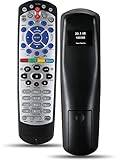
- Remote Control Replacement fit for Dish Network 21.1 IR UHF 20.0 21.0 Pro TV Satellite Receiver
- Set up or Programming Required before Using, To Get Started, You Will Need to Complete the Setup. Please Refer to The Manual for Instructions on How to Pair the Device and Select the Correct Code for Your TV Brand. Just Put New AAA Batteries ( Not Include ) and It Can Perform Well.
- It Covers All the Functions of the Original Remote. The Best Choice for Your Damaged or Lost Remote.
- Upgrade Chip, Durable Lifespan, High Quality and Stable Performance with One Year Warranty. If You Have Any Questions after Receiving the Remote Control, Please Contact us, We will Provide You with Timely and High- Quality Service.
- Premium After Sale Service: Provide 360 Days Warranty Return Service. All of the Customer Inquiry Reply within 12 Hours.
Do not climb onto a roof or reach from a balcony to inspect or adjust equipment, especially during rain, lightning or high winds. Dish alignment is precise; a small adjustment can make reception worse. Leave dish realignment, outdoor cable work and suspected water damage to Tata Play or a qualified technician.
Free tools Windows power users keep installed
One-click scans. No signup required.
When is it a TV, cable or set-top-box problem?
If the TV cannot detect the Tata Play box at all, the fault may be the selected input, HDMI cable, TV port, box output or power—not satellite reception. Selecting the correct HDMI input and testing another port or cable can help isolate the path. If the Tata Play menu appears but channels do not, that points more toward the service or satellite-signal side than a missing TV input, though it does not prove which component has failed.
Rank #3

- Easy Setup. Simple auto-search or direct code entry for quick pairing with most major brands.
- Volume & Channel Lock Options. Keep volume or channel controls fixed to a single device for consistent operation.
- Simple Navigation Layout. Large, clearly labeled buttons make it easy for anyone in the household to use.
- Compatible with Spectrum Services. Designed for Spectrum and Charter cable boxes to ensure seamless use.
- Batteries Included. Ready to use out of the box - includes batteries for instant setup.
A loose HDMI cable interrupts the picture path from box to television; a loose DTH coaxial connection can interrupt the signal reaching the box. If connections are secure and the problem persists, do not open the box or factory-reset it as a first response. Request a service check, especially if the box repeatedly fails to boot, overheats or loses service.
Independent reader supportYour contribution helps us test, update, and keep practical guides available for everyone.When to contact Tata Play
Raise a service request if the problem remains after the weather clears and you have tried the account refresh, a single 10-second restart and safe cable/input checks. Contact support sooner if the dish appears to have shifted, the box shows hardware or power symptoms, the outage recurs, or you cannot safely inspect the installation.
Rank #4

- Compatible with R16, R22, H21, H22, H23, H24, HR21, HR22, HR23, HR24, HR34, and C31 Receivers
- IR/RF
Tata Play’s Manual of Practice, updated July 1, 2024, lists these complaint routes:
Recommended Free Tools
- Toll-free helpline: 1800 208 6633
- Other listed helplines: 1860 120 6633 and 1860 500 6633; applicable telecom tariffs may apply.
- Email: [email protected]
The manual says a service-request number is assigned when a complaint is lodged. It also states a benchmark that 90% of “No Signal” complaints should be redressed and signal restored within 24 hours. That is a published service benchmark, not a guarantee that every individual case will be resolved within that time. Because the listed manual is dated July 2024, verify current contact details on Tata Play’s official support pages before calling. Ask whether any visit or replacement charge applies before approving work; no current technician fee is established here.
Best Value

- 【Compatible Models】This New Replacement IR Remote Control Compatible for Dish Network 20.1 IR Satellite Receiver TV DVD VCR.
- 【How To Pairing】1States to push Dish receiver System info button;2)Push the "Dish" button on remote, press record button on remote. 3) Hit the Done on the screen. (note: more function just need to follow the instructions to simple program can work well)
- 【Durability/Comfort】This Dish Network remote control is made of high-quality ABS material, which is durable, not easy to break, and has excellent impact resistance and durability. The surface is glazed, smooth and comfortable to the touch, and easy to grip. Silicone buttons are soft, stick to your fingers, and offer excellent durability and stain resistance.
- 【High Performance】Using a newly upgraded smart chip, our Dish Network tv dvd vcr remote control has good transmission performance in long-distance transmission, with an accurate control distance of 8 meters/26 feet. The fastest response time is less than 0.2 seconds and supports over 160,000 clicks with approved testing.
- 【Package Included & After Sales Service】1*Remote Control (batteries are not included); If your tv model is not on the compatible list, please contact us via amazon messaging tool. We can check it for you.
Have these details ready
- Your subscriber ID or registered mobile number.
- The exact message on the TV or Tata Play screen.
- Whether all channels or only some are affected, and whether the fault affects one TV or multiple boxes.
- When the issue began and whether there was heavy rain, wind or a power cut.
- Whether the box powers on, and which cable, input and restart checks you have tried.
- Any existing service-request number.
These details help support distinguish an account or input issue from a persistent installation fault without assuming that every blank screen needs a dish adjustment or recharge.
Quick Recap
Product prices and availability are accurate as of the date/time indicated and are subject to change. Any price and availability information displayed on Amazon at the time of purchase will apply.

