Some links on this page are affiliate links: if you buy through them we may earn a commission, at no extra cost to you.
If Terminator: Dark Fate – Defiance crashes, freezes, or opens to a black screen on Windows, first update it in Steam and verify its files. Then narrow down the failure: a crash before the menu calls for display, driver, audio, overlay, or launcher checks; a crash on one campaign save needs a separate save-focused check. The game’s early patches addressed widescreen startup problems, adapter initialization, rare crashes, rendering performance, and a save-loading issue, so an old workaround may not apply to your current installation.
This guide covers the Steam/Windows PC edition. Steam Deck, Proton, other Windows versions, and non-Steam editions can behave differently.
Start with these low-risk checks
- Update the game: In Steam, open Library, right-click the game, choose Properties > Updates, and let any pending download finish. Restart Steam afterward. Keep automatic updates enabled. Historical patch numbers are not a reliable guide to the current build.
- Verify the installation: Right-click the game in Steam Library and select Properties > Installed Files > Verify integrity of game files. If Steam replaces files, test the game before changing other settings. Repeated repair findings can point to drive, free-space, permissions, or antivirus problems.
- Restart Windows after updating the game or graphics driver.
- Temporarily disable overlays and injectors: Test with Steam Overlay, Discord overlay, NVIDIA/AMD overlays, Xbox Game Bar, MSI Afterburner/RivaTuner, screen recorders, RGB tools, and similar utilities closed. Re-enable them one at a time after testing.
- For a black screen, press
Alt+Enterto switch fullscreen/windowed mode. If needed, try a standard 16:9 resolution and disconnect extra displays temporarily. - If the launcher is the part failing, try
SkipLauncheras described below. - Back up before resetting settings or testing saves. Steam Cloud may synchronize a problematic copy, and configuration changes can remove custom controls or graphics settings.
These steps are diagnostic, not a single guaranteed fix: startup, rendering, hardware, and save-loading failures have different causes.
Check that the PC meets the requirements
Steam lists these requirements for the Windows PC edition. They are published specifications, not a promise that every system meeting the minimum will run smoothly.
#1 Best Overall
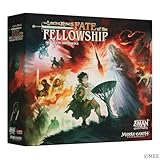
- EPIC COOPERATIVE STRATEGY GAME: Join forces to save Middle-earth in The Lord of the Rings: Fate of the Fellowship, a cooperative strategy game where players must complete evolving objectives and protect the realm from the forces of darkness.
- HELP FRODO DESTROY THE ONE RING: As Frodo journeys to Mount Doom, players must work together to help him evade the relentless Nazgûl while preventing the shadow armies from overtaking key havens.
- DYNAMIC OBJECTIVES: Each game presents new challenges with unique objectives that change every time you play, ensuring endless replayability and fresh strategies.
- PANDEMIC SYSTEM DESIGN: Created by Matt Leacock, this is the most mechanically rich Pandemic System design to date, offering deep strategic gameplay and thrilling cooperative mechanics.
- PERFECT FOR FANS OF LOTR & STRATEGY GAMES: Designed for 2-5 players, this immersive adventure is ideal for ages 14 and up, making it a must-have for fans of The Lord of the Rings and strategic board games.
| Component | Minimum | Recommended |
|---|---|---|
| Operating system | 64-bit Windows 10 | 64-bit Windows 11 |
| Processor | Intel Core i5 or equivalent | Intel Core i7 or equivalent |
| Memory | 8 GB RAM | 16 GB RAM |
| Graphics | GeForce GTX 750, 2 GB | GeForce GTX 1060, 6 GB |
| Graphics API | DirectX 11 | |
| Storage | 25 GB | |
See Steam’s technical information for the game and the official manual. Meeting the minimum does not rule out crashes: limited video memory, overheating, an unstable overclock or undervolt, driver trouble, or a failing/slow drive can still cause problems.
If the game will not start or crashes before the menu
- Exit Steam completely and reopen it. Disconnect nonessential controllers and USB devices for one test, especially if the crash happens during initialization.
- Update the graphics driver with the official installer for your GPU manufacturer. On a laptop, set the game to use the discrete GPU in Windows Settings > System > Display > Graphics (the wording can vary by Windows version), or use the GPU control panel. Confirm Windows is not choosing an integrated GPU with inadequate video memory.
- Restore default GPU settings while testing. Turn off overclocking, undervolting, experimental driver features, and third-party frame-generation or injection tools. If the problem began immediately after a driver update, test a previous stable driver rather than assuming the newest one is best.
- Check the audio output device. Confirm Windows has an active playback device. As a test, disconnect unusual USB audio devices, disable virtual-surround or enhancement software, choose a standard Windows playback format, and reboot. A monitor selected as the default audio output can also be tested by temporarily switching to another device.
- Verify game files using the Steam steps above, then test with overlays and background utilities disabled.
- Reset the game’s configuration using the safe rename procedure below.
Slitherine’s February 2024 hotfix notes document early black-screen/startup crashes involving widescreen displays and video or audio adapter initialization, as well as rare random crashes. A subsequent March 2024 update added full widescreen functionality. That history makes display and adapter checks relevant, but it does not mean a current installation is necessarily affected by the old defect.
Try the launcher bypass only if the launcher is the problem
PCGamingWiki lists SkipLauncher as a launch argument. It is a community-documented workaround, not a guaranteed official fix:
Quick wins for a faster PC:
Fix the driver behind crashes, sound loss and screen glitchesFind Drivers →Repair Windows errors before they cause bigger problemsFix Now →Rank #2

- Product Type: Table top Game
- Package Dimensions: 17.1 H x 5.0 L x 12.5 W (centimetres)
- Package Weight: 0.559 kilograms
- Country of Origin : China
- In Steam Library, right-click the game and select Properties.
- On General, find Launch Options.
- Enter
SkipLauncher, close the window, and launch the game.
Use this when the launcher hangs, crashes, or fails to initialize. It will not repair missing files, a driver problem, unsupported hardware, or a damaged save. Remove the argument if it changes behavior or prevents you from using launcher options.
If the window opens but stays black
Try these in order, testing after each change:
- Wait briefly once after a graphics-driver change or fresh installation, in case the game is building shaders.
- Press
Alt+Enterto switch display mode. - Temporarily use a conventional 16:9 resolution and disconnect secondary or ultrawide displays.
- If the game appears on the wrong screen, try launching with one monitor connected, then reconnect the other display after reaching the menu.
- Set the game to the dedicated GPU and restore default GPU tuning.
- Reset the configuration files if a display setting may be preventing initialization.
Do not conclude that ultrawide monitors are unsupported: the game’s patch history includes both an early widescreen-related startup fix and a later addition of full widescreen functionality.
If it freezes while loading or during a mission
First determine whether the problem is a brief pause, a permanent hang, or a crash to desktop. A short hitch after a driver or game update can be shader compilation or asset loading; a repeated freeze at the same point may indicate a mission-specific bug, resource issue, or bad save.
Rank #3

- The machines of Skynet have risen, reaping a bloody harvest of human flesh across the globe. You are a soldier of Tech Com--a ragged team of human-resistance fighters intent upon stopping the cybernetic onslaught in postapocalyptic Los Angeles. The prequel to The Terminator film lets you play as three characters--each with specialized skills and abilities. Your ultimate goal is to travel back in time to 1984, with the hope of preventing a relentless Terminator model T-800 from murdering Sarah
Temporary stutter or a short freeze
- Give the game time to finish loading after a driver change before treating the first pause as a permanent hang.
- Close browsers, recording software, and other memory- or CPU-heavy background tasks.
- If installed on a slow or failing hard drive, consider moving the game to a healthy SSD.
- Reduce resolution, shadows, effects, or other demanding graphics settings, and monitor CPU/GPU temperatures and memory use.
- Disable overclocks and overlays for a comparison test.
The March 2024 optimization update mentions shader and road-rendering optimization plus rare crash fixes. Rendering stutter and a damaged installation are not the same problem.
The Tool Desk
Outbyte PC Repair FREERepair Windows errors before they cause bigger problemsFix Now →Outbyte Driver Updater FREEScan for outdated or missing drivers - takes under a minuteDriver Scan →Permanent freeze or crash to desktop
- Press
Ctrl+Shift+Escand check whether the game process is responding. - Note whether Windows reports a display-driver reset. Reliability Monitor or Event Viewer may identify a failing module, although the entry alone may not establish the root cause.
- Test without overlays, verify files, reset settings, and update or reinstall the GPU driver if the issue persists.
- If the same mission or action reliably triggers the failure, record the steps and report it to Slitherine rather than repeatedly risking your only save.
If only one save or mission crashes
A game that reaches the menu and fails only when loading one campaign is different from a startup crash. Test a new campaign or skirmish and, if available, an older save from before the problem. If those work while one save repeatedly fails, the issue may be confined to that save—but a mission-specific game bug or resource problem is also possible.
- Do not overwrite your last known-good save. Back up saves before experimenting.
- Update the game and verify its files.
- Test an older save and a new game to isolate the failure.
- If Steam Cloud appears to replace a working local copy with a failing one, consider disabling Cloud temporarily for diagnosis only after making a manual backup. Do not disable it permanently or accept a synchronization prompt without checking which copy is newer.
- If one save remains the only failure, contact support with that save and diagnostic information.
A Slitherine forum report described saves that crashed while loading around version 1.03.971, and a later patch listing records a fix for a save-loading crash. This is evidence of a past game-specific issue, not proof that every current mission-loading crash is corrupted-save trouble. PCGamingWiki documents configuration paths, but the sources here do not establish a universal save-file location; avoid deleting the whole profile folder.
Rank #4

- Veiled fate board game
Reset configuration files safely
PCGamingWiki lists the settings files under:
%USERPROFILE%DocumentsMy GamesTerminator Dark Fateprofiles<user-id>gameoptions.xml
%USERPROFILE%DocumentsMy GamesTerminator Dark Fateprofiles<user-id>hotkeys.json- Close the game and Steam.
- Open File Explorer and paste this into its address bar:
%USERPROFILE%DocumentsMy GamesTerminator Dark Fateprofiles - Open the folder for your user profile.
- Copy
gameoptions.xmlandhotkeys.jsonto a safe backup location, such as the desktop. - Rename the originals to
gameoptions.xml.oldandhotkeys.json.old. - Launch the game. It should recreate default settings; test before restoring anything.
If the problem disappears, reapply graphics options gradually. Restore custom controls only if needed. Do not delete the entire profile folder: it can remove settings and may endanger local data. If Cloud synchronization restores the old files, pause and check the synchronization state before allowing it to overwrite a working configuration.
Independent reader supportYour contribution helps us test, update, and keep practical guides available for everyone.When to reinstall—and what to check first
Reinstall only after updating, verifying, disabling overlays, and testing default settings. Before uninstalling, back up saves and configuration files, remove any launch options, check available drive space, and inspect antivirus quarantine or Windows Controlled Folder Access for blocked game files. A reinstall can repair a damaged installation, but will not fix unstable hardware, an incompatible driver, a cloud-restored bad save, or a reproducible game bug.
Free tools Windows power users keep installed
One-click scans. No signup required.
- Uninstall the game through Steam.
- Restart Steam and Windows.
- After backing up user data, check for leftover game files only if you know they are installation files—not saves.
- Install to a healthy drive and launch once with default settings before restoring backups.
Avoid registry edits and replacement DLL downloads from unofficial sites. Running as administrator or Windows compatibility mode is not a first-line game-specific fix; consider either only for a clearly identified permissions or compatibility problem.
Best Value

- LIMITED EDITION! 40 year Anniversary Edition of the Terminator 2 RPG source and rulebook. The book features a brand new cover with spot UV varnish texture. Very limited print run!
- HARDCOVER RPG BOOK: 224 page fully licensed background and rules book featuring all new art and writing from the team that brought you SLA Industries and Hellboy and StokerVerse. The future is what you make.
- JOIN THE RESISTANCE as T-800 or Time Dispersal Soldiers, bouncing back and forth in time. Will you survive long enough to beat the T1000 and save the future? Includes 3 missions for the Resistance fighting in the future war.
- ADDITIONAL MATERIALS available as PDFs for further support and more missions and adventures. You can create your own missions and characters too. The rules are tailored to The Terminator RPG setting.
- IMMERSIVE EXPERIENCE: The award-winning writing team is led by Andrew E. C. Gaska, the lead writer of Aliens RPG and Planet of the Apes RPG. Here is your opportunity to get a part of movie history.
When to contact Slitherine support
Contact the publisher when a failure remains reproducible after updating and verifying the game, especially if it affects one mission or save. Steam’s technical page identifies Slitherine as the support provider, but support addresses can change; use the current contact route shown on the Steam support page or Slitherine’s official support site.
Include:
- Your Windows version and the game version shown in Steam or in-game.
- CPU, GPU, RAM, laptop/desktop model if relevant, and monitor setup (including ultrawide or multiple displays).
- Whether it fails before the menu, at a particular loading screen, or during a specific mission; include steps to reproduce and how often it happens.
- Recent changes such as a driver update, DLC, game update, launch option, or new overlay.
- Relevant logs such as
game.log, a crash dump, and the affected save for a save-specific failure, if available. - Which troubleshooting steps you have already tried and whether disabling overlays or changing display/audio devices changed the result.
Keep an untouched backup of any save you send, and do not post personal account or system information publicly.
Steam Deck and non-Windows editions
This guide is for the native Steam/Windows PC edition. Steam Deck reports of mission-loading crashes exist in the community, but they do not establish a Windows fix or guarantee current Proton compatibility. For Steam Deck, Proton, or a non-Steam edition, check that platform’s current compatibility and support guidance separately before applying Windows-specific file and driver instructions.
Crashes, No Sound, or Screen Glitches?
Random freezes, missing sound and display glitches usually trace back to one bad driver. Find and replace yours safely.Free scan · under a minuteWindows Errors? Fix Them Before They Spread
Repair common Windows errors and clear accumulated junk for a smoother, more stable PC - no reinstall needed.Free scan · no reinstallQuick Recap
Product prices and availability are accurate as of the date/time indicated and are subject to change. Any price and availability information displayed on Amazon at the time of purchase will apply.

