Outdated Drivers Are Slowing You Down
One free scan finds every outdated or missing driver and matches the right update for your exact hardware.Free scan · exact hardware matchPC Slower Than It Used to Be?
A free scan shows the junk files, broken settings and background clutter dragging Windows down - then fixes them in one click.Free scan · Windows 10 & 11Some links on this page are affiliate links: if you buy through them we may earn a commission, at no extra cost to you.
Configure employee fields in BambooHR from Settings → Custom Fields, or—where your account provides it—from Edit Fields on an employee profile. You’ll need the right administrator permissions to create or arrange fields. After saving, check where the field appears and who can view or edit it; field setup and access permissions are separate tasks.
Before you create a field
First decide what information you need to capture, who owns it, and how it will be used. Check existing standard and custom fields before adding another one. BambooHR already has standard fields for common employee information such as department, job title, location, and employment status. Recreating one as a custom field can split reporting or leave the new field out of workflows that use the standard field. BambooHR describes company field settings for standard fields such as job title and department in its customization guide.
A custom field is a better fit for organization-specific data—such as a license number, equipment status, or training completion date—when no standard field meets the need. Confirm whether the value must appear in reports, onboarding, another BambooHR module, or an external system. Custom fields are not guaranteed to participate in every workflow or integration that supports standard fields, so verify the specific use case.
Create a custom employee field
- Open Settings and select Custom Fields. BambooHR also documents an employee-profile route using Edit Fields; the exact labels and controls can vary by account.
- Choose the option to add or create a custom field.
- Enter a clear, stable name that describes the data, not the team currently collecting it.
- Choose a field type and, for a list field, define its options.
- Set the field as required or optional.
- Select the employee-profile tab and section where users should find it.
- Save, then open an employee profile and confirm the field appears in the intended place.
BambooHR’s Custom Field Builder announcement describes these settings and the two entry points. It lists four types: short answer, long answer, single-answer list, and multiple-answer list. Because product screens can change, follow the labels shown in your account if they differ.
#1 Best Overall

- EFFICIENT SYSTEM - The employee record organizer provides clearly labeled tabs and records sheets that will help you track employee information and keep everything in its place. Stay organized to ensure all employee requirements are met.
- COMPREHENSIVE FOLDERS - This master organizer includes tabs for all main categories. The labeled folders included are: Employee History, Payroll/Tax, Benefits/Insurance, Attendance, Performance, and Separation.
- FOLDER DIMENSIONS - This compact expandable organizer is 12" wide by 9.5" tall and 1.5" deep. Its strong exterior jacket prevents damage to any office files and employee records stored inside.
- GREAT FOR ALL WORK ENVIRONMENTS - This organizational system is great for tracking current and past employees in any office or job role. These files work for small, medium or large businesses.
- MULTI-PACK - This package includes a set of 10 of each tracking folder. This quantity is great for numerous employees or to have a few extra tracking folders on hand. This will help ensure all information is tracked for past and current employees.
Choose the right type
| Need | Type | Use it for |
|---|---|---|
| One brief value | Short answer | An ID, compact label, or short name |
| Explanation or notes | Long answer | Open-ended context that does not fit a controlled list |
| One choice from approved options | List: single answer | A status, category, or other one-at-a-time selection |
| Several choices can apply | List: multiple answers | Skills, certifications, or preferences where more than one selection is valid |
Use a list rather than free text when people need to select from a known set and you expect to filter, group, or report on the results. Lists reduce inconsistent spellings and labels, but they need an owner to maintain options. Use free text when answers are genuinely open-ended; it is flexible but harder to standardize and analyze.
Before finalizing a list, use consistent wording and capitalization, avoid near-duplicates, and decide whether entries such as “Unknown” or “Not applicable” have a defined meaning. Test what happens when an option is changed or removed, especially if reports or integrations depend on its label. BambooHR’s List List Fields endpoint exposes list-field metadata, including option values and whether a list is manageable.
Set required status and choose a location
Mark a field required only if the information is essential, can be collected reliably, and has a legitimate value for every affected employee. Consider how a required field will affect onboarding, imports, employee changes, and integrations. If the information may be unknown or inapplicable, define a truthful, governed value or leave the field optional; don’t require people to invent data to get past a form.
What’s actually slowing this PC down?
Pick the symptom - the matching free tool is one click away.
Rank #2
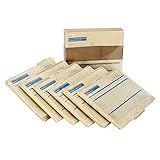
- HR & Employee Management: Secure employee records and information in one location with the ComplyRight expanded employee record organizer with folders; This employee record organizer helps collect all the important documents, whether those are related to hiring, job history, medical, disability, insurance, taxes, separation, COBRA compliance data, or performance; Easily maintain physical copies of employee details with this organizer
- Recordkeeping Folders for Documents: ComplyRight Expanded Employee Records Organizer folder helps manage records related to hiring, employment history, attendance, performance, separation, payroll, taxes, benefits, and insurance, in a simplified manner; It documents general information on the outside jacket and collects confidential documents in each designated folder
- Convenient & Confidential File Folder: Each organizer has six folders, and each folder is marked for a different set of documents; It collates records into their relevant folder groups for simplified and quick access; The easy-to-use organizer folders allow storing legally sensitive employee information safely and concealed from casual view
- Packaging/Dimensions: This employee information filing folder comes in a pack of 25 and measures 9-1/2" x 12” x 1-1/4”
- ComplyRight Employee Management Folders: ComplyRight strives to free businesses from the burden of tracking and complying with the complex web of federal, state, and local employment laws by providing convenient filing solutions like these folders
Place the field where users will naturally look for it: job information with job-related details, personal preferences with relevant personal information, or a separate area for a distinct operational dataset. BambooHR’s Custom Tab Builder announcement describes creating and editing employee-profile tabs and adding fields through Add and Edit Fields or Custom Fields in Settings. The announcement, dated August 6, 2024, associated the builder with Core and Pro packages at that time. Treat that as a dated plan statement, not a guarantee of current availability; check your account or current plan terms. A custom tab may add navigation and be overlooked if its purpose and access are not clear.
Configure access separately
A field can exist without being visible or editable to every user. After creating it, check the relevant access-level settings: who can see the value, who can change it, whether employees can edit their own value, and whether managers can edit their reports’ values. BambooHR describes custom access levels as a way to control access to employee information and actions in its customization guide.
The custom-tab announcement says a newly built tab is initially visible only to admins until access settings are configured. Test with an administrator, a manager or representative custom access-level user, and an ordinary employee. If a setting is missing, Save is disabled, or someone can see but not edit a field, ask a BambooHR administrator to check your permissions and the employee’s access level.
Rank #3

- [Heavy and Writer-Friendly Cover Stocks] These employee file folders are printed on heavy premium coverstocks, and are durable and well-made; the cover stock paper writes smoothly and the ink dries fast
- [Standard Size] These employee record folders measure standard 9.5 x 11.5 inches and fit seamlessly in office storage drawers or standard-sized filing cabinets.
- [Large Capacity] These employee personnel file folders come in a pack of 25 folders, and each folder can hold up to 100 files. The employee record master folders help ease management by keeping employees' information, related files in the same place.
- [Convenient and Practical] These employee record organizer folders are designed to minimize personnel paperwork by organizing key information. The two internal slots add extra capabilities to categorizing files.
- [Confidentiality] These employee file folders empleado carpeta feature efficient record-keeping while ensuring confidentiality. Non-sensitive employee information display on the outside while confidential information is stored on the inside pockets. These employee info records contain all basic information, contacts, federal withholding, educational background and experience, reward and punishment records, salary and other information; each employee record file folder has 2 internal slots
Validate the field after saving
- Open a fresh employee profile and confirm the field is on the intended tab and section.
- Check the field as an administrator, manager, and ordinary employee. Confirm both visibility and edit rights match the intended policy.
- Try a valid value and, for a list, confirm the available options are correct.
- Check required-field behavior where relevant, including any appropriate exception value.
- Run or inspect the report that needs the data. Confirm the field is available and values can be filtered or interpreted as intended.
- If an integration will use it, discover the account-specific field name and test a read and write using a suitably limited API user.
Use custom fields with the BambooHR API
For integrations, do not guess a custom field’s API name. Field names and aliases are account-specific. Use BambooHR’s List Fields endpoint to discover fields available in the account, including field IDs, display names, data types, and deprecation status:
GET https://{companyDomain}.bamboohr.com/api/v1/meta/fieldsFor list options, use the List List Fields endpoint. Use exact option values returned by account metadata rather than assuming the display text will be accepted as an API value.
To read an employee value, request the field explicitly with BambooHR’s Get Employee endpoint:
Rank #4

- HR & Employee Management: Keep all important employee information such as an address, phone numbers, etc; in one place using the expandable employee record organizer by ComplyRight, which works like a mini filing cabinet; This all-in-one employee record jacket can store multiple file folders for each employee neatly tucked into the outer jacket
- Convenient & Confidential Employee File Folder: Centralizing records and making paperwork much easier; this file folder allows for convenient, comprehensive storage of employee recordkeeping folders such as Attendance, Performance, Separation, Payroll and Tax, Benefits and Insurance, and Hiring and Employment History
- Recordkeeping Folders for Documents: Featuring a built-in extended tab for quick and easy location, the employee records organizer fits in any standard-sized filing cabinet; This employee folder not only keeps the paperwork organized but simplifies it by capturing important personnel information right on the folder itself
- Packaging/Dimensions: This employee information filing folder comes in a pack of 25 and measures 9-1/2" x 12" x 1-1/4"
- ComplyRight Employee Management Folders: ComplyRight strives to free businesses from the burden of tracking and complying with the complex web of federal, state, and local employment laws by providing convenient filing solutions like these folders
GET https://{companyDomain}.bamboohr.com/api/v1/employees/{id}?fields=id,firstName,lastName,customFieldAliasReplace customFieldAlias with the exact field name from your account’s metadata. BambooHR says Get Employee returns only the employee ID if no fields are requested, supports up to 400 requested fields, and may omit inaccessible fields. A missing field in the response therefore does not prove the field does not exist; check the requested name and the API user’s permissions.
To update an employee, BambooHR documents a POST to the employee endpoint with field-name/value pairs in the request body:
The Tool Desk
Outbyte Driver Updater FREEScan for outdated or missing drivers - takes under a minuteDriver Scan →Outbyte PC Repair FREERepair Windows errors before they cause bigger problemsFix Now →POST https://{companyDomain}.bamboohr.com/api/v1/employees/{id}
Content-Type: application/json
{
"customFieldAlias": "Example value"
}Only fields included in the request are updated; omitted fields remain unchanged. BambooHR’s Update Employee documentation warns that an unknown or misspelled field name may be silently ignored even when the response is HTTP 200. After an update, read the employee back and verify the value rather than treating the response code alone as confirmation. Check that list values are valid and that the API user is allowed to view the employee and write the field.
Best Value
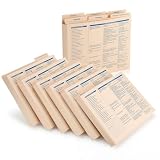
- Ideal for Small Business Startups: ideal for small businesses and startups needing organized HR systems; This employee record organizer helps manage personnel files efficiently without complex infrastructure; The practical design supports growing companies in maintaining professional employee documentation
- Ideal Size Compatibility: measuring 11.9 x 9.5 x 1.25 inches, these employee folders accommodate ideal letter sized documents; The generous dimensions allow storage of most paperwork without folding or trimming; This practical employee management folders design works with common office documents
- Expanded Capacity Design: the expanded construction provides extra space for thick employee records and multiple document types; These staff folders can hold substantial paperwork while maintaining organized presentation; The roomy employee record organizer prevents overstuffing and maintains folder integrity
- Hr Documentation: ideal for organizing recruitment records, employment history, medical forms, insurance documents, tax information, and performance reviews; This employee file folders system covers most essential aspects of employee management; The versatile employee personnel file folders support complete personnel record keeping
- Confidential Information Protection: the sturdy employee folders provide secure storage for sensitive employee information and legal documents; The organized system helps maintain privacy while ensuring authorized access when needed; These employee records folders offer reliable protection for confidential personnel data
BambooHR’s API permissions follow the associated user’s access, as described in its API getting-started documentation. Use a least-privileged account or appropriate OAuth scopes rather than an unnecessarily powerful administrator credential. Profile photos use a separate upload endpoint, not the normal employee-update request.
Independent reader supportYour contribution helps us test, update, and keep practical guides available for everyone.Troubleshoot common problems
The field does not appear on the profile
- Reopen Custom Fields and confirm its selected tab and section.
- Check tab and field access settings; a custom tab may initially be admin-only.
- Open a fresh profile and confirm you are looking in the right employee context.
- Test as an administrator. If the issue is integration-related, check whether the field appears in List Fields metadata.
The field appears but cannot be edited
Check the user’s access level, whether the field is editable by that type of user, whether the employee is within the user’s permitted population, and whether a workflow or approval rule controls changes. Ask an administrator to confirm the field is not restricted.
The field is missing from a report or API response
Confirm the report or API request explicitly includes the field, then verify the account-specific field name and permissions. A Get Employee request must specify fields, and inaccessible fields may be omitted. Also check whether the field is deprecated or unavailable to the caller.
An API update returns HTTP 200 but nothing changes
Retrieve the exact alias from List Fields, confirm the field is writable, check that list values match valid metadata options, and verify the API user’s permissions. Then read the employee back to confirm the stored value.
A custom tab is visible only to admins
Review the tab’s access settings and grant visibility to the intended access levels. Test the tab with representative non-admin accounts before relying on it.
Changing or retiring a field
Renaming or moving a field, changing required status or list options, changing its type, and deleting it are different operations. The available edit controls can vary, so inspect what your account permits and preserve existing values before a structural change. If the type cannot be changed safely, create a replacement, migrate or re-enter values, verify reports and integrations, and retire the old field only after confirming that nothing still depends on it. BambooHR’s Custom Field Builder announcement says fields cannot be duplicated, including protected personal-information fields such as Social Security numbers; because that statement is from a product announcement, confirm current behavior in your account before planning a migration.
Quick Recap
Field-design checklist
- Search standard and existing custom fields before creating a new one.
- Name the field unambiguously and assign an owner for its values and options.
- Choose free text only when answers are genuinely open-ended; use a list when consistent reporting matters.
- Keep required fields limited to information that is essential and obtainable.
- Choose the tab and section for discoverability, and configure access separately.
- Limit sensitive information to what is necessary, confirm access and retention rules, and consider where it may flow through reports and integrations. Do not store passwords, authentication secrets, or payment-card data in employee custom fields.
- Test profile access, reporting, and any API integration after every meaningful change.
Product prices and availability are accurate as of the date/time indicated and are subject to change. Any price and availability information displayed on Amazon at the time of purchase will apply.
Quick wins for a faster PC:
Fix the driver behind crashes, sound loss and screen glitchesFind Drivers →Clear out junk files and repair common Windows errorsFree Scan →
