Some links on this page are affiliate links: if you buy through them we may earn a commission, at no extra cost to you.
The Sony A6000 does not have a documented shutter-count display in its ordinary menus. To check it, use an untouched JPEG or ARW file straight from the camera and read the Sony metadata with ShutterTool or ExifTool. The result is the mechanical-actuation count recorded in that file—not a guaranteed lifetime service record.
What you need
- An original, unedited full-resolution JPEG or Sony ARW RAW file from the A6000 (model designation ILCE-6000).
- A web browser for the quick ShutterTool method, or ExifTool installed on your computer for a local check.
A file copied directly from the camera’s memory card is best. A screenshot, a social-media download, or an image exported from an editor may have lost the Sony maker-note metadata that contains the counter.
Check the count with ShutterTool
- Open ShutterTool.
- Drag an original A6000 JPG or ARW file onto the page, or select it using the file control.
- Check that the camera is identified as Sony ILCE-6000 or A6000, then read the displayed shutter-actuation count.
ShutterTool says its current implementation reads the image in JavaScript in your browser rather than uploading it to a server, and that the displayed value is the mechanical shutter count up to the selected image. The site says it was updated in October 2025; website behavior can change, so review its current privacy information before using it with sensitive images. Source: ShutterTool.
Free tools Windows power users keep installed
One-click scans. No signup required.
Check locally with ExifTool
ExifTool reads image metadata on your computer, which is useful if you prefer not to use a browser service or want to verify a result independently. Install it from the ExifTool documentation, then run the command for your operating system.
#1 Best Overall
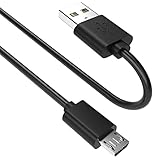
- SCOVEE micor usb cable connects your USB-ready computer to a digital camera compatible with Sony Alpha a6000 a6300 a6400 a6500 a5100 a5000 A77II A7IIK,A99II,Cyber-Shot DSCHX200V,DSCHX400, DSC-RX10 and more or other micro-b portable device with a micro usb 5-pin connector.
Windows PowerShell
exiftool -ShutterCount "C:UsersYourNamePicturesphoto.jpg"For a file in the current folder, use exiftool -ShutterCount .photo.jpg.
macOS or Linux
exiftool -ShutterCount "/path/to/photo.jpg"For an original RAW file, substitute its filename, for example photo.ARW. To show the metadata tag name as well as its value, add -s:
exiftool -s -ShutterCount "photo.jpg"A typical result is ShutterCount: 18432; that number is an example, not a benchmark. ExifTool lists ShutterCount for the ILCE-6000 in its Sony tag reference. The meaning of Sony counters can vary, so do not assume that every field named ImageCount or ShutterCount2/3 is interchangeable with the primary mechanical-actuation field.
What’s actually slowing this PC down?
Pick the symptom - the matching free tool is one click away.
Rank #2
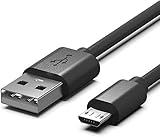
- Compatible for Sony Alpha a6000 a6300 a6400 a6500 a5100 a5000 A77II A7IIK, A99II,Cyber-Shot DSCHX200V, DSCHX400, DSCHX80, DSC-RX10, DSCRX100, DSCWX220, DSCWX300 DSCWX350 DSCWX500
- Micro-USB to USB Cable - Long 5Ft
- Compact connectors to ensure a solid, high quality connection and fast charging speed between the connected devices
- Supports Hi-Speed USB 2.0 Universal Data Transfer Speed at up to 480 Mbps
- Service: 30-day refund, 3-month warranty and lifetime friendly customer service.
Use an original file for a dependable reading
If you have the camera, insert a memory card, take an ordinary still photo, and copy the resulting JPG or ARW directly from the card without editing or converting it. Keep the original unchanged while checking it.
If you are considering a used A6000, ask the seller for an original file taken by that camera—not a screenshot or an image re-exported from editing software. A fresh file is preferable. Check that its embedded camera model and capture information are consistent. Marketplace, messaging, and social platforms may strip or rewrite metadata.
Lightroom, Photoshop, Capture One, phone apps, resizing tools, and format converters can remove Sony maker notes. An XMP sidecar is not a substitute for the original camera image. If several original files are available, checking consecutive frames can help reveal whether the reported count changes consistently.
Rank #3
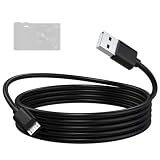
- Compatible: Micro USB cable for Sony camera Alpha A6000, A6300, A6400, A6500, A5100, A5000, A77II, A7IIK, A99II, Cyber-Shot DSCHX200V, DSCHX400, DSCHX80, DSC-RX10, DSC-RX100, DSCWX220, DSC-WX300, DSCWX350, DSCWX500
- High-Speed Data Transfer: The A6000 data transfer cable supports data transfer rates of up to 480 Mbps, efficiently transferring high-resolution photos and videos captured by the camera to your computer. Featuring a multi-layer anti-interference shielding structure, it effectively reduces electromagnetic interference, ensuring stable and error-free signal transmission while protecting the integrity of your images and videos
- Fast and Safe Charging: The A5000 charging cable provides a stable current output, supports in-camera charging, and is compatible with wall chargers, power banks, and laptop USB ports, keeping your camera ready to shoot at all times. Built-in safety protection ensures a stable and gentle current output, preventing damage caused by overcurrent or overvoltage
- Durable Materials: The A5100 charging cable features a high-quality, flexible PVC outer layer that is abrasion-resistant, tangle-free, and easy to clean, effectively extending the cable’s lifespan. The reinforced connector design can withstand over 20,000 insertion and removal cycles, enhancing durability and making it suitable for long-term daily use
- Two Lengths Aavailable: The A6400 charger cord in 1.5-meter length is compact and portable, ideal for travel, outdoor photography, and everyday use; the 2-meter length provides a longer connection range for your camera, suitable for desktop, studio, and fixed-position shooting
If no shutter count appears
A missing value does not mean the camera has zero actuations. Work through these checks:
- Copy a fresh image directly from the memory card or the camera’s original file location.
- Try an untouched JPG and, if available, an original ARW.
- Confirm that the image actually came from an A6000, rather than another Sony camera.
- Test the same file in the other method: use ExifTool if ShutterTool shows missing EXIF, or ShutterTool if ExifTool returns no result.
- Update ExifTool if your installed version is old, and confirm that the file is complete and not corrupted.
To inspect Sony metadata more broadly, run:
exiftool -a -G1 -s "photo.jpg"To look specifically at several potentially relevant counters, run:
exiftool -a -G1 -s -ShutterCount -ImageCount -ShutterCount2 -ShutterCount3 "photo.jpg"The -a -G1 -s options show duplicate tags, metadata groups, and tag names; ExifTool documents tag-name display in its FAQ. Not every A6000 file or ExifTool version will expose every related field. If the reading remains important and unresolved, contact Sony support or a qualified repair provider.
Rank #4

- ✅ Compatible with Sony Alpha & Cyber-shot Cameras – Works perfectly with popular models like Sony a6000, a6300, a6500, a7 II, a7R II, a7S II, and ZV-1, plus RX100, RX10, HX90V, WX500, and more.
- 🔌 Fast Data Transfer & Charging – Supports high-speed file transfers and stable charging for your camera through USB connection. Ideal for tethering, firmware updates, and power on the go.
- 📸 Perfect for Vloggers, Creators & Photographers – Whether you're using a Sony Alpha mirrorless or point-and-shoot Cyber-shot, this cable is ideal for content creation, livestreaming, and video capture.
- 💪 Durable Design – Reinforced cable jacket offers tangle-free, long-lasting use with strong strain relief for frequent plug/unplug sessions in studio or field environments.
- 🧳 Travel-Ready & Universal Fit – Compact and lightweight, this Micro USB cable is a must-have in every Sony camera gear kit, compatible with power banks, wall chargers, and laptops.
What the number does—and does not—tell you
For the A6000, interpret the relevant ShutterCount value as the mechanical shutter-actuation count recorded in Sony image metadata. It is not necessarily the count of every exposure in every shooting mode, every camera operation, or every image stored on the card. ExifTool documents the Sony counter fields and their distinctions in its Sony tag reference and technical discussions (exposure and shutter movements; Sony counter fields).
Do not confuse shutter count with the file number, folder number, or an ImageCount field. A name such as DSC01234.JPG does not prove the camera has taken exactly 1,234 photos. Nor does a metadata reading establish an independently verified lifetime total: counter behavior and reset characteristics are camera-specific, and an image file’s metadata can be changed. Treat a file supplied by a seller as evidence, not absolute proof. ExifTool’s author discusses these variations in a camera-counter discussion.
A higher count means more recorded mechanical use, but it is not a failure forecast. Sony’s published ILCE-6000 manuals do not document a normal user-facing shutter-count menu, and the cited Sony materials do not establish a public A6000 shutter-life guarantee. Avoid treating any single count as a universal good-or-bad cutoff.
Assess a used A6000 beyond its count
Shutter count is one piece of evidence. Test the camera and inspect its condition before buying:
Quick Recap
- Fire several shots at different shutter speeds and test both single-shot and continuous shooting.
- Look for visible damage to the shutter curtains; do not touch them.
- Check the sensor for dust or scratches, and test the card slot with a card.
- Inspect the lens mount, dials, buttons, screen, EVF, pop-up flash, hot shoe, ports, and battery condition.
- Ask about ownership history, service, and any shutter or other major component replacement. Compare the count with the camera’s visible wear rather than judging either in isolation.
Product prices and availability are accurate as of the date/time indicated and are subject to change. Any price and availability information displayed on Amazon at the time of purchase will apply.

