Free tools Windows power users keep installed
One-click scans. No signup required.
Some links on this page are affiliate links: if you buy through them we may earn a commission, at no extra cost to you.
Greenshot’s documented keyboard defaults are the fastest way to capture a region, window, full screen, previous area or Internet Explorer tab. Use the reference table below, then verify Settings > Hotkeys because the official help is labeled version 1.2.10 and mappings can differ in another installation.
Greenshot’s default capture shortcuts
Greenshot runs in the background. Press a defined key combination or right-click its notification-area icon to begin a capture. These are the defaults documented in the official help and corroborated by the project configuration source:
| Capture action | Shortcut | Result |
|---|---|---|
| Region | Draw a selectable rectangle around part of the screen. | |
| Active window | Alt + Print | Capture the window that is currently active. |
| Full screen | Ctrl + Print | Capture the complete screen. |
| Last region | Shift + Print | Repeat the previous region or window capture area. |
| Internet Explorer | Ctrl + Shift + Print | Capture the active Internet Explorer tab. |
If a combination behaves differently, open Greenshot’s Settings > Hotkeys panel rather than assuming the documentation applies unchanged to your installed build.
Quick wins for a faster PC:
Fix the driver behind crashes, sound loss and screen glitchesFind Drivers →Clear out junk files and repair common Windows errorsFree Scan →Scan for outdated or missing drivers - takes under a minuteDriver Scan →What each Greenshot mode is for
Region capture: Print
Press Print, then drag across the pixels you need. This is the best choice for a control, paragraph, dialog, or any area that does not correspond to a complete application window. The selection overlay lets you refine the rectangle before confirming the capture.
#1 Best Overall
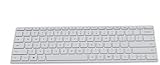
- Seamless Bluetooth Connectivity so you can enjoy reliable and instant wireless pairing with your devices. This wireless Bluetooth keyboard is compatible with Windows, macOS, iOS, and Android, providing a clutter-free and versatile setup.
- Easily boosts your productivity with the optimized key travel and an ergonomic layout, this keyboard is designed for comfortable and quiet typing. The dedicated Expressive Input (emoji) key and screen capture key streamline your workflow and save you valuable time.
- Ultra-slim and highly portable design, the modern, minimalist profile and lightweight build make this keyboard the perfect accessory for on-the-go professionals and students. Easily slip it into your laptop bag or backpack and work from anywhere.
- Constructed with a premium quality solid build, includes quiet keys and high-quality finishes, this keyboard offers a premium typing experience. The quiet, responsive keys ensure you can work discreetly in any environment, from a bustling office to a quiet cafe.
- Slim and Compact Design saves desktop space and allows for close, comfortable mouse position. Connects wirelessly via Bluetooth. Sleek, low-profile design complements any workspace. Optimized key spacing and key travel for fast, fluid typing. Expressive Input Key (Emoji): Instantly add emojis to your messages.
Active-window capture: Alt + Print
Alt + Print captures the window that has focus. Use it for a complete application window when you do not want to drag around borders manually. If your desktop focus changes before you press the combination, Greenshot will target the newly active window.
Full-screen capture: Ctrl + Print
Ctrl + Print captures the entire screen. Choose this when desktop context, multiple windows, or a complete monitor view matters more than a tightly cropped image.
Repeat the previous area: Shift + Print
Shift + Print repeats the previous region or window capture area. It is useful for collecting a series of screenshots from the same location without redrawing the rectangle each time.
PC Slower Than It Used to Be?
A free scan shows the junk files, broken settings and background clutter dragging Windows down - then fixes them in one click.Free scan · Windows 10 & 11Crashes, No Sound, or Screen Glitches?
Random freezes, missing sound and display glitches usually trace back to one bad driver. Find and replace yours safely.Free scan · under a minuteInternet Explorer capture: Ctrl + Shift + Print
Ctrl + Shift + Print is the documented shortcut for the active Internet Explorer tab. The help page names Internet Explorer specifically; do not treat this mapping as a promise that the same mode targets every modern browser.
Keys that control a capture in progress
Switch between region and window selection
Start region capture with Print. While selecting, press Space to switch between region mode and window mode. This is particularly useful when you began with a drag but realize that selecting a complete child window would be more precise.
Rank #2

- Customizable with compact LCD display
- High-performance USB interface
- Rugged - Ideal for USB-redirected remote environments
- High-quality capture techniques
Move the selection by exact increments
- Use the Arrow keys to move the cursor one pixel at a time.
- Hold Ctrl while pressing an arrow key to move in 10-pixel increments.
These controls help align an edge with a one-pixel border or move quickly across a larger area without abandoning the selection.
Capture a context menu without closing it
Open the menu you need to show, start region mode with Print, and press Space. Invoking a capture-window shortcut or Greenshot’s own context menu can close the menu you are trying to capture, whereas switching from region mode keeps the menu open for selection.
Select a child window interactively
Greenshot’s window-capture settings can use interactive selection. Point at the child window you want, such as a browser viewport, and press PgDown to select that child element instead of the parent window.
Change Greenshot’s keyboard mappings
- Open Greenshot’s notification-area menu.
- Choose Settings.
- Open the Hotkeys section.
- Assign a different key combination to region, window, full-screen, last-region, or Internet Explorer capture.
- Save the change and test the new combination in another application.
The Hotkeys panel is the first place to check when a documented default does not work. It shows the mapping used by your installation, which may not match the version-1.2.10 help page.
Assign special keys through the configuration file
The official FAQ identifies Windows and Pause as examples of keys that may require configuration-file editing rather than the Hotkeys panel. Use this sequence:
Rank #3
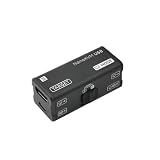
- [PORTABLE O&M REMOTE ACCESS] This NanoKVM-USB is a premier O&M tool designed for seamless multi-device collaboration. It eliminates bulky peripherals, allowing you to manage BIOS-level tasks via any browser. Use NanoKVM-USB for efficient, driver-free server control without software downloads.
- [1080P 60FPS VIDEO CAPTURE] Experience ultra-low latency with the NanoKVM-USB. It captures crisp HDMI signals and transfers them to your host via high-speed USB 3.0. This NanoKVM-USB ensures smooth 1080P@60fps monitoring, making it perfect for field work, travel, and demanding data center environments.
- [REAL-TIME SIGNAL SYNCHRONIZATION] Unlike standard capture cards, NanoKVM-USB features integrated HID keyboard and mouse emulation. The NanoKVM-USB synchronizes every keystroke to the target host in real-time, providing a responsive and fluid remote operation experience that mimics local access.
- [4K HDMI LOOP-OUT SUPPORT] The NanoKVM-USB supports 4K@30Hz HDMI loop-out for high-definition external monitoring on large screens. This NanoKVM-USB offers superior visual clarity and hardware versatility, making it an essential, finger-sized solution for developers and system administrators.
- [SDK DOCUMENT] Sipeed NanoKVM-USB O&M Collaboration Tool SDK Document: “wiki.sipeed.com/hardware/en/kvm/NanoKVM_USB/quick_start.html”. All after-sales questions, please leave the message to “wpd#youyeetoo&com (#--->@,&--->.)”. or click “WayPonDEV” store and ask the question.
- Exit Greenshot completely. If it remains running, it can overwrite your manual edit when it closes.
- Open Greenshot’s configuration file in a text editor.
- Edit the relevant hotkey entry. For example, the FAQ gives
RegionHotkey=Win + P. - Save the file and start Greenshot again.
The documented entries cover region, window, full-screen, last-region, and Internet Explorer capture. Keep the spelling and modifier format consistent with the existing entries; if the key is rejected, return to the Hotkeys panel and choose a supported combination.
Troubleshoot a shortcut that does not work
The key does nothing
- Open Settings > Hotkeys and confirm that the expected action is still assigned.
- Check whether another application or utility has claimed the same key combination.
- Test a temporary, uncommon combination in Greenshot. If that works, the original key is being intercepted elsewhere.
- For Windows or Pause, use the configuration-file method and exit Greenshot before editing.
The Greenshot material documents how to change its own mappings but does not establish a universal fix for every operating-system or third-party hotkey conflict.
Print is unavailable on your keyboard
Choose another combination in Settings > Hotkeys. If the desired key is a special key that the panel cannot configure, edit the corresponding configuration entry after exiting Greenshot.
The wrong window is captured
For Alt + Print, make sure the intended window has focus before pressing the keys. For a child control or browser viewport, enable interactive window selection and use PgDown when the target is highlighted.
A context menu disappears
Do not open Greenshot’s capture-window command or its notification-area menu while the menu is visible. Start with Print, open the target menu, then press Space and select the area.
Do these 3 things before closing this tab:
1Repair Windows errors before they cause bigger problems2Scan for outdated or missing drivers - takes under a minute3Clear out junk files and repair common Windows errorsRank #4

- [SOFT MICROFIBER] Soft microfiber attracts and lifts dust from books keyboards monitors and other delicate surfaces without scratching making everyday cleaning gentler and more effective.
- [TELESCOPIC 40CM ] The handle extends up to 40cm to help clean shelves desk corners and narrow gaps while the 12.5cm brush head supports controlled detailed dusting in small spaces.
- [WASHABLE REUSABLE] The brush head can be rinsed with water and air dried after use giving you a practical reusable cleaning tool that helps reduce disposable dusting waste over time.
- [HOME OFFICE VERSATILITY] Made for bookshelves keyboards lamps blinds desktops and small household items this duster fits home office study room and cleaning needs with ease.
- [LIGHTWEIGHT PORTABLE] Weighing about 19g this handheld dust brush is easy to hold carry and store making it convenient for quick touch ups at home in the office or during travel.
The shortcut differs from the reference table
The official help page identifies itself as version 1.2.10, not as a compatibility matrix for every release. Treat Settings > Hotkeys in your installed copy as authoritative and update your personal shortcut reference after changing a mapping.
A repeatable shortcut workflow
- Decide whether you need a region, one window, the whole screen, a repeated area, or the documented Internet Explorer mode.
- Use the corresponding default combination from the table, or your customized mapping.
- During region selection, use Space to change mode and the arrow controls to align edges.
- For menus, begin with region mode before opening the menu, then switch with Space.
- After capture, verify that the selected scope is correct before annotating, saving, or sharing the image.
Or skip the browser setup
If your goal is an automated website image rather than a one-off desktop capture, ScreenshotNeo returns a PNG, JPEG, WebP or PDF from one request. Before capture it accepts cookie or consent banners like a visitor and removes more than 60 known consent platforms, newsletter popups and chat widgets; each cleanup step can be disabled. Only clean shots are billed, while bot checks or CAPTCHAs, blank pages, timeouts, failed loads and cache hits cost nothing. The response identifies the result with X-Page-Verdict and X-Billed headers.
Use the API documentation at https://screenshotneo.com/docs/ for all parameters. A basic cURL request is:
curl -G "https://api.screenshotneo.com/v1/shot" -d access_key=YOUR_API_KEY --data-urlencode url=https://stripe.com -o shot.webpThe same call in Python:
import requests
r = requests.get("https://api.screenshotneo.com/v1/shot", params={"access_key": "YOUR_API_KEY", "url": "https://stripe.com"}, timeout=90)
open("shot.webp", "wb").write(r.content)
And in Node.js:
const q = new URLSearchParams({ access_key: 'YOUR_API_KEY', url: 'https://stripe.com' });
const res = await fetch(`https://api.screenshotneo.com/v1/shot?${q}`);
ScreenshotNeo also supports full-page captures with lazy images loaded, CSS-selector element shots, dark mode, 12 device presets plus custom viewports, retina scale, PDF paper and margin controls, custom CSS and JavaScript, clicks before capture, selector hiding, waits for selectors, delays or network idle, ad/tracker/request/resource blocking, custom headers, cookies, user agents and Authorization, timezone and geolocation, transparent backgrounds, resizing, chosen cache TTLs, signed image links, asynchronous jobs with signed webhooks, bulk capture of up to 100 URLs per call, a usage API and an OpenAPI specification. An MCP server exposes take_screenshot, get_page_info and capture_pdf to Claude, Cursor and other MCP clients.
| Plan | Included shots | Price |
|---|---|---|
| Free | 1,000 per month | No card required |
| Starter | 3,000 | $5 |
| Growth | 15,000 | $15 |
| Pro | 60,000 | $39 |
| Scale | 250,000 | $99 |
| Business | 1,000,000 | $249 |
Yearly billing provides two months free, and every feature is available on every plan. Create a free ScreenshotNeo account to use 1,000 screenshots a month without a card.
Independent reader supportYour contribution helps us test, update, and keep practical guides available for everyone.FAQ
Are Greenshot’s documented defaults guaranteed for every release?
No. The cited help is labeled version 1.2.10. Check the Hotkeys panel in the installed version whenever a mapping differs.
Best Value

- 【Special Dual-Head Design】The dual-head brush design simplifies the entire dusting process. One side is suitable for large-area dusting, while the other side is designed to tackle dirt in narrow gaps or crevices. It's reusable and space-saving.
- 【Convenient Storage, Dust Anytime】A necessary cleaning tool for office or home environments, featuring a circular hole design at the end for easy hanging and storage. The set includes three duster brushes, meeting your needs for replacement and dusting anytime, anywhere.
- 【Gentle on Surfaces, Effective Dust Removal】Crafted with delicate fibers at the front end, the brush bristles feel soft, eliminating concerns about scratching surfaces. Additionally, they generate static electricity to attract dust and hair from object surfaces effectively. Complemented by resilient bristles at the tail end, it's capable of removing dirt from crevices with ease.
- 【Easy Maintenance】Simply rinse the duster under water, squeeze out excess moisture with a towel, and air dry. A convenient hanging hole enables space-saving storage and ensures the duster retains its fluffy shape for future use.
- 【Essential for Home Office Cleaning】The soft, lightweight netted-fiber head effortlessly cleans furniture, appliances, screens, and delicate items. The alternate head is perfect for deep gap cleaning, reaching into keyboards, cars, and sliding door crevices.
Is the Internet Explorer shortcut a universal browser shortcut?
No. The documentation defines it for the active Internet Explorer tab; other browsers are not covered by that specific mode.
Why must Greenshot be closed before a configuration edit?
The official FAQ instructs you to exit first so the running program does not overwrite your manual changes when it shuts down.
Recommended Free Tools
Frequently Asked Questions
Are Greenshot’s documented defaults guaranteed for every release?
No. The cited help is labeled version 1.2.10. Check the Hotkeys panel in the installed version whenever a mapping differs.
Is the Internet Explorer shortcut a universal browser shortcut?
No. The documentation defines it for the active Internet Explorer tab; other browsers are not covered by that specific mode.
Why must Greenshot be closed before a configuration edit?
The official FAQ instructs you to exit first so the running program does not overwrite your manual changes when it shuts down.
Quick Recap
Product prices and availability are accurate as of the date/time indicated and are subject to change. Any price and availability information displayed on Amazon at the time of purchase will apply.
The Tool Desk
Outbyte PC Repair FREEClear out junk files and repair common Windows errorsFree Scan →Outbyte Driver Updater FREEScan for outdated or missing drivers - takes under a minuteDriver Scan →
